 ai-x-leaders
 01
Launch films
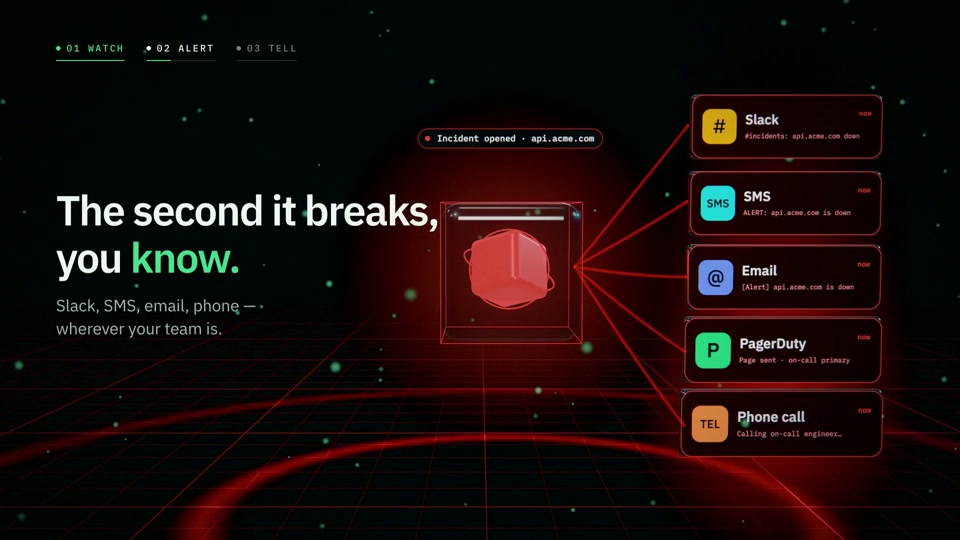
An AI workspace launch from one prompt
By @moritzkremb · Claude Opus 5.5
Creator’s reproduction prompt
The creator published this complete prompt to reproduce the video. It is not a transcript of the original generation session. Required tools and inputs are listed below.
# Product Launch — creator reproduction playbook Author: Moritz Kremb (@moritzkremb). Repository: https://github.com/moritzkremb/framejam Pinned revision: a7394a5fe912dbee53579c33d99a906e4e8e97c9 This bundle contains the creator's later published reproduction playbook and its six references, including the Notion launch-demo plan. The original generation-session instruction is a separate source. The seven source documents below are reproduced verbatim; this heading, setup metadata, file labels and source links are supplied by the library. ## Setup and files accompanying this recipe The full repository checkout at the pinned revision supplies the helper scripts and starter composition referenced by these documents. Those files are linked below, not embedded in this text bundle. They are not supplied as historical project assets. This reproduction has not been run or independently tested by the library. - Installation instructions: https://github.com/moritzkremb/framejam/blob/a7394a5fe912dbee53579c33d99a906e4e8e97c9/README.md#quick-start - Pinned repository checkout: https://github.com/moritzkremb/framejam/tree/a7394a5fe912dbee53579c33d99a906e4e8e97c9/ - Local tools: Node.js 22+, ffmpeg, and Python 3.10+ for the included music script; uv or the script's numpy/scipy/soundfile dependencies. - Video tool: the project's existing renderer, or Hyperframes for a fresh project; the recipe documents include its setup commands and starter-template paths. - Review tool: FrameJam, connected to the coding agent as described in the repository README. - Real inputs: the product website or real screenshots/recordings, official logo, fonts where embedding is permitted, and facts/copy from the product. The Notion example uses https://www.notion.com/ and is an unofficial practice piece. The exact historical project files are not provided. - Music: the included local synthesis script or a track the user owns or has licensed. Paid music/voice services are optional. - Music helper: https://github.com/moritzkremb/framejam/blob/a7394a5fe912dbee53579c33d99a906e4e8e97c9/playbooks/product-launch/scripts/launch_bed.py - Contact-sheet helper: https://github.com/moritzkremb/framejam/blob/a7394a5fe912dbee53579c33d99a906e4e8e97c9/playbooks/product-launch/scripts/sheet.sh - Starter composition and cues: https://github.com/moritzkremb/framejam/tree/a7394a5fe912dbee53579c33d99a906e4e8e97c9/playbooks/product-launch/template/hyperframes/ - Playbook metadata and MIT declaration: https://github.com/moritzkremb/framejam/blob/a7394a5fe912dbee53579c33d99a906e4e8e97c9/playbooks/product-launch/playbook.json --- ## Source document 1: `playbooks/product-launch/SKILL.md` Source: https://github.com/moritzkremb/framejam/blob/a7394a5fe912dbee53579c33d99a906e4e8e97c9/playbooks/product-launch/SKILL.md --- name: product-launch description: > Product Launch: turn a product (a URL, an app the user can record, screenshots or a brief) into the kind of 20–60 s launch video SaaS teams post on X: kinetic headlines and the real product UI in floating windows, cut to a music grid, ending on the name and a call to action. Real UI only, never mocked. Works with whatever video tool the project uses (Hyperframes, Remotion, Motion Canvas, an editor); Hyperframes when starting fresh. A free local script makes a music bed authored to the cut. Every version is reviewed in FrameJam. Use for a product launch, feature announcement, "introducing X" video, promo for a website or app, or a landing-page hero video. Not for a founder talking to camera (founder-launch) or a short mystery teaser (launch-teaser). --- # Product Launch > **How to use this playbook.** It's a recipe, not a set of rules: every format, length, pace and formula below is a > default, and whatever the user asks for wins. Don't open with questions: use the defaults, build, and mention the > defaults you chose in one line when you share the first render (ask only if something essential is missing, like the > footage itself). The first render is the proposal, so there's no plan to approve first. Storyboards only when the > user asks to see the shots first. Planning files the method mentions (`BRIEF.md`, `PLAN.md` and the like) are your > own working notes: write them when they help you, never as a step for the user. A product goes in; a polished launch video comes out. The kind you see on X when a SaaS team ships: a hook that names the pain, the product name landing on a drop, three features shown in the real interface, proof, and a clean end card. Music-driven, usually no voiceover, 20–60 s. Reference build: Moritz's **Notion launch demo** (46 s, 16:9, no voiceover, 120 BPM). Nine frames: scattered-tools hook on dark, logo and rotating headline on the drop, the real hero video in a floating window, three feature frames (capture, ask, agents) built from real Notion UI, a use-case roll, a logo wall with stats, and a CTA lockup. Its plan is in `references/example-notion.md`. Match that bar. The method is fixed; the tool is not. If the project already has a video tool, use it. If not, start a Hyperframes project (`npx hyperframes init`), and copy `template/hyperframes/` as the starting composition. `<playbook>` below means this folder (the local path `get_playbook` returned). ## What goes in, what comes out - **In:** what's being launched (URL, the app itself, screenshots, recordings, a brief or pasted script), who it's for, where it will be posted. Optional: brand files, a voiceover script, a music track. - **Out:** a 20–60 s mp4 (16:9 by default, 9:16 or 1:1 on request) with real product UI, kinetic type, music and sound effects on one beat grid, reviewed and approved in FrameJam. ## Defaults (the user's request overrides any of them) Work these out from the request and the files. Where nothing is said, use the default and keep going; ask only if something essential is missing. - **The one-line promise.** What the viewer should remember. Everything else is evidence for it. - **Length and format:** X feed 30–45 s 16:9 (default); landing hero 30–45 s 16:9, muted-first; Reels 9:16 ≤ 30 s. - **Sound:** music-only (default, plays muted on autoplay, so type carries the story) or voiceover + music. - **Real UI source:** the running app (record it), the website (capture screenshots and its hero video), or files the user gives. If there is nothing real to show, say so; don't invent an interface. - **Style:** Use the style picked for this video, if any (from `wait_for_pick`, or `get_preset` when the user names one). If the user picked a FrameJam style, it sets the whole look (palette, type, motion feel, transitions). No style: derive the look from the product's own brand (colors, fonts, UI surfaces). - **Facts:** stats, customer logos and claims only from the product's own site or the user. No invented numbers. - **Music:** the included free script (`scripts/launch_bed.py`) by default, a track the user owns, or a licensed library track. Generated music services are paid; stop and ask before using one. **Existing project made with another tool:** stay in that tool. The method (beat grid, storyboard, real UI in windows, paced reveals, verification, FrameJam loop) and the scripts (`launch_bed.py`, `sheet.sh`) work with any tool. When nothing is said: music-only, 16:9, ~40 s, the brand's look. Name the defaults you used when you share the first render. ## Workflow ### 1. Collect the real product Gather the material before writing a single line. Details in `references/assets.md`. - **App:** record short, clean takes of each feature (one action per take, 2880 px wide or more, no notifications, realistic demo data). Keep the event timings (when the click lands, when the result appears). - **Website:** save the hero video, full-page and section screenshots at 2x, the logo (SVG), fonts, the exact headlines, stats and customer logos. Hyperframes users can run `npx hyperframes capture <url> -o capture`. - Write `ASSETS.md`: one line per file with what it shows, size, and for videos the key moments in seconds. - Brand truth: colors (ink, canvas, one accent), display and body fonts, how the UI looks (radius, shadow, chrome). ### 2. Story and beat grid Read `references/story.md`. Then write `STORYBOARD.md`: - Pick one arc (problem → platform, demo loop, before/after, feature cascade). Write the promise in one line. - 6–10 frames. Each frame has one job: hook, product intro, feature, benefit, proof, CTA. A feature is shown as a short sequence on the real surface (input → action → result), not a static screenshot. - **AI agents and assistants:** show one real request end to end: it's typed into the input and sent, becomes a message, the agent's steps appear one by one (earlier ones dim), the result lands as a card with exact facts and a check, and the frame holds on the outcome before the lockup. Requests and results are specific (names, times, counts), never placeholder text. - The hook is 3–4 s and works muted: the viewer's pain or desire in their words, never "X is a platform that…". - **Beat grid first.** Pick a tempo (110–128 BPM; at 120 BPM a beat is 0.5 s, a bar 2 s). Every frame starts on a downbeat and lasts whole bars. Mark the drops: usually the product name and the proof section. Every reveal in every frame lands on a beat. - With voiceover: write `SCRIPT.md` in short cues (6–20 words per frame) and let the voice set frame lengths; music still follows the grid underneath. - Write a `## Video direction` block once at the top: palette roles, type roles, how windows enter, motion rules, which frames are dark "impact" frames, what never appears. Then build; the first render is the proposal. If the user wants to see the frames first, sketch them and review them in FrameJam as a storyboard: `open_review` with `panelsDir` (one image per frame, named `01-hook.png`…), then `wait_for_feedback`. ### 3. Shot design For each frame, write a time-coded shot list against the beat grid (`references/shots.md`): `Scene 1 (0.0–0.5s): …` with what is on screen, where it sits, and how it moves. Rules: - At t=0 show only the first thing. Every other piece arrives on its beat (or its spoken word). Never dump the whole frame in the first quarter and let it sit. - Real UI sits in a floating product window (brand radius, hairline border, soft layered shadow) with a 3D settle on entry. Never crop UI text mid-word. Rebuild only the one component that has to move (a search box that types). - One accent color per frame, one highlighted word per headline. - End every frame on a held read. Stillness beats lazy breathing or a drifting camera. - Frame-to-frame transitions: hard cuts on the beat by default; zoom-through at section changes; push-slide for a run of features. ### 4. Music and sound Read `references/music.md`. Default route, free: write `cues.json` from the storyboard (sections in bars, drops, and a sound effect for every slam, pop, click, typing run and window entrance), then `uv run <playbook>/scripts/launch_bed.py cues.json --out assets/music/bed.wav` (or `python3` with numpy, scipy and soundfile). Sound effects come from the same cue sheet, so they sit exactly on the cuts. If the user brings a track: measure its tempo, cut the grid to it, and start the track at its strongest section rather than a slow intro. ### 5. Build Build frame by frame in the project's tool. Hyperframes notes (and pitfalls we hit) are in `references/hyperframes.md`; the starter is `template/hyperframes/`. - One composition per frame, or one file with a layer per frame for short pieces. Keep frame-local times. - Animate with explicit from-states (seek-safe), long-tail eases (`power3`/`expo.out`), no bounce, no infinite loops, no randomness. - Product videos: give every `<video>` an id; move a wrapper `div` for camera moves, not the video element. - With parallel subagents available, give each one frame: its storyboard block, `## Video direction`, the asset lines it uses, and "edit only your file". Otherwise build in order yourself. ### 6. Check, render, review - Lint/check in the tool, then render to a new file per version (`renders/v1.mp4`, `v2.mp4`…). - `bash <playbook>/scripts/sheet.sh renders/v1.mp4` makes a 2 fps contact sheet; Read it. Look at every frame midpoint and both sides of every cut. Check: nothing front-loaded, no text cropped or under the caption band, no pop at the seams, the drop lands with the name, the end card holds ≥ 1.5 s. - `ffmpeg -i renders/v1.mp4 -vf freezedetect=n=0.003:d=2 -f null -` flags dead stretches; a freeze is fine only where you planned a hold. - **Review in FrameJam:** `open_review` with `videoPath` = the render (absolute path), open the URL in the built-in browser, `wait_for_feedback`. Map each note to its frame by timestamp, fix, render `v2`, verify again, then `add_version` with a one-line note and wait again. Repeat until approved. - Deliver the final mp4 (X: H.264, ≤ 2:20, ≤ 512 MB) with its duration and the frame list. ## Quality bar - **Real product, truthfully:** every UI shot is a real recording or screenshot. Copy, stats and logos come from the product's own sources. Third-party logos only where the product itself shows them (integrations, customers). - **The promise lands by frame 2.** The hook speaks to the viewer's pain or desire; the name arrives on the drop. - **Every reveal is on a beat** (or its spoken word), and the music, sound effects and cuts share one grid. - **Readable at a glance:** 1–7 words per headline, ≥ 64 px at 1080p, one focal point per frame. - **Premium motion:** smooth settles, windows with depth, velocity-matched seams; no bounce, no screensaver float, no generic stock shapes standing in for the product. - **Works muted:** the story reads from type and UI alone. - **Watch it yourself** (contact sheet + cut checks) before every FrameJam round. ## Files in this playbook - `references/story.md`: arcs, frame roles, hook types, proven line shapes for each role, VO rules. - `references/shots.md`: shot shapes for launch frames, layout and motion rules, seams, a worked shot list. - `references/assets.md`: recording the app, capturing a site, the asset list, rights. - `references/music.md`: beat grid, `cues.json` format, using your own track. - `references/hyperframes.md`: starting fresh in Hyperframes, product windows, video and audio, pitfalls. - `references/example-notion.md`: the Notion launch demo's plan, frame by frame. - `scripts/launch_bed.py`: free local music bed and sound effects from a cue sheet. - `scripts/sheet.sh`: contact sheet of any render. - `template/hyperframes/`: a starter composition (beat-grid helpers, product window, kinetic line, chip, CTA card). --- ## Source document 2: `playbooks/product-launch/references/assets.md` Source: https://github.com/moritzkremb/framejam/blob/a7394a5fe912dbee53579c33d99a906e4e8e97c9/playbooks/product-launch/references/assets.md # Assets: collecting the real product The video is only as good as the real material. Collect it first, list it, then plan. ## Recording the app - Window at 1440×900 logical (2880×1800 on a Retina screen). Record the window or a crop, not the whole desktop. - Clean state: demo account with realistic data, no notifications, no personal names or emails, light or dark theme matching the brand. - One action per take, 3–10 s each: open, type, click, result. Leave 1 s of stillness before and after. - Note the timings of each take in `ASSETS.md` (e.g. "review.mp4: 7.0 click on mascot, 7.6 pin appears, 8.2–9.6 typing, 10.1 comment lands"). Those are your cue points. - If you can script the browser (Playwright, Puppeteer), record deterministic takes with a drawn cursor; re-recording after a UI change is then free. - Screen Studio-style auto zoom is optional; you can do the zoom inside the product window instead. ## Capturing a website - The hero video (often an mp4 in the page source), full-page and section screenshots at 2x, the logo as SVG, the fonts (only if the license allows embedding in video), exact headlines, stats and the customer logo wall. - With Hyperframes: `npx hyperframes capture <url> -o capture --json` writes screenshots, assets, tokens and visible text. Check `ok: true` and that no `BLOCKED.md` exists; a failed capture is a stop, not a reason to invent the page. - Show the captured page as the real page. Rebuild only the one component that needs to move (a search input that types), matching it 1:1. ## ASSETS.md One line per file: path — what it shows — size — key moments. This is the only inventory the storyboard may use. ```md - assets/ui/hero.mp4 — official hero video, Ramp HQ board, agent avatars dragging cards — 1920x1200, 11 s - assets/ui/meetings.webp — Meetings database, rows with team tags — 1740x1740 on white - assets/logos/slack.svg — Slack mark (integration shown on the product's own site) ``` ## Brand truth - Colors: canvas, ink, muted text, hairline, one accent (exact hex from the site CSS or the user's brand file). - Fonts: display and body (the product's own if licensed, else the closest free font), plus a mono for kickers. - UI surfaces: radius, border, shadow, how windows look. Product windows in the video use these. ## Rights - Real UI and copy of the user's own product: fine. - Customer and integration logos: only ones the product itself shows publicly, in their official colors. - No real people (photos, faces) without consent. Characters and illustrations only if they are the product's own. - Music: licensed, owned, or generated locally (`scripts/launch_bed.py`). - Demo videos of someone else's product (like the Notion demo) are for practice; label them unofficial and don't publish them as the brand's own. --- ## Source document 3: `playbooks/product-launch/references/story.md` Source: https://github.com/moritzkremb/framejam/blob/a7394a5fe912dbee53579c33d99a906e4e8e97c9/playbooks/product-launch/references/story.md # Story: what the video says, in what order A website is an information layout. A launch video is an emotional sequence. Reorder, merge and drop the site's content freely; build everything around one promise. ## 1. Extract the product truth Write these six lines before any frame: - **Audience:** who it speaks to ("startup operators who live in Notion"). - **Pain or desire:** what they already want fixed or want to have. - **Promise:** the one line the whole video proves ("Teams and agents work in one place"). - **Product role:** what the product does in that story. - **Proof:** the UI moments, metrics, customer logos, demos you actually have. - **CTA:** what to do next (URL, "Try it free", install command, waitlist). ## 2. Pick one arc | Arc | Use when | Frame order | | --- | --- | --- | | Problem → platform | The pain is known (scattered tools, busywork) | hook (pain) → name → hero → 2–3 features → proof → CTA | | Demo loop | The UI explains itself | question → name → demo 1 → demo 2 → trust → CTA | | Before / after | It replaces an old workflow | before → after tease → name → step 1 → step 2 → wow → CTA | | Feature cascade | Many capabilities, status-driven | category hook → feature → benefit → feature → benefit → climax → CTA | | Future pacing | A new category | imagine → name → pain gone → how → outcome → CTA | Translate every feature into what the viewer gets. Never stack raw features. The Notion demo is problem → platform: "Docs here. Chats there. Tasks everywhere." → logo and headline on the drop → hero video → capture / ask / agents → use-case roll → logos and stats → CTA. ## 3. Frame roles One job per frame: `hook`, `pain`, `product_intro`, `feature`, `benefit`, `proof`, `cta`. - **Hook (3–4 s):** tension, curiosity or desire, in the viewer's words. Options: a pain in three beats, a rhetorical question, one big number, a "could be X, or Y, or Z?" cycle, direct address, a visual spectacle. Never open with a company description. - **Product intro:** the name lands on the music drop. Logo + one-line claim, then straight into the real product. - **Feature:** a short sequence on the real surface: input → action → result → one line of value. A feature that depends on a workflow gets 2–3 consecutive frames on the same surface. - **Proof:** customer logos the product itself shows, real metrics counting up, a quote with a name. - **CTA:** logo lockup, one line, one action (button with a drawn cursor click, URL, install command). Hold it. ## 4. Line shapes that work (from launch videos that performed) Write each headline or voiceover line in one of these shapes. Swap in the product's words. **Hook** - Pain in beats: "Docs here. Chats there. Tasks everywhere." - Escalating jab: "Getting traffic is hard. Insanely hard." - Option cycle then crash: "A doc? A database? A wiki? It's all of them." - One stat cold open: "One million users. Ninety days." - The ask itself: "What if you could just… ask?" (a prompt box types it) - Roll-call: "For founders, for designers, for marketers. For anyone who ships." **Product intro** - "Introducing [Name]. [What it is in 4 words]." - Name only, the mark assembling on the drop. - "This is [Name]. Click through and watch your work change." (cursor-led first look) - "Open a space, drop in your notes, hit share. That's it." **Feature** - One workflow end to end: "Pick your recipient, set your intention, choose a tone. Done." - One ask, one answer: "Ask for revenue by region. The chart draws itself." - The machine working: "It checks every file, flags what's broken, fixes what it can." - Breadth at once: "Command bar, API, SSO, version history. And a lot more." - Cause and effect: "Drag the value. The button follows." **Benefit** - Staccato value montage: "No setup. Every model. Clean UI. Fast." - Calm value title: "A smart color picker. With instant shades." - Demo / value line / demo: "Watch it draft the reply. That's an hour back." **Proof** - "Trusted by teams that ship." + logo wall + 3 stats counting up. - "Loved by 1,000+ teams." on a clean card. **CTA** - "Try it free. No credit card. name.com" - "This is [Name]. Start building. It's free." - An install command typed in a pill: `npx -y name install`. Vary the shapes across the video; don't reuse the same one on consecutive frames. ## 5. Voiceover (only when the user wants one) - 1–2 short sentences per frame, written in cues ("Content, sentiment, engagement. In one place.") so each on-screen piece can appear when its word is spoken. - Concrete verbs, the viewer as "you". Avoid "seamless", "unlock the power of", "streamline your workflow". - User script given verbatim: don't change words; split at sentence or clause boundaries. - Voice: the user's own recording first; a free local voice (Kokoro, Piper) second; paid voices only with a budget. ## 6. Storyboard frame template ```md ## Frame 3 — Product hero - scene: the real hero video rises in a floating window, headline above - duration: 6s (bars 5–7) voiceover: "" - transition_in: cut - type: product_intro persuasion: show, don't tell beat: wow - assets: assets/ui/hero.mp4 (11 s, agents moving cards); assets/ui/hero-first-frame.png - keyMessage: the product does real work ``` ## Checklist - The promise is one line and lands by frame 2. - The hook works muted in 3–4 s. - Each frame has one job; features are shown working, not listed. - Every claim, stat and logo has a real source. - Frame lengths are whole bars on one tempo; drops are marked. --- ## Source document 4: `playbooks/product-launch/references/shots.md` Source: https://github.com/moritzkremb/framejam/blob/a7394a5fe912dbee53579c33d99a906e4e8e97c9/playbooks/product-launch/references/shots.md # Shots: how each frame looks and moves Write every frame as a time-coded shot list against the beat grid. The failure that makes agent videos look like PowerPoint is front-loading: the whole frame appears in the first quarter, then sits. A shot list written beat by beat makes that impossible. ``` Scene 1 (0.0–0.5s): only the first thing enters Scene 2 (0.5–2.0s): the next piece arrives on its beat (a word, a window, a chip) ... Scene N (…–end): everything has landed; hold the read ``` Each Scene line says what is on screen, where it sits, and how it moves. No pixel recipes in the storyboard unless a seam needs exact numbers (see handoffs below). ## Shot shapes for launch frames Pick a shape per frame, fill it with this product, keep its signature move. | Shape | Signature move | Good for | | --- | --- | --- | | Kinetic beat slam | short lines slam in one per beat, then resolve | hook, pain, benefit montage | | Option cycle | one slot swaps words on the beat, then a hero claim crashes in | hook, brand line | | Fixed anchor cycle | one pinned line, the next line hard-cycles use cases | breadth, use-case roll | | Logo bloom lockup | the mark springs in on the drop, glides up, headline builds | product intro, CTA | | Floating window settle | real UI rises with a 3D tilt and lands flat, then plays | product hero, features | | Prompt → result | an input types, submit press, the result fans out behind it | AI features, search | | Agent at work | trigger → status "Working…" → check → the board changes | automation features | | Layered surfaces | a window plus a smaller real component floating in front | features with two parts | | Cursor demo | a drawn cursor moves, clicks, a ripple, the UI responds | workflows, CTA button | | Grid assemble | tiles or logos build row by row, then compress for stats | breadth, proof | | Count-up | a number counts up, size grows with it | proof, hook stat | | Titlecard | 2–3 near-still cards, one phrase each | calm benefit, end card | ## Layout - **Framing:** centered (hero, climax), split 42/58 (headline left, UI right), layered depth, full-width strip. Vary across the video. - **Density:** the main visual takes ≥ 40% of the frame; 3 depth layers (ground, window, floating chip). - **Hierarchy:** one element clearly dominates (size 3:1, weight 700 vs 500, the accent color). - **Margins:** 96 px sides at 1080p; keep content in the top ~85% if captions or a player bar will sit at the bottom. - **Don't show:** browser chrome, real OS cursors (draw one), scrollbars, notification badges, bokeh, purple "AI" gradients, generic shapes standing in for the product. ## Product windows - White or dark surface by the product's theme, brand radius (12–20 px), 1–2 px hairline border, layered soft shadow. - Optional title bar with three hairline dots; never a full browser. - Entry: rotateX 18–30° → 0, y +80…+300 → 0, scale 0.94 → 1, blur 8 px → 0, `expo.out` 0.8–1.5 s. The shadow deepens as it lands. - Camera moves happen inside the window on a wrapper (zoom to the comment box, the answer, the button). Max 2.4x on 2x captures. - A real video plays only once the window is parked flat; until then show its first frame as a still. ## Motion rules 1. **Smooth beats bouncy.** Arrivals `expo.out` 0.5–0.7 s, settles `power3.out`, exits `power2.in` 0.3 s. Overshoot only for one deliberately playful pop. 2. **Reveal on the beat or the spoken word**, spread across the frame, especially the back half. 3. **No lazy breathing, no slow drift on a held frame.** A held read is fine. At most a tiny jitter (≤ 2 px). 4. **Seams are velocity-matched**: cut at peak speed, same direction on both sides. 5. **Seek-safe**: explicit from-states, no infinite loops, no randomness, no CSS animations (the renderer seeks). ## Seams inside a frame - **Zoom-through** (state change, e.g. hook → brand): outgoing scales 1 → 1.2 with blur to 10 px and opacity to 0.15 in 0.2 s (`power3.in`); hard swap; incoming scales 0.75 → 1 from the same blur and opacity in 0.5 s (`expo.out`). - **Inverse zoom** (payoff): outgoing shrinks to 0.8, incoming arrives at 1.25 and settles to 1. - **Cut the curve** (between scenes): outgoing moves 230 px left on `power4.in`, fades by 30% of the way; incoming starts 230 px right and continues left on `power4.out`. Same distance and duration on both sides. - **Waterfall** (line to line): cut the curve per word with a ~0.02 s stagger, the last word dying at the cut. - Blur peaks: 10 px for text, 18–20 px for full-frame surfaces. ## Handoffs When an element continues across a frame boundary (the dot that becomes the next frame's circle, a window that stays), write the exact state at the cut in both frames: x, y, scale, opacity, direction. Parallel builders must not invent two versions of one seam. ## Video direction block (write once, top of STORYBOARD.md) - Palette roles (ground, ink, muted, hairline, the one accent) and when the dark register is used. - Type roles (display, display-xl, one serif or italic flourish word max per frame, mono kicker, body). - Product surface spec (window look, entry move). - Motion grammar (eases above, beat-locked reveals, final beat of each frame is a still hold). - Rhythm: which frames are tight and dark, which are the breather before a drop. - Negative list: front-loading, floating screensaver motion, breathing, bokeh, neon, glassmorphism, browser chrome, invented numbers, em dashes in copy. ## Worked shot list (from the Notion demo, frame 5) ``` Frame 5 — Find answers (6 s, bars 11–13), prompt → result Scene 1 (0.0–2.0s): centered input pill with the product's AI icon; the question types in 0.2–1.8 with a caret. Scene 2 (2.0–2.5s): send button press (scale 0.88 → 1); the input glides up to 18% and shrinks to 0.8. Scene 3 (2.5–4.0s): the real answer cards rise and fan in beneath (y +100 → 0, blur → 0); a small dashboard window slides in behind for depth; three source chips pop one per beat at 3.0 / 3.5 / 4.0 with connector lines drawing to them. Scene 4 (4.0–6.0s): "Get answers, instantly." lands bottom-left per word, "With citations." at 4.5 (accent on the last word). Hold still from 5.0. ``` --- ## Source document 5: `playbooks/product-launch/references/music.md` Source: https://github.com/moritzkremb/framejam/blob/a7394a5fe912dbee53579c33d99a906e4e8e97c9/playbooks/product-launch/references/music.md # Music and sound Launch videos are cut to music. Decide the tempo before the first frame and keep everything on one grid. ## Beat grid - 120 BPM is the easy default: 1 beat = 0.5 s, 1 bar = 2 s. 110–128 BPM all work. - Every frame starts on a downbeat and lasts whole bars (2, 4, 6 s at 120 BPM). - Reveals inside a frame land on beats (multiples of 0.5 s) unless they follow a voiceover word. - Drops (big kick + impact): on the product name, and again where proof or the climax starts. - A 1–2 bar breakdown (no drums, riser, snare roll) before the second drop gives the video a breath. - The last 2–4 s: final hit and ring-out under the end card, then a short fade. ## The free route: launch_bed.py `scripts/launch_bed.py` synthesizes a bright electronic bed (drums, offbeat bass, pads, plucked arp, a bell hook) plus sound effects, from a JSON cue sheet. No samples, no service, no licence questions. Same seed, same file. ```bash uv run <playbook>/scripts/launch_bed.py cues.json --out assets/music/bed.wav # or: python3 -m pip install numpy scipy soundfile && python3 launch_bed.py cues.json --out bed.wav ``` ```json { "bpm": 120, "duration": 46, "mood": "bright", "sections": [ {"bars": [1, 2], "type": "intro"}, {"bars": [3, 16], "type": "groove"}, {"bars": [17, 18], "type": "breakdown"}, {"bars": [19, 21], "type": "groove"}, {"bars": [22, 23], "type": "outro"} ], "hits": [ {"t": 0.5, "sfx": "slam"}, {"t": 1.5, "sfx": "slam"}, {"t": 2.5, "sfx": "slam"}, {"t": 4.0, "sfx": "whoosh", "dur": 0.5}, {"t": 8.5, "sfx": "swoosh", "dur": 1.2}, {"t": 16.0, "sfx": "pop"}, {"t": 17.0, "sfx": "tick"}, {"t": 17.5, "sfx": "chime"}, {"t": 20.2, "sfx": "typing", "dur": 1.6, "chars": 41}, {"t": 22.0, "sfx": "click"}, {"t": 44.0, "sfx": "click"} ] } ``` - Section types: `intro` (filtered pads, heartbeat kick, drone), `groove` (full beat; a groove after an intro or breakdown starts with an automatic drop), `breakdown` (pads open, riser and snare roll into the next bar), `outro` (final impact and ring-out, no drums). - Sound effects: `impact`, `slam` (word slam), `whoosh` (reverse, ends at `t`, into a cut), `swoosh` (forward, starts at `t`, a window flying in), `pop` (chip, tile, pin), `tick` (swap, row), `click` (button, send), `chime` (done, check), `typing` (`dur`, `chars`), `riser` (`dur`). Optional `gain` on any hit. - `mood: "night"` switches to a minor progression for dark, moody launches. - `--no-sfx` / `--sfx-only` render the two layers separately if you want to mix them in the video tool. - Check the result: `ffmpeg -ss 0 -t 4 -i bed.wav -af volumedetect -f null -` per section; the intro should sit a few dB under the groove. You can't hear it: tell the user to listen and offer to change tempo or mood. ## Using a real track - The user's own or a licensed library track (YouTube Audio Library, Epidemic Sound, Artlist, Musicbed). - Measure the tempo (librosa `beat_track`, or tap it out against the waveform) and cut the grid to it. - Many library tracks open on a slow build. Start the track at the strongest clean section, fade in over 0.3 s, and make sure it doesn't end before the video (fade out 1–2 s at the end). - Generated music (Suno, ElevenLabs Music, Udio) is paid; ask before using it and check the plan allows commercial use. ## Voiceover with music - Voice first: its real duration sets frame lengths. Then pick a tempo and round frames to bars, adding silent beats at the ends rather than squeezing words. - Duck music 6–9 dB under the voice. Keep sound effects; drop the busiest ones under dense speech. --- ## Source document 6: `playbooks/product-launch/references/hyperframes.md` Source: https://github.com/moritzkremb/framejam/blob/a7394a5fe912dbee53579c33d99a906e4e8e97c9/playbooks/product-launch/references/hyperframes.md # Building it in Hyperframes (when starting fresh) Use this only when the project has no video tool yet. In a Remotion, Motion Canvas or editor project, apply the same method there. If the Hyperframes skills are installed, use them for composition details. Otherwise `npx hyperframes docs` has the reference. Everything here is free and local. ## Setup ```bash npx hyperframes init videos/<product>-launch --non-interactive --example=blank cp -R <playbook>/template/hyperframes/* videos/<product>-launch/ cd videos/<product>-launch ``` Put assets under `assets/` (`ui/`, `logos/`, `fonts/`, `music/`). Vendor GSAP locally (`assets/vendor/gsap.min.js`) for offline renders, or keep the CDN link in the template. ## Composition basics - The root element has `data-composition-id="main"`, `data-duration`, `data-width`, `data-height`. - Anything that appears for a time window is a `class="clip"` element with `data-start`, `data-duration` and a `data-track-index` (overlapping clips need different tracks). - One paused GSAP timeline per composition, registered as `window.__timelines["main"] = tl`. The renderer seeks it frame by frame, so every tween needs an explicit from-state (`fromTo`, or a `tl.set` at the scene start). - For longer videos, one sub-composition per frame (`data-composition-src="compositions/03-hero.html"`), each with its own timeline and local times. The starter is one file with a layer per frame, which is fine up to ~30 s. ## Video and audio - `<video id="v-hero" class="clip" src="assets/ui/hero.mp4" data-start="8" data-duration="3" data-track-index="5" muted playsinline>`. **Every timed video needs an id**, or it renders frozen. `data-media-start` offsets into the file. - Move a wrapper `div` for camera moves inside a window (scale + x/y with `transform-origin: 0 0`). Transforming the `<video>` itself didn't apply reliably in our renders. - Pre-cut long recordings to short H.264 clips with frequent keyframes (`-g 15`) so seeks are exact: `ffmpeg -ss 6.5 -t 4 -i take.mp4 -vf "scale=1920:-2,fps=30" -an -c:v libx264 -crf 18 -g 15 clip.mp4`. - Music and sound effects: one `<audio class="clip" src="assets/music/bed.wav" data-start="0" data-duration="…" data-track-index="20">`. With `launch_bed.py` the effects are already in the bed. ## Commands ```bash npx hyperframes lint # fix every error; warnings about sub-compositions are fine for one-file pieces npx hyperframes snapshot --at 1.4,3.4,6.7,9.0,13.6 # frame midpoints and both sides of each cut npx hyperframes preview # live preview in the browser npx hyperframes render --quality high --output renders/v1.mp4 ``` ## Pitfalls we hit - Centering with `transform: translate(-50%, -50%)` fights GSAP transforms. Use `gsap.set(el, { xPercent: -50, yPercent: -50 })` instead. - Text that sits on a fading window: dim the window to ≤ 10% opacity and blur it, or the text reads gray on gray. - Floating chips next to a caption: place them in the corners, not near center, or they collide on some clips. - A UI recording shown whole in a window is too small to read at 1080p. Push into the part that matters (the comment box, the answer) with the wrapper. - `freezedetect` flags small UI changes (typing) as frozen; check those spots by eye before "fixing" them. --- ## Source document 7: `playbooks/product-launch/references/example-notion.md` Source: https://github.com/moritzkremb/framejam/blob/a7394a5fe912dbee53579c33d99a906e4e8e97c9/playbooks/product-launch/references/example-notion.md # Example: the Notion launch demo An unofficial practice piece Moritz made to show the format: a Twitter-style SaaS launch video for a well-known product, built only from real assets on its website. 46 s, 1920×1080, no voiceover, a 120 BPM track synthesized locally and authored to the cut (the ancestor of `scripts/launch_bed.py`). ## Brief - Promise: "Notion is where teams and agents work together: capture everything, get answers instantly, and let agents keep work moving 24/7." - Audience: founders, operators and product teams on X who already know Notion. - Arc: problem → platform feature cascade. - Look: Notion's own brand. Warm off-white ground #F7F6F3, near-black ink #191918, Notion blue #0075DE as the only accent, NotionInter display, one Lyon Text italic word allowed per frame, iA Writer Mono kickers. Dark register only for the hook and the use-case roll. - Copy only from notion.com. No invented numbers. No em dashes. ## Beat grid 1 beat = 0.5 s, 1 bar = 2 s. Every frame starts on a downbeat. Drops at 4.0 (brand) and 36.0 (proof). Breakdown with riser 32–36. Final hit 42.0. ## Frames | # | Time | Frame | Shape | What happens | | --- | --- | --- | --- | --- | | 1 | 0–4 | Hook | kinetic beat slam | Dark. "Docs here." "Chats there." "Tasks everywhere." slam in on beats while real app-logo tiles (Slack, Gmail, GitHub, HubSpot, Figma) pop in around them; everything implodes into one white dot. | | 2 | 4–8 | Brand | logo bloom lockup | The dot bursts into the light ground; the logo springs in huge, glides up; "Where teams and agents [Think / Build / Ship] together." builds with the site's rotating blue pill. Hand-drawn characters pop in left and right. | | 3 | 8–14 | Product hero | floating window settle | "The AI workspace that works for you." on top; the real hero video rises in a window with a 3D tilt, lands flat at 3.0, then plays; a chip "Agents working on your board" pops above it. | | 4 | 14–20 | Capture | layered surfaces | Split 42/58: "Bring everything into one system of record." left; the real Meetings database window right, the real recording pill floating in front with a live waveform; a row highlights, "Notes captured" chip. | | 5 | 20–26 | Answers | prompt → result | The AI input (rebuilt 1:1 so it can type) asks "What are our biggest opportunities in H2?", send press, real answer cards fan out, three source chips attach; "Get answers, instantly. With citations." | | 6 | 26–32 | Agents | agent at work | Real Coding Agent chat window and Engineering Tasks board; status "Working…" flips to "Updated 5 pages"; a card lights up; both windows push back as "24/7" slams in, "Keep work moving with agents." | | 7 | 32–36 | Use cases | fixed anchor cycle | Dark breather with riser: "Build agents that" pinned, the next line hard-cycles real use cases one per 0.75 s; white flash into the drop. | | 8 | 36–42 | Proof | grid assemble + count-up | "Trusted by teams that ship." Customer wordmarks from the site assemble 5×3 row by row, compress up; 100M / 62% / 50%+ count up in cards. | | 9 | 42–46 | CTA | logo bloom lockup | Logo + wordmark lock up, tagline, "Get Notion free" button with a drawn cursor click, "NOTION.COM", fade. | ## What made it work - The hook is pain in three beats with real tool logos crowding the frame, not a description. - The name lands on the first drop; the second drop opens the proof. - Every feature uses the real UI, layered for depth, and develops across the frame (type, then window, then a chip, then a highlight) instead of appearing at once. - Two dark frames give the bright video rhythm. - Transitions are mostly hard cuts on the downbeat; zoom-through at section changes; one push-slide. - Sound effects (slams, pops, typing, clicks, chimes) were written into the music on the same grid.
Creator-published reproduction recipe for Moritz Kremb’s 46-second Notion launch demo. The complete playbook and all six reference documents (seven files total) are copied verbatim, with pinned setup and source links added by the library. This is a later recipe, not the initial generation prompt or a transcript of the creation session; the original prompt keeps its separate source link. Requires the pinned FrameJam repository, a video renderer, Node.js 22+, Python 3.10+/uv, ffmpeg and real product assets. Helper scripts and the starter composition are available in that repository. Exact historical assets and project files are not supplied. This reproduction has not been independently run or rendered by the library.
Source checked 2026-10-15.
The copied text and .txt file include the creator’s licence notice.
Reuse licence and attribution · MIT
MIT License

Copyright (c) 2026 Moritz Kremb

Permission is hereby granted, free of charge, to any person obtaining a copy
of this software and associated documentation files (the "Software"), to deal
in the Software without restriction, including without limitation the rights
to use, copy, modify, merge, publish, distribute, sublicense, and/or sell
copies of the Software, and to permit persons to whom the Software is
furnished to do so, subject to the following conditions:

The above copyright notice and this permission notice shall be included in all
copies or substantial portions of the Software.

THE SOFTWARE IS PROVIDED "AS IS", WITHOUT WARRANTY OF ANY KIND, EXPRESS OR
IMPLIED, INCLUDING BUT NOT LIMITED TO THE WARRANTIES OF MERCHANTABILITY,
FITNESS FOR A PARTICULAR PURPOSE AND NONINFRINGEMENT. IN NO EVENT SHALL THE
AUTHORS OR COPYRIGHT HOLDERS BE LIABLE FOR ANY CLAIM, DAMAGES OR OTHER
LIABILITY, WHETHER IN AN ACTION OF CONTRACT, TORT OR OTHERWISE, ARISING FROM,
OUT OF OR IN CONNECTION WITH THE SOFTWARE OR THE USE OR OTHER DEALINGS IN THE
SOFTWARE.
MIT ↗
More motion graphics ideas
Make these videos yourself
These prompts are a starting point. Our live masterclasses and our AI Leadership bootcamp run in French today, and English programmes are on the way. Join the waitlist to hear first.