 ai-x-leaders
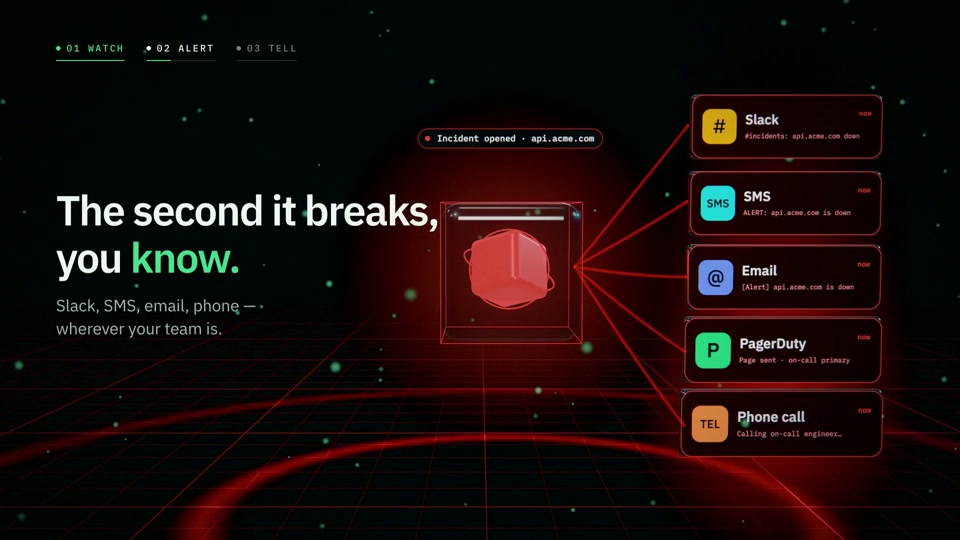 01
Films de lancement
tessel: a calendar launch written in code
Par @LexnLin · Claude Opus 5.5
Le prompt de reproduction du créateur
Le créateur a publié ce prompt complet pour reproduire la vidéo. Ce texte ne constitue pas la transcription de sa session de création initiale. Les outils et éléments nécessaires sont indiqués en dessous.
# Tessel — creator reproduction method and complete required prose
Author: Leon Lin (@LexnLin; GitHub Leonxlnx).
This is the creator's later Cinetic agent instruction, all its necessary prose references, and the exact Tessel source-project README. It is not the original generation-session prompt and does not promise an identical new generation. Each of the 29 source documents below is copied verbatim; this setup metadata, file labels and source links are supplied by the library. The creator teaches adapting the method rather than copying Tessel's visual surface. No reproduction has been run or rendered by the library.
## Required pinned checkouts and setup
- Cinetic skill, helper scripts, starter templates and technique data: https://github.com/Leonxlnx/cinetic/tree/bee5d7807205d5543472c38312507f9bf366cbbf/
- Exact Tessel source project, calendar UI, brand, fonts, score and render scripts: https://github.com/Leonxlnx/claude-launchvideo/tree/f0906e8629fa524c7cedc1ac959bf987005ee846/
- Installation and operating-system requirements are in the complete Cinetic README and docs/setup.md below. Use Node.js 22+, ffmpeg 6+ with libx264 and ffprobe, Python 3.11+ with numpy, scipy, soundfile, pyloudnorm, opencv-python and librosa; fonttools, brotli and uharfbuzz for outlined logos, pillow for gradient PNGs; and Chromium or Chrome Headless Shell. The creator's Windows/WSL route is not tested.
- The exact Tessel project uses Remotion 4.0.529; its own licensing terms apply separately. HyperFrames is an alternative in the later skill, not a claim about this film's original renderer.
- Tessel is fictional and its UI is built in code. No external product screenshots or footage are required. Geist and Geist Mono font files retain their own font notices; follow the repositories' font instructions.
- The soundtrack is synthesized locally by the supplied Python scripts; no sampled music file is required.
- The mandatory scripts, starter assets and techniques.json are in the pinned checkouts, not embedded as prose here. The optional searchable technique-library.md corpus remains at https://github.com/Leonxlnx/cinetic/blob/bee5d7807205d5543472c38312507f9bf366cbbf/skills/cinetic/references/technique-library.md ; the master expressly calls for searching it rather than reading the whole corpus. It is not claimed to be included in this copy.
- Cinetic documentation MIT declaration: https://github.com/Leonxlnx/cinetic/blob/bee5d7807205d5543472c38312507f9bf366cbbf/skills/cinetic/SKILL.md
- Cinetic licence: https://github.com/Leonxlnx/cinetic/blob/bee5d7807205d5543472c38312507f9bf366cbbf/skills/cinetic/LICENSE.txt
- Tessel source-project licence: https://github.com/Leonxlnx/claude-launchvideo/blob/f0906e8629fa524c7cedc1ac959bf987005ee846/LICENSE
# Cinetic with Tessel — complete agent instruction and necessary prose reference files
Editorial metadata: this bundle preserves each included source file verbatim. The creator’s optional searchable technique corpus is not embedded; it remains available at its pinned path with the mandatory helper scripts and starters. The later skill teaches adapting the method and changes defaults; this is not the original generation-session prompt or a claim of an independently reproduced identical film.
---
## Source document 1: `skills/cinetic/SKILL.md`
Source: https://github.com/Leonxlnx/cinetic/blob/bee5d7807205d5543472c38312507f9bf366cbbf/skills/cinetic/SKILL.md
---
name: cinetic
description: Direct, build and render premium cinematic motion design from code — launch films, product and feature videos, looping feature animations for landing pages and social, logo stings and reveals, UI walkthroughs, app demos, kinetic type, teasers, trailers, intros and promo clips. Use this whenever the user wants any video, animation, motion graphic or animated demo made with Remotion, HyperFrames, HTML/GSAP or React, or asks to storyboard, time, score, render, polish or critique one — even if they only say "make a video about X", "animate this feature" or "we need a launch clip". It supplies concept and copy discipline, type and colour taste that defers to a supplied brand, a beat-locked timeline that drives both picture and a synthesized soundtrack, choreography and transition craft, real product UI in motion, film-grade finishing (true motion blur, no banding, BT.709, sync-checked mux) and a measured self-critique loop on contact sheets and renders.
license: MIT
compatibility: Needs Node 22+, ffmpeg 6+ with libx264, Python 3.11+ with numpy, scipy, soundfile, pyloudnorm, opencv-python and librosa (fonttools, brotli and uharfbuzz for outlined logos; pillow for gradient PNGs), and Chromium or Chrome Headless Shell for rendering. Works with Remotion 4 (React) or HyperFrames (HTML and GSAP).
---
# cinetic
You are directing a short film, not animating a web page. Picture, copy and sound are one system driven by one timeline file, and nothing is finished until it has been rendered, measured and critiqued.
- **Engines.** Remotion 4.0.529 (React, frame-driven) is the default. HyperFrames 0.8.79 (HTML plus a paused GSAP timeline) is the alternative. The craft is engine-independent; §7 lists the rules that differ per engine.
- **Numbers.** Every number here is a proven default from shipped work: a starting point that you can move away from when you have a stated reason. It is not a law of nature.
- **Brand.** When the user supplies a brand (colours, fonts, logo, footage, tone), the brand wins. The taste defaults cover the parts you have to invent.
- **Paths.** Paths such as `scripts/render.sh` work from the skill root and also inside a film project, because `scripts/new-film.sh` copies every script into the project. Every script except `brand-svg.ts` (which `brand-kit.sh` calls) prints `--help`.
- **Worked example.** `references/worked-example.md` walks through Tessel, a 33 s launch film at 1920×1080 and 60 fps, and shows each rule below in use, including the mistakes. Read it once before your first film.
## The bar
The target is a film people watch twice: one idea the product owns, told in pictures, where every frame looks chosen and nothing is there to fill space.
- **Substance before polish.** Show the specific, clever thing this product does, the thing a simpler product wouldn't. Flawless motion around a generic claim still loses to a rough film that makes the viewer think "oh, that's smart".
- **Its own look.** Every brand gets a visual language derived from its name, its product and its personality, inside the Hard bans below. Restraint means no decoration; it does not mean one minimal house style for everything.
- **Ultra clean and smooth.** Clean, modern frames, with creative ideas and choreography. Every move is eased, weighted and smooth at 60 fps: no jitter, no pops and no effects standing in for ideas.
- **Visual, not narrated.** The idea reads with the sound off; the words confirm what the picture already said.
- **Weight and stillness.** Motion has mass, arrives on the beat and then rests, so the fast moments land.
- **Sound that makes the picture feel better:** every hit is caused by something you can see.
- **Restraint over decoration.** When in doubt, remove.
- **Proof, not impression.** The process below exists because none of this can be judged in the editor or the Studio: you only know once you have watched the actual render and measured it.
## Hard bans
When you invent the look, none of these appear, ever. They are the fastest tells of generated work, and this skill exists to make films that don't look generated. `lint-film.mjs` checks the tokens and styles for them, and the critics check the frames.
- **Words:**
- eyebrow or kicker labels above a headline;
- stacked taglines, and "Introducing…";
- text walls, and random filler text: decorative mono captions, fake metrics, labels nobody needs, lorem ipsum.
Every word on screen earns its place.
- **Type:** serif typefaces, and italic or oblique styles, including a skew that fakes one. Use one clean, modern sans, plus a mono for code or numbers if the product needs one.
- **Colour:**
- orange, amber, beige, cream, tan or sand, as an accent, a paper or a glow;
- neon: very bright, saturated accents, glows, bloom and halos;
- purple, violet or indigo, and purple-to-blue or any multi-hue gradient;
- glassmorphism.
- **Decoration:**
- emoji and stock icons;
- sparkles standing for "AI", particles, confetti, lens flares and code rain;
- bouncy overshoot on anything that isn't landing.
What remains is plenty: ink and paper (light or dark, neutral or cool), one accent with a meaning from any hue family outside the banned ones (red, green, teal, blue, yellow), one sans, and motion that is ultra clean and smooth, eased, weighted, motion-blurred and free of jitter. The creativity goes into the idea, the device and the choreography, not into effects.
If the user supplies a brand that includes one of these (their serif wordmark, their orange), the brand wins, because it is their identity rather than a default. Record it in `BRIEF.md` so the critics don't flag it, and mark the lines that set it with `// cinetic:brand-supplied <what>` so the lint accepts them.
## 1. Formats and defaults
Choose a row first. It sets the length, the density and the list of files to deliver. The recipe for each format is in `references/formats.md`.
| Format | Length | fps | Grid (BPM) | Story beats | On-screen words | Sound | Deliverables |
|---|---|---|---|---|---|---|---|
| Launch film / teaser | 20–45 s | 60 | 120 | 8–10 per 30 s | ≤ 20–35 in total | full score + SFX | 16:9 master, 9:16 and 1:1 re-layouts, poster, brand kit if invented |
| Product / feature video | 8–30 s | 60 | 100–120 | 1 capability per 8–10 s | ≤ 15 | light bed + UI SFX | master, poster |
| Feature loop | 4–15 s, whole bars | 60 (GIF 25) | any; whole bars | 3–5 | ≤ 8, reads muted | optional | MP4, WebM, GIF, seamless seam |
| Logo sting | 3–8 s | 60 | 120 | 2–4 | name + ≤ 4 | one tuned hit + tail | MP4, ProRes 4444 alphas (held and cleared), poster, brand kit if invented |
| UI walkthrough | 20–90 s | 60 | 90–110 | 1 chapter per 2–4 bars | ≤ 6 per caption | bed + UI SFX | master, SRT captions |
Use 60 fps whenever UI, text or the camera moves. At 30 fps slow drifts visibly step and fast moves strobe, and 24 fps is never right for UI. A GIF is the one exception: export it at 25 fps (or 50) from the 60 fps master, because GIF frame delays are whole hundredths of a second and 30 fps plays 11% fast.
## 2. The five laws
1. **One idea, specific to this product.** You can say the film in one sentence, and the proof shows what this product does that the obvious or simpler version wouldn't. Restraint applies to decoration and copy, never to the product's intelligence: if the feature is smart, the film shows the smart part. *Why:* a viewer carries away one thing, and a film that would be equally true of a competitor, or of a dumber feature, gives them nothing to carry.
2. **One story device.** An object, shape or colour travels through every shot and never blinks out at a cut. In a launch film it ideally resolves into the mark at the end; in a feature loop or product video it is the unit the product acts on (the card, the row, the file). Find the object this product owns. A bare dot, line or block is the lazy default, and it is also the look of this skill's own examples. *Why:* it makes the film continuous, it lets the film read with the sound off, and an owned object is what makes the film unmistakably this brand's.
3. **One accent with one meaning.** The accent is a single token that means one thing, such as "now", "new" or "yours". Use it sparingly (about ≤ 8% of pixels) and let it flood the frame at most once. *Why:* a colour that means something is read without words, and a colour used everywhere means nothing.
4. **One house motion system.** Use a few named curves and springs, each for a stated reason, and take every frame number from `timeline.ts`. *Why:* consistent motion *is* brand motion, and ad-hoc eases read as generated.
5. **Verify by measurement.** A film is done only when the rendered pixels and the decoded audio pass the scripts and one round of critique. *Why:* Studio playback hides pops, ghost frames, sync slips and colour shifts that the encoded file will show.
## 3. Workflow
Every step writes a file, and every gate is a check you actually run. Work inline. Subagents are for critique only (§8), because building frames in parallel costs more time than it saves.
### Step 0: Intake → `BRIEF.md`
- If the brief already states the product, the message and the length, infer everything else and write your assumptions down.
- If it doesn't, ask at most 3 questions: the product in one line, the format and length, and where the film will be shown. Take everything else from §1.
- Choose the engine: Remotion by default; HyperFrames if the user already has a HyperFrames project, wants HTML/GSAP, or needs `--batch` renders driven by variables.
- Copy the hard bans (above) into `BRIEF.md`, plus any brand-supplied exceptions. Critics are later prompted with this file word for word, so it doubles as the QA contract.
- Scaffold the project: `bash <skill>/scripts/new-film.sh films/<name> --fps 60 --bpm 120 --size 1920x1080 [--engine hyperframes]`. Pass `--link-modules <dir>/node_modules` to reuse an existing install instead of running `npm install`.
- **Gate:** `BRIEF.md` has a spec line, for example `1920x1080@60, 30s, 120BPM, audio: synthesized`.
### Step 1: Concept → `TREATMENT.md`
Read `references/concept-and-story.md` now.
- Start from specifics, not from style. Write down:
- what the name means or evokes (it often hands you the mark and the device);
- the feature's non-obvious behaviour, finishing the sentence "unlike the obvious version, it…";
- the product's own objects (its rows, cards, readings and states).
- Write 3 concepts, each through a different lens:
- (a) the product's own verb or metaphor made literal;
- (b) the viewer's pain made visible;
- (c) a formal device: a relay object, a bookend, one unbroken camera move, or a container that becomes the product.
- Throw out any concept whose props could appear in another product's film. It isn't yours.
- **Draw the techniques; don't choose them.** Run `python3 scripts/pick.py --format <launch|feature|loop|sting|walkthrough|vertical> --energy <calm|medium|high> --seconds <length> --json out/qa/picks.json`. It draws about one technique per 2.5 s of film (5 for a 12 s video, 12 for a 30 s launch) from the measured library in `assets/library/techniques.json`, in the order the format needs them, weighted toward proven moves and the film's energy, and prints each recipe with default timing. Choosing by hand converges on the same fade-up, push-in and end card in every film; the draw is how two films stop looking alike. Build the picks the concept can carry, retold in its objects and device; the story, product truth and one consistent UI language come first, and a film that crams in every move reads as a showreel. Reroll a pick that fights the concept at most twice (`--category <cat> --exclude <id>`), or drop it, with a written reason; never add a technique the draw did not give you (draw one with `--category`), and pass `--brand-supplied <look>` when the brand owns a banned look. Read a drawn entry in full with `pick.py --show <id>`; `references/technique-library.md` lists every entry (search it, don't read it whole). Measured pacing, easing and text-timing norms are in `references/craft-rules.md`.
- Fill in `assets/TREATMENT.md` for the concept you chose:
- a logline;
- the arc: hook (inside the problem, felt by 1 s) → turn → proof (1–2 capabilities) → promise → lockup;
- the drawn techniques with the seed line, each placed in a beat (§3b of the template);
- the device path, shot by shot;
- a beat sheet with the columns bar | time | picture | copy | sound;
- the full copy with its word count;
- the final frame.
- Run the deletion test. Remove the demo beats, and the value should still read. Remove the value beats; if the film still "works", it was a feature tour.
- Run the specificity test. Would the film be just as true of a simpler product, for example an even split instead of an itemised one, or a plain list instead of a ranked one? If yes, the proof undersells the product; show the part that is hard.
- Run the feature-word test. Watching muted, would a stranger use the brief's word for the feature ("streak", "split")? If a clever device makes it read as something else, keep the feature's familiar form and let the device dress it.
- **Gate:**
- the logline is ≤ 15 words;
- the specificity test passes, with its answer written down;
- the word count is inside the §1 budget;
- no line is longer than 5 words, and no shot has more than 2 lines;
- the device appears in every beat row, and every drawn technique is placed in a beat or dropped with a reason.
### Step 2: Brand and style frames → `src/brand/`
Read `references/brand-and-color.md` and the type section of `references/copy-and-type.md`.
- The starter's palette, fonts, mark and demo name are stand-ins marked `// cinetic:placeholder`, and `lint-film.mjs` reports an error until every marker is gone. Apply the user's brand, or invent one for this film, then delete the markers. A film that keeps the starter's look looks like every other film made from it.
- **Personality first.** Write three adjectives for the brand, then derive the choices from them. This mapping is in `references/brand-and-color.md` §2:
- the typeface: pick the sans for this brand from `@fontsource-variable/*` and vendor it with `node scripts/add-font.mjs <name>` (safe with a shared `node_modules`); Geist is only the starter's stand-in;
- weight and case;
- the stage (light or dark: a dev tool or a fire-named brand often wants dark), neutral or cool, and the accent's hue from the allowed families;
- the motion character, from crisp to unhurried.
A calm notes app and a fast CI tool should not share a look.
- Write `src/brand/tokens.ts` (`python3 scripts/palette.py --accent '#…' --stage dark` builds the neutrals, checks contrast and refuses a banned hue):
- colours: an ink, a paper, 2–4 neutrals, and one accent with its meaning in a comment;
- type: one family at 2 weights, plus a mono if you need one;
- a type scale;
- one tracking value per role.
- **Explore the mark before you commit to one.**
- Sketch 6–10 directions, each from a different source: the name's meaning, a letterform, the product's own object, the idea's metaphor, and a pure geometric construction.
- Render them together on one sheet and look at it (the `MarkSheet` still in `references/brand-and-color.md` §4).
- Reject any direction that could belong to ten other startups, including the "geometric block + accent dot" family, which is this skill's own example vocabulary.
- Run the misread test. Show the mark at 64 px for half a second. If it reads first as a common symbol (a minus, an emoticon, a menu or hamburger icon, a padlock, a play button, a plus), reject it or change it until it doesn't.
- Build the winner in `src/brand/Mark.tsx` on a 100-unit grid, with gaps of at least 8 units so it survives being scaled down.
- **A palette with character, inside the bans.** Derive it from the world of the name and the product (a hillside gives pine, moss and slate; a foundry gives charcoal, soot and a glowing red), not from framework defaults. When the name's world is heat or fire, orange is banned, so go red-hot (a deep red glowing on a true charcoal) or white-hot, never generic dev-tool blue: the colour must carry the name. A blue-grey near-black stage is the stock dev-tool dark theme (`palette.py` notes it), and in a dev tool red UI tags read as errors; spend the red on the brand's own thing.
- Framework blues (the `#3B82F6` / `#2563EB` family) and flat pure greys read as "default".
- Tint the neutrals toward the world, with a cool green-grey or a blue slate; a dark stage can be pine-black or ink-navy rather than `#000`.
- `references/brand-and-color.md` §8–10 has worked palettes.
- **Set the lockup like a typographer.** Render three settings side by side (mark-to-cap ratio, gap, weight, tracking) and pick the one where the mark and the word read as one object. A carelessly set wordmark costs more than any animation gains.
- Render 2–4 one-frame style stills from the `Stills` folder and look at them: the mark at 16 px and at full size, one statement frame, and one product frame. `npm run stills` renders the mark stills; add your own with `npx remotion still <StillId> out/stills/<name>.png`.
- **Gate:**
- the stills pass §4;
- the mark sheet and the chosen direction's reason are in `TREATMENT.md`;
- `node scripts/lint-film.mjs src` reports no placeholder and no colour or font that is not a token.
### Step 3: Timeline → `src/timeline.ts`
Read `references/timing-grid.md` now.
- Choose BPM and fps so that a beat is a whole number of frames (see §5).
- Map the beat sheet onto bars:
- `ACT` holds contiguous, bar-aligned acts;
- `CUE` holds named frames that sit on the grid;
- `COPY` holds `{id, text, in, resolved, out}` for every line;
- `TOTAL` includes a tail of at least 60 f.
- Give each bar one motion peak.
- **Gate:** `npx tsx scripts/grid-check.ts src/timeline.ts` passes (`npm run check` runs it together with `tsc` and the lint). It checks that every cue is on the 16th grid (or carries an `offgrid:` reason), that text holds are long enough, that no gap without an event runs past 48 f, and that the word count is within budget.
### Step 4: Build, act by act → `src/acts/`
Before you write motion, read `references/motion-tokens.md`, `references/camera.md`, `references/transitions.md`, and `references/product-ui.md` if the product appears. Keep `references/chromium-rendering.md` open while you debug.
- Make each act a pure function of `useCurrentFrame()`. Mount one `<Sequence>` per act in `Film.tsx`, and register each act as its own composition in the `Acts` folder so you can iterate on it alone.
- Take all motion from the tokens in `src/lib/anim.ts` (§6). A raw bezier inside an act is a lint error, because that is how a house style decays.
- Build the product UI from real components fed by one `data.ts` module with asserts on dates, weekdays, counts, plurals and sums. The data must agree with the story too: the person who paid doesn't owe, a "sorted" list is actually sorted, a stated ratio matches its numbers, and no number appears twice in one frame. That holds in every frame, in-between states included: a copy headed "owes Maya" over the whole bill's total is a wrong number on screen for as long as it shows. Frame the UI large enough to read on a phone: push in 2–5× on every interaction that carries the story, and hold a wide shot of readable UI for at most about 1.7 s. Every bar, segment, chart or bare number that carries meaning shows its value, label or unit: a row of "18 24 12 31" under M–S reads as dates, not pages. A screenshot never carries the hero shot.
- Make the product and the feature identifiable. Name the feature once, as a UI label, the one line of copy or the end card, and show enough real app chrome that a stranger knows this is software. "No feature name as a headline" never means "never name it". A feature label is not a payoff: land the value with one short line that makes it human ("Sam had the salad."), even in a muted loop.
- Frame only the meaningful part of the product. No half-empty grids, no tables cropped at the frame edge, no rows of blank cells: they read as a spreadsheet, not a product.
- Text that must be read stays readable in motion. Text being read moves at most about 3 px/f (a camera cruise under it 1.5–3 px/f). Keep labelled chips and numbers under about 20 px/f while they travel, or fly them with the text faded and let it resolve on landing, because motion blur on small text reads as a double image.
- Moving elements never cover text they pass over: plan the paths and the z-order, and check the densest frames at full size.
- A progressive text reveal (letter by letter or with a sweep) must never spell a different word partway through ("tarn" briefly reading "tar"), and never shows part of a glyph: a soft wipe through an "n" reads as an "r" ("halder"). Step the mask from glyph edge to glyph edge on whole frames, or reveal whole words, and check the intermediate frames.
- Export from its act every frame the sound needs, as a named constant (for example `LANDINGS` or `SNAP`), so the cue export can import it.
- Wrap everything in `<FontGate>`.
- Iterate each act in this loop:
1. Render stills at each cue −2, 0 and +2.
2. Make an act contact sheet: `python3 scripts/sheet.py --comp Act2 --every 2 --out out/qa/act2.png` renders the act and tiles it with frame and time labels. Use `--every 2` for fast sections.
3. Run `bash scripts/layout-audit.sh Act2 --cues`.
- **Gate:**
- `lint-film.mjs` is clean;
- `layout-audit` reports 0 safe-area or overlap violations, and no readable text faster than 20 px/f;
- every act sheet has written review notes.
### Step 5: Sound → `public/audio/soundtrack.wav`
Read `references/sound.md` now.
- Run `npx tsx scripts/export-cues.ts`, which writes `out/cues.json`. Sync points are computed from the picture code (spring contact frames, 50% pop frames, velocity peaks, 97% settles) and never typed by hand. Typed sync points landed 8–11 f off in practice.
- Pick the sound's personality row in `references/sound.md` §5.5a first. A calm brand gets soft mallets and one gentle chord; drops onto silence and sub booms are for energetic launch films only.
- **Make the music drive the picture, whatever the personality.**
- A motif that follows the story's progress, for example one tuned note per step climbing the scale (`progress` in `score.json`).
- Section changes and the hero reveal land with the music's own event (drop, stop, re-entry). Designed effects go on discrete state changes only, about 5 per 10 s, clustered where the music is sparse; continuous motion and most cuts get none.
- The drop on the hero reveal, 30–60% in, is the loudest moment, and `payoff` points there. The lockup is the most resolved moment, not the loudest: the music stops on a bar line or filters down as the logo forms, 0.2–0.7 s of near-silence, then one soft resolved element on the frame the wordmark becomes readable (its `settleOf`, never the tween's last frame or a later bar line: a sound after the motion has stopped lands on nothing) and a 0.5–2.5 s tail. A sting is all lockup: its hit is its loudest moment.
- The sound enters with intent on frame 0 (a drone or a 150–450 ms entry at most), without a click, and runs 5–12 LU under the body for the first 2–3 s. That assumes frame 0 moves: a drone at full level over a still frame (an empty page, a blinking caret) reads as a mistake, so move the picture, not the sound.
- Fill in `audio/score.json`: key, one chord per bar, sections (with a breakdown or stop about 5 LU down at 40–80% of the runtime), drops and silences. Keep `"typing": "auto"` unless the brand asks otherwise.
- Run `python3 scripts/audio/score.py --cues out/cues.json --score audio/score.json --out public/audio/soundtrack.wav --stems out/stems --json out/qa/score.json` (`npm run audio`). The stems let `av-audit.py` check each sound against its cue; the master chain lives in `scripts/audio/master.py`.
- **Gate:**
- the WAV measures its target ±0.5 LUFS integrated (`master.lufs` in `audio/score.json`: −14; −16 only for a sting that plays at the head of other videos, never for a social or feed cut, whatever the brand's temperament), with true peak ≤ −1.5 dBTP before encoding;
- a film of 20 s or more has contrast: LRA 5–8 LU, and the payoff 2–3 LU above the median momentary loudness (`score.py` warns);
- every sound has something visible that causes it, at a loudness that matches that cause (a caret blink whispers; the hero reveal drops); not every picture event gets a sound, but once a class of action is sounded every instance is, at one level.
### Step 6: Render and finish → `out/film.mp4`
Read `references/finishing.md` now.
- **Preview:** `bash scripts/render.sh Film out/preview.mp4 --preview --audio public/audio/soundtrack.wav`. Remotion renders the picture muted and BT.709-tagged, and ffmpeg muxes the audio. Iterate and critique on previews only.
- **Master:** if anything moves faster than 12 px/f (true of almost every launch film), `bash scripts/render.sh Film out/film.mp4 --blur`: sharp render → speed measurement → `FilmSub` sub-frame render → float accumulation → mux → sync check. Otherwise, with no flag, `render.sh` renders a sharp master at CRF 14. Loops take `--loop` (lossless PNG intermediates, so the seam survives the encode) and, when silent, `--no-audio`.
- **Blur costs render time, so spend it once.**
- Render the blurred master once, at the end, after the last critique round. It prints the sub-frame multiple and an estimate before it starts; on 4 CPUs a 10 s film at 60 fps and 6× takes about 7 minutes on simple frames and 10–15 on dense UI. `--budget 6` caps it.
- A late fix re-renders only the changed act's range (`--frames A-B`) and splices it, rather than re-blurring the film.
- A 9:16 or 1:1 variant with identical timing reuses the master's samples (`--samples-from`); one whose fastest motion is ≤ 12 px/f renders sharp.
- Don't edit `src/` while a render runs: `render.sh` renders from a bundle frozen at its start and warns if the source changed meanwhile.
- Stop a render by its own PID, never with a `pkill -f` pattern: on a shared machine the pattern also kills other people's renders.
- **Speed ceiling.** Moves over about 80 px/f are listed as too fast for clean blur, and `render.sh --blur` stops before the sub-frame pass while any are left: redesign them rather than adding samples (§6), or waive a frame-filling edge you checked at full size with `--accept-fast A-B`. Every hard cut is an act boundary: a cut inside an act blends its two shots into one double-exposed frame, so the render also stops on one (`--accept-cut A-B` for a flood or flash you checked).
- **Gate.** `render.sh` runs both checks below and exits 1 if either fails. Run them again on any file you deliver:
- `python3 scripts/probe.py out/film.mp4 --spec 1920x1080@60 --dur <s>` passes: size, fps, duration ±1 f, yuv420p, BT.709 tags, AAC at 48 kHz;
- `python3 scripts/check-sync.py out/film.mp4 public/audio/soundtrack.wav` reports a lag of ≤ 48 samples and true peak ≤ −1 dBTP after decoding.
### Step 7: Review loop
Run §8 on previews. Launch films and walkthroughs get at least 2 rounds. For stings and loops whose scripts all pass, 1 round is enough. The blurred master then gets a check, not a round: forensics, av-audit, its fastest frames at full size (every act's, including the lockup's entrance and exit, where a sliding wordmark most often shows stepped copies; fix with `measure-speed.py --floor a-b:n`), and a director's glance.
### Step 8: Deliver
- Run `bash scripts/deliver.sh out/film.mp4` with the flags your format needs: `--loop --gif --webm` for loops, `--alpha StingAlpha,StingAlphaClear` for ProRes 4444, and `--variants Film9x16,Film1x1` for social versions. It writes the poster (the final frame) and, in `qa/`, a manifest. For a brand you invented, `bash scripts/brand-kit.sh` exports the mark, lockups, favicon sizes and avatar. Re-lay the social versions out from the same timeline; never crop the master (see `references/formats.md`).
- Write a short `README.md`: the idea, the device, the grid, how to render, and the file list.
- Keep the delivery folder clean. Put the deliverables at its top level (the film, alpha versions, poster, logo files) and QA material (sheets, crops, reports) in a `qa/` subfolder. A client opens the folder before they open the film.
- **Gate:** every deliverable in the §1 row exists and passes `probe.py` at its own spec.
### Scaled-down path (stings, loops, short feature clips)
Small jobs should stay fast. The laws, the grid, the lint and one review round still apply. The rest shrinks:
1. Write a one-page treatment in `TREATMENT.md`: logline, device, the `pick.py` draw for the format, a bar table of 2–8 rows, and the copy. It replaces Steps 1–3 as separate passes. Still write `timeline.ts` and run `grid-check.ts`.
2. For style frames, the mark at 16 px and one hero still are enough.
3. Build the whole piece as one act, or two.
4. Sound is optional for a loop. A sting needs one hit tuned to the key, plus a tail that decays to digital zero.
5. Render a sharp master unless something passes 12 px/f. Then run one round with the director and forensics lenses.
6. For a loop, the last frame must flow into frame 0: the seam's frame difference must be at most max(0.4, 1.5× the median step at the ends) (`forensics.py --loop` checks it, and so does `deliver.sh --loop`); render it with `render.sh --loop`. Build the loop as a cycle rather than as enter, hold and exit. Frame 0 is also the poster and the first frame a visitor sees, so compose it with the product's name or chrome on screen.
## 4. Taste rules that matter most
The full catalogue of cheap-looking tells, each with its fix, is in `references/taste-and-slop.md`. Search it during review.
These rules ban the tells of generated work, not personality. Two films made with this skill for different brands should not look alike. If yours looks like the starter, the Tessel example or your last film, it is not finished.
**Copy** (`references/copy-and-type.md`)
- Open inside the problem, never on "Introducing…", a rhetorical question or the logo. A muted feed decides in the first second.
- Pay off the film's own words: a setup phrase, then a refrain, then the resolution.
- Avoid stock phrasing (seamless, unlock, AI-powered, streamline) and never use a feature name as a headline. They mark the film as a template.
- Show one line at a time. No eyebrow or kicker labels and no stacked taglines, because that is landing-page grammar.
**Type**
- Choose one clean, modern sans for the brand's personality, at 2 weights, plus an optional mono, shipped as local variable fonts (`@fontsource-variable/*`). No serif and no italic (see Hard bans).
- Personality comes from the sans you pick, its weight, case and spacing: a humanist sans at a light weight for calm, a tight grotesk for fast, a rounded sans for friendly.
- Condensed display faces are a generated-look tell.
- The ubiquitous UI default families, the starter's stand-in included, read as "template" unless you chose them on purpose.
- Weight carries tone: a calm brand rarely wants a heavy grotesk wordmark.
- Get emphasis from size or motion.
- Statements are 88–128 px with leading 0.95–1.05.
- Emphasis inside a line is 1.5–1.7× the statement size; a standalone hero word may run 2–5× (14–48% of the frame height); secondary lines are 44–56 px.
- UI must be at least 22 px on screen after camera scale.
- Every number uses tabular figures.
- Keep one tracking token per role, for example a display setting of 600 / −0.05 em. Near-miss values across scenes read as "almost matched".
- Blur text only on entry, and only while it moves fast: statements 6–8 → 0 px, body lines 4–6 px, or no blur at all, through `blurIn` (clear by 60% of the eased move, because Chromium steps blur radii and renders anything under ~0.75 px fully sharp). Text lands sharp and is never left readable-but-blurred for more than 6 f.
**Colour** (`references/brand-and-color.md`)
- Pick one accent from an allowed hue family (red, green, teal, blue, yellow) for a stated reason. Everything in the Hard bans is out: orange, amber, beige and cream, neon, purple, violet or indigo, multi-hue gradients and glassmorphism.
- Restraint is not the same as colourless. The accent visibly carries the key beats (the product's action and the payoff), and the stage and neutrals have a tone from the brand's world. Check a mid-film frame at thumbnail size: if no brand colour shows, the film has no identity.
- Tint the neutrals cool or keep them neutral, never warm or beige, and keep ink as ink. New things arrive in the accent and relax to neutral over 10–30 f, which is how colour says "just happened".
- No glow, halo or bloom. Shadows are `0 20–40px 60–120px rgba(0,0,0,.12–.22)`, dark surfaces get a 1 px top hairline at 8–12% white, and gradients ship as dithered PNGs (`scripts/dither-gradient.py`), because CSS gradients band at 8 bits.
**Layout**
- Avoid "text left, UI card right" and small centred floating cards (under about 40% of the frame width) on an empty field; a centred product window at 70–92% of the frame width, ideally overflowing an edge, is the norm. Show the product full-bleed, anchor the type to an eye line or the lower third, and give each shot one focal action.
- Keep safe margins of at least 96 px at the sides and 64 px top and bottom, and at least 24 px of headroom at maximum punch. Overscan moving layers by 5–8%.
- **Fill the frame with purpose.**
- In product shots the hero (the UI, the object, the number) covers about 40–70% of the frame.
- Outside designed negative space around a single hero, such as a logo, no region of more than about a quarter of the frame stays empty.
- In vertical feeds, the platform's caption and button zones get background or continuation (the product's surface, the stage, a bleed), not an empty band. Viewers read emptiness as unfinished, whatever the reason.
**Decoration**
- Every element must name its job (reveal, route, validate, emphasise) or be cut. That rules out particles, bokeh, starfields and ghost text.
- Grain is either absent or global at 1.5–2%, keyed to the output frame.
**Product truth** (`references/product-ui.md`): named, specific, consistent data; counters count on each visible event; the product only replans the future; no cursor once the product acts on its own; any paused frame still makes sense.
**Transitions** (`references/transitions.md`)
- Use 6–8 types per film, each at most twice, plus one signature move taken from the mark and used 3 times (open, middle, close).
- A crossfade is never the default, and never goes through black (it dips about 25% in luminance).
- No preset gimmicks: glitch, light leak, film burn, swirl, ripple, dreamy zoom, flash through white.
## 5. Timing system essentials
`src/timeline.ts` is the only source of timing. Picture, cue export and grid check all import it. Details and the full pattern are in `references/timing-grid.md`.
```ts
export const BEAT = (60 / BPM) * FPS; // 30 f at 120 BPM / 60 fps
export const BAR = BEAT * 4;
export const b = (bar: number, beat = 0, sub = 0) => // sub = 16ths
Math.round(((bar - 1) * 4 + beat) * BEAT + sub * (BEAT / 4));
const L = (abs: number) => abs - ACT.plan.from; // act-local frames, one per act
```
- **Whole-frame beats at 60 fps:** 90 BPM gives 40 f, 100 → 36, 120 → 30, 144 → 25, 150 → 24.
- **Grid placement**
- Section changes land on downbeats; cuts inside a section land on 8ths.
- A batch of landings snaps to 16ths with a 0–3 f spread, and the first item lands on the beat.
- Micro-rhythm is welcome: the payoff on the clap, its consequence on the next kick.
- Cuts land on the grid, but most carry no sound of their own: the music carries them. Section changes and the hero reveal land with the music's own event (drop, stop, re-entry); `av-audit.py` suggests one when a top-3 picture change has no audio onset.
- **Hit frames**
- Start a picture change at `cue − 1`, because `prog()` is 0 on its start frame.
- Pulses peak 2 f after their sound (`hitPulse`).
- Start a spring at `beat − delayTo(cfg, 0.5)` so its pop lands on the beat.
- **Holds**
- Once text resolves, it stays at least 36 f + 6 f per word. Text that hasn't resolved never exits.
- Nothing is static for more than 48 f, except a designed freeze of ≤ 15 f that sits exactly on a silence, and one designed near-still hold of 60–96 f per film on the key claim or success state, under a music dropout and followed by a big move (declare it as `export const HOLD = {from, to}` in `timeline.ts`). When a gate flags a quiet stretch, give it motion; loosening the threshold to pass is not a fix.
- The end card runs 1.5–2.5 s: the lockup assembles over 60–80 f, then holds still for 36–80 f or keeps building (a creep of ≤ 6%, or a 10–20% push when the hold runs past about 1.3 s), then the tail. Never cut to a complete card that sits static, and never more than about 2.5 s on a still end card: a longer one reads as a drag. A URL is readable for at least 1.7 s.
- In a launch film or product video the lockup appears once, at the end (a sting is the exception: it is all lockup). A mid-film logo reveal followed by the same lockup again reads as a repeat and spends seconds on a still; the one exception is the product's name or mark revealed at about 20–26% of the runtime after a problem act of 10 s or more, when the end card is a different construction or mirrors the opening. Mid-film, the brand is present through the device and the accent. Brand logo time across the whole film stays ≤ about 12% of the runtime.
- **Density**
- Aim for 45–60 discrete events per 30 s and one motion peak per bar, with 30–70 f of calm between peaks.
- The first 6 s run about twice as dense as the middle.
- Energy builds toward the payoff. No stretch after the turn is slower or greyer than the one before it, except one designed lull of 1–4 s inside a music breakdown at about 55–85% of the runtime; the last and biggest visual peak lands at 75–90%, on the music's re-entry. A second half that drags loses films whose first half is strong. Check the energy by eye on a contact sheet of the second half.
- The last third keeps moving: a camera push, secondary motion or the device still acting. A film that settles 4 s before the end has ended early.
- Shot length: median 60–90 f; minimum 24 f (and only with no text); maximum 180 f in a cut-driven film, while a continuous take may run 300–560 f if an in-shot beat lands at least every 72 f.
- **Hook:**
- frame 0 is already composed and moving;
- the sound enters with intent on frame 0, with no fade over the first bar;
- something visibly changes about every 0.5 s;
- the problem is felt by 1 s and stated by 2 s;
- the product is named on screen by about a quarter of the runtime (its chrome, the name in a status line, the mark), not saved for the end card.
A soft first second loses a muted feed.
- **End card:** carry the brief's one practical fact when it gives one (a date such as "next week", a URL, "out now"), set at the secondary size under the lockup. When the brief gives none, a launch film or product video still says what the product is in one short line under the name ("The build cache for CI."); a bare name is for stings. That is the only line besides the name.
- **State follows the event:** counters, checks and totals change on the landing frame of the thing that caused them, not a beat later.
**Where a sound goes** (computed by `src/lib/sync.ts`: `peak`, `hit`, `delayTo`, `settleOf`):
| Picture event | The sound sits on |
|---|---|
| Landing / impact | the contact frame, so the motion must arrive with velocity (spring threshold 0.92–1.0, or the `contact` ease) |
| Pop-in | the frame at 50% of travel |
| Tween settle | the 97% frame |
| Whoosh (camera-scale moves and logo zooms, about 2 a film) | onset 100–450 ms ahead, apex on the visual peak |
| Typing | per key up to 25 chars/s, one blip per word above (`"typing": "auto"`) |
| Exit roll | one tick, with no detent |
| Cut, scroll, stream, progress bar, rolling counter | nothing: the music carries it; a counter's final lock gets a crisp tick |
Audio that leads the picture by more than about 45 ms reads as "sound first". Move the picture, not the sound.
## 6. Motion system essentials
The tokens live in `src/lib/anim.ts` (`E`, `SPR`, `tw`, `prog`, `mix`, `lmix`, `hitPulse`, `blurIn`, `arrive`, `arriveK`, `stagger`, `inertia`, `rand`, `fd`), and tested primitives for the commonest moves in `src/fx/` (`Words`, `TypeOn`, `Scramble`, `Roll`, `Morph`, `Iris`, `MaskRise`, `Cursor`, `RackFocus`): use them before writing your own. Curves, measured values and choreography constants are in `references/motion-tokens.md`; camera work is in `references/camera.md`.
| Token | Bezier | Use |
|---|---|---|
| `out` | .16,1,.3,1 | arrivals, reveals |
| `outSoft` | .22,1,.36,1 | gentle settles |
| `in` | .7,0,.84,0 | implosions, a hard snap out |
| `exit` | .55,.055,.675,.19 | exits into a cut: about ×1.14 per frame over the last 10–24 f |
| `inOut` | .87,0,.13,1 | whips, lockup slides |
| `smooth` | .65,0,.35,1 | drifts, fades (10–14 f) |
| `ui` | .4,0,.2,1 | small UI changes |
| `cam` | .48,.1,0,.9 | camera: slow start, peak at about 27%, long settle |
| `glide` | .47,.2,.15,1 | 150–350 px moves |
| `rest` | .45,0,.1,1 | moves that end at rest; chaining after another move |
| `contact` | .55,0,.9,.55 | accelerating into an impact |
| `whip` | .6,0,.15,1 | feature-to-feature whips |
| `dolly` | .35,0,.65,1 | slow push through a hold |
A film uses about 3 easing characters. Linear is only for drift.
Springs (`SPR`, as damping/stiffness/mass): `snap` 18/260/0.7 (small overshoot), `pop` 11/180/0.6 (a landing only), `soft` 26/120/1 (no overshoot), `heavy` 30/90/1.4 (weighty).
- **Damping.** Everything is eased or critically damped: damping ≥ 2√(stiffness·mass). Overshoot (1–7%) belongs only to a true landing, an object arriving at a surface or a lock, at most 2 per film, because a bounce anywhere else reads as a toy.
- **Smoothness is a ship gate.** Jitter, pixel-snap stairs, single-frame pops and stall-then-lurch block the ship however good the idea is: zero `forensics.py` fails and Finish at 5 (§8).
- **Clamp.** Clamp overshoot wherever it could collide with other geometry or drive a value negative. Snap to rest when `|1 − s| < 0.01`.
- **`Easing.spring({damping:200})`** starts at zero velocity, so it is not a replacement for expo-out.
Laws of weight:
- **Direction.** Entrances decay and exits accelerate; only the camera eases both ways. A fade-out never uses expo-out, because it pops half the change in one frame.
- **Log space.** Interpolate scale and zoom in log space: `exp(mix(log a, log b, t))`, which is `lmix`.
- **Duration.** Duration grows with distance: 0.35 s + 1.35 ms per px, clamped to 0.6–2.4 s for camera moves. The slowest move is at least 3× the fastest.
- **Shape and contact.** Shape settles 6 f before position. Contacts squash (scaleX 1.08 → 1, scaleY 0.9 → 1 over 8 f, anchored at the contact edge).
- **Overlap.** A secondary move starts at 55–75% of the leading move (about 20 f into a 60 f move), so both settle within 2 f, or it starts on a zero-slope curve. This prevents stall-then-lurch.
- **Budget.** Run one hero motion plus at most 2 supporting ones. Put fast (60–70 px/f whips) next to real stillness (0.3–0.6 px/f). Anything faster than 12 px/f gets true motion blur in Step 6.
- **Ceiling.** No element moves faster than about 60–80 px/f. Past that, blur smears it into a streak with stepped copies; redesign the move as a cut on the beat, a match cut, a mask wipe or a shorter distance. Frame-filling edges (wipes, floods, irises, zoom-throughs, a container growing to full frame) may peak at 150–300 px/f for a few frames.
- **Envelope.** Every punch and tick uses `hitPulse(t, attack = 2, tau = 5)`. A half-sine on a hard window leaves velocity clunks and peaks 6–8 f late.
- **Seams**
- Either both sides of a cut are at rest, or the incoming shot starts at the outgoing velocity.
- Match every property across a cut, and show the rest pose once.
- Never cross-fade two copies of one object; morph one object instead.
## 7. Engine non-negotiables
These come from real failures. Each costs minutes to respect and hours to debug.
**Both engines**
- **Everything is a function of frame or time.**
- No CSS `transition`, `animation` or `@keyframes`, because they don't render deterministically.
- No `Math.random`, `Date.now` or `performance.now`; use a seeded `rand(seed)`.
- **Transforms**
- Put all translation inside one `transform` (`left:0; top:0; transform-origin:0 0; transform: translate() scale()`). A fractional left/top combined with a transform snaps to whole pixels.
- Place dots and cursors by transform only.
- Vertical text positions snap to whole pixels in the headless shell, so end a text rise on `arrive(p)` (and start an exit on `depart(q)`) instead of letting an ease-out creep its last pixels (`references/chromium-rendering.md` §15).
- **Blur**
- Never put `will-change` on a layer where `filter: blur()` animates. It causes nondeterministic ghost frames.
- Never animate blur on large layers; use `src/fx/RackFocus.tsx`.
- **Discrete state**
- Clamp every value that feeds geometry, so radius, width, blur and scale stay ≥ 0.
- Compute discrete state (typed count, caret, counters, labels) from `fd(frame)` (`Math.round`), because motion-blur sub-frames are fractional.
- **Fonts.** Load fonts before any render or text measurement (`FontGate`). A measurement taken earlier is cached with the fallback width.
**Remotion** (`references/remotion-engine.md`)
- **Clamping.** `interpolate` extrapolates by default, so always clamp; `tw()` and `prog()` do it for you.
- **`premountFor`** only affects Studio preview and does nothing in a render. With `layout="none"` it is silently ignored in 4.0.529 (no error). Don't build on it.
- **Studio `Interactive.*` markup** is an optional leaf layer, never the structure.
- **Config.** Render with `--muted` and let ffmpeg mux the audio (Remotion's AAC leaves about 2.5 f of priming). Use the ANGLE GL renderer, JPEG q95 intermediates and a 120 s `delayRender` timeout; the starter's `remotion.config.ts` sets all of these.
- **Browser.** In a sandbox, set `REMOTION_BROWSER` to the local headless Chromium if auto-detection misses it.
**HyperFrames** (`references/hyperframes-engine.md`)
- **Timeline.** Each composition has one paused timeline, registered last, with a key equal to its `data-composition-id`.
- **Tweens**
- Use `fromTo`, never `from`.
- Never combine a CSS transform with a GSAP transform on one node.
- **Markup**
- No `repeat:-1`. No `<br>`.
- Every `<audio>` has an `id`; one without is silently dropped from the mix.
- A sub-composition's `<style>` and `<script>` go inside its `<template>`.
- **Fonts** are local woff2 files declared with `@font-face`.
- **Lint.** Lint must show zero errors before `check` means anything, because otherwise it reports a misleadingly clean "0 samples".
- **Finish.** Finish with `bash scripts/hf-finish.sh`. Films faster than about 18 px/f belong in Remotion.
## 8. Review loop and ship gate
The full procedure, the critic prompts, the rubric anchors and the table of thresholds are in `references/review-loop.md`. A round goes like this:
1. **Render.** Render the preview (or the affected acts).
2. **Measure.** Run the scripts. Each writes JSON to `out/qa/`:
- `python3 scripts/probe.py out/preview.mp4 --spec 1920x1080@60 --dur <s>`
- `python3 scripts/forensics.py out/preview.mp4 --cues out/cues.json --json out/qa/forensics.json`. It checks pops, stalls, dead holds, ghost frames, border slivers, judder, sharpness steps, banding and compression smear on flat fields. Declare designed cuts and freezes with `--cuts` and `--freeze-ok` so they are not flagged, and add `--loop` for loops to check the seam.
- `python3 scripts/av-audit.py out/preview.mp4 --cues out/cues.json --stems out/stems --json out/qa/av.json`. It checks onsets against cues (per stem, so the bed cannot hide a late effect), loudness, true peak, clicks and the tail.
3. **Sheets.** Make contact sheets with `python3 scripts/sheet.py out/preview.mp4 --chunks 4 --rate 12 --out out/qa/sheet.png`, plus a legibility sheet at `--width 480`. Grab exact frames with `bash scripts/grab.sh out/preview.mp4 <frame>…`.
4. **Lenses.** Run the critic lenses from `assets/critics/`. Launch them as parallel subagents if the harness allows it; otherwise run them one after another, and look at the sheet *before* you open the code. On a tight usage budget, run the director and art lenses only, yourself, on the sheets, and let the scripts cover forensics and sync; never skip the lenses entirely, because they catch most of what the scripts can't.
- **Director** (`director.md`): the weakest 3 s; anything cheap, templated or dead; whether each act lands in under 1 s; whether the story reads muted; the 2 s hook; the end. At most 12 changes.
- **Forensics** (`forensics.md`): reads the script JSON and inspects the flagged frames at full size.
- **Sound/sync** (`sound-sync.md`): onsets against cues, masking, key, the ending.
- **Round 1 only, art/copy/UI** (`art-copy-ui.md`): type, colour discipline, strings, data truth.
5. **Output format.** Each lens returns `{issues:[{id, priority, frame, problem, fix:{file, change}}], overall, score}`.
6. **Verify** (`verifier.md`). Try to refute each P0 and P1 from frames and code. Drop an issue if it is wrong, invisible at normal speed, or if its fix would make things worse.
7. **Fix and re-render.** Fix in order of impact per minute. Re-render only the affected acts (per-act compositions) and splice at a static seam frame.
**Critic prompts** say what changed, so it gets checked hardest. They also say "Do not re-report fixed issues" and "Don't propose adding text", and they batch images into sheets, because images are expensive in context. When one act stays weak after two rounds, run the design-off in `review-loop.md`.
**Severity:** P0 is visible on a key beat (hook, payoff, logo) or breaks the story; P1 is noticeable on a normal viewing; P2 is visible only when paused.
**Ship gate**
- The 11-dimension rubric: every dimension ≥ 3, Finish and Sync = 5, mean ≥ 4.2.
- No open P0.
- Every script passes.
- Stop after 5 rounds, or sooner once the gate is met. Then say plainly what you would still change.
## 9. File index
Read each file when its step comes up. Don't read them all at once.
| When | File | What it gives you |
|---|---|---|
| Step 0, choosing a format | `references/formats.md` | a recipe per format: act templates, loops, stings, walkthroughs, social re-layouts |
| Before the first film | `references/worked-example.md` | Tessel from idea to master, with 15 mistakes and their fixes |
| Step 1 | `references/concept-and-story.md` | concept lenses, ownership and deletion tests, device design, arcs, end cards |
| Step 1 | `assets/TREATMENT.md` | the treatment template |
| Step 1, after the draw | `references/technique-library.md` | every technique in the library: recipe, timing at 60 fps, when to use and avoid it |
| Steps 1, 3–4 and review | `references/craft-rules.md` | measured norms for pacing, smoothness, text timing, transitions, camera, UI and colour over time |
| Steps 1–2 | `references/copy-and-type.md` | copy budget, callback copy, loading a family, type scale, kinetic type, safe reveals |
| Step 2 | `references/brand-and-color.md` | personality → choices, naming, the mark sheet, lockup proportions, tokens, accent, stages |
| Step 2 and review | `references/taste-and-slop.md` | every cheap-looking tell, with its fix |
| Step 3 | `references/timing-grid.md` | BPM/fps table, the `timeline.ts` pattern, sync helpers, schedules, typing cadence |
| Step 4 | `references/motion-tokens.md` | easing and spring tables, `hitPulse`, anticipation, landings, staggers |
| Step 4 | `references/camera.md` | anchor camera, log-space zoom, breath/dip modifiers, rack focus, 3D limits |
| Step 4 | `references/transitions.md` | energy table and the seam catalogue, each with frames, curves and failure modes |
| Step 4 | `references/product-ui.md` | the smart part, data and story asserts, FLIP inserts, counters, cursor physics, typing |
| Step 4, Remotion | `references/remotion-engine.md` | verified API facts, config, CLI recipes, pitfalls |
| Step 4, HyperFrames | `references/hyperframes-engine.md` | render model, composition rules, CLI, translating cinetic to GSAP |
| Any render artifact | `references/chromium-rendering.md` | symptom → cause → fix → detection for rasterisation traps |
| Step 5 | `references/sound.md` | synthesis palette, `score.json` schema, placement, mix and master |
| Step 6 | `references/finishing.md` | motion-blur pipeline and its cost, banding, BT.709, encoding, mux, deliverables |
| Step 7 | `references/review-loop.md` | round procedure, rubric, severity, thresholds, design-off |
**Tools you already have.** Reach for these before writing a helper of your own.
| Need | Tool |
|---|---|
| a project from the starter | `scripts/new-film.sh` |
| a random, weighted draw of techniques for the film; one entry in full | `scripts/pick.py` (`--show <id>`, `--list`) |
| static bans and hard bans, a leftover placeholder brand | `scripts/lint-film.mjs` |
| grid, holds, gaps, word budget; text in the safe zone (feed presets: `--safe feed9x16`), text covered by movers, readable text faster than 20 px/f (`--cues`) | `scripts/grid-check.ts`; `scripts/layout-audit.sh` |
| a font family, vendored into the project without `npm install` | `scripts/add-font.mjs` (or `new-film.sh --font`) |
| a palette from one accent, contrast, accent coverage on a still | `scripts/palette.py` |
| gradients that don't band | `scripts/dither-gradient.py` |
| cues for the sound; score, SFX, mix, master and tail fade | `scripts/export-cues.ts`; `scripts/audio/score.py`, `synth.py`, `master.py` |
| previews, masters, motion blur, splices, chunked renders | `scripts/render.sh` (`--preview`, `--blur`, `--frames`, `--budget`), `scripts/render-chunks.sh` |
| on-screen speed, too-fast moves; float accumulation | `scripts/measure-speed.py`; `scripts/accumulate.py` |
| spec, A/V lag and true-peak gates | `scripts/probe.py`, `scripts/check-sync.py` |
| contact sheets, exact frame grabs | `scripts/sheet.py`, `scripts/grab.sh` |
| pixel QA, loop seam; audio and sync QA | `scripts/forensics.py` (`--loop`); `scripts/av-audit.py` |
| poster, GIF, WebM, loop seam, alpha, variants | `scripts/deliver.sh` |
| brand kit: SVG and PNG mark and lockups, favicons, avatar, X header; outlined lettering | `scripts/brand-kit.sh`; `scripts/outline-text.py` |
| the HyperFrames finish | `scripts/hf-finish.sh` |
---
## Source document 2: `skills/cinetic/references/worked-example.md`
Source: https://github.com/Leonxlnx/cinetic/blob/bee5d7807205d5543472c38312507f9bf366cbbf/skills/cinetic/references/worked-example.md
# Worked example: Tessel
This is the story of one finished film, from idea to measured master, including the mistakes. It shows what each rule in SKILL.md looks like in a real film. Read it once before your first film, and come back when a rule seems arbitrary.
Tessel is a fictional product: *the calendar that plans itself*. Its launch film runs 33 s at 1920×1080 and 60 fps. It was built in Remotion 4.0.529, and the soundtrack was synthesized in Python. The numbers here are Tessel's. They became the skill's defaults because they held up, but they remain starting points.
**Study the method, not the surface.** Tessel's red now-dot, its cool paper-and-ink palette, its geometric sans and its block-and-dot mark belong to Tessel: they came out of its name (pieces that tile) and its product (a calendar with a "now"). Reusing the red dot as a device, or a block mark with an accent dot, is the most common way a film made with this skill fails to be its own. Take the process (inventory, device path, grid, sound from picture, measurement) and let your brand's name, product and personality produce a different look.
**Contents**
1. [Brand](#1-brand)
2. [Idea and copy](#2-idea-and-copy)
3. [The device: the red now-dot](#3-the-device-the-red-now-dot)
4. [Grid and act/bar table](#4-grid-and-actbar-table)
5. [Sound](#5-sound)
6. [Pipeline](#6-pipeline)
7. [Fifteen lessons: first attempt → fix](#7-fifteen-lessons-first-attempt--fix)
8. [Measured final numbers](#8-measured-final-numbers)
9. [What the skill does differently now](#9-what-the-skill-does-differently-now)
---
## 1. Brand
- **Name.** Tessel, from *tessellation*: pieces that fit together with no gaps. The name holds the film's idea, so the finale can literally tessellate.
- **Mark.** Three primitives tile one square in a 100-unit box: a tall block, a square block and a red dot. The gap is 8 units and the corner radius 13, and one fully rounded corner lets it read at 16 px. It was built as a component (`Mark.tsx`) and studied as one-frame stills: the mark alone, the app before planning, and the app after.
- **Palette.** Ink `#0B0B0C`, paper `#FFFFFF`, and cool neutrals (mist `#F4F5F7`, line `#E3E4E8`, mute `#8A8D96`). One accent, red `#EC2A3A`, means only **"now" or "just happened"**. It is the now-dot, the now-line, each newly typed letter, and the send button, and nothing else. Two slightly different reds in early code were merged into one token.
- **Type.** Geist and Geist Mono, shipped as local variable fonts. The roles were: headline 128 px / 600 / −0.05 em; wordmark 190 / 620 / −0.055; feature lines 120 / 600; descriptor 44 / 460 in grey; payoff 176 / 600. Tabular figures were used everywhere.
## 2. Idea and copy
**Logline:** *Your week doesn't fit. Tessel fits it.*
**Arc**
| Beat | What happens |
|---|---|
| Hook / problem | An overbooked week, shown before it is stated. |
| Turn | The mark arrives and opens into the product. |
| Proof | One typed request, then the week plans itself. |
| Consequences | Three consequences, one per bar. |
| Promise | "Everything fits." |
| Lockup | The mark and the URL. |
**On-screen copy** (22 words outside the product UI):
| Where | Text |
|---|---|
| Hook | "Your week" / "doesn't fit." |
| Turn | "Tessel" (wordmark), then the descriptor "The calendar that plans itself." |
| Consequences | "Meetings move over." / "Mornings stay yours." / "Overruns fit too." |
| Promise and end card | "Everything fits." and "tessel.app" |
The typed prompt is product UI rather than film copy: *"Protect my mornings. Gym Tue + Thu. Ship the deck by Friday."*
**Callback copy.** The consequence lines replaced a first draft of stock feature bullets:
- they pay off the typed prompt ("Protect my mornings" becomes "Mornings stay yours.");
- they set up the refrain that the finale resolves ("fit too" becomes "Everything fits.");
- a viewer who reads only the big type still gets the story.
## 3. The device: the red now-dot
One red dot, the calendar's *now* marker, is handed from shot to shot and never leaves the screen. Colour carries its meaning, so the film reads muted.
| Frame (time) | What the dot is |
|---|---|
| 0 (0.0 s) | The whole frame. The dot starts at 80× (2240 px, covering the diagonal) and irises down in log space. |
| 30 (0.5 s) | The 28 px *now* dot. It ticks like a clock, and the day line draws out of it at f45. |
| 90–330 (1.5–5.5 s) | The now marker while meetings rain in, faster and faster. "doesn't fit." slams at f240. |
| 330–360 (5.5–6 s) | The implosion target. The whole world scales into the dot, followed by 15 f of true silence. |
| 360 (6 s) | The source of the shockwave that floods the frame ink. Two blocks snap around it, and it becomes the mark's dot. |
| 540 (9 s) | The mark's blocks open into the sidebar and the calendar. The dot flies to the app's now-line: Monday, 08:42. |
| 660–810 (11–13.5 s) | The colour of each newly typed letter, which relaxes to ink over 12 f. Then the send button. |
| 814 (13.6 s) | A red circle grows from the send button, with its edge fastest at the cut. |
| 840 (14 s) | The red field collapses like a shutter (height first, then width) into the now-line, and then into the dot. |
| 840–1440 (14–24 s) | The now-line in the planned week. In the third feature, the clock races to the afternoon. |
| 1440–1680 (24–28 s) | During the pull-back, the dot never shrinks with the camera. It hops out of the week, arcs over the incoming word, and lands as the period of "Everything fits." |
| 1740 (29 s) | The word underlines swell into the mark's two blocks, and the period drops into the dot's slot of the mark. |
| 1890–1979 (31.5–33 s) | A tick-tock blink. The lockup folds away and the dot returns to the centre, where the film began: the bookend. |
- **Signature move, used 3 times.** The dot owns the frame: an iris at the open, a flood in the middle, and the return at the close.
- **Luminance sequence.** The frame's luminance flips several times (red, white, ink, white, red, white, the grey quilt, white), and each flip is hidden inside a move, so the eye never registers a "scene change".
## 4. Grid and act/bar table
The film runs at 120 BPM and 60 fps: a beat is 30 f, a bar is 120 f (2 s), an 8th is 15 f and a 16th is 7.5 f. Every cue is `b(bar, beat, sub)`. Acts are contiguous and aligned to bars. `TOTAL = b(17) + 60` = 1980 f.
| Act | Bars | Frames | Time | Picture | Copy | Sound |
|---|---|---|---|---|---|---|
| fit | 1–3 | 0–359 | 0–6 s | Iris onto the dot (f30), day line (f45), grid (f60), accelerating rain (f90 on), headline slam (f240), implosion (f330) | Your week / doesn't fit. | tick-tock alone, then intro chords; rain tocks panned to their day column; a "suck" to silence at f345 |
| mark | 4–5 | 360–599 | 6–10 s | Ink flood, the mark assembles (drop 1, f360), lockup (f405), dolly and beat punches, the mark opens into the app (f540) | Tessel / The calendar that plans itself. | drop 1; the clock keeps time through the hold (hats removed on those beats) |
| prompt | 6–7 | 600–839 | 10–14 s | Clashes flash day by day on the downbeat, the camera pushes to the command bar (f630), typing (f660–780), click (f810), red flood (f814) | the typed prompt (UI) | key clicks with accented word starts; hats thinned under the typing |
| plan | 8–9 | 840–1079 | 14–18 s | Shutter into the now-line (drop 2, f840); tabletop: 34 blocks lift, fly and land on an accelerating schedule (f870–990); straighten (f990); "Week planned" (f1050) | UI toast | drop 2; landing tocks climb chord-tone ladders |
| feat | 10–12 | 1080–1439 | 18–24 s | The window splits on its sidebar seam; one line clicks home per bar (f1080, f1200, f1320); each payoff lands on the clap (+60 f) and its consequence on the kick (+75 f) | the three consequence lines | whips peak on the kick; check pips in key |
| end | 13–16 + 60 f | 1440–1979 | 24–33 s | Pull-back, neighbouring weeks tessellate in a wave (f1560), "Everything" (f1620), "fits." (f1680), lockup (f1740), URL (f1800), tick-tock and return home (f1890) | Everything fits. / tessel.app | breakdown, resolution on "fits.", bookend tick-tock, 1 s tail to digital zero |
**Budgets as shipped**
- 8–10 story beats.
- One motion peak per bar.
- About 22 words.
- 15 velocity peaks, each with its sound on the apex.
- Section changes on downbeats.
- Two drops, at 6 s and 14 s.
## 5. Sound
Everything was synthesized with numpy and scipy at 48 kHz from `cues.json`, with deterministic seeds. There are no samples.
- **Harmony.** A♭ major, one chord per bar:
- intro: Fm Fm G♭;
- then D♭ – A♭/C – Fm9 – E♭ (IV – I/3 – vi – V), twice;
- breakdown: D♭ Fm9 E♭;
- resolution: A♭ on "fits."
The V-chord pads end at the bar + 0.08 s, so they are gone before the chord they resolve into.
- **Signature.** A tuned clock: a tick on A♭7 and a tock on E♭7. It opens the film, keeps time through the logo hold and closes the film. The final tick-tock bypasses the master fade.
- **Everything pitched is in key:**
- check pips E♭7 F7 G7 A♭7;
- landing tocks on chord-tone ladders;
- quilt tocks that rise with distance from the centre;
- the kick settles on A♭1 (51.9 Hz);
- snaps are tuned to the chord root with integrated-phase oscillators.
- **Mix.**
- Sidechain at depth 0.55, τ 0.14 s. Reverb sends are high-passed at 250 Hz.
- The music bus sits at 0.8 under typing and 0.72 under the feature UI, rising to 1.0 at the resolution.
- Drop 1 lands on true silence, with everything (including reverb) ducked 97%. Everything below 120 Hz is mono.
- Bus compression is 2:1 above −14 dBFS.
- Mastering ran three loudness passes to −14 LUFS, then a 4× oversampled lookahead limiter with a 0.77 ceiling, and zeroed the last 480 samples.
The skill's version of this toolchain is in `references/sound.md` and `scripts/audio/`.
## 6. Pipeline
One command rendered the master from source. The skill's scripts generalise each step.
| Step | Tessel | cinetic |
|---|---|---|
| Cue export | `export-cues.ts` imports the act modules and computes `peak()` / `hit()` | `scripts/export-cues.ts` + `src/sync.ts` |
| Soundtrack | `soundtrack.py` | `scripts/audio/score.py`, `synth.py`, `master.py` |
| Sharp render | `remotion render --muted`, JPEG q95, ANGLE | `scripts/render.sh` |
| Speed | optical flow → samples per frame | `scripts/measure-speed.py` |
| Sub-frames | a `Freeze` wrapper composition sized by `calculateMetadata` | `FilmSub` in the starter |
| Accumulate | float rgb48le, ±1 LSB TPDF dither, quantise once, x264 CRF 14 BT.709 | `scripts/accumulate.py` |
| Mux and gate | ffmpeg AAC 320k, cross-correlation at 3 points, true peak | `render.sh`, `scripts/check-sync.py` |
| Review | contact sheets, forensic scripts, 5 critique rounds | `scripts/sheet.py`, `forensics.py`, `av-audit.py`, `assets/critics/` |
The preview path skipped the blur pass and ran about 6× faster. Critique rounds mostly ran on previews, and only the release renders paid for motion blur.
## 7. Fifteen lessons: first attempt → fix
Each lesson is now a default somewhere in the skill; the file named after "Now in" holds it.
1. **Compute sync points; never type them.**
- *First attempt:* whooshes and hits were placed by hand from the beat sheet, and landed 8–11 f off.
- *Fix:* the cue export imports the same act modules. `peak(a, b, ease)` samples 400 steps for the velocity peak, and `hit(start, cfg, thr)` walks the spring to its threshold.
- *Now in:* `references/timing-grid.md`, `scripts/export-cues.ts`.
2. **Cue to what the eye sees.**
- *First attempt:* springs were cued on their settle, which is 5 f late. Quilt snaps were cued at full travel, on a surface that had nearly stopped.
- *Fix:* use the pop threshold 0.5 for pop-ins, 0.92–1.0 (or the contact ease) for impacts, velocity peaks for whooshes, and 97% for tween settles.
- *Now in:* SKILL.md §5.
3. **The first new picture belongs on the hit frame.**
- *First attempt:* `prog(f, cue, …)` is 0 on the cue frame, so every change appeared one frame after its boom. Half-sine pulses peaked 6–8 f late.
- *Fix:* start changes at `cue − 1`, and use `hitPulse`, which peaks 2 f after the sound.
- *Now in:* `references/motion-tokens.md`.
4. **Use one attack-decay envelope for every punch.**
- *First attempt:* half-sines on hard windows left velocity clunks at both ends. A helper that defaulted to expo-out made fade-outs pop half their change on frame 1, and that default caused problems four separate times.
- *Fix:* `hitPulse(t, 2, 5)` for every tick and punch, and fades of 10–14 f on `smooth`.
- *Now in:* SKILL.md §6.
5. **Clamp overshoot wherever it can collide or go negative.**
- *First attempt:* springs drove the logo pieces into each other for 11 f. A rebound pushed a shutter past 1, which made `rx = 30·(1 − shut)` negative, so Chromium rejected the attribute and kept the stale shape.
- *Fix:* clamp at the rest pose, `Math.min(0, (1 − s) · −1150)`, and put `Math.max(0, …)` on every geometric input.
- *Now in:* `references/chromium-rendering.md`.
6. **Static reads as broken.**
- *First attempt:* the lockup was held for 2.75 s with a 1.0 → 1.1 dolly and beat pulses, and that hold was flagged in all five rounds. The 0.6 s of static 28 px dot after the iris read as a stalled player.
- *Fix:*
- the day line draws 0.25 s after the iris lands, the grid appears at 1.0 s, and the rain starts at 1.5 s;
- holds are ≤ 1.5 s, or they build visibly (≥ 20% dolly, a 2.5% breath, an eased-in drift).
- *Now in:* SKILL.md §5.
7. **Show, don't tell.**
- *First attempt:*
- the overload wasn't visible before the headline stated it;
- a frozen "12 clashes" chip contradicted the fitting happening around it;
- a strike-through crossed out the film's own promise;
- the feature lines were stock bullets.
- *Fix:*
- pile the week up visibly by 3 s;
- count the chip down on each landing;
- replace the strike with an underline that swells into a block;
- write callback copy.
- *Now in:* `references/concept-and-story.md`, `references/copy-and-type.md`.
8. **One relay object plus a bookend is the concept.**
- *First attempt:*
- the dot's opacity flipped 0 → 1 at one cut, so it blinked;
- a duplicated rest-pose frame read as stop-hold-go;
- the dot descended while "fits" was still sliding and passed through the "s".
- *Fix:*
- keep the device at full opacity through every cut;
- match every property across the seam;
- show the rest pose once;
- lock the target first, then land. The words lock on the snap via an exported `WORDS_LEAD`.
- *Now in:* `references/transitions.md`.
9. **Motion blur is a render pass, not a component.**
- *First attempt:* in-browser blur composited 8-bit samples. It posterised gradients, turned `#E7E8EC` cyan and lavender, and left rings. Percentile speed estimates under-read small fast text by about 2×, which stamped 2–4 copies of it, and the sample count flickered 4 → 34 → 4.
- *Fix:*
- float accumulation outside the browser;
- robust-max speed with a temporal max-filter;
- discrete state computed from `Math.round(frame)`;
- sub-frames clamped inside their act so cuts stay crisp.
- *Now in:* `references/finishing.md`.
10. **Put all translation in the transform matrix.**
- *First attempt:* a fractional left/top plus a scale snapped to whole pixels. That gave −1 px jumps on 40% of frames during a 0.05 px/f drift, and 1 px stairs on the descriptor every 6–8 f.
- *Fix:* `left:0; top:0; transform-origin:0 0; transform: translate() scale()`. Lay text out statically and animate one wrapper.
- *Now in:* SKILL.md §7.
11. **Assume Chromium quirks.**
- *First attempt:*
- `will-change` on a layer with an animated blur produced ghost frames, spaced by the render concurrency;
- a blur ramp stepped (Laplacian variance 1416 → 83 in one frame);
- text under `perspective` was capped at a low raster scale;
- 2 px strokes crawled at quilt scale;
- `overflow:hidden` flattened `preserve-3d`, so lifted cards drew under grounded ones;
- a soft CSS falloff on the ink stage showed 18 contour rings.
- *Fix:*
- no `will-change` near blur;
- RackFocus cross-fades;
- CSS `zoom` switched at a velocity peak;
- gaps ≥ 8 units;
- paint sorted by z;
- dithered PNG backdrops.
- *Now in:* `references/chromium-rendering.md`.
12. **Never double-expose.**
- *First attempt:* window chrome faded over a tile of a different shape, and two versions of a card cross-faded into a translucent slab with doubled text.
- *Fix:* morph one object, wipe chrome with a clip, and swap content on a single element at the apex of its arc.
- *Now in:* `references/transitions.md`.
13. **UI truth survives a pause.**
- *First attempt:*
- the mini-month had the wrong weekday for the 1st;
- time labels went stale after blocks moved;
- the planner replanned days that had already passed;
- a red ring meant both "clash" and "success";
- a 14 px toast was flagged as random text.
- *Fix:*
- one data module with asserts;
- labels derived from positions and rolled in 5-minute steps;
- the product only replans the future;
- one meaning per colour;
- readable UI ≥ 20–22 px after camera scale.
- *Now in:* `references/product-ui.md`.
14. **Sound craft is harmony plus room.**
- *First attempt:*
- booms and snaps were untuned, and a 60 Hz sub partial sat under the 51.9 Hz tonic;
- a V-chord pad smeared over the resolution;
- hats masked the typing;
- drop 1 did not land on silence.
- *Fix:*
- tune every sound to the chord and use integrated-phase oscillators;
- end the V pads at the bar + 0.08 s;
- thin the hats under typing (`score.py` now stops them in bars with 4+ sounded keys);
- duck everything 97% before the drop;
- verify each effect's audibility by mute-and-subtract, at ≥ +6 dB in its own band.
- *Now in:* `references/sound.md`.
15. **Delivery is part of the film.**
- *First attempt:*
- Remotion's own AAC mux left 2048 samples of priming (42.7 ms, 2.56 f late);
- a WAV at −1.41 dBTP measured −0.5 dBTP after AAC encoding;
- previews came out `yuvj420p`, bt470bg and full range, while the master was BT.709 limited, so colour judgements made on previews were wrong.
- *Fix:*
- render muted and mux with ffmpeg;
- set the limiter ceiling to 0.77 with 4× oversampled detection, and measure true peak after decoding;
- use identical BT.709 tags on every file;
- gate the render script on sync and peak.
Multi-lens critique with a refutation pass, plus numeric forensics, caught sub-pixel stairs, single ghost frames and 3-frame sync slips that eyes on contact sheets missed.
- *Now in:* `references/finishing.md`, `references/review-loop.md`.
## 8. Measured final numbers
All measured on the shipped file.
| Measure | Value |
|---|---|
| Container | 33.000 s, 1980 frames, 1920×1080, 60 fps, H.264 yuv420p, BT.709 primaries/transfer/matrix, limited range; video about 6.2 Mb/s |
| Audio | AAC 48 kHz stereo, about 320 kb/s |
| Loudness | −14.1 LUFS integrated, LRA 5.2 LU |
| True peak | −1.7 dBTP after decoding the AAC |
| Sync | cross-correlation lag 0 samples at 4 s, 14 s and 28 s (gate: ≤ 48 samples = 1 ms) |
| Events within ±1 f of their sound | 29 SFX, 15 velocity peaks, 60 rain hits, 34 landings, 54 quilt tiles; plus 60 keystrokes |
| Motion blur | 19,841 sub-frames for 1,980 frames; 420 still frames at 1 sample; up to 48 samples per frame; peak measured speed about 690 px/f |
| Master render cost | 3,387 s at concurrency 4 (the preview skipped this pass) |
| Copy | 22 words on screen outside the product UI |
| Critique | 5 rounds; overall scores rose from 6.5–7 to 7.6–8.3 (out of 10, against top-tier launch films) |
## 9. What the skill does differently now
Tessel shipped with a few known compromises. The skill's defaults fix them for the next film.
- **Lockup hold.** Tessel kept a 1.0 → 1.1 dolly, and the note never went away. The default is now a hold of ≤ 1.5 s, or a build of ≥ 10–20%.
- **Final frame.** Tessel ends on the dot alone. That is elegant, but the poster had to be taken from the mid-film lockup. The default is now "the final frame is the poster and carries the brand", with the trade-off stated in `references/formats.md`.
- **Cursor.** The cursor was positioned with left/top. The starter's `Cursor.tsx` is transform-only.
- **Motion-blur sampling.** Sample counts came from a raw optical-flow maximum, which over-reads flat shapes, flashes and repeating patterns. `measure-speed.py` now counts only forward-backward-consistent flow and tracks, gives cuts no speed, caps at 32 samples, and can take analytic velocity from the timeline; on Tessel's sharp preview that is 9.1× instead of 20.2×.
- **Speed.** Tessel's whips and falls peak at 140–250 px/f, and 315 of its frames pass 80 px/f. The skill now keeps any one element under about 60–80 px/f and turns faster moves into cuts, match cuts or mask wipes (`references/transitions.md`), because blur can't make them read cleanly and they cost most of the render.
- **Critique order.** Critique started late. The workflow now gates each step (treatment, style stills, grid check, act sheets) so that problems of taste surface before the expensive renders.
---
## Source document 3: `README.md`
Source: https://github.com/Leonxlnx/cinetic/blob/bee5d7807205d5543472c38312507f9bf366cbbf/README.md
<h1 align="center">
<picture>
<source media="(prefers-color-scheme: dark)" srcset="docs/brand/lockup-dark.svg">
<img src="docs/brand/lockup-light.svg" alt="cinetic" width="340">
</picture>
</h1>
<p align="center">Cinematic launch films and motion design from code, directed by your coding agent.</p>
<p align="center">
<a href="LICENSE"><img src="https://img.shields.io/badge/license-MIT-1f2328" alt="License: MIT"></a>
<a href="#install"><img src="https://img.shields.io/badge/npx%20skills%20add-Leonxlnx%2Fcinetic-1f2328" alt="npx skills add Leonxlnx/cinetic"></a>
<a href="https://github.com/Leonxlnx/cinetic/releases/latest"><img src="https://img.shields.io/github/v/release/Leonxlnx/cinetic?color=1f2328" alt="Latest release"></a>
</p>
<p align="center">
<a href="https://raw.githubusercontent.com/Leonxlnx/cinetic/media/kiln-launch-teaser.mp4"><img src="https://raw.githubusercontent.com/Leonxlnx/cinetic/media/kiln-launch-teaser.gif" alt="Kiln launch teaser: one changed line turns a wall of 494 build targets red as everything rebuilds; with Kiln, 491 come from the cache, the timer stops at 0:09, and a red keystone completes the arch of the kiln logo" width="640"></a>
</p>
<p align="center">Kiln: a 25-second launch teaser that an agent branded, directed, scored and rendered from a two-sentence brief. The GIF is an excerpt; click it to download the full 1920x1080, 60 fps MP4 with sound (7 MB).</p>
cinetic (cinema + kinetic) is an agent skill that makes your coding agent direct a short film instead of arranging animation components.
- **Idea first.** Before any code, the agent writes three concepts through different lenses, tests them, and picks one story device the film owns.
- **273 techniques, drawn at random.** A library of measured moves in 14 categories, each with a build recipe and timing at 60 fps. `pick.py` draws the film's plan, weighted for its format and energy, so two films don't share the same fade-up, push-in and end card.
- **Its own brand.** The look comes from three personality words, so a calm notes app and a fast CI tool don't end up looking alike.
- **One beat grid, measured sound.** `timeline.ts` drives the picture, a synthesized score and the QA scripts, so every hit lands on its frame. Typing, clicks and ticks follow measured norms of top-tier launch films: soft, short and mostly left to the music.
- **Finished and measured.** True motion blur, no banding, BT.709 and a sync-checked mux, then pixel forensics, an audio-sync audit, contact sheets and critic passes against a ship gate.
- **No generated look.** Hard bans, enforced by a linter and the critics, keep out the looks that mark a video as generated. A brand you supply always wins.
It builds with Remotion (React) by default, or HyperFrames (HTML and GSAP).
[Quick start](#quick-start) · [Gallery](#gallery) · [Technique library](#the-technique-library) · [Install](#install) · [Requirements](#requirements) · [Use](#use) · [How it works](#how-it-works) · [Hard bans](#hard-bans) · [What's inside](#whats-inside) · [Evaluation](#evaluation)
## Quick start
```bash
npx skills add Leonxlnx/cinetic
```
Then ask your agent for a film, for example: "Make a 20-second launch teaser with sound for our database branching tool. Invent the brand." It works with Claude Code, Codex, Cursor and the other agents the skills CLI supports.
Before the first film, check your machine with [a first test render](docs/setup.md#4-a-first-test-render). It needs Node 22+, ffmpeg 6+, Python 3.11+ and a headless Chromium; see [Requirements](#requirements).
## Gallery
<table>
<tr>
<td rowspan="2" width="260" valign="top">
<a href="https://raw.githubusercontent.com/Leonxlnx/cinetic/media/quire-streaks-vertical.mp4"><img src="https://raw.githubusercontent.com/Leonxlnx/cinetic/media/quire-streaks-vertical.gif" alt="Quire Streaks: a blue thread stitches each day of a reading week into the Streaks screen; on Sunday at 11:41 pm one tap on Log pulls it tight and the week gathers into a quire, the Quire mark" width="240"></a>
**Quire Streaks.** A 12 s vertical video for Reels and TikTok, in the brand the brief supplied. A blue thread stitches each day's pages into the Streaks screen, one rising note per stitch. On Sunday at 11:41 pm the thread hangs loose until one tap on Log pulls it tight, and the week gathers into a quire, the bookbinding word behind the name. [Download MP4 (1080x1920, sound, 1.4 MB)](https://raw.githubusercontent.com/Leonxlnx/cinetic/media/quire-streaks-vertical.mp4)
</td>
<td valign="top">
<a href="https://raw.githubusercontent.com/Leonxlnx/cinetic/media/ledgerly-feature-loop.mp4"><img src="https://raw.githubusercontent.com/Leonxlnx/cinetic/media/ledgerly-feature-loop.gif" alt="Ledgerly Auto-Split: a dinner bill split evenly at 53.55 each switches to Auto-Split, fans out into four receipts and trims each to what that friend ate" width="460"></a>
**Ledgerly Auto-Split.** A 10 s silent loop for a landing page. The bill starts split evenly at 53.55 each; Auto-Split tags each line with who ate it, fans the receipt out into four and trims each copy to that friend's dishes, shared ones divided only among the people who shared them. "Jonas only had salad." [Download MP4 (1920x1080, loop, 2 MB)](https://raw.githubusercontent.com/Leonxlnx/cinetic/media/ledgerly-feature-loop.mp4)
</td>
</tr>
<tr>
<td valign="top">
<a href="https://raw.githubusercontent.com/Leonxlnx/cinetic/media/halden-logo-sting.mp4"><img src="https://raw.githubusercontent.com/Leonxlnx/cinetic/media/halden-logo-sting.gif" alt="Halden logo sting: a blinking text cursor settles into a dot, a lowercase h draws its arch over it like a fermata, and the name rises beside it" width="460"></a>
**Halden.** A 6 s logo sting for a calm note-taking app, mixed at −16 LUFS, plus four ProRes 4444 alpha versions (held and cleared, for light and dark footage). The app's text cursor settles into a dot, and the h draws its arch over it like a fermata, the musical sign for "hold". [Download MP4 (1920x1080, sound, 0.3 MB)](https://raw.githubusercontent.com/Leonxlnx/cinetic/media/halden-logo-sting.mp4)
</td>
</tr>
</table>
All four films were made by an agent with development snapshots of cinetic 1.0.0, in evaluation rounds 6 (Kiln) and 7 (the others), from the one-paragraph briefs below, the same briefs used in the [evaluation](#evaluation). The brands are invented, except where the brief supplied one. Clicking a GIF downloads its MP4. The films live on the repo's `media` branch, so installs stay small.
<details>
<summary>The four briefs, word for word</summary>
**Kiln launch teaser**
> Invent the brand for Kiln (a build cache that makes CI runs finish in seconds) and make a 25-second launch teaser with sound for our announcement on X. It should feel like a well-funded company shipped it, not a template.
**Quire Streaks vertical video**
> Our reading-tracker app Quire is shipping Streaks next week. Make a 12-second vertical product video (1080x1920, for Instagram Reels and TikTok, with sound) showing how a reading streak builds over a week. Use our brand: ink #1B1B1F, paper #FBF7F0, accent #3E7BFA, typeface Manrope.
**Ledgerly feature loop**
> Make a 10-second looping feature animation for the landing page of Ledgerly, a shared-expenses app. It should show the new Auto-Split feature splitting a dinner bill between four friends. 1920x1080, it has to loop seamlessly and work without sound (it autoplays muted on the site).
**Halden logo sting**
> We're launching Halden, a calm note-taking app. Design the logo and make a 6-second logo sting with sound that we can put at the start of our videos, plus a transparent version for our editors.
</details>
## The technique library
An agent left to choose picks the familiar option every time. cinetic's agent draws instead. In Step 1, after it has chosen a concept, it runs:
```bash
python3 scripts/pick.py --format launch --energy high --seconds 25 --json out/qa/picks.json
```
and gets about one technique per 2.5 s of film (10 for a 25 s launch, 5 for a 12 s vertical video, 4 for a loop or a sting), drawn in the order the format needs them and weighted toward proven workhorses and the film's energy. Each pick prints its build recipe and default timing. The agent builds the picks its concept can carry, retold in the film's own objects, and rerolls or drops the rest with a reason written into the treatment; it never adds a move the draw didn't give it. The seed is printed, so a plan can be reproduced.
| Category | Entries | | Category | Entries |
|---|---|---|---|---|
| Opening hooks | 10 | | Logo and end card | 18 |
| Transitions | 22 | | Colour and light | 25 |
| Camera | 22 | | Texture and finish | 20 |
| Typography in motion | 25 | | Layout and composition | 16 |
| UI choreography | 19 | | Pacing and structure | 23 |
| Data and numbers | 17 | | Micro-interactions | 20 |
| Product demo | 22 | | Depth and 3D | 14 |
<details>
<summary>An example entry</summary>
**Velocity handoff cut** (`tr-velocity-handoff-cut`)
*transition · workhorse · energy any · formats any*
The outgoing shot speeds up in one direction and is cut on its fastest frame. The next shot opens already moving the same way and brakes to rest, so momentum runs straight through the edit.
**Build:** Make the cut an act boundary in timeline.ts so motion-blur samples never straddle it, and place it on a beat with b(). In the outgoing act, drive the camera (src/lib/camera.ts) or the hero's translate on E.exit (E.contact, or E.in for a harder snap) over its last 16-24 f, so it ends at peak speed on the final frame; for a zoom, apply the same ramp to k through lmix. In the incoming act, start the key element moving on frame 0 in the same screen direction at 1.0-1.5x that speed and slow it on E.out over 45-90 f. Size the two sides with exitSpeed(D, T, ease) and entryDistance(v, T) from references/transitions.md; for a flicked list, use y = v0·(1 − k^f)/(1 − k) with k = 0.92-0.943 and no overshoot. Give each act one dominant screen vector (+x in one act, −x in the next) and start every incoming element on the side it would enter from.
**Timing:** Exit: last 16-24 f on E.exit (speed grows about ×1.1-1.2 per frame), ending at 25-40 px/f (never above 60) or −6 to −8% scale per frame. Entry: 30-55 px/f on frame 0, slowing about ×0.92-0.94 per frame (E.out over 45-90 f; entryDistance(40, 60) is about 400 px). A 1-3 px/f drift may run under the hold before the ramp. Text inside a moving shot must be under 20 px/f by the time it has to be read.
**Use when:** Most cuts between moving shots: feature-to-feature edits, montages, chapter changes, and any film that must never stop. Velocity-matched cuts are exempt from the two-uses-per-type limit.
**Avoid when:** One side has to be still (a held statement or a designed freeze), or the two shots would move in opposite directions. Carry a shape or an anchor across instead.
</details>
Every entry was edited for the hard bans: where the full look of a technique relies on glow, glass, a multi-hue gradient or another banned look, the entry carries a ban-safe variant, which is what gets built unless the brand supplies that look. Browse them all in [references/technique-library.md](skills/cinetic/references/technique-library.md). The measured norms behind them (shot lengths, easing, text timing, transitions, camera, UI in motion, colour over time) are in [references/craft-rules.md](skills/cinetic/references/craft-rules.md).
## Install
### Skills CLI (recommended)
```bash
npx skills add Leonxlnx/cinetic
```
Global install for Claude Code, without prompts:
```bash
npx skills add Leonxlnx/cinetic -g -a claude-code -y
```
Pin a version:
```bash
npx skills add Leonxlnx/cinetic#v1.0.0
```
For Claude Code the skill lands in `.claude/skills/cinetic` (project) or `~/.claude/skills/cinetic` (with `-g`). The same command installs it for the other agents the skills CLI supports, such as Codex and Cursor; choose them with `-a`.
### Claude Code plugin marketplace
```text
/plugin marketplace add Leonxlnx/cinetic
/plugin install cinetic@cinetic
```
Claude Code can then load the skill on its own when you ask for a video, because the request matches the skill's description, or you can call it directly as `/cinetic:cinetic`. To update, run `/plugin marketplace update cinetic`, then open `/plugin` > Installed > cinetic > Update now (details in [docs/setup.md](docs/setup.md#claude-code-plugin)).
### Manual
Download `cinetic.skill` from the [latest release](https://github.com/Leonxlnx/cinetic/releases/latest). It is a zip whose top folder is `cinetic/`:
```bash
curl -L -o cinetic.skill https://github.com/Leonxlnx/cinetic/releases/latest/download/cinetic.skill
mkdir -p ~/.claude/skills
unzip cinetic.skill -d ~/.claude/skills/
```
Or copy the folder from a clone (use `<project>/.claude/skills/` instead for a single project):
```bash
git clone --depth 1 https://github.com/Leonxlnx/cinetic
mkdir -p ~/.claude/skills && cp -R cinetic/skills/cinetic ~/.claude/skills/
```
To update a manual install, remove `~/.claude/skills/cinetic` first, then repeat.
## Requirements
- **macOS or Linux.** The scripts are bash (3.2 or newer, so macOS's built-in bash works); they were developed on Linux, and macOS is less tested. On Windows, WSL2 with the [Ubuntu steps](docs/setup.md#ubuntu-and-debian-apt) is the likely route; it has not been tested.
- **Node 22+** (Remotion 4)
- **ffmpeg 6+** with libx264, and ffprobe
- **Python 3.11+** with numpy, scipy, soundfile, pyloudnorm, opencv-python and librosa; fonttools, brotli and uharfbuzz for outlined SVG logos; pillow for banding-free gradient PNGs
- **Chromium or a Chrome headless shell.** Remotion downloads its own if allowed; set `REMOTION_BROWSER` or `CHROMIUM_PATH` to use a local one.
- **A Remotion licence if you need one.** cinetic is MIT, but Remotion, the default engine, has its own licence: free for individuals and companies of up to 3 people, a company licence from 4. HyperFrames is Apache-2.0.
Install the Python packages in a virtual environment:
```bash
python3 -m venv ~/.venvs/cinetic
source ~/.venvs/cinetic/bin/activate
pip install numpy scipy soundfile pyloudnorm opencv-python librosa fonttools brotli uharfbuzz pillow
```
The scripts call plain `python3`, so activate the environment before you start the agent, or put `~/.venvs/cinetic/bin` first on your `PATH` so the agent's shell finds it. A virtual environment also avoids the `externally-managed-environment` error that recent Debian, Ubuntu and Homebrew Pythons raise on a global `pip install`. Details: [Python packages](docs/setup.md#python-packages).
You don't need a Remotion project first: the agent scaffolds one with `scripts/new-film.sh` and installs its dependencies. Renders are CPU-heavy. Motion blur multiplies render time by the number of sub-frames (typically 3–8x a sharp render); `render.sh --blur` prints an estimate before the sub-frame render, and `--budget` caps it. Full setup steps: [docs/setup.md](docs/setup.md).
## Use
Describe the film in a sentence or two. Paste one of these and swap in your product:
```text
Make a 20-second launch teaser with sound for our database branching tool, for the announcement on X. Invent the brand.
```
```text
Animate our new export feature as a 10-second loop for the landing page. It autoplays muted, so it has to read without sound.
```
```text
Design a logo for our budgeting app and make a 6-second sting with sound, plus a transparent version for our editors.
```
```text
Make a 15-second vertical video (1080x1920) for Reels and TikTok showing how shared folders sync. Use our brand: ink #101418, paper #FFFFFF, accent #0F9D76, typeface Figtree.
```
```text
Make a 45-second walkthrough of our onboarding flow, with captions. Rebuild the screens from our React components.
```
```text
Make 9:16 and 1:1 versions of the launch film for Reels and LinkedIn.
```
```text
Review this Remotion film: find the weakest three seconds, check the sync and fix what fails.
```
**What the agent does.** If the brief names the product, the message and the length, it starts; otherwise it asks at most three questions. It works in files you can read and edit: `BRIEF.md` (the spec line, the hard bans and any brand exceptions) and a film project scaffolded from the starter at intake, then `TREATMENT.md` (logline, beat sheet, copy with its word count, mark sheet). It renders style stills and checks them before it animates, critiques previews on contact sheets, and renders the motion-blurred master once, after the last review round. Stings, loops and short clips take a scaled-down path: a one-page treatment, one or two acts and one review round.
**Plan for a long run.** In the last evaluation round, a cinetic run averaged 95 minutes and 626k tokens across the four briefs, about three times the baseline run without it. Most of that goes to building the brand, scoring the sound, rendering motion blur and running review rounds.
**What you get**, by format:
| Format | Length | Deliverables |
|---|---|---|
| Launch film or teaser | 20–45 s | 16:9 master with score and SFX, 9:16 and 1:1 re-layouts, poster, brand kit if invented |
| Product or feature video | 8–30 s | master, poster |
| Feature loop | 4–15 s | MP4, WebM and GIF, with a checked loop seam |
| Logo sting | 3–8 s | MP4 with a tuned hit, ProRes 4444 alpha versions (held and cleared), poster, brand kit if invented |
| UI walkthrough | 20–90 s | master, SRT captions |
Social versions are re-laid out from the same timeline, never cropped from the master. The brand kit for an invented brand holds the mark and lockups as SVG and transparent PNG for light and dark grounds, favicon sizes, a 400x400 avatar and, on request, a 1500x500 header for X. The delivery folder keeps the deliverables at the top level and the QA material (sheets, reports, a manifest with probe facts) in `qa/`. The film stays source code: change a line of copy or the accent and render again.
## How it works
Every step writes a file and ends at a gate the agent actually runs. It starts from `BRIEF.md`, the brief plus a spec line such as `1920x1080@60, 30s, 120BPM, audio: synthesized`.
| # | Step | Writes | What happens | Key script or template |
|---|---|---|---|---|
| 1 | Idea | `TREATMENT.md` | Three concepts through different lenses; ownership, deletion, specificity and feature-word tests; one story device the film owns; the film's techniques drawn from the library; a beat sheet | `pick.py`, `assets/TREATMENT.md` |
| 2 | Brand | `src/brand/` | Three personality adjectives set the typeface, stage, accent, corners and motion character; 6–10 mark directions on one sheet, each put through a 64 px misread test; a lockup set like a typographer would | `palette.py` |
| 3 | Timeline | `src/timeline.ts` | FPS, BPM, the beat grid `b(bar, beat, sub)`, acts, cues and every line of copy | `grid-check.ts` |
| 4 | Build | `src/acts/` | Acts built from motion tokens and tested primitives (`TypeOn`, `Roll`, `Morph`, `Iris`…), with real product UI fed by one data module; safe zones, covered text and text speed audited | `lint-film.mjs` |
| 5 | Sound | `public/audio/soundtrack.wav` | Sync frames computed from the picture code; a tuned score and SFX synthesized with stems; mastered to −14 LUFS (−16 for a short sting) | `export-cues.ts` |
| 6 | Render | `out/film.mp4` | Preview, sharp or motion-blurred master: optical-flow speeds set the sub-frames per frame, averaged in float and quantized once to BT.709; sync and spec gates | `render.sh` |
| 7 | Review | `out/qa/` | Contact sheets, pixel forensics (pops, stalls, ghosts, judder, banding, loop seams), an onset-by-onset audio audit, four critic lenses and a verifier, a scored rubric and a ship gate | `forensics.py` |
| 8 | Deliver | `out/deliver/` | Poster from a clean still, GIF and WebM loops, alpha stings, social variants, a manifest; the brand kit | `deliver.sh`, `brand-kit.sh` |
Everything hangs off one beat grid. Every frame number in the film comes from one helper, so the picture, the cue export and the audits can't drift apart:
```ts
export const BEAT = (60 / BPM) * FPS; // 30 f at 120 BPM / 60 fps
export const b = (bar: number, beat = 0, sub = 0) => // sub = 16ths
Math.round(((bar - 1) * 4 + beat) * BEAT + sub * (BEAT / 4));
```
Sounds are never placed by hand. `export-cues.ts` runs the project's `src/sync.ts`, which computes the contact frames of springs, the 50% frame of pop-ins and the velocity peaks of whips from the same constants and springs the acts animate with, and `score.py` writes the score to those frames.
## Hard bans
When the agent invents the look, none of these appear:
- **Words:** eyebrow or kicker labels, stacked taglines, "Introducing…", text walls and filler (decorative mono captions, fake metrics, lorem ipsum)
- **Type:** serif typefaces; italic or oblique styles, including a skew that fakes one
- **Color:** orange, amber, beige, cream, tan or sand; neon, glow, bloom and halos; purple, violet or indigo, and any multi-hue gradient; glassmorphism
- **Decoration:** emoji and stock icons; sparkles standing for "AI", particles, confetti, lens flares and code rain; bouncy overshoot on anything that isn't landing
`lint-film.mjs` checks tokens and styles (colors by OKLCH region), `palette.py` refuses a banned accent or paper, and the critics check the rendered frames. What remains is ink and paper, one accent with a meaning from red, green, teal, blue or yellow, one clean sans, and motion that is eased and weighted. The creativity goes into the idea and the choreography.
**A brand you supply always wins.** If your identity includes a serif wordmark or an orange, it is used as given, recorded in `BRIEF.md` so the critics don't flag it, and marked in code with `// cinetic:brand-supplied <what>` so the lint accepts it. Quire's cream paper (`#FBF7F0`) in the gallery is a brand-supplied exception of this kind.
## What's inside
| Path | Contents |
|---|---|
| `skills/cinetic/SKILL.md` | The director: formats and defaults, five laws, the workflow from intake to delivery (Steps 0–8) with its gates plus a scaled-down path for stings and loops, taste rules, the timing and motion systems, engine rules, the ship gate |
| `skills/cinetic/references/` | 19 guides, each read when its step comes up: concept and story, brand and color, copy and type, timing grid, motion tokens, camera, transitions, product UI, sound, finishing, review loop, a catalog of cheap-looking tells, both engines, Chromium rendering traps, formats, the technique library, the measured craft rules, and a worked example |
| `skills/cinetic/assets/library/` | `techniques.json`, the 273 techniques `pick.py` draws from |
| `skills/cinetic/scripts/` | 27 scripts: scaffold, the technique draw (`pick.py`), lint, grid and layout audits, palette, cue export, score and master, render and motion blur, probe and sync gates, forensics, A/V audit, contact sheets, delivery, brand kit. Each is documented in its header comment and, except the internal `brand-svg.ts` helper, in its `--help`. The regression tests for the lint and `pick.py` are in `scripts/test/`. |
| `skills/cinetic/assets/` | The Remotion starter (default, with tested motion primitives in `src/fx/`), the HyperFrames starter, the treatment template and five critic prompts (director, art/copy/UI, sound-sync, forensics, verifier) |
| [`evals/evals.json`](evals/evals.json) | The four briefs and the written expectations each film is graded against |
| `docs/` | [Setup](docs/setup.md) and the full [evaluation](docs/evaluation.md) |
| `.claude-plugin/` | `marketplace.json` and `plugin.json` for the Claude Code plugin marketplace |
| `.github/workflows/` | `ci.yml` (checks) and `release.yml` (packages `cinetic.skill` for each version tag, with notes from the changelog) |
| [`CHANGELOG.md`](CHANGELOG.md) | What each version changed, including the rules that came out of evaluation findings |
## Evaluation
Each round ran the briefs with cinetic and with the same agent without it but with the official Remotion agent skills. A grader checked each brief's written expectations (size, frame rate, duration, loudness and true peak measured by script; sync and the visual checks judged from frames and audio), and blind judging agents compared each pair with the labels randomized: a neutral senior creative director in every round, a second judge applying a house style guide equal to the hard bans from round 3, and from round 6 the neutral judge again, comparing each new film with the one 0.5.0 made for the same brief.
| Round | Version | Briefs | Expectations met (cinetic vs baseline) | Neutral judge: cinetic wins | House-style judge: cinetic wins | Against 0.5.0's films |
|---|---|---|---|---|---|---|
| 1 | 0.1.0 | 3 | 97.7% vs 80.3% | 0 of 3 | not run | not run |
| 3 | 0.3.0 | 4 | 100% vs 74.8% | 2 of 4 | 4 of 4 | not run |
| 4 | 0.4.0 | 4 | 55/56 (98%) vs 39/56 (70%) | 0 of 4 | 4 of 4 | not run |
| 5 | 0.5.0 | 4 | 54/56 (96%) vs 41/56 (73%) | 2 of 4 | 4 of 4 | not run |
| 6 | 1.0.0, first snapshot | 4 | 53/56 (95%) vs 41/56 (73%) | 1 of 4 | 4 of 4 | 2 of 4 |
| 7 | 1.0.0, second snapshot | 4 | 54/56 (96%) vs 41/56 (73%) | 2 of 4 | 4 of 4 | 3 of 4 |
Round 2 was invalidated by a harness problem and is not reported.
cinetic meets more of the written expectations in every round and wins every house-style comparison. The house-style judge found one hard-ban slip in a cinetic film in each of rounds 6 and 7 (a soft blue glow in the vertical video), against 4–8 per baseline film.
The neutral judge is split. In round 7 it preferred cinetic for the feature loop (31–28) and the vertical video (36–31), and the baseline for the logo sting (31–34) and the launch teaser (30–33): there it credited the baselines' warm palette, brand board and orange-glow look, which the bans remove, while preferring cinetic's ideas and product story. Against the 0.5.0 films, the round-7 films won three of four. Its craft points, such as a sound cued after the arrival it belonged to, two cuts that motion blur turned into double exposures and an opening that read as a false start, became rules and checks in the released 1.0.0, which has not had a round of its own (see [CHANGELOG.md](CHANGELOG.md)).
It also costs about three times the time and tokens of the baseline (round 7 average: 95 vs 33 minutes, 626k vs 231k tokens), because the agent builds a brand, scores the sound, renders motion blur and runs review rounds. The method and the full results are in [docs/evaluation.md](docs/evaluation.md).
## Origin
The process was first worked out while making Tessel, a 33-second launch film built in code ([source and film](https://github.com/Leonxlnx/claude-launchvideo)). Its [worked example](skills/cinetic/references/worked-example.md) ships with the skill.
## Contributing
Issues and pull requests are welcome. Before you open a PR, run the regression tests (they need Node and Python 3):
```bash
node skills/cinetic/scripts/test/lint-film.test.mjs
python3 skills/cinetic/scripts/test/pick.test.py
```
CI runs the same tests and also checks the SKILL.md frontmatter, the JSON and plugin manifests, that the skills CLI discovers the skill, and Python and shell syntax. A change to a hard-ban rule needs a fixture in `skills/cinetic/scripts/test/lint-fixtures/` that declares what it must produce. A change to the library goes into `techniques.json`; regenerate the readable page with `python3 skills/cinetic/scripts/pick.py --markdown > skills/cinetic/references/technique-library.md` (CI checks that the two match).
## License
[MIT](LICENSE), copyright (c) 2026 Leonxlnx.
---
## Source document 4: `docs/setup.md`
Source: https://github.com/Leonxlnx/cinetic/blob/bee5d7807205d5543472c38312507f9bf366cbbf/docs/setup.md
# Setup
This page covers installing cinetic, preparing the machine it renders on, making a first test render from the starter, what render times to expect, and fixes for known problems.
cinetic is a skill: a folder (`SKILL.md`, `references/`, `scripts/`, `assets/`) that your coding agent reads and runs. The agent does the directing. The machine needs Node, ffmpeg, Python and a headless Chromium so the agent's commands can run.
**Contents**
1. [Install the skill](#1-install-the-skill)
2. [Requirements](#2-requirements)
3. [Browser setup](#3-browser-setup)
4. [A first test render](#4-a-first-test-render)
5. [Render times and `--budget`](#5-render-times-and---budget)
6. [Troubleshooting](#6-troubleshooting)
**Short version**, for Claude Code on macOS (on Linux, replace the first line with the [apt steps](#ubuntu-and-debian-apt) and use your Python 3.11 or newer where it says `python3.12`):
```bash
brew install node ffmpeg python@3.12
python3.12 -m venv ~/.venvs/cinetic && source ~/.venvs/cinetic/bin/activate
pip install numpy scipy soundfile pyloudnorm opencv-python librosa fonttools brotli uharfbuzz pillow
npx skills add Leonxlnx/cinetic -g -a claude-code -y
```
Keep the virtual environment on the agent's `PATH` ([Python packages](#python-packages)), then run the [test render in section 4](#4-a-first-test-render).
---
## 1. Install the skill
Pick one of three routes: the skills CLI, the Claude Code plugin, or a manual copy. The skills CLI and a manual copy put a `cinetic/` folder in your agent's skills directory. The plugin installs into Claude Code's plugin cache and is named `cinetic:cinetic`. Use one route per agent. Claude Code loads a plugin skill and a skills-folder skill side by side, so installing both gives you two copies.
### skills CLI (Claude Code and other agents)
The skills CLI runs through `npx`, so install Node first; cinetic itself needs Node 22 or newer ([Requirements](#2-requirements)).
```bash
npx skills add Leonxlnx/cinetic
```
The repository holds one skill, so the CLI selects it without asking. It still asks which agents, which scope and, for several agents, symlink or copy; `-a`, `-g` and `-y` answer these up front. Common forms:
```bash
npx skills add Leonxlnx/cinetic -g -a claude-code -y # global, Claude Code only, no prompts
npx skills add Leonxlnx/cinetic#v1.0.0 # pin to the v1.0.0 tag
npx skills add Leonxlnx/cinetic --list # show what would be installed, install nothing
```
| Flag | Effect |
|---|---|
| `-g`, `--global` | install for your user instead of the current project |
| `-a`, `--agent <ids>` | install for these agents (space-separated); `'*'` means all |
| `-y`, `--yes` | skip confirmation prompts |
| `--copy` | copy files into each agent folder instead of symlinking |
| `-l`, `--list` | list the skills in the repository without installing |
For Claude Code the skill lands in:
| Scope | Path |
|---|---|
| Project (default) | `./.claude/skills/cinetic/` |
| Global (`-g`) | `~/.claude/skills/cinetic/` (or `$CLAUDE_CONFIG_DIR/skills/cinetic/` when that is set) |
Update or remove it with the same CLI:
```bash
npx skills update cinetic # checks project and global installs; -g or -p limits it to one
npx skills remove cinetic # add -g for a global install
npx skills ls -g # list global installs (without -g: this project)
```
`update` keeps a pinned install on its tag. To move to a newer tag, run `npx skills add` again with that tag.
#### Other agents (`-a`)
```bash
npx skills add Leonxlnx/cinetic -a codex
npx skills add Leonxlnx/cinetic -a cursor opencode -g
```
| Agent | `-a` id | Project install | Global install (`-g`) |
|---|---|---|---|
| Claude Code | `claude-code` | `.claude/skills/` | `~/.claude/skills/` |
| Codex | `codex` | `.agents/skills/` | `~/.agents/skills/` |
| Cursor | `cursor` | `.agents/skills/` | `~/.agents/skills/` |
| OpenCode | `opencode` | `.agents/skills/` | `~/.agents/skills/` |
| Gemini CLI | `gemini-cli` | `.agents/skills/` | `~/.agents/skills/` |
| GitHub Copilot | `github-copilot` | `.agents/skills/` | `~/.agents/skills/` |
These ids and paths are what skills CLI v1.7.0 does. The full agent list is the Supported Agents table in the [skills CLI README](https://github.com/vercel-labs/skills#supported-agents); that table shows each agent's own global folder, but a global install for an agent that reads `.agents/skills/` goes to `~/.agents/skills/`.
When you install for several agents at once, the CLI keeps one copy in `.agents/skills/cinetic/` (`~/.agents/skills/cinetic/` with `-g`). Codex, Cursor, OpenCode, Gemini CLI and GitHub Copilot read that folder directly, and Claude Code gets a symlink to it in `.claude/skills/cinetic/`; `--copy` gives Claude Code its own copy instead. A single-agent install is a plain copy. The skill needs an agent that can run shell commands, because every step runs a script.
### Claude Code plugin
Inside Claude Code:
```text
/plugin marketplace add Leonxlnx/cinetic
/plugin install cinetic@cinetic
```
From a terminal, the same two steps are `claude plugin marketplace add Leonxlnx/cinetic` and `claude plugin install cinetic@cinetic`.
Claude Code then loads the skill whenever a request matches its description ("make a video about X", "animate this feature", "we need a launch clip"). You can also call it by name with `/cinetic:cinetic`.
| Task | Command |
|---|---|
| Update | `/plugin marketplace update cinetic`, then `/plugin` > Installed > cinetic > Update now. From a shell: `claude plugin marketplace update cinetic && claude plugin update cinetic@cinetic`. The new version loads after `/reload-plugins` or in a new session. |
| Remove | `/plugin uninstall cinetic@cinetic` |
Auto-update is off by default for third-party marketplaces. Run the update after each release, or turn it on in `/plugin` > Marketplaces > cinetic > Enable auto-update.
### Manual copy
Each GitHub Release carries `cinetic.skill`, a zip archive whose top folder is `cinetic/`:
```bash
curl -L -o cinetic.skill https://github.com/Leonxlnx/cinetic/releases/latest/download/cinetic.skill
mkdir -p ~/.claude/skills
unzip cinetic.skill -d ~/.claude/skills/ # creates ~/.claude/skills/cinetic/
```
To pin a version, download it from its tag instead: `https://github.com/Leonxlnx/cinetic/releases/download/v1.0.0/cinetic.skill`.
Or copy the folder from a clone:
```bash
git clone --depth 1 https://github.com/Leonxlnx/cinetic.git
mkdir -p ~/.claude/skills
cp -R cinetic/skills/cinetic ~/.claude/skills/ # creates ~/.claude/skills/cinetic/
```
For a single project, use `<project>/.claude/skills/cinetic/` instead. Check the result with `ls ~/.claude/skills/cinetic/SKILL.md`. The scripts are always run through `bash`, `node` or `python3`, so they work without the executable bit.
To update, delete the old folder first and repeat the steps: `rm -rf ~/.claude/skills/cinetic` (or the project path), then unzip or copy again. Unzipping over an existing folder stops at a "replace?" prompt, and both `unzip` and `cp -R` keep files that the new version removed. To remove the skill, delete the folder.
---
## 2. Requirements
| Tool | Version | Used for |
|---|---|---|
| Node.js | 22 or newer | Remotion 4.0.529, the starters, the TypeScript scripts (`tsx`), `add-font.mjs`, the HyperFrames CLI through `npx` |
| ffmpeg and ffprobe | 6 or newer, built with libx264 | muxing the soundtrack, the blurred master's encode (`accumulate.py`), the HyperFrames encode (`hf-finish.sh`), probing and QA decoding |
| Python | 3.11 or newer | sound (`score.py`, `master.py`), motion blur (`measure-speed.py`, `accumulate.py`), every QA gate |
| Chromium headless shell | any recent build | rendering frames; Remotion downloads its own unless you point it at one ([section 3](#3-browser-setup)) |
| bash | 3.2 or newer (macOS's built-in bash works) | every `.sh` script |
| Network | when scaffolding a film, and each time you add a font | `npm install` in each new film (unless `--link-modules`), `npm pack` in `add-font.mjs`, the first `npx -y hyperframes@0.8.79` run, Remotion's first browser download; renders themselves run offline |
Remotion bundles an ffmpeg of its own for its internal encodes, but `render.sh`, `accumulate.py`, `hf-finish.sh` and the QA scripts call `ffmpeg` and `ffprobe` from your `PATH`.
The scripts are bash and were developed and tested on Linux (CI runs on Ubuntu). They avoid GNU-only tools and bash 4 features so that they also run on macOS with its built-in bash 3.2, but macOS is less tested; please report anything that breaks. On Windows, WSL2 with the Ubuntu steps below is the likely route; it has not been tested.
### macOS (Homebrew)
```bash
brew install node@22 ffmpeg python@3.12
echo 'export PATH="$(brew --prefix node@22)/bin:$PATH"' >> ~/.zshrc # node@22 is keg-only
exec zsh
node --version && ffmpeg -version | head -1 && python3.12 --version
```
`brew install node` works as well: any current Node release is 22 or newer. Homebrew's `ffmpeg` includes libx264.
### Ubuntu and Debian (apt)
```bash
sudo apt-get update
sudo apt-get install -y ffmpeg python3 python3-venv python3-pip curl ca-certificates unzip
curl -fsSL https://deb.nodesource.com/setup_22.x | sudo -E bash -
sudo apt-get install -y nodejs
node --version && ffmpeg -version | head -1 && python3 --version
```
- **Node.** Ubuntu 22.04 and 24.04 and Debian 12 and 13 ship a `nodejs` older than 22 (check yours with `apt-cache policy nodejs`), so the lines above use the NodeSource repository. `nvm install 22` is an alternative.
- **ffmpeg.** Ubuntu 24.04 and Debian 13 ship ffmpeg 6 or newer. Ubuntu 22.04 (4.4) and Debian 12 (5.1) are too old: use a static build linked from [ffmpeg.org/download.html](https://ffmpeg.org/download.html) that includes libx264, and put it first on your `PATH`.
- **Python.** Ubuntu 22.04 ships Python 3.10, which is too old. Install 3.11 or newer (for example `python3.12` and `python3.12-venv` from the deadsnakes PPA) and create the environment below with that interpreter: `python3.12 -m venv ~/.venvs/cinetic`.
### Python packages
Create one virtual environment for cinetic and install everything with a single line:
```bash
python3 -m venv ~/.venvs/cinetic # macOS with Homebrew: python3.12 -m venv ~/.venvs/cinetic
source ~/.venvs/cinetic/bin/activate
pip install numpy scipy soundfile pyloudnorm opencv-python librosa fonttools brotli uharfbuzz pillow
python3 -c "import numpy, scipy, soundfile, pyloudnorm, cv2, librosa, fontTools, brotli, uharfbuzz, PIL; print('ok')"
```
| Packages | Needed by |
|---|---|
| `numpy`, `scipy`, `soundfile`, `pyloudnorm` | the score, mix and master (`scripts/audio/`), `check-sync.py`, `av-audit.py` |
| `opencv-python` | `measure-speed.py`, `accumulate.py`, `forensics.py`, `sheet.py`, `av-audit.py`, `brand-kit.sh`, `palette.py` (accent coverage on a still) |
| `librosa` | `av-audit.py` |
| `fonttools`, `brotli`, `uharfbuzz` | outlined lettering: `outline-text.py` and the SVG lockups in `brand-kit.sh` |
| `pillow` | `dither-gradient.py` (banding-free gradient PNGs) |
The npm scripts and shell scripts call plain `python3`, and many agents open a fresh shell for each command. Either activate the environment in the terminal before you start the agent, or put it first on your `PATH` in your shell profile:
```bash
echo 'export PATH="$HOME/.venvs/cinetic/bin:$PATH"' >> ~/.zshrc # or ~/.bashrc
```
A venv also avoids the `externally-managed-environment` error that recent Debian, Ubuntu and Homebrew Pythons raise on a global `pip install`.
### Fonts
Nothing is installed system-wide. Each film vendors its typefaces from npm `@fontsource-variable/*` packages, with `--font <name>` on `new-film.sh` or `node scripts/add-font.mjs <name>` inside the project (both need the network), so a render never fetches a font. A brand's own `.ttf` or `.otf`, and the route for offline machines, are in [`references/copy-and-type.md` §6](../skills/cinetic/references/copy-and-type.md#6-one-family-chosen-for-the-brand).
---
## 3. Browser setup
Remotion renders frames in a Chromium headless shell. The starter's `remotion.config.ts` chooses the browser in this order, first match wins:
1. `REMOTION_BROWSER` in the environment;
2. `CHROMIUM_PATH` in the environment;
3. a path baked in at scaffold time by `new-film.sh --browser <path>` (the `PINNED_BROWSER` constant; `new-film.sh` also bakes in `CHROMIUM_PATH` when it is set while scaffolding);
4. the newest headless shell under `/opt/pw-browsers/chromium_headless_shell-*/chrome-linux/headless_shell`, where some sandboxes and CI images keep one;
5. otherwise nothing is set, and Remotion downloads its own Chrome Headless Shell into `node_modules/.remotion/` on the first render.
**Option A: let Remotion download it.** Nothing to do. To fetch it ahead of time (before going offline, or to see the download succeed), run this in a film project:
```bash
npx remotion browser ensure
```
**Option B: use a local headless shell.** Useful when the download is blocked, or to share one browser across projects:
```bash
npx @puppeteer/browsers install chrome-headless-shell@stable # prints the executable's path
export REMOTION_BROWSER=/path/to/chrome-headless-shell
```
Point the variable at a headless shell or a Chromium build. Current desktop Chrome builds no longer include the old headless mode that a headless shell provides, so a regular Chrome install is not a dependable substitute. The environment variable wins over a baked-in path, so one export changes the browser for every film. Restart a running Studio after changing the browser or `remotion.config.ts`.
**Linux libraries.** A downloaded shell needs a few shared libraries. If it fails with `error while loading shared libraries`, install the set Remotion documents for Linux (Ubuntu 24.04 names; on older releases use `libasound2`):
```bash
sudo apt-get install -y libnss3 libdbus-1-3 libatk1.0-0 libgbm-dev libasound2t64 libxrandr2 \
libxkbcommon-dev libxfixes3 libxcomposite1 libxdamage1 libatk-bridge2.0-0 libpango-1.0-0 libcairo2 libcups2
```
The config also sets the ANGLE GL backend (WebGL works headless), JPEG q95 intermediates, BT.709 color and a 120 s `delayRender` timeout. Keep those settings; the render scripts rely on them.
**HyperFrames** has its own variable: `HYPERFRAMES_BROWSER_PATH` (alias `PRODUCER_HEADLESS_SHELL_PATH`). When it is unset, `hf-finish.sh` tries `CHROMIUM_PATH`, then `REMOTION_BROWSER`, then the `/opt/pw-browsers` shell, and otherwise HyperFrames downloads its own. Setting `CHROMIUM_PATH` once covers both engines' render scripts: `render.sh` and every `npx remotion` command through `remotion.config.ts`, and `hf-finish.sh` (`npm run cues`, `npm run render` and `npm run render:preview` in a HyperFrames project). Commands that call the HyperFrames CLI directly (`npm run preview`, `npm run check`, `npm run snapshot`, `doctor`) read only `HYPERFRAMES_BROWSER_PATH`, so export that as well when you use them.
---
## 4. A first test render
This renders the starter's 9-second placeholder demo end to end: scaffold, gates, cues, a synthesized soundtrack, a preview and a motion-blurred master. It proves the machine is ready before an agent spends an hour on a film. After `npm install`, the gates, cues, soundtrack and preview take a little over a minute, and the blurred master about four and a half more. The timings in the comments were measured on a 4-CPU Linux machine.
Set `SKILL` to the folder that holds the installed `SKILL.md`. Use an absolute path, because the steps below change directory:
| Installed with | `SKILL=` |
|---|---|
| skills CLI or manual copy, Claude Code, global | `$HOME/.claude/skills/cinetic` |
| skills CLI or manual copy, Claude Code, project | `$PWD/.claude/skills/cinetic` (run from the project root) |
| skills CLI, Codex, Cursor, OpenCode and the other `.agents` agents | `$HOME/.agents/skills/cinetic` (global) or `$PWD/.agents/skills/cinetic` (project) |
| Claude Code plugin | `$HOME/.claude/plugins/cache/cinetic/cinetic/1.0.0/skills/cinetic` (the next-to-last folder is the installed version) |
| a clone of this repository | `$PWD/skills/cinetic` (run from the clone's root) |
```bash
SKILL="$HOME/.claude/skills/cinetic"
bash "$SKILL/scripts/new-film.sh" films/first-film --fps 60 --bpm 120 --size 1920x1080
cd films/first-film
```
`new-film.sh` copies the starter, sets the grid, copies every cinetic script into `films/first-film/scripts/` and runs `npm install` (the slowest step, network-bound). From here on everything runs from the project folder. Its flags, from `--help`:
| Flag | Default | Effect |
|---|---|---|
| `<dir>` | (required) | target folder; must be empty unless `--force` |
| `--engine remotion\|hyperframes` | `remotion` | which starter to copy |
| `--fps N` | `60` | frame rate |
| `--bpm N` | `120` | tempo; one beat must be a whole number of frames (at 60 fps: 90 → 40 f, 100 → 36, 120 → 30, 144 → 25, 150 → 24) |
| `--size WxH` | `1920x1080` | frame size, even in both dimensions (`1080x1920` for 9:16, `1080x1080` for 1:1) |
| `--name NAME` | the folder name | project and package name |
| `--font NAME` | none | vendor a `@fontsource-variable/*` family (repeatable) |
| `--browser PATH` | `$CHROMIUM_PATH` | bake a headless-shell path into `remotion.config.ts` |
| `--link-modules DIR` | none | symlink an existing `node_modules` instead of running `npm install` |
| `--no-install` | off | skip `npm install` |
| `--force` | off | allow a non-empty `<dir>` |
Now run the gates and build the sound:
```bash
npm run check # 3-8 s. Fails on purpose: "lint-film: 30 files, 5 errors, 0 warnings -> FAIL"
npm run cues # 1 s. "wrote out/cues.json: 20 events (...), 16 cues, 9.00 s at 60 fps, 120 BPM"
npm run audio # 6 s. "PASS public/audio/soundtrack.wav 9.0s -14.0 LUFS TP -2.27 dBTP ..."
```
- `npm run check` runs `tsc`, `lint-film.mjs` and `grid-check.ts`. On the starter the lint fails with `placeholder` errors: the palette, typeface, mark and name are stand-ins, and no film may ship on them. Replacing them is the agent's Step 2. `tsc` passing is the part that matters here. Because the lint stops the chain, run the grid check on its own: `npx tsx scripts/grid-check.ts src/timeline.ts` should print `-> pass (0 errors, 0 warnings)`.
- `npm run cues` exports the sync frames from the picture code (`scripts/export-cues.ts`).
- `npm run audio` synthesizes and masters the score (`scripts/audio/score.py`) into `public/audio/soundtrack.wav`, with stems in `out/stems/` and a report in `out/qa/score.json`.
Render a preview, then the motion-blurred master:
```bash
bash scripts/render.sh Film out/preview.mp4 --preview # about 1 min (same as: npm run render:preview)
bash scripts/render.sh Film out/film.mp4 --blur # about 4.5 min (same as: npm run render)
```
Both commands take the soundtrack from `public/audio/soundtrack.wav` by default (`--audio FILE` to change it, `--no-audio` for a silent loop) and end with two gates: `check-sync.py` (audio lag at most 48 samples, true peak at most −1 dBTP after decoding) and `probe.py` (size, fps, frame count, yuv420p, BT.709 tags, AAC at 48 kHz). A good run ends with `check-sync PASS`, `probe PASS` and `done: out/preview.mp4 (0.6 MB, 9.000s, preview)`. Exit code 0 means every gate passed.
Other useful commands in the Remotion starter: `npm run studio` (Remotion Studio, with each act as its own composition), `npm run stills` (the mark at 16 px, at full size and across sizes, into `out/stills/`), and `npm run qa` (probe, forensics, A/V audit and a contact sheet of `out/film.mp4`).
If every step behaves as shown above (the lint fails only with placeholder errors and everything else passes), the machine is ready: ask your agent for a film. The skill's workflow scaffolds its own project the same way.
### The same for HyperFrames
Continuing from `films/first-film`, with `SKILL` still set:
```bash
cd ../.. # back to where you ran the first new-film.sh
bash "$SKILL/scripts/new-film.sh" films/hf-film --engine hyperframes --fps 60 --bpm 120 --size 1920x1080
cd films/hf-film
node scripts/lint-film.mjs . # fails on purpose until the placeholder palette, font and mark in index.html are replaced
npm run lint # HyperFrames' own lint: must show 0 errors
npm run cues && npm run audio
npm run render:preview # hf-finish.sh --preview -> out/preview.mp4
npm run render # hf-finish.sh with the soundtrack -> out/film.mp4
```
`npm install` runs the starter's `setup.mjs`, which copies GSAP and the fonts into the project so renders never touch the network. `npm run preview` opens HyperFrames Studio (port 3002). The HyperFrames starter's 5-second master takes under a minute on 2 workers.
---
## 5. Render times and `--budget`
Rendering is CPU-bound, and motion blur is the expensive part: it renders several sub-frames for every output frame that moves, then averages them.
| Job | Work | Time on 4 CPUs |
|---|---|---|
| Preview of the starter demo (9 s, 1080p60) | 540 frames | about 1 min |
| Blurred master of the starter demo | 540 frames → 1,415 sub-frames (2.6×) | 4.5 min end to end: bundle, sharp pass, speed measurement (about 80 s), sub-frames, accumulation |
| Rule of thumb, 10 s film at 6× | 600 frames → 3,600 sub-frames | about 7 min on simple frames, 10–15 min on dense UI |
| A 33 s launch film at 10× | 1,980 frames → 19,841 sub-frames | about 56 min at concurrency 4 |
| HyperFrames starter master (5 s) | PNG render + one encode | under 1 min on 2 workers; about 2 min with `--blur 4` |
A whole film made by an agent with cinetic takes much longer than its renders. In the [round-5 evaluation](evaluation.md#cost), runs averaged 99 minutes (against 33 for the same agent without the skill), because the agent builds a brand, scores the sound, renders motion blur and runs review rounds.
**Read the estimate.** Before the sub-frame pass, `render.sh --blur` prints the multiple and a time estimate from the sharp pass's measured speed, for example:
```text
render.sh: blur pass: 540 frames -> 1415 sub-frames (2.6x), about 2 min at 0.054 s per sharp frame
```
The estimate covers the sub-frame render and the accumulation. The bundle, the sharp pass and the speed measurement have already run by then.
**Cap it with `--budget`.** `--budget X` limits the blur pass to X times the frame count. The fastest frames get fewer samples and a shorter shutter, and the capped frames are listed. Above 8×, `render.sh` suggests `--budget 6` itself.
```bash
bash scripts/render.sh Film out/film.mp4 --blur --budget 6
```
**Other ways to spend less time:**
- **Iterate on previews.** Review rounds use `--preview`; render the blurred master once, after the last round.
- **Re-render one act.** `--blur --frames A-B` renders one film-frame range (audio from the same range) for a splice, instead of re-blurring the whole film.
- **Reuse the samples for variants.** A 9:16 or 1:1 version with identical timing takes `--samples-from out/samples.json` and skips the sharp pass and the measurement.
- **Skip blur when nothing is fast.** Motion under about 12 px per frame reads clean at 60 fps; render a sharp master (no flag).
- **Redesign too-fast moves.** Moves over about 80 px per frame are flagged as too fast for clean blur. More samples will not fix them; a cut on the beat, a match cut, a mask wipe or a shorter distance will.
- **Tune parallelism.** `--concurrency N` sets Remotion's tabs (default: about half the cores). For sharp renders of GPU-heavy scenes, `bash scripts/render-chunks.sh Film out/film.mp4 4` runs N separate browsers and joins the parts losslessly.
- **Leave `src/` alone while a render runs.** `render.sh` renders from a bundle frozen at its start and warns if the source changed. Stop a render by its own PID, never with a `pkill -f` pattern, which can kill other renders on a shared machine.
`--10bit` encodes a blurred master as 10-bit (High 10) for grading or re-encoding. Ship 8-bit to the web, because many browsers and phones do not decode High 10.
The full pipeline is in [`references/finishing.md`](../skills/cinetic/references/finishing.md).
---
## 6. Troubleshooting
### Install and environment
| Symptom | Cause | Fix |
|---|---|---|
| The agent never uses the skill | installed for a different agent or scope, into the wrong folder, or after the session started | `npx skills ls` and `npx skills ls -g`; check that `SKILL.md` sits directly in `.../skills/cinetic/`; in Claude Code, run `/reload-skills` (skills folder) or `/reload-plugins` (plugin), or start a new session; for the plugin, invoke `/cinetic:cinetic` once |
| The skill is listed twice (`cinetic` and `cinetic:cinetic`) | installed both as a plugin and into a skills folder | keep one route: `/plugin uninstall cinetic@cinetic`, or remove the skills-folder copy (`npx skills remove cinetic`, or delete the folder) |
| `new-film: at 60 fps, 110 BPM gives a beat of 32.727 frames. Pick a BPM with a whole beat: ...` | the beat is not a whole number of frames | use a BPM from the list the message prints |
| `npm run check` fails with `placeholder` errors | by design: the starter's brand is a stand-in | replace the palette, typeface, mark and name ([`references/brand-and-color.md`](../skills/cinetic/references/brand-and-color.md)); this is the agent's Step 2 |
| `error: externally-managed-environment` from `pip` | the system Python refuses global installs | use the virtual environment from [Python packages](#python-packages) |
| `ModuleNotFoundError: No module named 'cv2'` (or `soundfile`, `librosa`) | the shell running the script does not see the venv | activate it before starting the agent, or put `~/.venvs/cinetic/bin` first on `PATH`; rerun the pip line |
| `outline-text.py: ...; pip install fonttools brotli uharfbuzz` (exit 2) | the lettering packages are missing | install them; `brand-kit.sh` needs them for the SVG lockups |
| `render.sh: ffmpeg not found on PATH` (or `ffprobe`, `npx`, `python3`) | a required tool is missing | install it ([Requirements](#2-requirements)) |
| `Unknown encoder 'libx264'` during `--blur` or `hf-finish.sh` | your ffmpeg was built without libx264 (common in minimal or LGPL-only builds) | check with `ffmpeg -hide_banner -encoders \| grep libx264`; install Homebrew's or the distribution's `ffmpeg`, or a static GPL build |
| Fonts or other packages appear in unrelated films | `npm install` ran inside a project whose `node_modules` is a symlink (`--link-modules`) | add fonts with `node scripts/add-font.mjs <name>`; for any other package, give the project its own install (`rm node_modules && npm install`) |
### Browser
| Symptom | Cause | Fix |
|---|---|---|
| The first render hangs or fails while downloading Chrome Headless Shell | the download is blocked (offline, proxy, sandbox) | run `npx remotion browser ensure` where the network works, or set `REMOTION_BROWSER` to a local headless shell ([section 3](#3-browser-setup)) |
| `render.sh: could not list compositions` | the browser did not start, or the project does not compile | run `npx remotion compositions src/index.ts` to see the real error |
| `error while loading shared libraries: libnss3.so` (or similar) | Linux libraries the headless shell needs are missing | install the library list in [section 3](#3-browser-setup) |
| `REMOTION_BROWSER` seems to be ignored | a Studio started before the change, or the path is not an executable | restart the Studio; check with `test -x "$REMOTION_BROWSER" && echo ok` |
| WebGL canvases render blank or very slowly | no GL backend in headless Linux | keep the starter's `Config.setChromiumOpenGlRenderer('angle')`; validate with `--concurrency 1` |
### Fonts and `delayRender`
| Symptom | Cause | Fix |
|---|---|---|
| The render stops with `FontGate: not loaded: 600 16px "X Variable" (is the @fontsource import in brand/fonts.ts?)` | `FACES` in `tokens.ts` names a family or weight whose CSS is not imported in `src/brand/fonts.ts` | vendor the family with `node scripts/add-font.mjs <name>`, which writes the import and `FACES` together; a variable family's CSS name ends in `Variable` |
| A `delayRender()` timeout naming `FontGate: loading fonts` | the font files never finished loading, or the machine is overloaded (cold start, too many tabs) | check that the imported folder under `src/brand/fonts/` exists; lower `--concurrency`; give it more time with `bash scripts/render.sh ... -- --timeout=240000` (milliseconds, passed through to Remotion) |
| Other `delayRender()` timeouts | an image, measurement or other async step did not finish within 120 s | the same: lower concurrency, raise `--timeout`, and render a still of the failing frame (`npx remotion still src/index.ts Film out/f.png --frame=N`) to find it |
| Text renders in a fallback face, or boxes are sized for the wrong font | something measured or rendered before the fonts loaded | wrap everything in `<FontGate>`; measure only under it ([`references/chromium-rendering.md` §12](../skills/cinetic/references/chromium-rendering.md#12-fonts)) |
### Sound
| Symptom | Cause | Fix |
|---|---|---|
| `render.sh: soundtrack public/audio/soundtrack.wav not found` | cues and audio were not built | `npm run cues && npm run audio`; or pass `--build-audio` to rebuild both first; or `--no-audio` for a silent film |
| `render.sh: warning: src/... is newer than public/audio/soundtrack.wav` | the picture changed after the score was made | rerun `npm run cues && npm run audio` before rendering; an old WAV under a retimed picture is the most common sync bug |
| `npm run audio` prints `FAIL` with `integrated ... LUFS not within -14.0+-0.5` | the master missed its loudness target (±0.5 LU) | read `warnings` and `limiter_hot` in `out/qa/score.json`; pull a loud bed down rather than raising the ceiling; a calm brand or a sting of 8 s or less may target −16: set `"master": {"lufs": -16}` in `audio/score.json` (or pass `--lufs -16`), then rerun `npm run audio` |
| `FAIL: true peak ... dBTP above -1.5` | the ceiling was raised, or sounds were added after mastering | restore `"ceiling": 0.77` in `audio/score.json` and rerun `npm run audio`; master a supplied track with `python3 scripts/audio/master.py mix.wav public/audio/soundtrack.wav --lufs -14` |
| `check-sync` fails on true peak after the mux | the AAC encode adds 0.5–1 dB of peak | the same fix as above: keep the 0.77 ceiling so the WAV stays at or under −1.5 dBTP |
| A Python script of your own dies with `Segmentation fault` inside `librosa.onset` or `librosa.util.peak_pick` | a stale numba cache, or a numba build that does not match numpy | `av-audit.py` no longer uses librosa's numba code; for your own scripts, `export NUMBA_CACHE_DIR=$(mktemp -d)` or upgrade numba and numpy together |
| `score.py` warns that typing sits too loud or too bright | keys over a full groove, or a per-key style above 25 characters a second | keep `"typing": "auto"` (it switches fast runs to one blip per word and ducks the music under slower ones), or lower the key weights in `src/sync.ts` |
### Rendering and blur
| Symptom | Cause | Fix |
|---|---|---|
| The blurred master takes far longer than expected | a high sub-frame multiple | read the printed estimate; add `--budget 6`; re-render only the changed act with `--frames A-B`; see [section 5](#5-render-times-and---budget) |
| `render.sh: WARNING: too fast for clean blur at frames ...` | moves over about 80 px per frame | redesign the move (a cut on the beat, a match cut, a mask wipe, a shorter distance) |
| Stepped copies of a moving wordmark in the master | too few samples on its fastest frames | grab them with `bash scripts/grab.sh out/film.mp4 <frame>`; raise the floor for that range with `--floor A-B:N` |
| `--blur needs the sub-frame composition 'XSub'` | a composition without a registered `...Sub` twin | register one in `src/Root.tsx` like `FilmSub`, pass `--sub ID`, or blur a range of `Film` with `--frames A-B` |
| The output shows older code than the source | `src/` was edited while the render ran | render again; `render.sh` warns when this happens |
| On macOS, a `--blur` render stops right after the sharp pass | the system `date` does not support `%N` | run it with GNU coreutils first on `PATH` ([macOS](#macos-homebrew)) |
### HyperFrames
| Symptom | Cause | Fix |
|---|---|---|
| The first `npx -y hyperframes@0.8.79 ...` is slow or fails offline | `npx` downloads the pinned CLI on first use | run `npx -y hyperframes@0.8.79 doctor` once while online; point `HF_CLI` at a local install for `hf-finish.sh` |
| HyperFrames downloads a browser, or `doctor` reports one missing | no browser configured | set `HYPERFRAMES_BROWSER_PATH` to a local headless shell (`CHROMIUM_PATH` reaches only `hf-finish.sh`); `npx -y hyperframes@0.8.79 browser` helps diagnose |
| `setup: missing node_modules/gsap/dist/gsap.min.js` | `npm install` did not run | `npm install` in the project (it runs `setup.mjs`), or `node setup.mjs` after linking `node_modules` |
| `check` reports "0 samples" and looks clean | a lint error disables the layout audit | get `npm run lint` to 0 errors first |
| `hf-finish: ... has transparent pixels` | PNG capture drops the `html`/`body` background, which would encode as black | put the background on a full-bleed `.clip` layer, or pass `--allow-transparent` |
| Extra skills appeared in `~/.claude/skills` | `hyperframes init` installs its vendor's agent skills | start projects with `new-film.sh --engine hyperframes`, not `init`; `hf-finish.sh` sets `HYPERFRAMES_SKIP_SKILLS=1` and turns telemetry off (`HYPERFRAMES_NO_TELEMETRY=1`) |
| Motion over about 18 px per frame shows separate copies after `--blur` | HyperFrames blur is capped at 240 fps (K ≤ 4 at 60 fps) | build fast films in Remotion, whose `render.sh --blur` adds samples with speed |
Still stuck: every script except the internal `brand-svg.ts` helper prints `--help`, and [`references/remotion-engine.md`](../skills/cinetic/references/remotion-engine.md), [`references/hyperframes-engine.md`](../skills/cinetic/references/hyperframes-engine.md), [`references/chromium-rendering.md`](../skills/cinetic/references/chromium-rendering.md) and [`references/finishing.md`](../skills/cinetic/references/finishing.md) cover each engine's traps in more depth. Report a problem at [github.com/Leonxlnx/cinetic/issues](https://github.com/Leonxlnx/cinetic/issues).
---
## Source document 5: `skills/cinetic/assets/TREATMENT.md`
Source: https://github.com/Leonxlnx/cinetic/blob/bee5d7807205d5543472c38312507f9bf366cbbf/skills/cinetic/assets/TREATMENT.md
# TREATMENT: <film name>
<!--
The treatment template: copy this file to the project root as TREATMENT.md at Step 1, fill every <…>,
and delete the worked example at the bottom. Method: references/concept-and-story.md.
Copy rules: references/copy-and-type.md. Numbers are defaults, not dogma.
For a loop or a sting (the one-page treatment), fill sections 3, 3b, 5 (2–8 rows), 6 and 7, and tick section 8.
-->
**Spec:** `<W>x<H>@<fps>, <length>s, <BPM>BPM, audio: <synthesized | none>` · **Format:** <launch film | product video | feature loop | logo sting | UI walkthrough> · **Engine:** <Remotion | HyperFrames>
**Product:** <what it does, in one line> · **Viewer:** <who watches, and where: feed, landing page, keynote>
**Assumptions:** <anything you inferred rather than were told>
## 1. Inventory
| List | Entries |
|---|---|
| Name | <what it means or evokes: etymology, second meanings, the object it names; what mark or device it suggests> |
| Non-obvious behaviour | Unlike the obvious version, it <…>. |
| Value sentence | Before: <…>. After: <…>. |
| Verbs (10) | <literal → abstract> |
| The product's objects | <its rows, cards, readings, states: the things on its screen> |
| The number | <the quantity that changes: from → to> |
| Pain scene | <time, place, what is on screen at the worst moment> |
| Category clichés (banned here) | <the five images every film in this category uses> |
| World sound | <what the product's world sounds like> |
## 2. Three concepts
| Lens | Logline (≤ 15 words) | Device | Ownership | Deletion | Specificity | Muted | Poster | Score /15 |
|---|---|---|---|---|---|---|---|---|
| (a) Verb made literal | <…> | <…> | <pass/fail: why> | <…> | <true of a simpler product? why not> | <…> | <…> | <…> |
| (b) Pain made visible | <…> | <…> | <…> | <…> | <…> | <…> | <…> | <…> |
| (c) Formal device | <…> | <…> | <…> | <…> | <…> | <…> | <…> | <…> |
**Chosen:** <lens> · **Grafted:** <the one element taken from each other concept, and where it lives>
## 3. Concept
- **Idea (≤ 8 words):** <what the viewer should believe afterwards>
- **Device:** <the one thing carried through every shot, and why it is owned>
- **Grammar:** <the rule the film's form obeys>
- **Logline (≤ 15 words):** <the film as seen>
- **Personality:** <three adjectives> → sans family <…> (+ mono <…>), weights <…>, case <…>, stage <light | dark, neutral | cool>, corners <…>, motion <crisp … unhurried> (`references/brand-and-color.md` §2)
- **Mark:** <the 6–10 directions on the sheet with their scores; the winner and why> (§4 there)
- **Accent:** <hex, OKLCH> means "<one word>", from <red | green | teal | blue | yellow> (checked with `scripts/palette.py`) · **Stage:** <light | dark> · **Luminance plan:** <… → … → …>
- **Signature move:** <a move derived from the mark> at <open, middle, close>
- **Easing characters (about 3):** <tokens from src/lib/anim.ts, each with its job>
- **Sonic signature:** <one tuned sound that opens and closes the film>
## 3b. Drawn techniques
`<!-- pick.py --seed <n> --format <…> --energy <…> -->` (paste the seed line `scripts/pick.py` printed)
| Pick (id) | Category | Beat # (or "whole film") | How it is adapted to this concept and device |
|---|---|---|---|
| <id> | <category> | <#> | <the recipe, retold in this film's objects> |
**Rerolls and drops:** <id → new id (at most 2 rerolls per pick), or id dropped: why the draw could not serve this concept> or "none". The story, product truth and one consistent UI language come first; a short film carries a few moves done well.
## 4. Arc and device path
- **Arc:** hook <bars> → problem <bars> → turn <bar> → proof <bars> → promise <bars> → lockup <bars, incl. tail>
- **Device path:** <link> → <link> → … → the mark (name each seam: relay, morph, flood, drop, …)
## 5. Beat sheet
| # | Bars | Time | Beat | Picture | Copy (words) | Sound | Device |
|---|---|---|---|---|---|---|---|
| 1 | 1 | 0:00–0:02 | hook | <frame 0 is composed and moving> | <…> | <…> | <where it is and what it does> |
| … | | | | | | | |
## 6. Copy
| Line | Words | Where | Callback role |
|---|---|---|---|
| <…> | <n> | <beat #> | <setup / refrain / payoff / —> |
| **Total** | **<n> / <budget>** | | |
Checks: ≤ 5 words per line · ≤ 2 lines per shot · no stock phrasing · every line passes the line test.
## 7. Final frame (the poster)
<Describe it as a still: stage, mark, wordmark, any URL, positions, the camera scale reached by the push. It must contain the mark and the name.>
## 8. Gate
- [ ] logline ≤ 15 words, with no "and" joining two ideas
- [ ] the chosen concept passes ownership, deletion and specificity, with reasons written in §2; the proof shows the non-obvious behaviour
- [ ] word total within budget; ≤ 5 words per line; ≤ 2 lines per shot
- [ ] the device appears in every beat row, and its last link is the mark
- [ ] every drawn technique is placed in §3b (a beat row, or the whole film for colour, texture and pacing picks) or dropped, and every reroll or drop has a written reason
- [ ] the final frame contains the mark and the name
- [ ] nothing here breaks a hard ban (`SKILL.md`): no eyebrow, stacked tagline, "Introducing…" or filler text; a sans; an allowed accent on a neutral or cool stage; no glow, glass, emoji or effects; overshoot only on ≤ 2 true landings. Brand-supplied exceptions are listed in `BRIEF.md`
---
# Example: Plumb (fictional; delete this section in your copy)
**Spec:** `1920x1080@60, 30s, 120BPM, audio: synthesized` · **Format:** launch film · **Engine:** Remotion
**Product:** code review that finds the few lines in a huge pull request that can break production · **Viewer:** engineers and their leads, muted in a feed first
**Assumptions:** no brand supplied, so name, mark and palette are invented; 1 bar = 2 s = 120 f; 15 bars, with the tail inside the last bar.
## 1. Inventory
| List | Entries |
|---|---|
| Name | a plumb line: a weight on a string that finds true vertical; "to plumb the depths". It hands us the bob as device and mark |
| Non-obvious behaviour | Unlike a linter that flags every line, it ranks the 2,184 changed lines by what can break production and surfaces the three that matter |
| Value sentence | Before: 2,184 changed lines, approved in 40 seconds. After: the three that matter, read first. |
| Verbs | drop, sound, weigh, stop, point, flag, settle, read, trust, approve |
| The product's objects | diff line, gutter, line number, review box, Approve button, the gutter marker on a flagged line |
| The number | 2,184 → 3 |
| Pain scene | 6:40 p.m., a huge pull request, a tired "Looks good to me." |
| Category clichés | green-on-black terminal, code rain, bug icons, shields, rockets |
| World sound | a tick per line scrolled; a weight landing on wood |
## 2. Three concepts
| Lens | Logline | Device | Ownership | Deletion | Specificity | Muted | Poster | Score |
|---|---|---|---|---|---|---|---|---|
| (a) | A steel plumb bob drops through a 2,184-line diff and stops on the bug. | the bob | pass: the bob is the name | pass | pass: it stops on three lines, not on every warning | pass | pass | 13 |
| (b) | A tired reviewer approves 2,184 lines in 40 s; the blur hides an outage. | the blur | fail: any review tool could run it | pass | fail: a linter could claim it | weak | fail | 7 |
| (c) | One unbroken descent through one diff, stopping only three times. | the camera | pass | pass | pass | pass | weak | 11 |
**Chosen:** (a) · **Grafted:** from (c), the grammar: the film is one vertical descent. From (b), the setup line "Looks good to me.", repeated word for word at the end, when it has become true.
## 3. Concept
- **Idea:** Plumb finds the lines that matter.
- **Device:** the steel bob. It is the name made physical, and in the UI it is the gutter marker on a flagged line.
- **Grammar:** everything moves vertically, under gravity, until the lockup; the wordmark's slide is the film's only horizontal move.
- **Logline:** A steel plumb bob drops through a 2,184-line diff and stops on the bug. (14 words)
- **Personality:** exact, calm, weighty → `schibsted-grotesk` at 600 / −0.035 em for display and `jetbrains-mono` for the diff, lowercase wordmark, a dark neutral stage, square corners, motion that falls under gravity and stops dead.
- **Mark:** eight directions (a weighted string, a "p" whose bowl is the bob, a gutter marker, a ruler, a descending line of dots, a stacked-diff block…); the bob that comes to a point won on name link and at 16 px, and the file-block directions failed the house-cliché test.
- **Accent:** `#EBD235`, OKLCH 0.86 0.165 100, means "look here", the safety yellow on a builder's level (yellow family; `palette.py` passes it on ink) · **Stage:** dark (the yellow is 12.7:1 on ink and only 1.4:1 on paper) · **Luminance plan:** ink throughout, no flood; the turn is carried by silence and the drop.
- **Signature move:** drop-and-stop (`E.contact` into a dead stop with a contact squash) at the turn (bar 5), the second proof (bars 8–9) and the lockup (bar 13).
- **Easing characters:** `contact` for falls, `cam` for the descent and pull-back, `smooth` for dims and fades.
- **Sonic signature:** a low wooden knock tuned to the tonic when the bob lands; first at the turn, last in the lockup.
## 4. Arc and device path
- **Arc:** hook 1 → problem 2–3 → turn 4–5 → proof 6–9 → promise 10–12 → lockup 13–15.
- **Device path:** hangs at the top-right edge (hook) → sways as the scroll brakes → trembles with each keystroke → falls (relay into the one-take descent) → stops as the gutter marker on line 1,284 → lifts and drops twice more → the third mark in the pulled-back column → hangs beside Approve → drops into the mark's bob slot (drop-and-stop).
## 5. Beat sheet
| # | Bars | Time | Beat | Picture | Copy | Sound | Device |
|---|---|---|---|---|---|---|---|
| 1 | 1 | 0:00–0:02 | hook | frame 0: a diff streaming upward at speed, lines smeared, line numbers racing | – | pluck ostinato, a soft tick every 100 lines | hangs at the top-right edge, swaying 2° |
| 2 | 2 | 0:02–0:04 | problem | the scroll brakes at the end of the file; slam | "2,184 lines." (2) | ticks slow with the scroll; bass enters | sways as the scroll brakes |
| 3 | 3 | 0:04–0:06 | problem | the review box; typed; the cursor drifts to Approve | "Looks good to me." (4) | key clicks; the V chord hangs | its line trembles on each keystroke |
| 4 | 4 | 0:06–0:08 | turn | before the click, the bob drops; the camera follows down in one take | – | the line pays out as a falling pitch, then a suck into 15 f of silence | falls, accelerating on `E.contact` |
| 5 | 5 | 0:08–0:10 | turn | a dead stop on line 1,284 with a squash; that line's gutter turns yellow, everything above dims | – | the drop: the tuned knock plus the full kit | at rest in the gutter |
| 6 | 6–7 | 0:10–0:14 | proof | `if (retries = 0)`; a note unrolls downward from the flagged line; the fix replaces `=` with `===` in place; held 1.5 s | "Assigns instead of compares. Retries never run." (7) | two UI clicks; the chord resolves | holds the line; the note hangs from it |
| 7 | 8–9 | 0:14–0:18 | proof | the descent continues; two more drops on the downbeats (a missing await, an unbounded query); counter "3 of 2,184" | "Three that matter." (3) | two knocks on rising chord tones | drops twice |
| 8 | 10–11 | 0:18–0:22 | promise | pull back in log space to the whole diff as a tall grey column; three yellow marks are its only colour | – | pads open, hats drop out | at the third mark |
| 9 | 12 | 0:22–0:24 | promise | the camera rises (its only upward move) to the review box; typed again; Approve clicks on the downbeat of bar 13 | "Looks good to me." (4) | the bar-3 clicks again, now resolving to the tonic; the click is the payoff hit | beside the Approve button |
| 10 | 13–15 | 0:24–0:30 | lockup | the string draws down from the top of frame; the bob drops into its place at the string's end; the wordmark slides out from behind the bob; push 1 → 1.15; resolved from 0:26, tail from 0:28 | "plumb" (1) | the last knock rings; the tail decays to digital silence | becomes the mark's bob |
## 6. Copy
| Line | Words | Where | Callback role |
|---|---|---|---|
| 2,184 lines. | 2 | 2 | setup (the number) |
| Looks good to me. | 4 | 3 | setup (a tired lie) |
| Assigns instead of compares. / Retries never run. | 7 | 6 | UI note on two lines (4 + 3), 28 px after camera scale |
| Three that matter. | 3 | 7 | pays off the number |
| Looks good to me. | 4 | 9 | payoff: the same words, now true |
| plumb | 1 | 10 | wordmark |
| **Total** | **21 / 35** | | |
## 7. Final frame (the poster)
The ink stage. The mark (the string and the steel bob that comes to a point, both in the paper token) sits left of the lowercase wordmark "plumb", set in Schibsted Grotesk at 600 / −0.035 em. The lockup spans about 38% of the frame's width, centred on an eye line at y ≈ 520, at 1.15× the scale it had when it resolved. Nothing else is in frame.
## 8. Gate
- [x] logline 14 words, one idea
- [x] ownership, deletion and specificity pass (it ranks and surfaces three lines; a linter would flag them all): delete the proofs (bars 6–9) and the drop plus the second "Looks good to me." still say "it found the problem before approval"; delete the value beats (2–5, 12) and three code fixes with no stakes remain, a tour
- [x] 21 words of a 35-word budget; ≤ 5 words per line (the UI note sets as 4 + 3); ≤ 2 lines per shot
- [x] the device is in every row and ends as the mark (or, in a loop or product video, as the product's finished unit)
- [x] the final frame contains the mark and the name
- [x] no hard ban: one sans and a mono, a yellow accent on a neutral ink stage, a steel bob rather than brass, no glow; the bob stops dead with a contact squash and nothing in the film overshoots
---
## Source document 6: `skills/cinetic/assets/critics/art-copy-ui.md`
Source: https://github.com/Leonxlnx/cinetic/blob/bee5d7807205d5543472c38312507f9bf366cbbf/skills/cinetic/assets/critics/art-copy-ui.md
# Critic lens: Art direction, copy and UI truth
Prompt template for one review lens (see `references/review-loop.md`, §5). Run it in round 1, and again whenever copy, type, colour or product UI changed. The lead fills every `{{FIELD}}` and hands this whole file to a subagent.
## Context
- Film: {{FILM}}, {{SPEC}}. Project root: {{ROOT}}. Read these first:
- `BRIEF.md`;
- `TREATMENT.md`, for the copy and the word budget;
- `src/brand/tokens.ts`;
- `src/timeline.ts`, whose `COPY` holds every on-screen line with its frames;
- the product data module, if there is one.
- File under review: {{VIDEO}} ({{KIND}}). Frames are 0-based: frame = t × {{FPS}}.
- QA folder for this round: {{QA}}. It holds the watch sheets, `legibility.png` (one frame per second at 480 px, which is phone size), and the layout-audit JSON and stills (`layout-*.json`: text boxes against the safe area, overlaps, sizes).
- Round {{ROUND}}. Changed since the last round, so check these hardest: {{CHANGED}}
- Already fixed. Do not re-report these: {{FIXED}}
- Work only inside {{WORKDIR}}.
The brief, word for word. Its hard bans hold on every frame; the brand-supplied exceptions it lists are the only exceptions.
```
{{BRIEF}}
```
## Your lens
You are the art director, the copy editor and the product designer. Judge every frame literally, as a paused still, and judge the brand as a whole: would a stranger remember whose film this was?
1. **Hard bans first** (`SKILL.md` "Hard bans"; HB1–HB11 in `references/taste-and-slop.md`). Run this checklist on the watch sheets and on every resolved copy frame. A hit on any frame is a **P0**, unless `BRIEF.md` lists that exact thing as brand-supplied. Start its `problem` with the HB ID.
- [ ] **HB1–HB3 words:** no eyebrow or kicker label, no stacked tagline, no "Introducing…", never two statements readable at once, no filler text (decorative mono captions, fake metrics, labels nobody needs, lorem ipsum).
- [ ] **HB4 type:** no serif face, no italic or oblique, no skewed text.
- [ ] **HB5–HB8 colour:** no orange, amber, beige, cream, tan or sand anywhere (accent, paper, glow); no neon, glow, bloom or halo; no purple, violet or indigo, no purple-to-blue or multi-hue gradient; no glass.
- [ ] **HB9–HB10 decoration:** no emoji or stock icons, no sparkles for "AI", no particles, confetti, lens flares or code rain.
- [ ] **HB11 motion:** overshoot only on true landings (an object arriving at a surface or a lock), at most 2 in the film; nothing else bounces.
For a borderline colour, measure it rather than judging by eye: `python3 scripts/palette.py --accent '<hex>'` refuses one in a banned region. Read `node scripts/lint-film.mjs src` too, but trust the frames: the lint cannot see a rendered glow or a filler caption.
2. **Copy.** Grab every line at its resolved frame from `COPY`: `bash scripts/grab.sh {{VIDEO}} <resolved> --width 960 --out {{WORKDIR}}/copy`.
- Check spelling, casing, punctuation, plurals ("1 clashes"), placeholder strings and inconsistent brand casing.
- Check reveals: no letter or sweep reveal spells another word on its way (C10); grab its frames one by one.
- Check the budget: at most 5 words per line, at most 2 lines, one line on screen at a time, and the film's total within the brief.
- Check the writing. Lines should pay off the film's own words (setup phrase, then refrain, then resolution). Flag stock phrasing ("seamless", "unlock", "AI-powered", a feature name as a headline). Eyebrows, stacked taglines and filler text are hard bans (step 1).
- Check the end card against the brief: when the brief gives a practical fact (a date, "out now", a URL), it is on the end card at the secondary size and readable for at least 1.7 s. Missing: **P0** (A11).
3. **Type.**
- There is one family on one set of tokens: the display weight and tracking are a single value everywhere, not 590 here and 620 there.
- Emphasis comes from size or motion (italic and serif are hard bans, step 1).
- Numbers use tabular figures.
- Statement 88-128 px; secondary 44-56 px; readable UI at least 22 px after camera scale (check `legibility.png`).
- Look for glyph collisions: a closed word space, a period off the baseline, a cover that lets glyph tops show.
- Look for faux italics from 3D shear, and text that stays blurred for more than 6 f.
4. **Brand personality and the mark.**
- Do the family, weights, case, stage, accent and shapes follow from the three adjectives in `TREATMENT.md` (`references/brand-and-color.md` §2)? A calm brand in a heavy grotesk, or a fire-named dev tool on a pale SaaS stage, is a mismatch.
- Does anything look like the starter or Tessel: the starter's Geist or palette, a red "now" dot, a block-and-accent-dot or dome-and-block mark? That is house-style convergence (D9).
- Is the mark ownable: it passes the 16 px test, links to the name or the product, and could not belong to ten other startups? Is the resolved lockup 28–45% of the frame's width?
- **Misread test.** Grab the mark at 64 px (a frame of the lockup scaled down, or `out/stills/`), look for half a second and name it. If the first read is a common symbol (a minus or plus, an emoticon, a menu or "more" icon, a padlock, a play button, ±), it is a **P0** (D12): the fix is new geometry, `references/brand-and-color.md` §4.
- **Lockup typography.** Do the mark and the name read as one object: the name's stems within about 15% of the mark's stroke, a gap about as wide as the widest space inside the name, a shared baseline? A careless setting is a **P1** (`references/brand-and-color.md` §6, three settings side by side).
5. **Colour and surface.**
- There is one accent with a stated meaning, used for that meaning only. It covers at most 8% of pixels outside a single flood moment.
- The accent's family and the stage match the personality in `TREATMENT.md`; the banned palettes and surfaces are step 1.
- **Default palette (D10).** Framework blue (`#3B82F6` / `#2563EB` / `#1D4ED8`, hue about 260 at high chroma) or flat greys at chroma 0 in `tokens.ts` read as a template: name the token and a value from the brand's world (`references/brand-and-color.md` §9).
- **Colourless (D11).** On `legibility.png`, a mid-film frame at 480 px should show a brand colour, and the accent should mark the product's action and the payoff. Measure a key beat with `python3 scripts/palette.py --cover <still> --accent '<hex>'`: near 0% on the beat that should carry it is a **P1**.
- Look for muddy washes that turn ink to grey.
- Look for banding: `banding.png` from the forensics lens shows it.
6. **Composition.**
- Flag "text left, UI card right" and centred floating layouts.
- There is one focal action per shot.
- Safe margins are at least 96 px at the sides and 64 px top and bottom, with at least 24 px of headroom at maximum punch. Check the `layout-*.json` violations.
- Look for crops that slice glyphs, voids at the frame edge, and empty UI regions.
- **Covered text (I8).** Nothing that moves (a chip, card, cursor or the device) passes over text that is being read: check the densest frames of every move and the `covered` issues in `layout-*.json` (movers tagged `data-mover`).
- **Vertical frames (E8).** In a 9:16 deliverable the content's mass sits in the middle of the safe band (y 270–1500 at 1080 × 1920), the bottom 40% is not bare, text is clear of the feed zones (`feed9x16`) and UI type is at least 32 px (`references/formats.md` §7).
7. **Product truth.** Pause on every UI frame.
- The proof shows the feature's non-obvious behaviour, not a version any simpler product could show (the specificity test).
- Data is named, specific and consistent: dates match weekdays, counts match what is shown, labels stay true after things move.
- Data agrees with the story: the person who acted isn't shown as still owing or pending, totals and stated ratios match the numbers on screen, and no number appears twice in one frame.
- The UI fills the frame enough to read on a phone (`legibility.png`); no small card floating in empty space.
- Counters count down during the action, not in one frame afterwards, and every counter, check or total changes on the landing frame of its cause, not a beat later (I3).
- The feature is named once (a UI label, the one line or the end card) and the product reads as an app: a stranger could say which product and which feature this is (A10).
- The product changes only the future.
- One colour means one thing.
- No cursor appears once the product acts on its own.
- Flag fake KPIs, lorem ipsum, stock icons and generic dashboards.
## Rules
- When a problem matches a tell in `references/taste-and-slop.md`, start `problem` with its ID (for example `C7:`), so fixes and re-checks can find the catalogue's remedy.
- Each issue names the frame, the exact string or element, and a code-level fix: a token, a data value, a copy entry, a layout constant.
- Do not propose adding text; cutting text is welcome. Do not re-report fixed issues. Rank by impact per minute of fixing.
- Priorities: **P0** is visible on a key beat (hook, payoff, logo, end card), or is a wrong fact or typo anywhere, or is a hard-ban violation anywhere that `BRIEF.md` does not list as brand-supplied. **P1** is noticeable on a normal viewing. **P2** is visible only on pause.
## Return
Return JSON only. `frame` is a number or an `"a-b"` range. `score` is 1 to 10 against top-tier launch films. End `overall` with `rubric: copy=N color=N composition=N product=N`.
```json
{
"issues": [
{
"id": "clash-count-plural",
"priority": "P0",
"frame": 1012,
"problem": "the chip reads '1 clashes' for 9 frames on the payoff shot",
"fix": { "file": "src/app/data.ts", "change": "plural(n, 'clash', 'clashes'); assert every label through it" }
}
],
"overall": "3-6 sentences: what reads premium, what reads generated.\nrubric: copy=4 color=5 composition=4 product=4",
"score": 7.5
}
```
---
## Source document 7: `skills/cinetic/assets/critics/director.md`
Source: https://github.com/Leonxlnx/cinetic/blob/bee5d7807205d5543472c38312507f9bf366cbbf/skills/cinetic/assets/critics/director.md
# Critic lens: Director
Prompt template for one review lens (see `references/review-loop.md`, §5). The lead fills every `{{FIELD}}`, then hands this whole file to a subagent, or follows it in person with the sheets opened before any code.
## Context
- Film: {{FILM}}, {{SPEC}} (for example `1920x1080@60, 30 s, 120 BPM`). The idea in one line: {{LOGLINE}}
- Project root: {{ROOT}}. Read `BRIEF.md`, `TREATMENT.md` and `src/timeline.ts` first: the story, the device path and the beat-locked cues. The acts live in `src/acts/`.
- File under review: {{VIDEO}} ({{KIND}}: preview or master). Frame numbers are 0-based: frame = t × {{FPS}}.
- QA folder for this round: {{QA}}. It holds `forensics.json`, `av.json`, `probe.json`, the 12 fps watch sheets (`watch_*.png`, one per 4 s chunk) and `legibility.png`.
- Round {{ROUND}}. Changed since the last round, so check these hardest: {{CHANGED}}
- Already fixed. Do not re-report these: {{FIXED}}
- Fixing time left before the next render: {{BUDGET}}
- Work only inside {{WORKDIR}}.
The brief, word for word:
```
{{BRIEF}}
```
## Your lens
You are the creative director of a top motion studio. Judge the film as a viewer first and as a builder second.
1. **Watch before you read.** Open the watch sheets in order and imagine real-time playback: each row of a 12 fps sheet is about 0.67 s. Write your first impressions down before you open any code or JSON. First impressions are the audience's; after reading the code you will forgive things the audience will not.
2. **Run the hard-ban checklist on the sheets** (`SKILL.md` "Hard bans"; HB1–HB11 in `references/taste-and-slop.md`). A hit on any frame is a **P0**, on a key beat or not, unless `BRIEF.md` lists that exact thing as brand-supplied. Start its `problem` with the HB ID.
- [ ] **HB1–HB3 words:** no eyebrow or kicker label, no stacked tagline, no "Introducing…", never two statements readable at once, no filler text (decorative mono captions, fake metrics, labels nobody needs, lorem ipsum).
- [ ] **HB4 type:** no serif face, no italic or oblique, no skewed text.
- [ ] **HB5–HB8 colour:** no orange, amber, beige, cream, tan or sand anywhere (accent, paper, glow); no neon, glow, bloom or halo; no purple, violet or indigo, no purple-to-blue or multi-hue gradient; no glass.
- [ ] **HB9–HB10 decoration:** no emoji or stock icons, no sparkles for "AI", no particles, confetti, lens flares or code rain.
- [ ] **HB11 motion:** overshoot only on true landings (an object arriving at a surface or a lock), at most 2 in the film; nothing else bounces.
For a borderline colour, measure it rather than judging by eye: `python3 scripts/palette.py --accent '<hex>'` refuses one in a banned region. Read `node scripts/lint-film.mjs src` too, but trust the frames: the lint cannot see a rendered glow or a filler caption.
3. Then answer, with frames:
- **The weakest 3 seconds.** Name them and say why.
- **Cheap, templated, slow, confusing or dead moments.** Check them against the tells in `references/taste-and-slop.md` (grep it for the symptom).
- **Specificity.** Would this film be just as true of a simpler product (an even split instead of an itemised one, a list instead of a ranking)? If yes, the proof shows the naive version: name the non-obvious behaviour from `TREATMENT.md` and the beat that should show it.
- **Its own look.** Does it look like the starter's demo, like Tessel (a red dot, a block mark, cool paper and a geometric sans), or like a generic minimal template? Is there a brand personality in the type, the stage, the shapes and the motion, matching the three adjectives in `TREATMENT.md`? Is the mark ownable, or could it belong to ten other startups?
- **Colour with character.** Is the palette a default: framework blue (the `#3B82F6` / `#2563EB` family) on flat greys, pure black and white (D10)? Is the film colourless: look at a mid-film frame on `legibility.png` (480 px, thumbnail size); if no brand colour shows there and the accent doesn't carry the product's action, the film has no identity (D11). Both are **P1**; P0 when the brief asked for a distinctive brand.
- **The mark at a glance.** What does the mark read as at 64 px in half a second? A minus or plus, an emoticon, a menu or "more" icon, a padlock, a play button or ± is a misread (D12) and a **P0**, because the logo is a key beat.
- **Does each act's idea land in under 1 s?** Look at each act's first 60 frames.
- **Does the story read with the sound off?** Follow the story device across every seam. It should never blink out; in a launch film it ideally becomes the mark at the end, and in a loop or product video it is the unit the product acts on.
- **The hook.** Frame 0 should already be composed and moving. The problem should be felt by 1 s and stated by 2 s. A soft first second, where only the opening line moves (K6) or the sound fades in from quiet (J9; `score.json` `hook`, a warning when the first 0.5 s sits more than 12 dB under the median), is a **P1**, and a **P0** on a feed, loop or social deliverable.
- **Can a stranger name it?** The product should read as an app (real chrome) and the feature should be named once, as a UI label, the one line or the end card (A10). A clever behaviour nobody can name is a **P1** (P0 for a feature video or loop, whose job is the feature).
- **The end.** The lockup should be fully resolved for 1.5 to 2.0 s and visibly building, the URL readable for at least 1.7 s, and the final frame should work as the poster. When the brief gives a practical fact (a date such as "next week", "out now", a URL), it must be on the end card at the secondary size; a missing one is a **P0** (A11), because it is the brief's call to action.
- **Composition in motion.** Nothing moving covers text the viewer is reading (I8; `covered` issues in `layout-*.json`). In a 9:16 deliverable, the height is used: the content's mass sits in the middle of the safe band, with no bare bottom 40% and no strip of 16:9 layout floating in the middle (E8; the mass check in `references/formats.md` §7).
- **Pacing.** Look for one motion peak per bar, 30 to 70 f of calm between peaks, and a first 6 s about twice as dense as the middle. Back pacing claims with `stats.energy_per_second` and `stats.energy_per_act` in `forensics.json`: a second near 0.1 reads as a stall, and a long flat run reads as flat energy.
- **Transitions.** Look for 6 to 8 types, none used more than twice, and one signature move at the open, middle and close. Crossfades should not be the default, and no seam should duplicate the rest pose.
- **Speed.** On a blurred master, look at the fastest frames at full size (`fastest_frames` in `out/samples.json`): stepped copies or a long smear mean the move is too fast to blur (over about 60–80 px/f) and needs a redesign, not more samples.
4. Check what changed ({{CHANGED}}) at full frame rate: `python3 scripts/sheet.py {{VIDEO}} --from A --to B --every 1 --width 480 --out {{WORKDIR}}/x.png`.
## Tools
- `python3 scripts/sheet.py {{VIDEO}} --frames 350-370 --diff --width 480 --out {{WORKDIR}}/seam.png` pairs each frame with its change from the previous frame, which is how pops and dead stretches show.
- `bash scripts/grab.sh {{VIDEO}} 1796 --out {{WORKDIR}}/f` makes exact full-resolution stills.
- Images are expensive in context, so batch frames into sheets instead of opening single stills.
## Rules
- Propose at most 12 changes, ranked by impact per minute of fixing. If a change is large or risky, say so and mark it P2.
- Every change is concrete and code-level: the file, the component or constant, and the values. "Improve the pacing" is not a fix; `CUE.flyIn: b(5,2) → b(5,1)` is.
- Do not propose adding text. Do not re-report fixed issues. Do not list what is fine.
- Prefer changing picture timing to changing sound timing when a hit belongs on the beat.
- When a problem matches a tell in `references/taste-and-slop.md`, start `problem` with its ID (for example `E1:`), so the fix can use the catalogue's remedy.
- Priorities: **P0** is visible on a key beat (hook, payoff, logo) or breaks the story, and every hard-ban violation not listed in `BRIEF.md` is P0 wherever it shows. **P1** is noticeable on a normal viewing. **P2** is visible only on pause.
## Return
Return JSON only, in this shape. `frame` is a frame number or an `"a-b"` range. `score` is 1 to 10 against top-tier launch films. End `overall` with one line of rubric scores (1 to 5) for the dimensions this lens owns, for example `rubric: idea=4 hook=3 composition=4 motion=4 transitions=3 pacing=3`.
```json
{
"issues": [
{
"id": "short-kebab-id",
"priority": "P0",
"frame": "1790-1802",
"problem": "what is wrong, why it hurts the film, what the viewer sees",
"fix": { "file": "src/acts/Act6.tsx", "change": "the concrete edit, with values" }
}
],
"overall": "3-6 sentences: what is great, what most holds it back.\nrubric: idea=4 hook=3 composition=4 motion=4 transitions=3 pacing=3",
"score": 7.5
}
```
---
## Source document 8: `skills/cinetic/assets/critics/forensics.md`
Source: https://github.com/Leonxlnx/cinetic/blob/bee5d7807205d5543472c38312507f9bf366cbbf/skills/cinetic/assets/critics/forensics.md
# Critic lens: Forensics
Prompt template for one review lens (see `references/review-loop.md`, §5). The lead fills every `{{FIELD}}` and hands this whole file to a subagent.
## Context
- Film: {{FILM}}, {{SPEC}}. Project root: {{ROOT}}. Read `src/timeline.ts` for the acts and cues.
- File under review: {{VIDEO}} ({{KIND}}). Frames are 0-based: frame = t × {{FPS}}.
- QA folder for this round: {{QA}}. It holds:
- `forensics.json`, from `python3 scripts/forensics.py {{VIDEO}} --cues out/cues.json`;
- `probe.json` (spec, BT.709 tags, audio stream);
- `banding.png` (a x12 contrast stretch, with red boxes on banded tiles);
- `smear.png` (a x25 contrast stretch of flat fields, for the `smear` check);
- the watch sheets.
- Declared cuts, freezes and ignores are listed in `forensics.json` under `declared`. Do not report those.
- Round {{ROUND}}. Changed since the last round, so check these hardest: {{CHANGED}}
- Already fixed. Do not re-report these: {{FIXED}}
- Work only inside {{WORKDIR}}.
## Your lens
You hunt technical artifacts: anything a viewer would read as broken, glitchy or cheap, even for one frame. The scripts find candidates, and you decide what is real.
1. **Triage every flag** in `forensics.json` `flags`. Fails come first, then warnings.
- Make a paired sheet of each flagged range, two frames either side. For a flag at f1739: `python3 scripts/sheet.py {{VIDEO}} --frames 1737-1741 --diff --width 480 --out {{WORKDIR}}/f1739.png`.
- Grab full-resolution stills where detail matters: `bash scripts/grab.sh {{VIDEO}} 1739 1740 --out {{WORKDIR}}/full`, or crop with `--crop w:h:x:y`.
- For each flag, decide one of three:
- **real**: report it;
- **designed**: the lead should declare it (`--cuts`, `--freeze-ok`, or a `qa` block in cues.json);
- **false positive**: say why in one clause in `overall`.
- What the classes mean:
| Class | What it is | Usual cause (see `references/chromium-rendering.md`) |
|---|---|---|
| `spike` pop / seam-pop | a 1-2 frame change that motion does not explain | a property flipping at a cut; a fade collapsing into 1-2 frames; expo-out on a fade-out |
| `spike` hit | the same, on a cue | fine if the hit is designed; a pop if it is a reveal that finishes too fast |
| `stall` | a repeated frame inside motion | a duplicated rest pose at a seam; two moves easing to rest back to back |
| `hold` frozen / quiet | more than 48 f with (almost) nothing changing | a dead hold; a locked-off shot |
| `ghost` | a one-frame image neither neighbour has | `will-change` on a layer with an animated blur; a stale layer |
| `border` | a 1-3 px sliver at an edge for several frames | a camera that exposes the stage edge; layers without overscan |
| `judder` | whole-pixel stairs in a slow move | fractional left/top with a transform; text snapping at the tail of an ease |
| `sharpness` | a one-frame blur step | an animated CSS blur on a large layer |
| `banding` | smooth gradients drawn as 8-bit plateaus | CSS gradients; use dithered PNG backdrops |
| `smear` | compression smear: blotches of 1-level texture next to clean blocks on a flat field | an 8-bit dither the encoder half kept; re-run the blur with the current `accumulate.py` (`references/finishing.md` §5) |
2. **Hunt what the scripts cannot see.** Scan the watch sheets, then check suspects at full resolution:
- z-order errors, and lifted items drawn under grounded ones;
- clipped, overlapping or colliding text: a word space closed by overshoot, glyphs poking out of their cover;
- elements that appear or vanish without a transition;
- thin lines and small text that crawl or alias at small scale or under perspective;
- faux italics from 3D shear;
- motion-blur stamping and smears: visible discrete copies, or a streak longer than the object, on the fastest frames. On a blurred master, `fastest_frames` and `too_fast` in `out/samples.json` name them (so do `stats.mad_max_frame` and the biggest `burst` spikes); grab each at full size and crop 1:1. A move over about 60–80 px/f is a redesign (a cut on the beat, a match cut, a mask wipe, a shorter distance), not a sample-count fix.
- blur windows that cross a hard cut;
- UI chrome cross-faded over a different shape (a double exposure);
- colour shifts between preview and master: `probe.json` must show BT.709, tv range.
3. For each real issue, name the smallest fix in code, and name the frames that prove it is fixed.
## Rules
- Report only what you verified on real frames, with exact frame numbers. A flag number alone is not evidence.
- Do not re-report fixed issues. Do not propose adding text. Rank by impact per minute of fixing.
- Priorities: **P0** is visible on a key beat or breaks the story. **P1** is noticeable on a normal viewing, which includes a one-frame pop on a big area. **P2** is visible only on pause.
## Return
Return JSON only. `frame` is a number or an `"a-b"` range. `score` is 1 to 10 for technical finish. In `overall`, list the flags you judged designed (with the declaration to add) and the false positives, then end with `rubric: finish=N motion=N`.
```json
{
"issues": [
{
"id": "lockup-two-frame-exit",
"priority": "P1",
"frame": "1920-1922",
"problem": "what is wrong on those frames and why a viewer sees it",
"fix": { "file": "src/acts/Act6.tsx", "change": "the concrete edit, with values" }
}
],
"overall": "verdict; designed flags to declare: --cuts 360-363; false positives: ...\nrubric: finish=4 motion=4",
"score": 8
}
```
---
## Source document 9: `skills/cinetic/assets/critics/sound-sync.md`
Source: https://github.com/Leonxlnx/cinetic/blob/bee5d7807205d5543472c38312507f9bf366cbbf/skills/cinetic/assets/critics/sound-sync.md
# Critic lens: Sound and sync
Prompt template for one review lens (see `references/review-loop.md`, §5). The lead fills every `{{FIELD}}` and hands this whole file to a subagent.
## Context
- Film: {{FILM}}, {{SPEC}}. Project root: {{ROOT}}.
- The soundtrack is synthesized by `scripts/audio/score.py` from `out/cues.json`, which `scripts/export-cues.ts` computes from the same constants the picture animates with. The harmony, sections and silences live in `audio/score.json`. Read `references/sound.md` for the house rules.
- File under review: {{VIDEO}} ({{KIND}}). Frames are 0-based: frame = t × {{FPS}}.
- QA folder for this round: {{QA}}. It holds:
- `av.json`, from `python3 scripts/av-audit.py {{VIDEO}} --cues out/cues.json --stems out/stems`;
- `score.json`, the report `score.py --json` wrote (per-event band masking, payoff dynamics);
- `sync.json`, from `check-sync.py` (mux lag, true peak after AAC);
- `forensics.json`, whose `stats.energy_per_second` is the picture's energy curve.
- Round {{ROUND}}. Changed since the last round, so check these hardest: {{CHANGED}}
- Already fixed. Do not re-report these: {{FIXED}}
- Work only inside {{WORKDIR}}.
## Your lens
You cannot listen, so you measure. You judge whether the sound makes the picture feel better: locked, tuned, audible, with an arc.
1. **Lock.** Read `av.json` `sync`: the hit rate, the median and p90 offsets, and the misses. The file should be strict (`"strict": true`, run with `--stems`).
- A median offset beyond ±1 f is a systematic lag: check the mux and the priming (`sync.json`).
- Each miss is a sound that is missing, early or late. Read the event's code in `src/sync.ts` and say which. Common causes: a spring cued on its settle instead of its pop (0.5) or contact (0.92-1.0); a whoosh apex off the velocity peak; a picture change that starts at `cue` instead of `cue − 1`.
- `stray_sfx_onsets_f` lists sounds with no picture reason, or events missing from cues.json.
2. **Picture against sound.** Read `av.json` `visual`. `misaligned` lists isolated events whose visual peak sits away from the sound. `peaks_without_event` lists those of the film's 3 biggest picture changes (`biggest_changes`) with no audio onset at all, music or effect, within ±3 f. Not every picture event gets a sound: most cuts are carried by the music, and continuous motion (scrolls, streaming text, progress bars, rolling counters, hovers) stays silent. What should hold:
- cuts and the velocity peaks of major moves sit on the grid (a transition peaking a quarter-second after its beat reads as late even when nobody can say why);
- section changes and the hero reveal land with the music's own event (drop, stop, re-entry): for a listed peak that is one of these, propose moving the picture onto the bar or the event onto the picture; an ordinary cut needs nothing;
- designed effects sit on discrete state changes, about 5 per 10 s, clustered where the music is sparse (cold open, typing, logo build) and thinning after the drop; a sounded class of action is sounded every time at one level (partial coverage is a **P1**); whooshes, about 2 a film, only on camera-scale moves and logo zooms, onset 100–450 ms ahead, apex on the visual peak.
A designed silent moment is fine when it sits on a silence in the score.
3. **Audibility.** Read `av.json` `masking` and `score.json`. Effects should sit at least +6 dB over the music in their own band. Name the masked ones that matter: key hits, payoff, logo.
4. **Arc and finish.** Check these:
- Integrated loudness is on the film's target ±1 LUFS (`av.json` `loudness.target`: `master.lufs`, −14 by default, −16 for a calm brand or a short sting), and true peak is at most −1 dBTP after AAC.
- The LRA is 3 to 8 LU, and at least 5 LU for a film of 20 s or more: a launch film wants a thinned section before the turn, true silence before the drop, and a payoff 2–3 LU above the median momentary loudness (`score.json` reports both).
- The loudest momentary window sits on the payoff: the drop on the hero reveal, about 30–60% into the film (`score.json` `loudest_frac`). Find the payoff cue in `src/timeline.ts`. The lockup is the most resolved moment, not the loudest: as the logo forms the music stops on a bar line or filters down, 0.2–0.7 s of near-silence, then one soft resolved element on the wordmark. A logo slam as the film's peak is a **P1** (a sting excepted: it is all lockup).
- Clicks are none, the head starts from silence (`av.json` `head`: a warning means a sound begun before frame 0 cuts in mid-action, unless it is the attack of a hit designed for frame 0), and the tail decays to digital zero with 60 f or more of silence at the end. No effect starts inside the end fade (`score.json` warnings name any).
- **The hook.** `score.json` `hook`: the first 0.5 s sits within 12 dB of the median momentary loudness, with a sound caused by something visible on or near frame 0. The intro may be soft (a drone or a 150–450 ms entry, 5–12 LU under the body for 2–3 s), but a pad fading in over the whole first bar, or silence under a moving first second, is a soft hook: **P1**, **P0** on a feed or loop deliverable.
For a momentary curve, run `ffmpeg -i {{VIDEO}} -af ebur128 -f null - 2>&1 | grep M:`.
5. **Personality.** Read the brand's three adjectives in `TREATMENT.md` and the row it picked in the personality table (`references/sound.md` §5.5a). A calm, literary or kind brand scored with drops onto silence, sub booms, risers or a `drive` section is the wrong tone (**P1**: it reads as trailer noise); a fast launch film with no contrast is the opposite failure. For a progress story (days, steps, items cleared), check that the steps climb (`score.json` `progress.rungs`, `references/sound.md` §5.5b) and resolve on the payoff, or propose it.
6. **Composition.** Read `audio/score.json` and the relevant `score.py` settings as a composer:
- Every pitched effect is in key, and the snaps and booms are tuned to the chord root.
- V-chord pads end before the downbeat they resolve into.
- Each drop lands on true silence.
- Typing follows the measured norms (`score.json` `typing.runs`): `"typing": "auto"` unless the brand asks otherwise; per key (up to 25 chars/s) a dark tock with at most 25% of its energy in 2–5 kHz (`share_2k_5k_A_pct`), the music ducked about 10 dB (`duck_db`) and the run about −8 to −2 dB A against it (`vs_music_A_db`), the keys about 4 dB under the music's short-window level (`key_vs_music_db` about −4); above 25 chars/s one blip per word, +2 to +9 dB over the music; word starts accented. A key per character in a fast type-on, or typing over the full groove, is a **P1**.
- UI clicks: one voice at one level for the whole film, about 3 dB under the music's short-window level (`score.json` `sfx_levels`); crisp ticks about 8 dB under.
- Heavy thuds play only for landings that happen in shot.
- Effects are dry, mono and centred (`score.py` keeps them within ±0.15); only whooshes, risers and the music are wide, and whooshes travel with the motion.
## Rules
- When a hit belongs on the beat, move the picture, not the sound. Audio that leads the picture by more than 45 ms reads as "sound first".
- Fixes are code-level: an event's frame or threshold in `src/sync.ts`, a gain or pitch in `audio/score.json`, a helper in `scripts/audio/`. Never propose stock or sampled sounds.
- Do not re-report fixed issues. Do not propose adding text. Rank by impact per minute of fixing.
- Priorities: **P0** is audible on a key beat, or the audio is out of lock or clipped. **P1** is noticeable on a normal listen. **P2** is a refinement.
## Return
Return JSON only. `frame` is a number or an `"a-b"` range. `score` is 1 to 10 for sound and sync. End `overall` with `rubric: sound=N`.
```json
{
"issues": [
{
"id": "fits-snap-on-settle",
"priority": "P1",
"frame": 1686,
"problem": "what is off, by how many frames or dB, and what it costs the moment",
"fix": { "file": "src/sync.ts", "change": "cue the snap on hit(start, SPR.snap, 0.92) instead of settleOf(...)" }
}
],
"overall": "3-6 sentences on lock, audibility, arc and ending.\nrubric: sound=4",
"score": 8
}
```
---
## Source document 10: `skills/cinetic/assets/critics/verifier.md`
Source: https://github.com/Leonxlnx/cinetic/blob/bee5d7807205d5543472c38312507f9bf366cbbf/skills/cinetic/assets/critics/verifier.md
# Critic lens: Verifier
Prompt template for the refute pass (see `references/review-loop.md`, §6). The lead collects every P0 and P1 from the lenses, fills the `{{FIELD}}`s, and runs one verifier per issue, or per batch of up to 5 issues on the same act. The verifier's job is to kill wrong issues before anyone spends time fixing them.
## Context
- Film: {{FILM}}, {{SPEC}}. Project root: {{ROOT}}. Read `BRIEF.md` (its hard bans and brand-supplied exceptions), `src/timeline.ts` and the files the issues name.
- File under review: {{VIDEO}}. Frames are 0-based: frame = t × {{FPS}}.
- QA folder for this round: {{QA}}, with `forensics.json`, `av.json` and the sheets.
- Work only inside {{WORKDIR}}.
- The issues to check, as the lenses returned them:
```json
{{ISSUES}}
```
## Your job
For each issue, try to refute it. Treat it as a claim, not a fact.
1. **Look at the frames yourself.**
- `bash scripts/grab.sh {{VIDEO}} <frames> --out {{WORKDIR}}/<id>` gives full-resolution stills.
- `python3 scripts/sheet.py {{VIDEO}} --frames A-B --diff --width 480 --out {{WORKDIR}}/<id>.png` gives the frame-to-frame change.
- For sound: `av.json` rows near the frame. To isolate a moment, cut it with `ffmpeg -ss T -t 1 -i {{VIDEO}} {{WORKDIR}}/<id>.wav` and measure onsets or levels in Python.
2. **Watch it at speed.** A one-frame blemish on a small area inside a fast move is often invisible at 60 fps. A pop on a large area, or anything on a key beat, is not. Judge what a viewer sees at normal playback.
3. **Read the code the fix names.** Is the cause really there? Would the fix work, and could it break something else, such as a seam, a sync point or a hold budget in `grid-check.ts`?
4. **Decide.** An issue is **rejected** when any of these holds:
- the claim is wrong;
- it is exaggerated, which means its priority drops;
- it is invisible at normal speed and sits on no key beat;
- it is already fixed in the current code;
- the fix would make the film worse.
If the problem is real but the fix is wrong, keep the issue and write a better fix.
## Rules
- Evidence means frame numbers plus a measurement or a clearly described image. "Looks fine" is not evidence either way.
- You may lower or raise a priority when the evidence shows it: **P0** is visible on a key beat or breaks the story, **P1** is noticeable on a normal viewing, **P2** is visible only on pause.
- **Hard-ban issues** (IDs HB1–HB11) stay P0 wherever they show: do not reject or lower one because it is brief, small or off a key beat. Reject it only when the frames don't show it, or when `BRIEF.md` lists that exact thing as brand-supplied.
- Do not add new issues. List anything new you notice in `overall`.
## Return
Return JSON only, in the lens schema. `issues` holds only the confirmed issues, with the corrected frame, priority and fix, and a problem that starts with `VERIFIED:` followed by the evidence. `overall` lists every rejected id with its reason (`rejected: id — reason; ...`). `score` is your confidence in these verdicts, 1 to 10.
```json
{
"issues": [
{
"id": "end-lockup-pops-off",
"priority": "P0",
"frame": "1920-1922",
"problem": "VERIFIED: MAD 0.1 -> 31.7 -> 0.2 at f1921; the whole lockup is gone in 2 frames on the last beat",
"fix": { "file": "src/acts/Act6.tsx", "change": "exit by reversing the reveal over 20 f on E.in instead of the 6 f opacity fade" }
}
],
"overall": "rejected: hook-too-slow — the line starts at f45 and reads by f60; seam-flash-a3 — a declared cut at f600",
"score": 8
}
```
---
## Source document 11: `skills/cinetic/assets/hyperframes-starter/fonts/README.md`
Source: https://github.com/Leonxlnx/cinetic/blob/bee5d7807205d5543472c38312507f9bf366cbbf/skills/cinetic/assets/hyperframes-starter/fonts/README.md
# fonts/
Every face the film uses ships here as a local `.woff2`, declared with `@font-face` in the file that uses it (inside the `<template>` for an act in `compositions/`).
Why local:
- HyperFrames embeds a small set of common families and silently aliases other well-known system names to one of them, so a family you name but don't ship can render as a different face with no warning.
- A hosted web-font link is fetched at build time and fails when the render runs offline.
- `hyperframes lint` reports `font_family_without_font_face` for any family it cannot resolve.
The starter uses one variable sans, Geist, as a stand-in: its `@font-face` block in `index.html` carries a `cinetic:placeholder` marker, and `lint-film.mjs` fails until you choose the family for this brand's personality (`references/brand-and-color.md` §2 in the skill) and delete the marker. `npm install` runs `setup.mjs`, which copies the face here from its `@fontsource-variable/*` package:
```
fonts/geist-latin-wght-normal.woff2 <- node_modules/@fontsource-variable/geist/files/
```
To swap the family, or to add a mono (for code or tabular numbers):
1. `npm i -D @fontsource-variable/schibsted-grotesk` (a sans from the table in `references/brand-and-color.md` §2, or the brand's package; the file is `files/<name>-latin-wght-normal.woff2`).
2. Add a line to `COPIES` in `setup.mjs`, e.g. `['node_modules/@fontsource-variable/schibsted-grotesk/files/schibsted-grotesk-latin-wght-normal.woff2', 'fonts/schibsted-grotesk-latin-wght-normal.woff2']`, then run `node setup.mjs`.
3. Add its `@font-face` block and use the family name literally in `font-family` (lint cannot see through `var(...)`).
When `node_modules` is shared with other projects (`new-film.sh --link-modules`), `npm i` would write into that shared folder. Use `node scripts/add-font.mjs <name>` instead of steps 1–2: it fetches the package with `npm pack` into a temp folder, copies the upright latin and latin-ext `.woff2` files and the licence into `fonts/`, and prints the `@font-face` blocks for step 3.
When you invent the look the family is a sans (serif and italic are hard bans). For brand-supplied fonts, which may be anything, convert them to `.woff2` (for example `fonttools ttLib.woff2 compress Brand.ttf`, which needs the `brotli` module) and put them here directly. A variable font needs one `@font-face` with a weight range (`font-weight: 100 900`); static fonts need one block per weight. Keep each family's licence file next to its fonts when you hand the project on.
`bash scripts/hf-finish.sh` refuses to render when an `@font-face` `url(...)` points at a missing file, because the fallback face would otherwise ship silently.
---
## Source document 12: `skills/cinetic/references/brand-and-color.md`
Source: https://github.com/Leonxlnx/cinetic/blob/bee5d7807205d5543472c38312507f9bf366cbbf/skills/cinetic/references/brand-and-color.md
# Brand and colour
Covers the brand's personality and what it decides, naming, exploring and building the mark, the lockup, the token file, the accent and its meaning, neutrals and stages, surfaces, tonal stages and colour in motion. Read it at Step 2, before writing `src/brand/tokens.ts` and `src/brand/Mark.tsx`, and whenever a critic flags colour or says the film looks like a template. Numbers are proven defaults and starting points, not dogma.
**Contents**
1. [When the brand is supplied](#1-when-the-brand-is-supplied)
2. [Personality → choices](#2-personality--choices)
3. [Naming](#3-naming)
4. [Exploring the mark](#4-exploring-the-mark)
5. [Mark construction](#5-mark-construction)
6. [The lockup](#6-the-lockup)
7. [The token file](#7-the-token-file)
8. [The accent](#8-the-accent)
9. [Neutrals and the stage](#9-neutrals-and-the-stage)
10. [Palettes that read as generated](#10-palettes-that-read-as-generated)
11. [Surfaces: shadow and hairline](#11-surfaces-shadow-and-hairline)
12. [Tonal stages and banding](#12-tonal-stages-and-banding)
13. [Colour in motion](#13-colour-in-motion)
---
## 1. When the brand is supplied
The brand wins. Everything below is for what you have to invent, plus the method for fitting a real brand into a film.
- **Colours.** Map them to roles: the darkest neutral becomes `ink`, the lightest `paper`. Choose *one* brand colour as the film's accent and write down its meaning. The other brand colours appear only inside the product UI, where they already live.
- **Typeface.** Use it, serif and condensed included. Ship it locally (`@font-face` or a `@fontsource-variable/*` package) and gate it with `FontGate`.
- **Supplied things the hard bans would catch** (their orange, their cream paper, their serif wordmark face) are the brand's identity, so they stay. List each one in `BRIEF.md` as a brand-supplied exception, so the critics don't flag it, and mark the lines that set it with `// cinetic:brand-supplied <what>` (in the file's leading comment it covers the whole file), so `lint-film.mjs` accepts them. `palette.py` takes `--brand-supplied` for the same reason.
- **Logo.** Use the vector file. Don't redraw or "improve" it. Find the device in its geometry (a dot, a corner, a counter, a stroke end); if there is none, the device is the accent colour itself. Build the sting by splitting the logo along its existing shapes.
- **Wordmark only.** Take the device from a letter feature: the dot of an i, a crossbar, a terminal. A letter you redraw inside the word must share the typeface's stroke weight, terminals (flat or round) and curve tension; a hand-built letter next to stock ones reads as a patch. Trace the font's own glyph (`outline-text.py` gives its path) and change only the feature that carries the idea.
- **Brand guidelines that conflict with a rule here** (a gradient in the logo, a second accent): follow the guidelines, and use the rule to limit the damage. Show the gradient only in the logo, and let the second colour appear only in UI.
## 2. Personality → choices
Every invented brand starts from three adjectives, written in `TREATMENT.md` before any colour or face is picked. The adjectives decide the choices below; taste then refines them. Without this step every film drifts to the same cool, light, geometric-sans minimalism, which is this skill's own house style and reads as a template the second time a viewer sees it.
| Personality (three adjectives) | Typeface (`@fontsource-variable/*`) | Weight and case | Tracking (display) | Stage | Accent family | Corners and shapes | Motion character |
|---|---|---|---|---|---|---|---|
| **Calm, clear, unhurried** (notes, reading, journaling) | a humanist sans: `source-sans-3`, `ysabeau-office` or `commissioner` | 350–450 display, 400 text; sentence case | −0.01 to −0.02 em | light: a neutral or cool paper (L 0.97–0.98, C ≤ 0.004) and a soft ink | low chroma (0.08–0.12): ink blue, moss or sage green, teal | soft radii, organic curves, thin strokes | unhurried: 30–48 f moves on `outSoft` and `dolly`, no overshoot, long holds |
| **Fast, exact, confident** (CI, APIs, build tools) | a tight grotesk: `schibsted-grotesk` or `instrument-sans`, with `jetbrains-mono` for numbers and logs | 600–650; lowercase or sentence case | −0.03 to −0.05 em | often dark (ink L 0.14–0.18), neutral or cool | a hot signal (chroma 0.14–0.20): signal red, signal green, or a clean yellow on ink | square or 2–4 unit corners, hard edges, a visible grid | crisp: 12–20 f on `out` and `whip`, cuts on the beat, no overshoot |
| **Bright, friendly, playful** (consumer, social, games) | a rounded sans: `nunito`, `fredoka` or `quicksand` | 600–700 (Fredoka and Quicksand stop at 700); sentence case | −0.02 em | light, or one designed flood of the accent as the stage | one saturated primary: red, blue, green or yellow | big radii, pills, soft blobs | lively: quick `out` arrivals and contact squash; overshoot (`SPR.snap`, ≤ 7%) only on its ≤ 2 true landings |
| **Precise, quiet, expensive** (finance, legal, premium) | a neo-grotesk: `hanken-grotesk` or `public-sans` | 400–500, a light touch; sentence case | −0.02 to −0.03 em | a deep dark stage (near-black, neutral or cool: green-black or navy-black) or a bright neutral paper with fine rules | deep jewel tones at restrained chroma (0.10–0.16): emerald, sapphire, a deep red | 2–6 unit corners, hairlines, fine rules | slow and exact: `rest` and `dolly`, 36–60 f, no overshoot |
| **Raw, mechanical, honest** (dev tools, infrastructure, hardware) | mono plus grotesk: `martian-mono` or `jetbrains-mono` as the voice, with `ibm-plex-sans` | 500–700; lowercase | 0 for mono, −0.02 em for the sans | concrete grey (neutral) or dark | safety yellow (on ink or concrete) or signal red | square corners, cut notches, rules, registration marks | mechanical: detents (`SPR.detent`), steps, hard stops, conveyors |
| **Warm, kind, steady** (health, care, community) | a friendly humanist sans: `figtree` or `nunito-sans` | 500–600; sentence case | −0.01 em | a light, neutral stage with soft greys: the warmth comes from the type, the shapes and the motion, never from a beige paper | from the product's world: leaf or sage green, sky blue, a soft red | rounded 12–24 unit corners, organic shapes | soft: `outSoft` and `firm`, no overshoot |
Every package in the table exists on npm at 5.3.x, is a sans or a mono (checked on a rendered specimen), and registers its family as `"<Name> Variable"` (for example `"Source Sans 3 Variable"`, `"Schibsted Grotesk Variable"`). How to install and load one is in `references/copy-and-type.md` §6.
- **Inside the hard bans.** Every row is a sans (plus an optional mono) on a neutral or cool stage, with an accent from red, green, teal, blue or yellow, because serif "elegance", beige-and-orange warmth and purple gradients are what generated work defaults to (`SKILL.md`, "Hard bans"). Personality comes from which sans, its weight, case and spacing, the stage's lightness, the accent's family and chroma, the corners and the motion. When the user's brand supplies a serif, a warm paper or an orange, it wins (§1) and goes into `BRIEF.md` as an exception.
- **Light or dark is a brand decision.** A dark stage fits dev and infrastructure tools, night, focus and security products, anything named for fire, heat or energy, and premium brands that want a cinematic feel. A light stage fits documents, reading, health, consumer and anything used in daylight. The starter is light only because it has to be something; its paper is a stand-in like the rest of it.
- **Weight carries tone.** A calm brand rarely wants a heavy grotesk wordmark; a fast tool rarely wants a hairline one.
- **Write the choices down** next to the adjectives in `TREATMENT.md`: family, weights, case, stage, accent family, corners, motion character. Critics check the film against them.
- **Check against the house style.** Put a still of your film next to the starter's demo and a Tessel frame. If a stranger could believe they are one brand, the personality hasn't reached the pixels yet.
## 3. Naming
Only when the user has no name. A good name hands the film a device.
**Criteria**
- 1–2 syllables, 4–7 letters, spelled the way it sounds.
- A real word, or a clipped one, whose second meaning is the product's verb: tessellation for a calendar that fits pieces together, a plumb line for code review, a keel for a money buffer.
- No generic suffixes (-ify, -ly, -io, -hub, -flow, -base, -stack, -labs) and no "AI" in the name.
- You can't check trademarks, so flag the collision risk in `BRIEF.md` rather than asserting the name is free.
**Four routes.** Generate five candidates per route, then score them.
| Route | Question | Examples across different products |
|---|---|---|
| Tool | What tool does this job in the physical world? | Plumb, Level, Awl, Shim, Gauge |
| Material | What substance behaves like the product? | Loam, Slate, Flint, Tallow |
| Phenomenon | What natural event is the result? | Hush, Lull, Ebb, Drift |
| Structure | What shape does the output have? | Tessel, Weft, Lattice, Keel |
**Score** each on *ownable* (it sounds like this product and no other), *sayable* (a stranger can spell it after hearing it once) and *filmable* (it suggests a device or a grammar). Say the top three aloud inside the logline, then pick.
**Wordmark.** Set it in the brand's family at the weight and tracking the personality chose (§2). Lowercase reads approachable and sentence case reads institutional; choose one and match it in copy. Allow one custom detail only if it carries the idea. No swooshes, gradient fills or custom ligatures.
## 4. Exploring the mark
The first mark you think of is usually the one every other startup already has. Explore before you build.
1. **Sketch 6–10 directions, each from a different source:**
- the name's meaning (a hillside gives a slope, a plumb line gives a weighted string);
- a letterform (the initial drawn as a path, not typed in a box);
- the product's own object (a card, a row, a reading, a fold);
- the idea's metaphor;
- a pure geometric construction;
- negative space (a cut or gap that carries the idea).
2. **Render them all on one sheet** and look at it, large, at 64 px, at 32 px on the dark stage and at 16 px (the pattern below).
3. **Score each 0–2** on five questions:
- **ownership:** does it belong to this brand and no other?
- **16 px:** is it still distinct at favicon size?
- **name link:** does it say the name or the idea?
- **ten startups:** could it belong to ten other startups? (2 means no.)
- **misread:** what does it read as at 64 px in half a second? Look at the 64 px column for half a second with the names covered, or give only that column to a subagent with no brief and ask it to name each symbol in two words. 0 if the first read is a common symbol: a minus or a plus, an emoticon, a menu (hamburger) or a "more" row of dots, a padlock, a play or pause button, a check, an eye, a slider or settings icon, a hash, a ± or ÷. 1 if it reads as some other letter or object. 2 if it reads as itself, or as nothing but a mark. A 0 rejects the drawing, not the idea: change the geometry and run the test again. People meet the mark small and fast (an avatar, a favicon, a lower third), and a mark that reads as a minus sign is a minus sign.
- **the word test** (only when the mark is a letter of the name, or replaces one): show the whole lockup, 300 px wide, for half a second to a subagent with no brief and ask it to type the word it read. It must type the name. A letter redrawn past recognition (a leg cut into a hook, a shoulder that no longer closes) reads as another letter, and a detached part reads as punctuation that splits the word ("h.alden"). A failed word test rejects the drawing, however good the idea: the reader meets the name before the story.
4. **Pick one, then refine it** (§5): gaps, stroke weights, optical corrections, the signature detail. Write the sheet's scores and the winner's reason in `TREATMENT.md`.
**The house cliché.** Some shapes are this skill's own vocabulary, and a film that lands on them looks like every other film made with it: a geometric block with an accent dot, a dome over a block, a letter in a rounded square, and generic stacked bars. The starter's placeholder mark (dome, block, dot) and Tessel's mark (two blocks and a red dot tiling a square) both come from this family. Don't reuse either, and treat any direction in the family as a failed "ten startups" test unless the concept truly requires it.
**The sheet.** One still with every direction, registered in the `Stills` folder of `src/Root.tsx` as `<Still id="MarkSheet" component={MarkSheet} width={W} height={H} />` and rendered with `npx remotion still MarkSheet out/stills/mark-sheet.png`:
```tsx
// src/brand/MarkSheet.tsx: every mark direction on one still, large, at 32 px on ink and at 16 px.
import React from 'react';
import { AbsoluteFill } from 'remotion';
import { FontGate } from '../lib/FontGate';
import { C, typeStyle } from './tokens';
/** One direction: its name, where it came from, and its drawing in a 100-unit box. */
type Direction = { name: string; source: string; draw: (ink: string, accent: string) => React.ReactNode };
// Weft, a shift-rota app (invented): six directions, each from a different source, and the refined winner.
export const DIRECTIONS: Direction[] = [
{ name: 'over-under', source: 'name', draw: (ink) => (
<path fill={ink} d="M44 0H56V52H44Z M0 24H36V40H0Z M64 24H100V40H64Z M0 60H100V76H0Z M44 84H56V100H44Z" />
) },
{ name: 'w as a path', source: 'letterform', draw: (ink) => (
<path d="M8 22 L30 82 L50 38 L70 82 L92 22" fill="none" stroke={ink} strokeWidth={14} strokeLinecap="round" strokeLinejoin="round" />
) },
{ name: 'rota row', source: 'product object', draw: (ink, acc) => (
<>
<rect x={0} y={38} width={28} height={24} rx={8} fill={ink} />
<rect x={36} y={38} width={28} height={24} rx={8} fill={acc} />
<rect x={72} y={38} width={28} height={24} rx={8} fill={ink} />
</>
) },
{ name: 'shuttle', source: 'metaphor', draw: (ink) => (
<path fillRule="evenodd" fill={ink} d="M0 50C30 18 70 18 100 50C70 82 30 82 0 50Z M36 50C44 42 56 42 64 50C56 58 44 58 36 50Z" />
) },
{ name: 'checker', source: 'geometry', draw: (ink) => <path fill={ink} d="M0 0H46V46H0Z M54 54H100V100H54Z" /> },
{ name: 'pulled thread', source: 'negative space', draw: (ink) => (
<path fillRule="evenodd" fill={ink} d="M0 12Q0 0 12 0H88Q100 0 100 12V88Q100 100 88 100H12Q0 100 0 88Z M24 44H100V56H24Z" />
) },
// added after the misread test: the weft passes under the left warp and over the right one
{ name: 'over-under, two warps', source: 'name, refined', draw: (ink) => (
<path fill={ink} d="M14 0H34V100H14Z M66 0H86V36H66Z M66 64H86V100H66Z M42 40H100V60H42Z" />
) },
];
const Cell: React.FC<{ d: Direction }> = ({ d }) => (
<div style={{ display: 'flex', flexDirection: 'column', alignItems: 'center', gap: 20 }}>
<div style={{ display: 'flex', alignItems: 'flex-end', gap: 28 }}>
<svg width={220} height={220} viewBox="0 0 100 100">{d.draw(C.ink, C.accent)}</svg>
<svg width={64} height={64} viewBox="0 0 100 100">{d.draw(C.ink, C.accent)}</svg>
<div style={{ background: C.ink, padding: 10, display: 'flex' }}>
<svg width={32} height={32} viewBox="0 0 100 100">{d.draw(C.paper, C.accent)}</svg>
</div>
<svg width={16} height={16} viewBox="0 0 100 100">{d.draw(C.ink, C.accent)}</svg>
</div>
<div style={{ ...typeStyle('ui'), color: C.mute }}>{`${d.name} · ${d.source}`}</div>
</div>
);
export const MarkSheet: React.FC = () => (
<FontGate>
<AbsoluteFill style={{ background: C.paper, display: 'grid', gridTemplateColumns: 'repeat(3, 1fr)', alignItems: 'center', justifyItems: 'center', padding: 64 }}>
{DIRECTIONS.map((d) => <Cell key={d.name} d={d} />)}
</AbsoluteFill>
</FontGate>
);
```
How Weft's sheet scored (ownership / 16 px / name link / ten startups / misread):
| Direction | Scores | At 64 px it reads as | Verdict |
|---|---|---|---|
| over-under (name) | 2 / 2 / 2 / 2 / **0** | "±", a plus over a minus | the right idea in the wrong drawing: a short vertical over a long horizontal bar is the plus-minus sign before it is thread. Refined, not dropped |
| w as a path | 1 / 2 / 1 / 1 / 2 | the letter w | a letter; fine as a favicon, weak as an idea |
| rota row | 1 / 0 / 1 / 0 / 0 | the "more" menu (three dots) | a UI icon at every size |
| shuttle | 1 / 1 / 1 / 1 / 0 | an eye | the visibility icon before it is a shuttle |
| checker | 0 / 2 / 0 / 0 / 1 | two squares | pure geometry any brand could own |
| pulled thread | 1 / 2 / 1 / 1 / 1 | a card with a slot | close to the house cliché |
| over-under, two warps (refined) | 2 / 2 / 2 / 2 / 1 | a woven join; at a glance, an H-like letter | the winner: the weft passes under one warp and over the next, which is what the name means, and no common symbol has that silhouette. A letter-like first read costs a point; a symbol would have cost the mark |
The first refinement tried three warps; at 64 px that read as a slider (settings) icon, another 0. The two-warp version keeps the over-and-under and loses the symmetry that made both drawings look like symbols. Symmetric crosses, bars and dots are where misreads live: an asymmetric break is usually the fix.
## 5. Mark construction
The mark is built from the same parts the film animates, so the logo sting and the end card come for free.
**Construction rules**
- **2–4 parts on a 100-unit grid.** A part can be a primitive (rectangle, circle, half-disc, quarter-circle) or a path: a letterform, the silhouette of the product's object, a cut-out. Paths are where ownable marks usually come from.
- **Gaps ≥ 8 units.** At 16 px, 8 units is 1.28 px, the smallest gap that survives downscaling. Smaller gaps fill in and turn the mark into a blob; they also crawl under perspective (see `references/chromium-rendering.md`).
- **Strokes ≥ 10 units** if the mark must work at 16 px (1.6 px). Otherwise draw a small-size variant that drops them.
- **One radius token for every rounded corner, and one signature detail that breaks it**: a point, a fold, one square corner among soft ones. That break is what the eye remembers at 16 px.
- **At most one part in the accent**, and only where that colour means something (the accent's meaning, §8). A mark entirely in ink is fine.
- **Optical corrections.** A circle beside a square of the same height looks smaller, so enlarge it a few percent. Horizontal bars look heavier than vertical bars of equal thickness, so thin them slightly.
- **It assembles.** Each part can enter on its own and land with a contact squash. That is the logo sting (`references/formats.md`).
- **It says the idea**: a thread passing over and under, a weight that points, a hull below a waterline.
**The starter's contract.** `src/brand/Mark.tsx` exports `MARK` (the geometry, which the acts read to place things), a `Mark` component with per-piece transforms, an `only` prop that draws a subset (one part alone, before the mark exists) and `placeMark()` for transform-only placement. Keep that contract and replace everything else: the number of parts, their SVG elements, which one carries the accent. The starter's `A`/`B`/`D` (a dome path, a block, an accent circle) are the placeholder's parts, not a template; when you change them, update the acts that read `MARK.D`. Plumb's mark has two parts, a string and a bob that comes to a point:
```ts
export const MARK = {
A: { d: 'M26 42H74Q74 70 50 100Q26 70 26 42Z', cx: 50, cy: 64, w: 48, h: 58 }, // the bob, steel: the point finds the line
B: { x: 45, y: 0, w: 10, h: 34, r: 0 }, // the string: 10 units, so 1.6 px at 16 px; 8 units above the bob
};
// in Mark: <path d={A.d} fill={ink} …/> and <rect … fill={ink} …/> (ink = C.paper on Plumb's dark stage);
// no part carries the accent, which belongs to the flagged line; the <circle> for D goes
```
More worked marks, in 100-unit coordinates:
| Brand | Source | Parts | Idea | What testing taught |
|---|---|---|---|---|
| Plumb | name | the string above; a bob with a flat top and curved sides meeting in a point, in steel (one colour, no accent) | a weight that points at the line that matters | a round bob under the string read as an exclamation mark at 16 px; the point made it a plumb bob |
| Hush | product object | a card (r 14) whose top-right corner folds down along a 45° line, the fold a triangle in the accent, 8 units from the card | the storm folded into one incident card | the first try, a pip inside a rounded square, was the house cliché and read as a notification badge |
| Keel | name | a waterline pill 0,34 → 100,48; 8 units below it, a fin that tapers from 36 units wide to 14, in hull red | the part below the line keeps you upright | a half-disc hull read as a sunrise over a horizon |
| Loam | product reading | a pot in section, 12-unit walls and an open top; the lower 42% filled in the accent, its surface a gentle curve | the healthy reading is the mark | three stacked bars read as a menu icon |
**Tests.** Render the starter's `Stills` folder (`npx remotion still Mark16 out/stills/mark16.png`, then `MarkLarge` and `MarkSizes`) and look at them:
1. **16 px:** every piece is distinct and every gap is visible.
2. **Silhouette:** all ink. The mark is still recognisable.
3. **One colour:** the accent becomes ink (or a knockout). The mark still works.
4. **Inverse:** paper on the ink stage.
5. **In motion:** each part alone reads as a piece of the product's world.
6. **Tell test:** it is not the house cliché (§4), a letter in a rounded square, a gradient blob, an abstract swoosh, a hexagon network, a four-point sparkle, or a generic UI icon (menu, toggle, chat bubble, sunrise, padlock), and it passes the misread test at 64 px (§4).
## 6. The lockup
- **Proportions.** Set the mark's height to the wordmark's cap height, or its ascender height for a lowercase name, then correct optically: a solid, heavy mark sits at 1.0× and an open or pointed one at up to 1.15×. The gap between mark and name is 0.25–0.4× the mark's height, and the two share a baseline. The starter's lockup (`src/acts/Act2.tsx`) measures the name's ink ascent with `inkBox()` and derives the rest.
- **Set it like a typographer: render three settings side by side.** A carelessly set wordmark beside a considered mark costs more than any animation gains, and the right setting is only visible in comparison. Render the lockup three ways on one still, at the end card's size and at a quarter of it, and look at both:
| Setting | Mark : name ink ascent | Gap (× mark height) | Name weight | Tracking |
|---|---|---|---|---|
| A, tight | 1.0 | 0.25 | the display weight | display − 0.01 em |
| B, balanced | 1.1 | 0.33 | display − 40 | the display tracking |
| C, airy | 1.2 | 0.40 | display − 80 | display + 0.01 em |
Pick the setting where the mark and the name read as one object at the small size; then check that the name's stems are within about 15% of the mark's stroke width (a heavy name beside a fine mark, or the reverse, reads as two logos), that the gap looks about as wide as the widest space inside the name, and that nothing at the join collides or floats. Write the winner as a `LOCKUP` token (`{ ratio, gap, weight, track }`) in `tokens.ts`, so the end card, the sting and `brand-kit.sh` set it the same way. Retune between the settings if none is right; the table is the starting spread, not the answer.
- **When the mark is part of the word** (a letter of the name is the mark, or the mark replaces one), there is no mark-beside-name setting to tune. Draw the lockup as one outlined SVG and export it from `src/brand/Mark.tsx` as `LockupSvg` (props `ink`, `dot`; one `<svg>` with a viewBox; the name outlined with `scripts/outline-text.py`, no live text). `brand-kit.sh` then writes it as is; point the `BrandLockup` still at the same drawing so the PNGs match. Run the word test (§4) on it.
```tsx
// src/brand/LockupSheet.tsx: register as a Still in Root.tsx, then npx remotion still LockupSheet out/stills/lockup-sheet.png
import React from 'react';
import { AbsoluteFill } from 'remotion';
import { FontGate } from '../lib/FontGate';
import { inkBox } from '../lib/measure';
import { Mark } from './Mark';
import { C, FONT, TYPE } from './tokens';
const NAME = 'weft'; // the wordmark, as COPY sets it
const D = TYPE.display;
const SETTINGS = [ // mark height : the name's ink ascent, gap in mark heights, weight, tracking (em)
{ id: 'A tight', ratio: 1.0, gap: 0.25, weight: D.weight, track: D.track - 0.01 },
{ id: 'B balanced', ratio: 1.1, gap: 0.33, weight: D.weight - 40, track: D.track },
{ id: 'C airy', ratio: 1.2, gap: 0.4, weight: D.weight - 80, track: D.track + 0.01 },
];
const Lockup: React.FC<{ size: number; s: (typeof SETTINGS)[number] }> = ({ size, s }) => {
const markH = inkBox(NAME, size, s.weight).ascent * s.ratio; // measured under FontGate: the real face
return (
<div style={{ display: 'flex', alignItems: 'baseline', gap: markH * s.gap }}>
<Mark size={markH} />
<span style={{ fontFamily: FONT.text, fontSize: size, fontWeight: s.weight, letterSpacing: `${s.track}em`, lineHeight: 1, color: C.ink }}>{NAME}</span>
</div>
);
};
export const LockupSheet: React.FC = () => (
<FontGate>
<AbsoluteFill style={{ background: C.paper, flexDirection: 'row', alignItems: 'center', justifyContent: 'space-around' }}>
{SETTINGS.map((s) => (
<div key={s.id} style={{ display: 'flex', flexDirection: 'column', alignItems: 'center', gap: 48 }}>
<Lockup size={160} s={s} />
<Lockup size={40} s={s} />
<div style={{ fontFamily: FONT.text, fontSize: 24, color: C.mute }}>{`${s.id}: ${s.ratio}, gap ${s.gap}, ${s.weight}, ${s.track.toFixed(3)} em`}</div>
</div>
))}
</AbsoluteFill>
</FontGate>
);
```
- **Scale in the frame.** At its resolved size the lockup spans about 28–45% of the frame's width (540–860 px at 1920), so it reads as the film's subject rather than a small object in a void. Measure it on the poster frame.
- **Optical centre.** Centre the lockup's visual mass, not its box, and sit it slightly above the frame's geometric centre.
- **Check it small.** Export the final frame, view it 480 px wide, and read the name. If you can't, the lockup is too small or too light.
- **Exports.** When you invented the brand, deliver it as files too (`bash scripts/brand-kit.sh`, `references/formats.md` §5).
## 7. The token file
`src/brand/tokens.ts` is the only place a colour, family, size or tracking value is written, and `scripts/lint-film.mjs` fails any hex colour that isn't declared there. The starter's file already has this shape; extend it rather than forking it. Its values are stand-ins marked `// cinetic:placeholder` (so are the starter's mark and demo name), and `lint-film.mjs` reports an error until you replace them and delete the markers: the film's palette comes from the user's brand or from the work in this file, never from the starter.
```ts
// Keel (a money app): precise, quiet, steady. Neutrals from scripts/palette.py --accent '#C92F33' --meaning 'set aside'
export const C = {
ink: '#110F0E', // type and marks (OKLCH 0.17 0.004 25, 17.8:1 on paper)
ink2: '#1F1C1C', // raised dark surfaces
paper: '#F9F6F6', // the stage: light and neutral (a dark stage is equally valid, §9)
mist: '#EFECEC', // canvas behind the product
line: '#DBD8D8', // hairlines, ≥ 1.5 px on screen
mute: '#6B6868', // secondary text: 5.1:1 on paper, safe at any size
accent: '#C92F33', // MEANING: "set aside" (hull red, OKLCH 0.55 0.19 25). Arrives on new things, relaxes to ink; ≤ 8% of pixels.
};
export const FONT = { text: '"Hanken Grotesk Variable", system-ui, sans-serif', mono: '"JetBrains Mono Variable", ui-monospace, monospace' };
export const FACES = ['400 16px "Hanken Grotesk Variable"', '520 16px "Hanken Grotesk Variable"', '400 16px "JetBrains Mono Variable"']; // what FontGate waits for
export const TYPE = { // one token per role (references/copy-and-type.md)
display: { size: 116, weight: 520, track: -0.03, lead: 1.0 },
secondary: { size: 48, weight: 400, track: -0.015, lead: 1.15 },
ui: { size: 26, weight: 400, track: -0.005, lead: 1.3 },
};
// add as needed: SHADOW (§11), RADIUS ({ mark: 12, card: 20, chip: 10 }), and emphasis or wordmark type roles
```
Write the accent's meaning in its comment. Critics read it, and it stops the accent drifting into decoration.
## 8. The accent
**Meaning first, hue second.** The meaning comes from the story, usually from the device's role: *now*, *risk*, *water*, *handled*, *set aside*, *new*, *yours*. Write it as one word in the token comment.
**Rules**
- **One token.** Two near-identical reds in the code read as a mistake on screen.
- **≤ 8% of the pixels** on any frame, except the one designed flood (usually the turn).
- **"Just happened."** New things arrive in the accent and relax to neutral over 10–30 f (typed letters over 12 f). The colour carries time without words.
- **One meaning.** Never success and error, never decoration ("the heading looked empty").
- **Check for collisions with UI semantics.** If the product UI shows errors in red and your accent is a red meaning "now", viewers will misread it. Choose another hue, or render UI errors with shape and a neutral.
**Choosing the hue.** Take it from the product's world: the safety yellow on a builder's level, water, the red antifouling paint below a hull's waterline, the red hand of a clock. Any hue in the allowed families (red, green, teal, blue, yellow) works when it is chosen for a reason. Then fit it to the stage:
| On | Accent lightness (OKLCH L) | Chroma | Graphics contrast |
|---|---|---|---|
| A light stage | 0.50–0.65 | 0.10–0.20 (saturated reds up to ~0.23) | ≥ 3:1 |
| A dark stage | 0.70–0.82 (a yellow: 0.84–0.90) | 0.08–0.16 (a yellow: up to 0.17) | ≥ 3:1 |
- **Below 0.08 chroma** the accent reads as a grey rather than a signal.
- **Yellow needs a dark stage** (or a flood with ink type on it): on paper it reaches about 1.4:1.
**The banned regions.** These are the colour hard bans (`SKILL.md`, "Hard bans") as numbers, measured on the colour as rendered (hex → OKLCH). `scripts/lint-film.mjs` (rule `banned-color`) and `scripts/palette.py` use exactly these values, so check a colour with either before you commit to it.
| Region | OKLCH | What it catches |
|---|---|---|
| Orange / amber | 31 ≤ h < 96 and C ≥ 0.05 | orange, amber, gold, brass, brown, coral, terracotta, and red-orange: vermilion `#F2461E` (h 34) and `#E14921` (h 35) |
| Beige / cream | 31 ≤ h < 118, L ≥ 0.70 and 0.007 ≤ C < 0.10 | beige, cream, tan, sand, khaki: any warm, light, low-chroma paper or surface |
| Purple / violet / indigo | 270 ≤ h < 340 and C ≥ 0.02 | indigo (`#4F46E5`, h 277), violet, purple, lavender, magenta; purple-to-blue gradients |
| Neon | C ≥ 0.27; or L ≥ 0.85 and C ≥ 0.15; or L ≥ 0.80 and C ≥ 0.18 (a yellow, 96 ≤ h < 118: only L ≥ 0.91 and C ≥ 0.15) | electric green, cyan, highlighter yellow, hot magenta: accents that glow on ink and vibrate on paper |
The edges were set so the reds stay: Tessel's `#EC2A3A` sits at h 24 and sRGB red `#FF0000` at h 29, while vermilion starts at h 33. The amber/yellow edge at h 96 keeps golden yellows out (`#FACC15` at h 92 and CSS `gold` at h 95, both also bright enough to count as neon) and lets a clean yellow (`#EBD235` at h 100) through. A neutral below C 0.007 carries no temperature and passes at any hue.
**Allowed accents, one per family.** The examples are invented brands, except Tessel.
| Family (OKLCH h) | Brand | Meaning | OKLCH | Hex | Stage | Contrast |
|---|---|---|---|---|---|---|
| Red (340–31) | Tessel | now | 0.61 0.225 24 | `#EC2A3A` | paper | 4.2:1 |
| Red | Keel | set aside | 0.55 0.19 25 | `#C92F33` | paper | 5.0:1 |
| Yellow (96–118) | Plumb | look here | 0.86 0.165 100 | `#EBD235` | ink | 12.7:1 (1.4:1 on paper) |
| Green (118–175) | Hush | handled | 0.76 0.10 165 | `#6FC5A1` | ink | 9.2:1 |
| Teal (175–225) | Weft | covered | 0.58 0.10 190 | `#018D87` | paper | 3.8:1 |
| Blue (225–270) | Loam | water | 0.60 0.14 245 | `#1F86CD` | paper | 3.7:1 |
**Build and audit the palette with `scripts/palette.py`.** Given the accent (hex or `oklch(L C h)`), the stage (`--stage light|dark`) the temperature (`--temp neutral|cool`) and optionally the stage's own hue from the brand's world (`--stage-hue H`, with `--stage-chroma C`), it prints a `C` block for `tokens.ts` with neutrals tinted toward the accent (kept neutral when the accent is a red or a yellow), every contrast against the stage, and the checks above (statements ≥ 7:1, secondary ≥ 4.5:1, accent ≥ 3:1, chroma, the lightness band), with a nearby fix when one fails. It refuses (exit 1) an accent or a `--paper` in a banned region unless you pass `--brand-supplied`. `--cover IMG` measures the accent's share of a still's pixels (within OKLab 0.08); on Tessel's frames it reads under 0.2% during the acts and 98% on the opening flood frame, the one designed exception.
## 9. Neutrals and the stage
Choose the stage first (§2): light or dark, neutral or cool. `scripts/palette.py` builds either.
- **Ink.** Not pure black: OKLCH L 0.15–0.18 with chroma 0.003–0.008 (for example `#120E0E`). Pure black reads as a hole in the frame; a tinted ink reads as a material. On a dark stage it is the ground, and raised surfaces step up to L 0.21–0.23.
- **Paper.** L 0.96–0.99, neutral or cool, chroma ≤ 0.004. A warm paper (chroma 0.007 and up toward hue 31–118) is beige, a hard ban, unless the brand supplied it. Pure white is fine for UI surfaces sitting on it.
- **2–4 steps between them:** mist for the canvas, line for hairlines, and mute for secondary text. Contrast against the ground: statements ≥ 7:1, secondary lines at 44 px and up ≥ 3:1, anything smaller ≥ 4.5:1. A grey like `#82868E` is 3.5:1 on paper: fine for a 48 px descriptor, too faint for 24 px UI copy.
- **Tint toward the accent, or keep them neutral.** Give the neutrals a blue, teal or green accent's hue angle at chroma 0.003–0.010 so they read as one family. Toward a red or a yellow, stay at chroma ≤ 0.004 (`palette.py` does), because warm-tinted greys slide into beige.
- **Ink stays ink.** A white radial wash laid over ink cards turns them into grey buttons. Veil at 80–85% only where type sits.
**Palettes with character, inside the bans.** The bans leave a big space. The risk inside it is "default": framework blue on flat grey, which a viewer reads as a template before any motion plays. Derive the palette from the world the name and the product live in, then let `palette.py` check it. Some starting worlds:
| World | Stage | Neutrals | Accent (allowed family) |
|---|---|---|---|
| hillside, fjord, forest (calm, outdoors) | pale green-grey paper, or pine-black | moss-grey, slate | a deep pine or a clear lake teal |
| foundry, forge, workshop (heat, physical) | a true charcoal, no blue in it (`--temp neutral`) | soot greys | a deep red used as heat and light: a lit edge, the glow of the material |
| night, focus, security | an ink-navy with body (`--stage-hue 235 --stage-chroma 0.03`) | blue slates | a cold cyan-teal |
| paper, ledger, archive (exact) | a cool white | graphite hairlines | a single ink blue with some depth, not framework blue |
| signal, traffic, energy (bold) | near-black | steel | a safety yellow on dark only |
| garden, health, care | a cool mint-white | sage greys | a leaf green |
- **Avoid the defaults.** Framework blues (hue about 260, the `#3B82F6` / `#2563EB` / `#1D4ED8` family), pure `#808080`-style greys, and pure black and white everywhere. Move the hue, lower the chroma and tint the greys, and the same "blue on grey" becomes a brand.
- **One colour story.** Stage, neutrals and accent come from the same world. A pine stage with a random coral accent is two brands.
- **The dev-tool dark theme is a default too.** A blue-grey near-black (`#0D1117`, OKLCH about 0.17 0.01 250) is what GitHub and every editor ship, so a film on it reads as a screenshot of a tool. `palette.py` notes it. Take a dark stage from the brand's world: a true charcoal, a pine-black (`--stage-hue 160`), a deep teal (`200`) or an ink-navy with real body.
- **In a dev tool, red means error.** Red status tags on UI rows read as an alarm, not a brand. When red is the brand, spend it on the brand's own thing (the material glowing, the device, the payoff) and keep the UI's states quiet: greys and one neutral "done" tone.
## 10. Palettes that read as generated
Most of these are hard bans (§8 has the numbers); the rest are combinations to avoid when you invent. Use one only if the brand already does (§1).
- indigo or violet → blue gradients, gradient text, and any multi-hue gradient: rainbow washes, mesh blobs, aurora washes;
- neon on black (the §8 neon region on an ink stage);
- glassmorphism: backdrop blur, a 10–20% white fill and a 1 px white border;
- beige, cream or sand grounds, and orange, amber or terracotta accents;
- a dark UI with a coloured glow behind every hero element.
## 11. Surfaces: shadow and hairline
- **On paper**, use one soft key shadow per lifted surface: `0 20–40px 60–120px rgba(0,0,0,.12–.22)`, for example `0 28px 90px rgba(0,0,0,.16)`. A tight contact shadow of `0 1px 2px rgba(0,0,0,.06)` under it is optional.
- **On ink**, shadows vanish, so separate surfaces with a luminance step (ink → ink2) and a 1 px top hairline at 8–12% white: `inset 0 1px 0 rgba(255,255,255,.10)`.
- **Lifted objects.** The shadow grows with height; the offset, blur and alpha formulas are in `references/motion-tokens.md`.
- **Never** glass, glow, halo, bloom, an outer glow on text, an inner glow, or a gradient border.
- **Radii.** Use one card radius, one chip radius and the mark's radius. A nested radius is the outer radius minus the padding, or the corners look pinched.
## 12. Tonal stages and banding
- **Stages are tonal fields in the palette**: one or two large soft shapes a few code values off the ground (blurred 40–80 px), and at most a whisper of accent (≤ 4% alpha). They give depth without decoration, because they have a job: light the stage.
- **Chromium renders CSS gradients in 8 bits.** A gradient spanning fewer than about 30 code values shows contour bands; a soft falloff on ink from code 11 to 29 showed about 18 rings. Nothing downstream removes bands quantized in the browser.
- **Bake stages as dithered PNGs** with `scripts/dither-gradient.py --spec backdrops.json --out public/fx` (`--example` prints a spec). It computes in float, adds ±1 LSB TPDF dither and quantizes once. Load the result with `<Img src={staticFile('fx/stage.png')} />`.
- For a pool of light on an ink stage, use white with a dithered alpha, not a colour gradient; keep it a lighting falloff across the stage, never a halo around an element.
- Check with the ×12 contrast stretch: `--preview out/qa/bands`, and the banding sheet from `scripts/forensics.py`.
## 13. Colour in motion
- **Mix in OKLab.** `interpolateColors` lerps gamma-encoded sRGB and rounds every channel each frame. A green accent relaxing to paper (`#08965A` → `#F5F6F7`) sits at `#7EC6A8` halfway in sRGB, darker and 8° off in hue, against `#93C6A7` in OKLab; between two distant colours the sRGB midpoint turns dark and muddy. Passing `oklch()` strings doesn't help, because they are converted to sRGB before the lerp. Use the starter's `mixColor(a, b, t)` from `src/lib/color.ts`, which mixes in OKLab and rounds once.
- **Slow global ramps step at 8 bits** however you mix: `#101010` → `#141414` over 100 f has only 5 distinct values. Keep slow tint changes on small areas, hide them inside motion, or cross-fade to a dithered PNG plate, whose per-pixel noise spreads the steps out.
- **Plan the luminance flips.** Write the film's light/dark sequence as one row in the treatment. Tessel's is paper → accent (iris) → paper → ink (flood) → paper → accent (flood) → grey → paper.
- Carry each flip on a moving shape from the device (an iris, flood, shutter or implosion). Never a hard cut to a different luminance, and never a crossfade through black, which dips about 25%.
- Land flips on downbeats, with the drop.
- At most one flip per bar, and the accent floods the frame only once.
- After a flip to dark, give the eye 12–20 f before any small type appears.
---
## Source document 13: `skills/cinetic/references/camera.md`
Source: https://github.com/Leonxlnx/cinetic/blob/bee5d7807205d5543472c38312507f9bf366cbbf/skills/cinetic/references/camera.md
# Camera
Covers the camera: one world transform, the anchor camera in `src/lib/camera.ts` (`Shot`, `lc`, `camera`, `toScreen`, `breath`, `dip`), chaining shots, the modifiers that keep holds alive (breath, dip, punch, dolly, drift), 3D and perspective limits, pull-backs, rack focus and speed limits. Read it before building any act where the frame moves, and when a shot feels locked-off, floaty or seasick.
The numbers are proven defaults from shipped films. Adjust them to the product's scale and the film's energy, but keep the model.
**Contents**
1. [One world transform](#1-one-world-transform)
2. [The anchor camera](#2-the-anchor-camera)
3. [Shots, chains and modifiers](#3-shots-chains-and-modifiers)
4. [Holds stay alive](#4-holds-stay-alive)
5. [3D, perspective and axes](#5-3d-perspective-and-axes)
6. [Pull-backs and chained moves](#6-pull-backs-and-chained-moves)
7. [Framing, legibility and rack focus](#7-framing-legibility-and-rack-focus)
8. [Speed limits](#8-speed-limits)
---
## 1. One world transform
- Lay the product out **once, in its own coordinates** ("app space", e.g. a 1600×1000 window), and move it with **one transform on one wrapper**. The layout never reflows, overlays can be projected onto it, and both sides of a seam can use the identical matrix.
- **All translation lives inside the transform.** The wrapper is `position: absolute; left: 0; top: 0; transform-origin: 0 0`. A fractional `left`/`top` combined with a scale or rotate makes Chromium snap the paint offset to whole pixels: slow moves step in 1 px stairs every 6–8 f. Never animate `left`, `top`, `width` or `height` of anything the camera carries.
- **Lay out static, animate one matrix.** Text, lockups and UI are positioned once; the camera, punches and dollies are all transforms on the wrapper. Nothing inside steps on the pixel grid during a hold.
## 2. The anchor camera
Describe a framing the way a director does: *this point of the product sits there on screen, this big.*
- `ax, ay`: a point in app space (the subject).
- `sx, sy`: where that point sits on screen.
- `k`: scale.
Moving between two framings lerps the anchors linearly and `k` in log space, so the subject travels a straight screen path at an even zoom rate. Lerping a translate and a scale separately makes the subject swing off its line mid-move, because screen position = translate + point × scale is not linear in both.
`src/lib/camera.ts` in the starter holds the model:
```ts
// src/lib/camera.ts (the starter's API, abridged)
export type Shot = {
ax: number; ay: number; // world point that is framed ...
sx: number; sy: number; // ... at this screen point
k: number; // scale (world px -> screen px)
yaw?: number; pitch?: number; roll?: number; // degrees; roll stays rigid, outside the tilt
};
/** Blend two shots: anchors and angles linearly, k in log space. Chain: lc(lc(A, B, t1), C, t2). */
export declare const lc: (A: Shot, B: Shot, t: number) => Shot;
/** Style for the world container: absolute at 0,0, origin 0 0, and one transform:
* translate(sx,sy) [perspective(P) rotateZ(roll) rotateX(pitch) rotateY(yaw)] scale(k) translate(-ax,-ay) */
export declare const camera: (s: Shot, perspective?: number) => React.CSSProperties;
/** Screen position of a world point under a flat shot: where overlays that track the product go. */
export declare const toScreen: (s: Shot, p: { x: number; y: number }) => { x: number; y: number };
/** Multiply k by these: a push inside a hold (+2.5%), and a zoom-out hop through a whip. */
export declare const breath: (t: number, amount?: number) => number; // 1 + amount * t
export declare const dip: (t: number, depth?: number) => number; // 1 - depth * sin^2(pi t)
```
- The transform reads right to left: move the anchor to the origin, scale, rotate about it, then place it on screen. That is why the hinge and every punch pivot on the subject, not on a corner.
- Overlays that must track the product (a cursor, the story device, a caption pinned to a row) are drawn in screen space at the projected point, every frame. For a flat shot the starter's `toScreen` does it:
```ts
// in src/lib/camera.ts
export const toScreen = (s: Shot, p: { x: number; y: number }) => ({
x: s.sx + (p.x - s.ax) * s.k,
y: s.sy + (p.y - s.ay) * s.k,
});
// in an act: the cursor follows the Send button through the camera move
const at = toScreen({ ...cam, k }, SEND_BUTTON);
<Cursor x={at.x} y={at.y} />
```
Under rotation, project with the same maths as the transform (Tessel's Act 6 did the rotateZ, rotateX and perspective divide by hand) rather than guessing.
## 3. Shots, chains and modifiers
Name each framing once, drive each move with a camera ease, and multiply the modifiers into `k` at the end:
```tsx
import React from 'react';
import { AbsoluteFill, useCurrentFrame } from 'remotion';
import { E, hitPulse, prog } from '../lib/anim';
import { breath, camera, dip, lc, type Shot } from '../lib/camera';
const APP = { W: 1600, H: 1000 };
const SHOT: Record<'wide' | 'inbox' | 'reply', Shot> = {
wide: { ax: 800, ay: 500, sx: 960, sy: 540, k: 0.94 }, // the whole window, centred
inbox: { ax: 420, ay: 300, sx: 760, sy: 540, k: 2.1, yaw: -6 }, // the list, on the eye line, hinged
reply: { ax: 1180, ay: 640, sx: 1160, sy: 540, k: 2.4 }, // the reply, same eye line, flat again
};
const PUSH = [20, 80] as const; // act-local
const WHIP = [104, 132] as const; // 28 f whip, velocity peak on the next kick
const PAYOFF = 180;
export const InboxCamera: React.FC<{ children: React.ReactNode }> = ({ children }) => {
const f = useCurrentFrame();
const t1 = prog(f, PUSH[0], PUSH[1], E.cam);
const t2 = prog(f, WHIP[0], WHIP[1], E.whip);
const cam = lc(lc(SHOT.wide, SHOT.inbox, t1), SHOT.reply, t2);
const hold = breath(prog(f, PUSH[1], WHIP[0], E.smooth) * (1 - t2)); // alive in the hold, released by the whip
const punch = 1 + 0.012 * hitPulse(f - PAYOFF, 3, 7); // the payoff lands
const k = cam.k * hold * dip(t2) * punch;
return (
<AbsoluteFill style={{ overflow: 'hidden' }}>
<div style={{ ...camera({ ...cam, k }), width: APP.W, height: APP.H }}>{children}</div>
</AbsoluteFill>
);
};
```
| Modifier | Formula | When |
|---|---|---|
| breath | `breath(prog(holdStart, holdEnd, E.smooth) · (1 − nextMove))` = +2.5% | inside every hold; the next move releases it, so there is no velocity step |
| dip | `dip(t)` = `1 − 0.18 · sin²(π·t)` | during a whip between two close framings: the operator pulls back to find the next subject |
| punch | `1 + 0.012 · hitPulse(f − cue, 3, 7)` | a payoff or lock-in; one per payoff, never on every beat |
| dolly | `lmix(1, 1.2, prog(a, b, E.dolly))` | a logo or statement hold |
## 4. Holds stay alive
A locked-off frame reads as a stalled player in a muted feed. Every hold has visible, slow life:
| Hold | Life | Number |
|---|---|---|
| Logo / lockup | dolly in on `E.dolly` | a creep of ≤ 6% when the still hold after the assembly is ≤ 1.3 s; 10–20% over about 2 s when it runs longer (Tessel's 1.0 → 1.1 over 2 s still read as dead) |
| UI hold | drift | 0.5–1.5 px/f, plus a 2–3%/s push |
| Typing or reading | background parallax under a sharp foreground | background −16 px and +2.5% while the foreground bar pushes +0.16 |
| Statement | slow grow | ×1.03–1.05 through the hold |
- **Parallax planes** move at 0.3× (background), 1.0× (subject) and 1.6× (foreground) of the camera's translation. Two planes are usually enough; three is the maximum before it looks like a demo reel of parallax.
- A drift that starts at a seam **eases in from rest**, so the cut is clean: `drift = (f − 20·(1 − e^(−f/20))) / 300` starts at zero velocity and reaches constant speed over about 60 f.
- Stillness is still allowed: a designed freeze of ≤ 15 f exactly on a silence (`references/timing-grid.md` §9).
## 5. 3D, perspective and axes
- **Perspective 1800–2600 px** on a 1920-wide frame. Below that, UI distorts like a wide lens; above, 3D reads flat and you might as well scale.
- **Each act gets its own axis:** a vertical hinge (yaw) in one act, a tabletop (pitch) in another, a roll or pull-back in a third. The same tilted-card angle three times in 15 s is a template tell.
- **Keep roll rigid and outside the tilt:** `perspective(P) rotateZ(roll) rotateX(tilt)`. The tilt then happens in the element's own frame and the roll turns the result as a whole. The reverse order (`rotateX` outside `rotateZ`) shears type into faux italics, about 18° in Tessel's first tabletop.
- **Limits:** roll ≤ 11°, total visible shear ≤ 7° (for example pitch 42° with roll ≤ 12°). Tessel's tabletop ran pitch 46 → 36 and roll −11 → −5 before straightening.
- **Real 3D only.** Tilted screenshot cards floating in space are a tell; tilt the live product, with its own shadow on its own ground.
- **Chromium caps the raster scale under `perspective`**, so text scaled up in 3D goes soft. Lay the product out at shot scale with CSS `zoom: Z` and scale the camera by `scale3d(k/Z, k/Z, 1/Z)`, switching Z only on a whole frame at a velocity peak where the swap is invisible. `camera()` does not do this split; write that one transform by hand (Tessel's features act did). Paint order, minification crawl and `preserve-3d` flattening are covered in `references/chromium-rendering.md`.
## 6. Pull-backs and chained moves
**A pull-back** that reveals scale (Tessel's product window becoming one tile of a quilt of weeks): scale in log space, a slow tilt and roll, and a constant drift that eases in from the seam.
```ts
import { E, lmix, mix, prog } from '../lib/anim';
const PULL_END = 180; // act-local
/** Camera state for frame f: the previous act lands at rest, so this one starts from rest. */
export const pullBack = (f: number) => {
const p = prog(f, 0, PULL_END, E.rest);
const drift = (f - 20 * (1 - Math.exp(-f / 20))) / 300; // zero velocity at the seam
return {
k: lmix(0.94, 0.23, p) * Math.exp(-0.1 * drift),
pitch: mix(0, 22, p),
roll: mix(0, -7, p) - 1.8 * drift,
};
};
```
**Chained moves never stall.** When one move hands over to another (an orbit settling into a straighten), start the second on a zero-slope curve while the first is still moving: about 20 f of overlap for moves of similar speed, more when the first is slow (Tessel's slow orbit and its straighten overlapped by 40 f). Two moves that each ease to rest back to back measured a combined speed of 0.0002°/f at the handoff: a visible stop.
```ts
import { E, mix, prog } from '../lib/anim';
const ORBIT = { from: 0, to: 210 };
const STRAIGHTEN = { from: 170, to: 240 }; // starts 40 f before the slow orbit ends
export const tabletop = (f: number) => {
const orbit = prog(f, ORBIT.from, ORBIT.to, E.smooth);
const st = prog(f, STRAIGHTEN.from, STRAIGHTEN.to, E.rest); // zero initial slope
return {
pitch: mix(mix(46, 36, orbit), 0, st),
roll: mix(mix(-11, -5, orbit), 0, st),
};
};
// dev check (npx tsx): the combined speed must not dip toward zero between the two moves
export const speedAt = (f: number) => {
const a = tabletop(f);
const b = tabletop(f + 1);
return Math.hypot(b.pitch - a.pitch, b.roll - a.roll); // degrees per frame
};
```
- The camera eases both ways; everything else follows `references/motion-tokens.md` §1.
- A whip between features peaks its velocity on the kick (`peak()` in `references/timing-grid.md` §7) and puts its whoosh apex there.
- Seams between acts follow `references/transitions.md`: both sides at rest, or the incoming shot starts at the outgoing velocity.
## 7. Framing, legibility and rack focus
- **The product covers the frame** whenever it is the shot. Clamp the camera so no window edge or void enters by accident (a black band under the product, a 20–130 px dark edge at the frame border were real Tessel defects):
```ts
import type { Shot } from '../lib/camera';
/** Shift a flat shot so a world of size w×h still covers the 1920×1080 frame. */
export const cover = (c: Shot, w: number, h: number): Shot => {
const k = Math.max(c.k, 1920 / w, 1080 / h); // never smaller than the frame
const left = c.sx - c.ax * k; // screen x of the app's left edge
const top = c.sy - c.ay * k;
const x = Math.min(0, Math.max(1920 - w * k, left)); // both edges stay outside the frame
const y = Math.min(0, Math.max(1080 - h * k, top));
return { ...c, k, sx: c.sx + (x - left), sy: c.sy + (y - top) };
};
```
- **Headroom:** ≥ 24 px between any glyph and the frame edge at maximum `k` (breath × punch included). Compute the worst case, do not eyeball the rest frame.
- **Readable UI:** anything the viewer must read is ≥ 22 px on screen after camera scale, so `k ≥ 22 / fontPx` for the smallest text that carries meaning. Smaller text is texture.
- **Overscan** moving layers by 5–8% so a drift, dip or punch never reveals an edge.
- **Rack focus** with `src/fx/RackFocus.tsx`, never an animated `filter: blur()` on a large layer (Chromium steps the ramp from sharp to soft in one frame). It cross-fades a sharp copy with a constant-blur copy (10–12 px, both overscanned 80 px):
```tsx
import React from 'react';
import { useCurrentFrame } from 'remotion';
import { E, prog } from '../lib/anim';
import { RackFocus } from '../fx/RackFocus';
export const Defocus: React.FC<{ from: number; to: number; children: React.ReactNode }> = ({ from, to, children }) => {
const f = useCurrentFrame();
return <RackFocus t={prog(f, from, to, E.smooth)} blur={10} render={() => children} />;
};
```
- Behind a payoff line, veil the defocused background at 80–85% of the background colour; at 66% a striped background fought the type.
## 8. Speed limits
| Move | Speed or length | Note |
|---|---|---|
| Hold drift | 0.5–1.5 px/f | visible life, not motion |
| Push in a hold | 2–5% per second (faster than about 9% per second reads as a move) | a logo hold: ≤ 6% after a 60–80 f assembly, 10–20% over ~2 s for a longer hold |
| Camera move | 0.35 s + 1.35 ms/px, 0.6–2.4 s | `durFor(px, true)` in `references/motion-tokens.md` |
| Whip | 24–30 f, peak 60–70 px/f | beside 0.3–0.6 px/f stillness; needs motion blur |
| Unblurred motion | ≤ 12 px/f | above that, render the master with `--blur` (`references/finishing.md`) |
| Strobing | > 20 px/f unblurred | falling blocks at 140 px/f stamped copies until blurred |
- The longest camera move in a film lasts at least 3× the shortest.
- `scripts/measure-speed.py` measures on-screen speed from the sharp render and sets the motion-blur sample count per frame; check its report for any shot you expected to be calm.
---
## Source document 14: `skills/cinetic/references/chromium-rendering.md`
Source: https://github.com/Leonxlnx/cinetic/blob/bee5d7807205d5543472c38312507f9bf366cbbf/skills/cinetic/references/chromium-rendering.md
# Chromium rendering traps: symptom, cause, fix, detection
Covers the ways Chromium's rasteriser makes a correct-looking composition render wrong: pixel-snapped stairs, text that settles in whole-pixel ticks, soft text under perspective, stepped blurs, ghost frames, stale SVG, aliasing, paint order, banding, faux italics and seam shimmer. Both engines render through Chromium, so all of it applies to Remotion and HyperFrames alike. Read it before building camera moves and 3D, and whenever a render shows something the code does not explain.
Every item here was hit on a real film and fixed. The numbers are what was measured then; treat them as orders of magnitude, not thresholds.
## The table
| # | Symptom | Cause | Fix | Detect |
|---|---|---|---|---|
| 1 | Slow drifts move in 1 px stairs; text shimmers on slow pushes | fractional `left`/`top` combined with a transform: the layer's paint offset is rounded | all translation inside one `transform` matrix | `forensics.py` judder (phase-correlated patches, `--track x,y,w,h`); `lint-film` `frame-left-top` |
| 2 | Text goes soft when scaled up under `perspective` / `preserve-3d` | 3D layers are rasterised at a capped, rounded scale | lay out at shot scale with CSS `zoom: Z`, camera `scale3d(k/Z, k/Z, 1/Z)`; switch Z on a velocity-peak frame | 1:1 crops (`grab.sh --crop`); `forensics.py` sharpness |
| 3 | A defocus snaps from sharp to soft in one frame | animated `filter: blur()` on a large layer ramps in steps (Laplacian variance 1416 → 83 in one frame) | cross-fade a sharp copy and a constant-blur copy (`src/fx/RackFocus.tsx`) | `forensics.py` sharpness step; MAD spike during the rack |
| 4 | A stale copy of an element flashes on single frames, different frames each render | `will-change` (layer promotion) on a layer whose `filter: blur()` animates | remove `will-change` wherever blur animates | `forensics.py --against` a second render; ghost check; `lint-film` `will-change-blur` |
| 5 | A shape freezes in an old pose for a few frames after an overshoot | a negative SVG attribute (`rx`, `r`, `width`) is rejected and the previous value stays | clamp every geometric input ≥ 0 | stills at overshoot frames |
| 6 | Thin gaps and strokes crawl as dashes when small | no mipmaps: sub-pixel features alias under minification | gaps ≥ 8 units, strokes ≥ 1.5 px at final scale, fade hairlines out | 1:1 crops; every-frame sheet of the small section |
| 7 | Lifted cards draw under grounded ones | `preserve-3d` is flattened by `overflow: hidden` (and other grouping properties), so depth sorting stops | paint in z order yourself | stills during lifts |
| 8 | Contour rings in soft falloffs and vignettes | CSS gradients are 8-bit | dithered PNG backdrops (`scripts/dither-gradient.py`) | ×12 contrast stretch (`forensics.py` banding sheet) |
| 9 | UI type looks italic on a tilted plane | roll applied before the tilt shears the content | keep the roll rigid and outside the tilt: `perspective() rotateZ() rotateX()` | look at text on tilted shots at 1:1 |
| 10 | The whole UI shimmers ~0.4 px on a cut | the same element placed by layout on one side and by transform on the other | identical placement method and transform on both sides of the seam | `forensics.py` seam pop; phase correlation across the cut |
| 11 | Doubled carets, half-opacity letters in the blurred master | discrete state computed from fractional sub-frame times | discrete state from `fd(frame)` (`Math.round`) | crops of typing in the master |
| 12 | A fallback font on early frames, or text boxes sized for the wrong font | rendering or measuring before the web font loaded | `<FontGate>`: `delayRender` until every face is loaded | first frames of each render tab; `--against` |
| 13 | Animations differ between renders or ignore the timeline | CSS `transition`/`animation`, `Math.random`, `Date.now` run on wall-clock time | everything is a function of the frame; seeded `random()` | `lint-film` `css-animation`, `nondeterminism`; `--against` |
| 14 | WebGL canvases render blank or very slowly | no GPU GL backend in headless Linux | `Config.setChromiumOpenGlRenderer('angle')` (the starter sets it); concurrency 1 while validating | a still of the canvas frame |
| 15 | A word settles in 1 px ticks at the end of its rise; a slow vertical drift of text stair-steps even inside one transform | the headless shell snaps a text layer's **vertical** position to whole pixels (horizontal stays sub-pixel) | end vertical text moves on `arrive(p)` / start exits on `depart(q)` (`src/lib/anim.ts`); for a long slow vertical drift of text (a slow camera push over type), draw the type as vector outlines (`scripts/outline-text.py` gives SVG paths from the brand font), which move sub-pixel like any shape; otherwise move it horizontally, by scale, or promote the layer (no animated blur inside, and never a whole-frame promoted layer, which can drop a frame's content) | `forensics.py` judder on the text region |
| 16 | Text snaps from slightly soft to sharp a few frames after it has stopped | CSS `blur()` radii render in ~0.5 px steps and anything under ~0.75 px renders fully sharp | clear entrance blur by 60% of the move (`blurIn`), start exit blur once moving (`blurOut`) | `forensics.py` sharpness step |
## Details and code
### 1. Pixel-snap stairs
Chromium rounds a layer's paint offset when a fractional `left`/`top` is combined with a non-translate transform. A 0.05 px/f drift then jumps −1 px on 40% of frames, and a descriptor line climbs in visible 1 px stairs every 6–8 frames. Put every translation inside the one transform, laid out from the origin:
```tsx
// wrong: left/top carry the motion
<div style={{ position: 'absolute', left: x, top: y, transform: `scale(${s})` }} />
// right: one matrix, origin at the top-left
<div style={{ position: 'absolute', left: 0, top: 0, transformOrigin: '0 0',
transform: `translate(${x}px, ${y}px) scale(${s})` }} />
```
Lay text out statically and animate one wrapper's transform. Place dots, cursors and badges by transform, never by `left`/`top` (the starter's `Cursor.tsx` does this).
### 2. Perspective raster cap
Layers inside a 3D context are rasterised once at a scale Chromium chooses (capped and rounded, large layers at about 1×) and then transformed as a texture. Scale such a layer up by 2× and its text is visibly soft. Lay the content out at the shot's scale with CSS `zoom`, and divide the camera's scale by the same factor:
```tsx
const Z = fd(f) >= CUE.split && fd(f) < CUE.close ? 2.1 : 1; // switch on whole frames
<div style={{ position: 'absolute', left: 0, top: 0, transformOrigin: '0 0',
transform: `translate(${sx}px, ${sy}px) perspective(2400px) rotateY(${yaw}deg) ` +
(Z === 1 ? `scale(${k})` : `scale3d(${k / Z}, ${k / Z}, ${1 / Z})`) +
` translate(${-ax * Z}px, ${-ay * Z}px)`,
transformStyle: fd(f) >= CUE.close ? 'flat' : 'preserve-3d' }}>
<div style={{ zoom: Z, width: APP_W, height: APP_H }}>{/* the UI */}</div>
</div>
```
The geometry is identical either way; only the raster resolution changes. Switch `Z` (and `preserve-3d` → `flat`) only on a frame at a velocity peak, where the tiny re-raster difference hides inside the motion. The anchor camera itself is in `references/camera.md`.
### 3. Stepped blur ramps
Animating `filter: blur()` on a large layer does not ramp smoothly: the rendered blur jumps between a few discrete strengths, so the image goes from sharp to soft between two frames. Render the layer twice and cross-fade:
```tsx
<RackFocus t={prog(f, CUE.rackIn - 1, CUE.rackIn + 20, E.smooth)} blur={11} mid
render={() => <Background />} />
```
- Constant blur of 10–12 px reads as "background"; the optional middle copy at 0.35× the radius hides the double image on slow racks.
- Both copies are overscanned by 80 px, so the blur never pulls transparent pixels in at the frame edge (a dark or light rim).
- Small layers (a word, a chip) can animate `filter: blur()` directly, as long as the blur is gone while the element still moves fast (item 16): the radius itself is quantised, so the last step to sharp is always visible if it happens on a still word. The frame-to-frame jump problem is large layers.
- Never leave landed text blurred; blur belongs to entrances (see `references/copy-and-type.md`).
### 4. `will-change` ghosts
`will-change: transform` promotes a layer to its own compositor surface. When a `filter: blur()` inside it animates, some frames are captured from a stale surface: a larger copy of the mark appeared over the wordmark on single frames, on different frames in each render, spaced by the render concurrency. Remove `will-change` from any subtree where blur animates; Remotion renders do not need it for speed. Nondeterminism like this is only caught by rendering the same range twice and comparing (`forensics.py out/a.mp4 --against out/b.mp4`).
### 5. Negative SVG attributes
A spring rebound pushed `shut` above 1, so `rx = 30 * (1 - shut)` went negative. Chromium rejects the invalid attribute and keeps drawing the previous value, so the shape freezes for a few frames and then jumps. Clamp every value derived from an overshooting curve before it reaches geometry:
```tsx
<rect rx={Math.max(0, 30 * (1 - shut))} width={Math.max(0, w)} />
// the same for CSS: blur, scale, border radius, clip insets
filter: `blur(${Math.max(0, b)}px)`
```
### 6. Minification aliasing
There are no mipmaps for DOM layers. At about 0.2 scale under `rotateX`, 0.6 px gaps and 2 px strokes shimmer as crawling dashes. Keep designed gaps ≥ 8 units in a 100-unit mark, drop or thicken strokes that would fall under 1.5 px at their final scale, and fade hairlines (grid lines, dividers) out as the camera pulls back. Check a pull-back at 1:1 on an every-frame contact sheet (`scripts/sheet.py --from A --to B --every 1`).
### 7. Paint order under `preserve-3d`
`transform-style: preserve-3d` only depth-sorts while no ancestor between the element and the 3D context applies a grouping property: `overflow` other than visible, `opacity` below 1, `filter`, `clip-path` or `mask`. Any of them flattens the subtree, and siblings then paint in DOM order, so a card lifted toward the camera can draw under a grounded one. Do not rely on 3D sorting: sort the list by z before rendering.
```tsx
{cards.slice().sort((a, b) => a.z - b.z).map((c) => <Card key={c.id} {...c} />)}
```
### 8. Gradient banding
Covered in `references/finishing.md` §3: compute the ramp in float, dither, quantise once, and load it as a PNG. Dither added after Chromium has quantised the gradient cannot remove the bands.
### 9. Faux italics
In a transform string the rightmost function applies to the element first. `perspective(2400px) rotateX(48deg) rotateZ(-26deg)` rolls the content inside the plane and then tilts it, which shears the type into a fake oblique. Roll the tilted plane rigidly instead, in screen space, and keep it small:
```ts
transform: `perspective(2400px) rotateZ(${roll}deg) rotateX(${tilt}deg)` // roll outside the tilt
```
Keep the roll within about 11° and the total visible shear within about 7° (`references/camera.md`).
### 10. Seam shimmer from placement
When one act places the UI by layout (`left`, flex position) and the next places the same UI by transform, the two rasterise with different sub-pixel offsets; the whole UI shifted 0.42 px on the cut. On both sides of a seam, place the shared element with the same method and the same transform string, so the first frame of the new act is pixel-identical to the last frame of the old one. `forensics.py` reports a seam pop on the act boundary.
### 11. Discrete state under sub-frames
The motion-blur pass renders fractional frames (`<Freeze frame={t}>`). Anything discrete must agree across one output frame's samples, so compute it from `fd(frame)`: typed character counts, carets, counters, label text, layout thresholds, raster-scale switches (item 2). Continuous motion stays on the fractional frame. Details in `references/finishing.md` §2.
### 12. Fonts
The first frames a render tab captures can show the fallback face, and any measurement taken then is wrong, and `@remotion/layout-utils` caches it for the rest of the render. The starter's `<FontGate>` holds a `delayRender` handle until `document.fonts.load()` has resolved for every face and weight, then `document.fonts.ready`, then continues on the next animation frame. Render and measure nothing before it. Measurement helpers and the cache gotcha are in `references/copy-and-type.md`.
### 13. Wall-clock animation
Renders seek frame by frame in several tabs at once. CSS `transition`/`animation`, `@keyframes`, utility-class `animate-*`, `Math.random()`, `Date.now()` and `performance.now()` all run on wall-clock time, so frames disagree between tabs and between renders. Drive everything from the frame and use seeded randomness (`random(seed)` in Remotion, the starter's `rand(seed)`). `lint-film.mjs` catches the patterns.
### 14. WebGL
Canvases using WebGL (effects, 3D, maps) need a working GL backend in headless Linux: set `Config.setChromiumOpenGlRenderer('angle')` or pass `--gl=angle`. Validate at `--concurrency=1` first, render a still of the canvas frame, and keep canvases at most 4096 px per side, moving a pre-rendered plate with CSS rather than re-rendering the canvas every frame.
### 15. Vertical text snaps to whole pixels
Measured in the headless shell that renders Remotion and HyperFrames (Chromium 141): a word rising 40 px on `E.out`, placed by one `transform`, lands on whole-pixel rows on every frame. Horizontal moves of the same word stay sub-pixel. So the ease-out's slow tail (the last 3–4 px of a 26 f reveal) arrives as 1 px ticks separated by 1–3 frame holds, which reads as the word "clicking" into place, and `forensics.py` reports judder there. `rotate()`, `translate3d()`, `perspective()`, a constant filter and `opacity` do not change it; only a promoted layer (`will-change: transform`, or a real 3D transform such as `rotateX(0.01deg)`) positions text in 1/16 px steps.
- **Reveals:** finish the vertical part of the move while it still travels ~0.5–1 px/f, then stop. `arrive(p, k = 0.94)` rescales eased progress so the move completes at 94% of its curve (right for a ~40 px rise; `arriveK(px, dur, ease)` gives the k for any other travel or fps); `depart(q, k = 0.06)` skips the slow start of an exit. Opacity, blur and horizontal motion keep the plain progress. `src/fx/Words.tsx` and the starter's Act 1 do this; HyperFrames has `MOTION.arriving(ease)` for GSAP.
```tsx
const p = prog(f, s, s + 26, E.out);
<span style={{ transform: `translateY(${(1 - arrive(p)) * 0.32}em)`, opacity: p,
filter: `blur(${blurIn(p, 14)}px)` }}>{word}</span>
```
- **Slow vertical drifts of text** (a caption creeping up 8 px over 2 s): drift it sideways, push it with scale about its own centre, or promote its wrapper with `will-change: transform` for its whole life. Never toggle promotion mid-move (the raster changes for a frame), and never promote a layer that has a blur animating inside it (item 4).
- **Camera moves** that carry text vertically at more than ~1 px/f are unaffected in practice; the ticks only show when the text is nearly still.
### 16. Blur radii are quantised
`filter: blur(r)` renders in steps of about 0.5–0.6 px of radius, and any radius under about 0.75 px renders exactly sharp (measured: 0.1–0.7 px identical to no blur; 0.8–1.3 px one level; 1.4–1.8 px the next). A blur ramp that eases to 0 alongside a slowing move therefore spends its last frames at "slightly soft", then snaps to sharp once the word has already stopped. Clear entrance blur early with `blurIn(p, px)` (gone by 60% of the eased move, when the word is still fast and half transparent) and start exit blur only once the element moves (`blurOut(q, px)`); both are in `src/lib/anim.ts`. Large defocus goes through `RackFocus` (item 3).
## When something looks wrong and none of these fit
1. Render the frame as a still and the same frame inside a short video; if they differ, suspect items 4, 12 or 13.
2. Render the range twice (`render.sh ... --frames A-B --no-audio --no-check`) and run `forensics.py a.mp4 --against b.mp4`; any difference is nondeterminism.
3. Grab the exact frames with `scripts/grab.sh video.mp4 <frame>...` and compare at 1:1 before reading code, because contact sheets hide sub-pixel problems.
4. Bisect by removing layers in the composition until the artifact disappears; the last layer removed is where the fix goes.
---
## Source document 15: `skills/cinetic/references/concept-and-story.md`
Source: https://github.com/Leonxlnx/cinetic/blob/bee5d7807205d5543472c38312507f9bf366cbbf/skills/cinetic/references/concept-and-story.md
# Concept and story
Covers how to get from a brief to an idea worth pitching, a story device, a beat structure and an ending. Read it at Step 1 before any pixel exists, and again whenever a critic says "tour", "generic", "oversimplified" or "weak end". Numbers here are proven defaults and starting points, not dogma.
**Contents**
1. [What a concept is](#1-what-a-concept-is)
2. [Inventory before ideas](#2-inventory-before-ideas)
3. [Three lenses, and how to push past the first idea](#3-three-lenses-and-how-to-push-past-the-first-idea)
4. [Tests that kill weak ideas](#4-tests-that-kill-weak-ideas)
5. [Choose, graft, pitch](#5-choose-graft-pitch)
6. [Story-device design](#6-story-device-design)
7. [Beats, and cause → action → result](#7-beats-and-cause--action--result)
8. [Arcs by format](#8-arcs-by-format)
9. [End cards](#9-end-cards)
10. [Four worked concepts](#10-four-worked-concepts)
11. [Output and gate](#11-output-and-gate)
---
## 1. What a concept is
A concept is three sentences. Write them before anything else, because every later decision (palette, easing, copy, sound) is judged against them.
| Part | Question | Tessel |
|---|---|---|
| **Idea** | What should the viewer believe afterwards? (≤ 8 words) | Your week doesn't fit. Tessel fits it. |
| **Device** | What one thing carries that idea through every shot? | The red "now" dot, handed from shot to shot, ending as the mark's dot. |
| **Grammar** | What rule does the film's *form* obey? | Everything fits together with no gaps; the film opens and closes on the same tick. |
What a concept is not:
- **A style.** "Bold kinetic minimal with 3D" describes execution. Two competitors could share it.
- **A feature list.** Features are proof for an idea; without the idea they are a tour.
- **A mood.** "Premium, energetic, trustworthy" is a brief for the colourist, not a film.
- **A format.** "A product walkthrough with captions" is the container.
If you can't fill the Grammar row, the film will look like everyone else's even when the idea is good. Grammar is where a film becomes ownable.
## 2. Inventory before ideas
Ideas come from specifics. Spend a few minutes filling these lists in `TREATMENT.md` before you ideate; generic inputs produce generic films. Fill the first two rows first: they are where films made with this skill most often came up short.
| List | Prompt | Why it matters |
|---|---|---|
| **Name** | What the name means or evokes: etymology, second meanings, the physical thing it names | The name's meaning often hands you the mark and the device. A name that means a hillside gives a rising line; a keel gives a hull below a waterline; tessellation gives pieces that tile |
| **Non-obvious behaviour** | Finish the sentence "Unlike the obvious version, it…" (it splits by item, not evenly; it ranks, not lists; it reschedules only the future) | This is the proof beat. A film that shows only the obvious version would be just as true of a simpler product |
| **Value sentence** | "Before: ___. After: ___." in the viewer's own words, no feature names | The turn of the film is the gap between the two halves |
| **Verbs** | 10 verbs the product performs, from literal (sorts, pings) to abstract (steadies, forgives) | Lens (a) mines these |
| **The product's objects** | The things on its screen, each with its states: a row that turns resolved, a card that folds, a reading that crosses a threshold, a file that locks | The device is usually one of these, because the product owns it |
| **The number** | The one quantity that changes: 412 → 1, 12 clashes → 0, 42% → 18% | A number can carry a whole film (counter as spine) |
| **Pain scene** | Time, place and what is on the screen at the worst moment | The hook is shot here |
| **Category clichés** | The five images every film in this category uses | They are banned for this film (see §4) |
| **World sound** | What the product's world sounds like: a tick, a ping, a pour, a latch | The sonic signature and the bookend |
## 3. Three lenses, and how to push past the first idea
Generate at least three raw ideas per lens (nine in all) as one-line sketches, then pick one finalist per lens. The first idea in any lens is usually the category cliché; the third is usually yours.
**Start from the smart part.** The richest source of ideas is the inventory's non-obvious behaviour: what the feature does that a naive version wouldn't, made visible. An allocation by item, with the shared costs prorated, rather than an even division of the total. A feed that ranks, where the naive one only lists. A scheduler that moves only what hasn't happened yet. Stage that difference and the viewer thinks "oh, that's smart"; stage the naive version beautifully and they think "a calculator does that". Every lens below should end up showing it.
### (a) The product's verb made literal
- **Method.** Take a verb from the list and ask what physical process it names. Stage that process using the product's own objects as the material, not an illustration beside them.
- **Push.** Make the frame obey the verb, not just an icon. Tessel doesn't show a tile animation; the whole film tessellates, and the end quilt closes its gutters into one surface.
- **Failure.** The metaphor becomes clip art (a cartoon plumb bob next to a screenshot). If the metaphor isn't built from the product's own objects or the mark, it is decoration.
### (b) The viewer's pain made visible
- **Method.** Give the pain a physical quantity (mass, height, noise, count, heat, speed, clutter) and let it grow until the frame can't hold it.
- **Push.** Let the pain break the film's form: the headline is too big for the frame, the list overflows the screen, the sound turns into a buzz. The turn then relieves the *same* quantity, so the viewer sees the before and after in one measure.
- **Failure.** A stock sad person at a desk; a problem stated in text instead of shown; a problem section longer than about 20% of the film.
### (c) A formal device
Pick one or two from the menu and marry them to a verb from (a).
| Device | What it is | Good for |
|---|---|---|
| Relay object | One small thing handed from shot to shot, never lost | Launch films; anything with many shots |
| Bookend | Same image and sound first and last, with exactly one thing changed | Films whose promise is a before/after |
| One take | A single unbroken camera move (a descent, a pull-back, a track) | Products about depth, scale or flow |
| Container becomes product | The mark or the frame opens into the UI | Launches that need brand and product in one breath |
| Counter as spine | One number counts through the whole film | Products that reduce, sort or add up |
| Split-sync | Before and after side by side, locked to the same beat | Speed and effort claims |
| Rule of the frame | The film's grammar obeys the product's rule: only vertical moves, everything gets quieter, the horizon never tilts | Making a familiar story ownable |
| Scale jump | The same object at 16 px and at full frame | Products whose small unit adds up to something big |
### When all nine ideas are weak
Run these prompts, one at a time, against the inventory:
- **Make the invisible visible.** What does the product change that nobody can see: risk, moisture, time, attention, noise?
- **Follow one unit.** Pick one record (one alert, one paycheck, one line of code) and tell its life.
- **Invert.** Show the absence: the silence after the alerts stop, the empty afternoon.
- **Borrow a physical law.** Gravity, buoyancy, pressure, tessellation, magnetism. Which one is the product secretly about?
- **Make the logo guilty.** Build the mark from the problem's pieces, so the lockup is the resolution.
- **Constrain.** No cuts; no words before the halfway point; only three objects; one colour change in the whole film; only the product's own UI elements.
- **Oppose the category.** List what every film in the category looks like (a dark terminal, a shield, a glowing chip) and do the opposite on purpose.
## 4. Tests that kill weak ideas
Run every finalist through these. A concept that fails the ownership or deletion test is out, however pretty.
| Test | How to run it | It fails when |
|---|---|---|
| **Ownership** | Swap in a competitor's name and logo. Then list every prop in the film and strike any that could appear in another product's film. | The film still works with another name, or fewer than two owned props remain |
| **Deletion** | Delete the demo beats: the value must still read. Then delete the value beats: the film must stop working. | The value vanishes with the demo, or the film still "works" without the value (it was a tour) |
| **Muted** | Describe the film using pictures only: no copy, no sound. | The problem → result can't be told from the images |
| **Feature word** | Would a stranger, watching muted, use the brief's own word for the feature ("streak", "split", "cache hit")? | They would describe a neighbouring thing (a chart of pages instead of a streak). The device serves the feature; when a name-derived metaphor makes the feature read as something else, keep the feature's familiar form and let the device dress it |
| **Poster** | Describe the final frame as a still printed on a wall. | It doesn't say who made it and what it does |
| **One sentence** | Say the idea aloud in one sentence. | You need "and" (two ideas) or an adjective (a style) |
| **Retell** | How would a viewer describe it to a friend tomorrow? | The answer is a style ("it was slick") rather than an image ("the dot that…") |
| **Specificity** | Imagine a simpler product or feature (an even split instead of an itemised one, a list instead of a ranking). Would the film be just as true of it? | Yes: the proof shows the naive version. Rebuild the proof around the non-obvious behaviour |
| **Budget** | Count capabilities and beats against the format row in `SKILL.md` §1. | It needs more than 2 capabilities, or more than 10 beats per 30 s |
| **Truth** | Does the product actually do what the picture shows? Do the numbers and states on screen agree with the story? | The film promises a behaviour the product lacks, or a frame contradicts the story: the person who paid is shown owing, a "sorted" list isn't sorted, a ratio doesn't match the numbers beside it |
**Generic props.** These fail ownership unless the product literally is the thing: rocket, lightbulb, globe with arcs, up-and-right chart, a phone or laptop floating in a void, a glowing orb or sparkle for AI, shield or padlock for security, puzzle pieces for integration, gears for automation, a stopwatch for speed, a magnifying glass for search, confetti for success, a handshake, a bullseye.
**Score the survivors** 0–3 on ownership, muted clarity, device strength, surprise and buildability. Pick the highest total with ownership ≥ 2; break ties toward buildability, because an idea you can finish beats one you can't.
## 5. Choose, graft, pitch
- **Graft.** Keep the winner's spine and take the single best element of each loser: a grammar, a line, an opening image. Name what you grafted in the treatment so it doesn't creep back as a second idea.
- **Logline.** Write it as the film seen, in ≤ 15 words: *device + what it does + the turn + the result*. "A red now-dot draws a week that doesn't fit, then fits it."
- **Pitch.** When the user wants to choose, show three loglines, each with its device and one frame description, plus your recommendation and why, in ≤ 12 lines. Otherwise choose, record the other two in `TREATMENT.md`, and move on.
## 6. Story-device design
The device is the film's continuity and the reason it reads with the sound off. Design it as carefully as the mark, because it will become part of the mark.
**Where devices come from**, in order of preference:
1. the product's own specific object, with its states: the deposit row, the incident card, the moisture reading, the changed brick in a build graph;
2. the name's meaning: the plumb bob, the keel, the rising line of a hillside;
3. the key number;
4. a primitive of the mark;
5. the accent colour itself;
6. a sound (only as a partner to a visual device).
A bare dot, line or block is the lazy default. It is also Tessel's device (the red now-dot) and the starter's (the dot that becomes the mark), so reaching for it pulls your film toward theirs. Use one only when the concept truly needs it, and then give it behaviour only this product has: the dot that is the calendar's "now" and can't move into the past, not a dot that travels because devices travel.
**Properties of a good device**
- **One.** A single instance at a time. Two devices split attention.
- **Able to change scale.** Small enough at rest to travel through any shot (a row, a card or a chip travels as well as a dot does), and able to fill the frame once, as a flood, an iris or a push into it.
- **Has a state that changes.** It ticks, fills, drops, locks or counts. A device that only moves is a logo on a tour.
- **Owned.** It passes the ownership test on its own.
- **Ends as the mark**, or as one piece of it, in a launch film or sting (ideally, not by force). In a feature loop or product video it is the unit the product acts on (the card, the row, the file) and ends in its resolved state.
**Designing the path.** Write the path as a chain of "becomes", one link per shot, and name the seam type for each link (the seam catalogue is in `references/transitions.md`). Tessel's chain:
> full-frame red iris → ticking dot → the mark's dot → the app's now dot → the send button → red flood → the now line → the period in "Everything fits." → the mark's dot → centre frame
Rules for the path:
- **It never blinks out.** Full opacity through every seam, even for "clean" shots. Four missing frames at a cut read as a mistake.
- **It changes role, not style, at a seam.** Size, colour and edge quality match across the cut; the role (marker, button, period) changes on the next beat.
- **The eye is already there.** At every cut the device sits where the viewer is looking, so the cut is a handoff, not a search.
- **One flood.** The device fills the frame at most once; that flood is usually the turn.
- **Lock the target before landing.** A device landing on a moving word collides with it; the word locks first, then the device lands.
**Bookends.** Open and close on the same image and sound with exactly one thing changed; that change is the promise. Tessel ends on the tick-tock it began with. A clock reading 3:12 at the start and 3:13 at the end says "fixed in a minute" without a word.
**Device failures:** too big to travel (a full dashboard can't become a period); decorative (it moves but never acts); generic (a dot or a line that any product could use); lost in the middle act because the demo "needed the space"; replaced by a second device for the ending.
## 7. Beats, and cause → action → result
| Beat | Job | Typical length | It works when | It fails as |
|---|---|---|---|---|
| **Hook** | Put the viewer inside the problem, already moving at frame 0 | 1–2 s | the problem is felt by 1 s and stated by 2 s | a logo, "Introducing…", a question, a blank frame |
| **Problem** | Escalate the pain as a visible quantity | 2–4 s | a stranger could name the pain muted | a statement with no picture under it |
| **Turn** | The product or device intervenes; the film's biggest change so far, on a downbeat | 1–2 s | it is the strongest visual event yet (flood, drop, implosion, silence then drop) | the product simply appears |
| **Proof** | One capability as cause → action → result | 4–8 s each, 1–2 in a film | the result holds ≥ 36 f before the camera leaves | a feature list |
| **Promise** | The idea stated once, as a callback to the setup words | 2–4 s | the line reuses a word from the hook | a slogan unrelated to what we saw |
| **Lockup** | The device becomes the mark; name; URL if needed | 3–5 s with tail | the final frame works as the poster | a replayed reveal, a fade to black |
**Cause → action → result**, for every product action on screen:
- **Cause.** Something visible makes the action necessary: a typed intent, an arriving event, an accumulated mess, a threshold crossed. A UI block that moves because the timeline said so reads as a screensaver.
- **Action.** The product's real behaviour, shown in its own UI (see `references/product-ui.md`). No sparkle standing in for "magic".
- **Result.** A changed state that is still true when paused: a counter that counted during the action, a list that is now in order, a line now highlighted. Hold it ≥ 36 f + 6 f per word of any label before the camera moves on.
## 8. Arcs by format
Production recipes (act templates, loop seams, stings, social layouts) are in `references/formats.md`; bar arithmetic is in `references/timing-grid.md`. This table is the story shape.
| Format | Arc | Device's job | Where the idea lands |
|---|---|---|---|
| Launch film, 20–45 s | hook → problem → turn → proof ×1–2 → promise → lockup | carries every shot, becomes the mark | the turn at ~20–25% of the film, the callback at the promise |
| Product / feature video, 8–30 s | situation → cause → action → result (held) → name | it is the unit the product acts on | the result |
| Feature loop, 4–15 s | rest A → cause → action → result → rest A | its state *is* the loop | mid-loop; the last frame is the first |
| Logo sting, 3–8 s | gather → assemble with a contact → hit → wordmark → building hold | the primitives are the device | the hit |
| UI walkthrough, 20–90 s | cold open on the end result (2–4 s) → chapters, each cause → action → result → recap image → lockup | one record followed through every chapter | each chapter's result |
| Teaser, ≤ 15 s | the effect without the product → the name and a date | a partial glimpse of the mark | the name |
| Before/after | the same shot twice with an identical camera move: without, then with | the camera move itself | the difference |
Proportions that work for a 30 s launch film: hook + problem ~20%, turn ~10%, proof ~35–40%, promise ~15%, lockup and tail ~15–20%. Tessel: problem 0–6 s, turn 6–10 s, proof 10–24 s, promise and lockup 24–33 s.
**Loops need a cyclic story.** Don't build enter → hold → exit; build a process whose end state is its start state (a line that dries and is watered, an inbox that clears and refills). Put both sides of the seam at rest, or at the same velocity.
## 9. End cards
1. **The device ideally becomes the mark.** The lockup arrives from the story, not as a new logo animation. It may echo the mid-film reveal (the signature move's third use) but never replays it.
2. **Assemble, then hold briefly.** The end card runs 1.5–2.5 s: the lockup assembles over 60–80 f, then holds still for 36–80 f (or creeps ≤ 6%); a longer hold must visibly build (a 10–20% dolly). A card that cuts in complete and sits static reads as dead: a static 2.75 s logo hold was flagged in every Tessel review round.
3. **URL or call to action.** ≥ 1.7 s fully readable, set at the secondary size (44–56 px at 1080p) and still while it is being read.
4. **The final frame is the poster.** It must contain the mark and the name. Check it: export the last frame, view it 480 px wide, and ask whether a stranger could say whose film it was.
5. **Tail.** At least 60 f after the last event, under the resolved lockup, while the audio decays to digital silence. Never fade to black: the poster would be black and the player freezes on it.
6. **The bookend trade-off.** A final frame of only the device (the dot alone, centred) is elegant, but it loses recall on autoplay players that freeze on the last frame and in thumbnails. Prefer playing the bookend *inside* the lockup (the dot ticks within the mark). If you must end on the device alone, keep that to the last ≤ 30 f, export the poster from the lockup frame instead, and say so in the README.
7. **Nothing else.** No row of social icons, no store badges, no "Available now" unless the brief asks; no second tagline under the first.
8. **Sound.** The ending subtracts: the music stops or filters down as the logo forms, then one soft resolved element on the wordmark rings under the hold. The end card sits well under the film's peak, which is the drop on the hero reveal; a sting is the exception (see `references/sound.md` §5.3).
## 10. Four worked concepts
All four products are invented for this file. They are chosen to be unlike each other, and unlike a calendar, so the method shows rather than the answer. Their devices differ in kind on purpose: an object from the name (the bob), a line (the waterline), a product object with states (the incident card), and one record (the deposit row).
### Plumb: a launch film (30 s)
Code review that finds the few lines in a huge pull request that can actually break production.
- **Inventory.** Name: a plumb line, a weight on a string, true vertical; "to plumb the depths". Non-obvious behaviour: unlike a linter that flags every line, it ranks the 2,184 changed lines and surfaces the 3 that can break production. Verbs: drop, sound, weigh, stop, point. Objects: diff line, gutter, line number, review box, Approve button. Clichés to ban: green-on-black terminal, code rain, bug icons, shields, rockets.
- **(a) Verb:** a steel plumb bob drops through the diff streaming past like rock strata and stops dead on line 1,284. **(b) Pain:** 2,184 lines blur into grey texture under a tired scroll; "Looks good to me." is typed; freeze; zoom into the blur to the outage. **(c) Formal:** one unbroken vertical descent through one diff; the line number is the only type.
- **Tests.** (b) fails ownership: any review tool could run it. (a) and (c) pass.
- **Chosen:** (a) as the spine, (c)'s single descent as the grammar (everything in the film moves vertically, under gravity, until the lockup), and (b)'s "Looks good to me." as the setup line, repeated word for word at the end when it has become true.
- The full treatment is the filled example in `assets/TREATMENT.md`.
### Loam: a feature loop (8 s, muted, landing page)
A soil sensor and app that tells you when a houseplant actually needs water.
- **Inventory.** Name: loam, the soil itself. Non-obvious behaviour: unlike a watering schedule, it waits for this pot's soil to reach this plant's threshold. Verbs: sense, dry, drink, tell, wait. Objects: the moisture reading, the sensor stake, the plant card, the "Water now" chip. Number: 42% → 18%. Pain scene: yellow leaves from watering on a schedule. Clichés: a watering can, a sprouting seedling time-lapse, a leaf icon, a smiling plant.
- **(a) Verb:** the soil "tells": the reading rises out of the pot as a line. **(b) Pain:** a calendar reminder waters an already-wet pot and the waterline overflows. **(c) Formal:** one cross-section of one pot fills the frame, and the waterline in the soil is the only thing that moves.
- **Tests.** (b) is negative and needs a before; a loop has no room. (c) passes muted and is cyclic by nature.
- **Chosen:** (c) with (a)'s idea that the soil speaks. The waterline is the device: it drifts down as the soil dries (from rest, eased in), touches the 18% tick, becomes the progress bar in the plant card that rises from the lower edge, and underlines "Water now" in the accent. Water arrives; the line climbs back to 42% and settles at rest, which is frame 0.
- **Copy (6 words).** "18%. Water now." → "42%. Leave it." Same grammar twice: the loop is the callback.
### Hush: a product video (20 s)
An on-call tool that folds an alert storm into one incident and wakes one person.
- **Inventory.** Name: hush, the quiet after the noise. Non-obvious behaviour: unlike a mute button, it doesn't silence the storm; it groups 412 alerts by their shared cause and pages the one person who owns that service. Verbs: fold, group, quiet, route, wake. Objects: alert row, severity pip, incident card, lock-screen notification. Number: 412 → 1. Pain scene: 3:12 a.m., a phone that won't stop. Clichés: sirens, flashing red, a nightstand in the dark, a person bolting upright.
- **(a) Verb:** 412 alert rows fold like a paper fan into one card. **(b) Pain:** a lock screen stacks notifications faster than they can be read until the phone is a solid slab. **(c) Formal:** counter as spine, plus a bookend on the clock.
- **Tests.** The nightstand shot fails ownership, but the lock screen stays as the hook image. (a) + (c) pass muted: the number goes down as the pile folds.
- **Chosen:** (a) + (c), with a rule of the frame: after the turn the film only gets quieter. The element count, motion speed and sound density all fall until one thing moves. The device is the incident card, a product object with states. It is born as the first alert row; the other 411 fold into it as a visible stack (the count on its edge ticks down as each lands), it gains its owner's name when grouping finishes, and it slides into the lock screen as the one notification that wakes one person. Its "handled" state (a quiet sage) is the accent, and the card's folded edge is the mark.
- **Copy (12 words).** "3:12 a.m." / "412 alerts." / "One incident." / "One person paged." / "3:13 a.m." / "Hush". The clock is the bookend; one digit changed is the whole promise.
### Keel: a UI walkthrough (45 s)
A money app that keeps a buffer below the waterline of your balance, so a surprise bill never tips you over.
- **Inventory.** Name: a keel keeps a boat upright; hulls are painted red below the waterline. Non-obvious behaviour: unlike a savings pot, it fills the buffer first from every paycheck, so a surprise bill drains the buffer and never the spending money. Verbs: set aside, top up, steady, absorb, refill. Objects: the deposit row, the balance bar, the buffer under its baseline, the bill card. Numbers: a $480 buffer, a $380 repair, $1,350 of spending money. Clichés: piggy banks, stacks of coins, up-and-right charts, a person smiling at a phone.
- **(a) Verb:** the balance as a hull on a horizon, rocked by a bill and righting itself. That is an illustration world, not the UI, so it fails truth. **(b) Pain:** a $380 repair lands two days before rent and the balance dips below zero. **(c) Formal:** follow one paycheck through every chapter.
- **Chosen:** (c) with (a)'s rule of the frame: the camera may tilt when a bill hits, but the balance baseline never does. The device is the one deposit row. It lands, pours first into the buffer below the baseline, drawn in the accent (hull red, meaning "below the line: set aside"), and the rest rises above the line as spending money. (b)'s repair is chapter 3: it drains the buffer, and the part above the line never moves.
- **Captions (≤ 6 words each).** "Pay lands. Buffer first." / "A $380 surprise." / "The buffer takes it." / "Spending money stays spending money." / "Payday tops it up." / "Stay level." The fourth line's repetition *is* the proof: nothing touched it.
## 11. Output and gate
Write the chosen concept into `TREATMENT.md` from `assets/TREATMENT.md`: the inventory (name and non-obvious behaviour first), the three finalists with test results, the concept (idea, device, grammar), logline, arc, device path, beat sheet, copy and final frame.
Gate before Step 2:
- the logline is ≤ 15 words and has no "and" joining two ideas;
- the chosen concept passes the ownership, deletion and specificity tests, with the results written down; the specificity answer names the non-obvious behaviour and the beat that shows it;
- the word count is within the format budget (`references/copy-and-type.md`), with ≤ 5 words per line and ≤ 2 lines per shot;
- the device appears in every beat row, and its last link is the mark;
- the final frame is described, and it contains the mark and the name.
---
## Source document 16: `skills/cinetic/references/copy-and-type.md`
Source: https://github.com/Leonxlnx/cinetic/blob/bee5d7807205d5543472c38312507f9bf366cbbf/skills/cinetic/references/copy-and-type.md
# Copy and type
Covers the words (budget, voice, callback copy, stock phrasing, string audit) and the letters (choosing and loading the family, scale, tracking, numerals, kinetic-type recipes, reveals that never misspell, measuring and fitting). Read the copy half at Step 1 while writing `TREATMENT.md` and the type half at Step 2 before writing `src/brand/tokens.ts`. Numbers are proven defaults at 1920×1080 and 60 fps, starting points rather than dogma. A supplied brand voice or typeface wins over every default here.
**Contents**
1. [Copy budget](#1-copy-budget)
2. [Writing a line](#2-writing-a-line)
3. [Callback copy](#3-callback-copy)
4. [Stock phrasing to cut](#4-stock-phrasing-to-cut)
5. [String audit](#5-string-audit)
6. [One family, chosen for the brand](#6-one-family-chosen-for-the-brand)
7. [Type scale](#7-type-scale)
8. [Kinetic type: one recipe per role](#8-kinetic-type-one-recipe-per-role)
9. [Recipe code](#9-recipe-code)
10. [Measuring and fitting text](#10-measuring-and-fitting-text)
---
## 1. Copy budget
Count every word of the film's own voice: statements, captions, the end-card line. Strings the product itself shows (a typed terminal command, code, a URL, an app label) are not the film talking: put them in `COPY` with `kind: 'ui'`, and `grid-check.ts` counts them apart instead of against the budget. They still have to be real, readable and held long enough when the story needs them read, and a frame of nothing but terminal text is still a wall of text. UI texture that is too small or too brief to read costs nothing, but then it can't carry meaning either.
| Format | Words in the film | Per line | Per shot |
|---|---|---|---|
| Launch film, 30 s | aim 15–25, cap 35 | ≤ 5 (about 24 characters) | ≤ 2 lines, one idea |
| Product / feature video | ≤ 15 | ≤ 5 | 1 line |
| Feature loop | ≤ 8, must read muted | ≤ 4 | 1 line |
| Logo sting | the name + ≤ 4 | ≤ 4 | 1 line |
| UI walkthrough | ≤ 6 per caption | ≤ 6 | 1 caption |
Why so few: a viewer reads about 3 words per second while also watching motion, and every word you add steals attention from the picture that is meant to carry the idea. Tessel's statements total 15 words across 33 s.
## 2. Writing a line
**Voice**
- Use the viewer's words at the moment of pain, not the marketer's. What would they say out loud? ("Looks good to me." "Not again.")
- Nouns, verbs and numbers. Cut praise adjectives (fast, powerful, smart, beautiful); a number beats an adjective every time.
- Present tense, active voice. Make the viewer's world the subject, not the product: "Meetings move over." rather than "Tessel moves your meetings."
- Sentence case with a period at the end of a statement. The period gives finality and can become a design element (in Tessel it is the device). No exclamation marks, questions, emoji or suspense ellipses.
**The line test.** Every line must pass all six:
1. It is true on its own paused frame: the picture agrees with it.
2. A competitor could not say it.
3. It has ≤ 5 words.
4. It contains no praise adjective.
5. Read aloud, it sounds like a person talking.
6. It will still be true in a year, so no "new", "now with" or "introducing".
**Generating lines.** Write 15–20 candidates per slot quickly, pulling words from the inventory in `TREATMENT.md` (verbs, the number, the pain scene). Cut with the line test. Then read the survivors in order, aloud, on the beat, and keep the set whose words echo one another. That echo is the start of a callback.
## 3. Callback copy
A callback plants a phrase early and pays it off later, changed by what the film has shown. It is how a 20-word film feels written rather than labelled.
| Mechanism | Setup → payoff | Example |
|---|---|---|
| Same words, new truth | The line returns unchanged; the picture changed its meaning | Plumb: "Looks good to me." (a tired lie at 0:04) → "Looks good to me." (true at 0:22) |
| One word flips | The refrain changes by one word | Tessel: "Your week doesn't fit." → "Everything fits." |
| The digit | A number or time changes by the smallest amount | Hush: "3:12 a.m." → "3:13 a.m." |
| The user's words | Text the user typed into the product returns as statements | Tessel: typed "Protect my mornings." → "Mornings stay yours." |
| Grammar rhyme | Lines share one structure, so the difference is the message | Loam: "18%. Water now." / "42%. Leave it." |
| Tautology as proof | Repetition shows that nothing was touched | Keel: "Spending money stays spending money." |
Rules:
- The payoff reuses at least one content word from the setup, or the viewer won't hear the echo.
- The payoff lands on the payoff beat, which is also the loudest sound in the film.
- The setup holds long enough to be remembered: at least 36 f + 6 f per word after it resolves.
- Never explain the callback on screen.
- Use one main chain per film, plus at most one echo. More than that becomes a gimmick.
## 4. Stock phrasing to cut
**Hard bans** (`SKILL.md`). These never appear in copy you write, because they are landing-page grammar and the fastest tells of generated work:
- **eyebrow or kicker labels** above a headline ("NEW FEATURE", "INTRODUCING", "01 / SPEED");
- **stacked taglines**: a tagline over or under a headline, or a second statement under the first;
- **"Introducing…"** in any position;
- **text walls**: more than one statement readable at once, paragraphs, bullet lists, a list with blurred neighbours;
- **random filler text**: decorative mono captions, fake metrics, version strings, coordinates and timestamps nobody reads, labels that name the obvious ("DASHBOARD"), lorem ipsum.
Every word on screen earns its place: it is counted in the §1 budget, held long enough to read (§5), and true on its paused frame. Text inside the product UI follows the same rule: real strings from `data.ts` that the story needs, and nothing added to make a frame look busy.
The rest of this list marks a film as a template too. Cut it on sight unless the brand's own voice uses it.
- **Openers:** Meet, Say hello to, Say goodbye to, Ready to…?, What if…?, Imagine…, One more thing.
- **Claims:** the future of, reimagined, redefined, next-gen, revolutionary, game-changing, like never before, and more.
- **Verbs:** unlock, supercharge, streamline, elevate, empower, level up, transform your, harness.
- **Adjectives:** seamless(ly), effortless(ly), powerful, smart, intelligent, AI-powered, all-in-one, at scale.
- **Nouns:** workflow, productivity, solution, experience, journey.
- **Structures:** a feature name as a headline ("Smart Split"); three-item lists ("Plan. Track. Win.").
## 5. String audit
Run this before every review round. Proofing bugs read as "fake" faster than any motion flaw.
- **Plurals and zero.** Use a helper; zero reads as "No clashes", never "0 clashes".
```ts
export const plural = (n: number, one: string, many: string, none = `No ${many}`) =>
n === 0 ? none : `${n.toLocaleString('en-US')} ${n === 1 ? one : many}`;
// plural(0,'clash','clashes') → "No clashes"; 1 → "1 clash"; 2184 → "2,184 clashes"
```
- **Casing.** The brand name is cased one way everywhere. Statements use sentence case. No ALL-CAPS labels.
- **Punctuation.** Curly apostrophes and quotes (’ “ ”), en dash for ranges (9–5), × for dimensions, no double spaces.
- **Numbers.** One time format, one currency format, thousands separators, and tabular figures (§6).
- **Data.** Dates match weekdays, and counts match the items shown. Assert them in `data.ts` (see `references/product-ui.md`).
- **Names.** Invented, plausible and varied. Never real people or companies, "John Doe", "Acme" or example domains.
- **Source of truth.** Every on-screen string lives in `COPY` (`src/timeline.ts`) or `data.ts`. A string hard-coded inside an act escapes both the audit and the word count.
```bash
# straight apostrophes, "1 things", placeholders
grep -rnP "\w'\w|\b1 [a-z]+s\b|lorem|ipsum|TODO|FIXME|Acme|John Doe|example\.com" src/
```
**Reading time** is owned by `references/timing-grid.md`: hold a line ≥ 36 f + 6 f per word after it resolves (1 word → 42 f, 3 → 54 f, 5 → 66 f), hold the lockup 1.5–2 s, and keep a URL readable ≥ 1.7 s. `scripts/grid-check.ts` enforces these holds from `COPY`.
## 6. One family, chosen for the brand
- **Choose the family for the brand's personality**, from the table in `references/brand-and-color.md` §2: a humanist sans for a calm brand, a tight grotesk for a fast tool, a rounded sans for a playful one, a neo-grotesk for a premium one. It is always a clean sans, plus a mono if the product needs one, because serif and italic are hard bans when you invent the look. The starter's Geist is a stand-in marked `// cinetic:placeholder`, and `lint-film.mjs` fails until you replace it or keep it on purpose. Why a local variable font: the axis lets you pick 640 exactly, local files render identically offline, and one family makes display, UI and wordmark agree.
- **Compare before you commit.** Render the name and the key statement in two or three candidate sans faces and compare the numerals, the "a", "g" and "t", and the width at display size. The ubiquitous UI default families read as "template" unless you chose them for a reason.
- **Vendor it into the project, then load it.** A family ships as local files behind `FontGate`, never fetched at render time. The clean way works whether `node_modules` is the project's own or a folder shared through `new-film.sh --link-modules`, where `npm install <font>` would write into the shared folder and change every film that uses it:
```bash
node scripts/add-font.mjs manrope # a sans from brand-and-color.md §2
node scripts/add-font.mjs jetbrains-mono # a mono, only if the product needs one
bash scripts/new-film.sh films/x --link-modules <dir>/node_modules --font manrope # the same, at scaffold time
```
`add-font.mjs` runs `npm pack @fontsource-variable/<name>` into a temp folder (nothing is installed), copies the package's `index.css`, the upright `.woff2` files it references and the licence into `src/brand/fonts/<name>/`, imports that CSS from `src/brand/fonts.ts` in place of the starter's stand-in, and sets `FONT` and `FACES` in `tokens.ts` to the family, clamping weights to its axis. The package's own category picks the role (a monospace family becomes `FONT.mono`) and refuses serif, display and script families unless you pass `--brand-supplied`. Verified with `@fontsource-variable/manrope` 5.3.0 in a project with a linked `node_modules`: the shared folder unchanged, `tsc` clean, and a rendered still in Manrope. The result for a sans plus a mono, once the weights are chosen:
```ts
// src/brand/fonts.ts: bundled with the film; only FontGate imports this file
import './fonts/manrope/index.css'; // Manrope Variable (text), vendored: scripts/add-font.mjs
import './fonts/jetbrains-mono/index.css'; // JetBrains Mono Variable (mono), vendored: scripts/add-font.mjs
// src/brand/tokens.ts: the CSS family is "<Name> Variable"; FACES lists every weight in use,
// because FontGate waits for exactly these before anything renders or measures
export const FONT = {
text: '"Manrope Variable", system-ui, sans-serif', // the film's one family; typeStyle and measure.ts read it
mono: '"JetBrains Mono Variable", ui-monospace, monospace',
};
export const FACES = ['450 16px "Manrope Variable"', '640 16px "Manrope Variable"', '400 16px "JetBrains Mono Variable"'];
export const TYPE = {
display: { size: 116, weight: 640, track: -0.04, lead: 1.0 },
secondary: { size: 48, weight: 450, track: -0.02, lead: 1.15 },
ui: { size: 26, weight: 450, track: -0.01, lead: 1.3 },
};
```
- **By hand** (offline, or a family that is not on npm): download or `npm pack` the package anywhere outside the project, copy its `index.css` and the `files/*-wght-normal.woff2` it references into `src/brand/fonts/<name>/` keeping the relative paths, and import that CSS from `fonts.ts`. For a brand's own `.ttf`, convert it (`fonttools ttLib.woff2 compress Brand.ttf`) and write the `@font-face` yourself, one block per file with the weight range (`font-weight: 100 900` for a variable font).
- **Own `node_modules`** (a project that ran `npm install` itself): `npm i @fontsource-variable/<name>` and `import '@fontsource-variable/<name>'` in `fonts.ts` is fine too.
- A weight outside the package's axis silently falls back to the nearest one, so check the range: `add-font.mjs` prints it and clamps `FACES`; the `font-weight` line of the vendored `index.css` has it too (`200 800` for Manrope). In HyperFrames, `add-font.mjs` copies the `.woff2` into `fonts/` and prints the `@font-face` block to paste (`assets/hyperframes-starter/fonts/README.md`).
- **Two weights** from the variable axis, for example 640 for display and 450 for text. Never animate weight on text that reflows (a chip whose weight changes pushes the rest of the line).
- **Mono** only for code, terminal output or aligned data, unless the brand's voice is a mono (the "raw, mechanical" row). Mono timestamps in a consumer UI read as a developer-tool tell.
- **No serif, no italic.** Both are hard bans when you invent the look, and so is a skew that fakes an italic, because serif or italic "elegance" is what generated work reaches for (condensed display faces for "impact" are the same tell). Personality comes from which sans you pick, its weight, case and tracking; emphasis comes from size or motion. A serif the brand supplies is the exception (`references/brand-and-color.md` §1).
- **One token per role.** If display is 640 / −0.04 em, it is exactly that in every scene. Near-miss values across scenes (620, 640, 660; −0.035, −0.04, −0.045) read as "almost matched".
- **Numerals.** `fontVariantNumeric: 'tabular-nums'` on anything that counts, changes or aligns, so counters don't jitter in width.
**Tracking tightens as size grows:**
| Size at 1080p | Tracking | Leading |
|---|---|---|
| ≥ 160 px (payoff, wordmark) | −0.05 to −0.06 em | 0.95 |
| 88–160 px (statements) | −0.04 to −0.05 em | 0.95–1.05 |
| 44–88 px (secondary) | −0.015 to −0.03 em | 1.1–1.2 |
| 22–44 px (UI, captions) | −0.01 to 0 em | 1.3–1.4 |
| All caps, if the brand uses them | +0.04 to +0.08 em | – |
## 7. Type scale
| Role | 16:9 (1920×1080) | 9:16 (1080×1920) | 1:1 (1080×1080) | Weight |
|---|---|---|---|---|
| Emphasis / payoff | 1.5–1.7× the statement (132–218 px) | 1.3–1.5× the statement, fitted to the safe width | 1.4–1.6× | 600 |
| Statement | 88–128 px, ≤ 5 words per line | 110–140 px, ≤ 3 words per line, ≤ 2 lines | 80–110 px | 600 |
| Slam | fit to ~77% of frame width | fit to ~83% (the safe width) | fit to ~84% | 600 |
| Secondary / descriptor, URL | 44–56 px | 60–72 px | 44–52 px | 450–500 |
| Walkthrough caption | 40–48 px | 56–64 px | 40–48 px | 500 |
| Readable UI, after camera scale | ≥ 22 px (28 preferred) | ≥ 32 px | ≥ 28 px | 450–500 |
- Keep a ratio of at least 2:1 between a headline and the secondary line; a flat scale (everything at 48–64 px) reads as a slide.
- Contrast against the ground: statements ≥ 7:1, secondary lines at 44 px and up ≥ 3:1, anything smaller ≥ 4.5:1.
- Size the wordmark optically: set its ascender or cap height about equal to the mark's height, then check it in a still.
- For 9:16, re-lay the type rather than cropping the master: everything but the statement runs about 1.3–1.5× its 16:9 size, because the frame is watched full-screen on a phone. Keep it out of the top ~14% and bottom ~20%, where the feed UI sits; `references/formats.md` §7 has the safe zones and a vertical layout sketch.
## 8. Kinetic type: one recipe per role
Give each text role exactly one reveal system and reuse it. A film has about four roles: statement, slam, hero word and UI text. Animate words, not letters; the one exception is the hero word. Blur only on entry, and land sharp.
| Recipe | Role | Numbers | Budget |
|---|---|---|---|
| **Word reveal** (`src/fx/Words.tsx`) | statements | per word over 26 f on `E.out`, 6–9 f stagger: opacity 0 → 1; `translateY` 0.32 em → 0 through `arrive(p)`; blur 8 px (4–6 px on body lines, or none) → 0 through `blurIn(p, px)`, clear by 60% of the eased move; exit at half the stagger over 16 f: the move accelerates away on `E.in` (`depart`, `blurOut`) while the opacity fades on `E.smooth` | the default |
| **Slam** | the problem headline | from `cue − 1` over 15 f on `E.out`: scale 1.2 → 1, blur 22 → 0 px through `blurIn`, opacity 0 → 1; then a slow grow of 1 → 1.05 on `E.smooth` through the hold; width fitted to ~77% of the frame | 1–2 per film |
| **Locking words** | the payoff line | two words enter from opposite edges on `SPR.word` (20/170/0.9), launched `delayTo(SPR.word, 1)` = 19 f before the cue; each is clamped at its lock; a +1.8% `hitPulse(t, 1, 4)` punch; a push of 1 → 1.03 through the hold | 1 per film |
| **Tracking collapse** | the hero word | per-glyph spread of +0.6–0.8 em → 0 over 24 f on `E.out`; colour accent → ink over 20 f | once per film |
| **Drum** | a run of statements, one per bar | lines 0.30–0.42 rad apart on a 500 px drum, `scaleY(cos a)`, masked to one line; one `SPR.detent` (24/380/0.6) roll per bar, reaching the lock in 10 f; 3 ratchet ticks 3 f apart into each detent | 1 run |
| **Underline → block** | a word that becomes a shape, then the mark | a line 0.1 em thick at baseline + 0.07 em, drawn left to right over 16 f on `E.out`; from +14 f it swells to top = baseline − 0.8 em and height 1.04 em over 12 f; the glyphs melt under it over 10 f | 1 per film |
| **Label roll** | a UI label or counter changing | old label y 0 → −0.6 em over 10 f on `E.in`; new label +0.6 em → 0 over 14 f on `E.out`, overlapping 4 f; digits roll 6–8 f each in tabular figures | as needed |
| **Typed input** | the user's words | about 30 characters/s on a weighted cadence; each letter arrives in the accent and relaxes to ink over 12 f (`references/product-ui.md`) | 1 per film |
Why these numbers:
- **Blur clears early** (`blurIn`, `blurOut` in `src/lib/anim.ts`) because Chromium renders a blur radius in ~0.5 px steps and anything under ~0.75 px fully sharp. A blur that fades with the move's slow tail snaps into focus a few frames after the text has visibly stopped; one that is gone by 60% of the move finishes while the word is still fast and half transparent.
- **The exit fades on its own curve.** Opacity on the exit's `E.in` holds a word near full strength and then drops its last half in 2–3 frames: a pop as each word leaves (per-frame change 0.87 at its peak on a test line, against 0.38 with the fade on `E.smooth`, whose slope is zero at both ends).
- **The rise ends on `arrive`** because the headless shell snaps a text layer's vertical position to whole pixels: an ease-out's last few pixels arrive as 1 px ticks with holds between them. Details in `references/chromium-rendering.md` §15.
- **The slam grows** because a headline that sits static past 48 f reads as a stalled player.
- **Locks never pass the lock** because overshoot closes the word space: Tessel showed "Everythingfits" for 6 f.
- **Underline, never strike-through**, because a line through your own promise crosses it out.
- **The drum masks to one line** because two readable lines at once is a text wall; neighbours show only as unreadable slivers.
- **Letters only for the hero word** because per-letter motion invites misreads mid-reveal (below).
**Reveals never spell another word.** A letter-by-letter or sweep reveal passes through every prefix of the word, and a half-drawn last glyph reads as a different letter (the left half of an "n" is an "r", of an "h" an "l"). If any of those intermediate frames reads as a real word, the viewer sees it: a name that briefly spells a different word on its reveal is a proofing bug on the most important frame of the film. Prefer revealing a name by whole word or with a mask that uncovers it all at once, from behind the mark's edge or on a vertical wipe. When a sweep is the idea, list what it passes through and check those frames:
```ts
// what a left-to-right reveal of `word` shows on its way: every prefix, plus half-drawn last glyphs
const HALF: Record<string, string> = { m: 'n', n: 'r', h: 'l', d: 'c', b: 'l', e: 'c', o: 'c', a: 'c', q: 'c', w: 'v' };
export const revealReads = (word: string): string[] =>
[...word.toLowerCase()].flatMap((ch, i) => {
const p = word.toLowerCase().slice(0, i);
return HALF[ch] ? [p + HALF[ch], p + ch] : [p + ch];
});
// revealReads('tarn') → t tc ta tar tarr tarn: "tar" is a word, so this sweep needs a different reveal
```
Then make a sheet of every frame of the reveal (`python3 scripts/sheet.py --comp Act3 --from A --to B --every 1 --out out/qa/reveal.png`) and read each one as a stranger would.
`SPR.word` and `SPR.detent` live in the starter's `src/lib/anim.ts`. Add any new preset there with a comment, never inline in an act: the lint treats spring configs in acts as errors.
## 9. Recipe code
Each snippet was type-checked against the starter's `src/lib` and `src/brand` and rendered with Remotion 4.0.529. `f` is the act-local frame, and everything renders inside `<FontGate>` because it measures text.
**Slam**
```tsx
import { blurIn, E, mix, prog, tw } from '../lib/anim';
import { fitSize } from '../lib/measure';
import { C, TYPE, typeStyle } from '../brand/tokens';
export const Slam: React.FC<{ f: number; cue: number; out: number; text: string; width?: number; y?: number }> = ({
f, cue, out, text, width = 1480, y = 540 }) => {
const { weight, track } = TYPE.display;
const size = fitSize(text, width, 480, weight, track); // the measured line fills `width`
const s = prog(f, cue - 1, cue + 14, E.out); // first new picture on the hit frame
const k = mix(1.2, 1, s) * tw(f, cue, out, 1, 1.05, E.smooth); // slam, then a slow grow
return (
<div style={{ ...typeStyle('display', size), position: 'absolute', left: 0, top: 0, width: 1920,
textAlign: 'center', color: C.ink, transformOrigin: '960px 50%',
transform: `translateY(${y - size / 2}px) scale(${k})`, opacity: s, filter: `blur(${blurIn(s, 22)}px)` }}>
{text}
</div>
);
};
```
**Locking words**: the part that matters; place each word by `transform`.
```ts
import { spring } from 'remotion';
import { E, SPR, hitPulse, mix, prog } from '../lib/anim';
import { delayTo } from '../lib/sync';
import { FPS } from '../timeline';
const LEAD = delayTo(SPR.word, 1); // 19 f: export it as a sync constant for the lock sound
// x0: left edge of the locked line; wa: measured width of word A; gap: the word space (~0.24 em)
const s = spring({ frame: f - (cue - LEAD), fps: FPS, config: SPR.word });
const da = Math.min(0, mix(-(x0 + wa + 200), 0, s)); // left word: never past its slot
const db = Math.max(0, mix(1920 - (x0 + wa + gap) + 120, 0, s)); // right word: never past its slot
const k = (1 + 0.018 * hitPulse(f - cue, 1, 4)) * mix(1, 1.03, prog(f, cue, cue + 150, E.linear));
// word A at translate(x0 + da), word B at translate(x0 + wa + gap + db); the wrapper scales by k about the centre
```
**Tracking collapse**: glyphs sit at their *kerned* positions, so the rest pose matches a normal text run.
```tsx
const m = (s: string) => measureTracked(s, size, weight, track);
const chars = [...text];
const at = chars.map((ch, i) => m(chars.slice(0, i + 1).join('')) - m(ch)); // keeps pair kerning
const p = prog(f, start, start + 24, E.out);
const spread = (1 - p) * 0.7 * size; // +0.7 em per letter at the start
const mid = (chars.length - 1) / 2;
const color = mixColor(C.accent, C.ink, prog(f, start + 4, start + 24, E.smooth)); // src/lib/color.ts, OKLab
// each glyph: <span style={{ position:'absolute', left:0, top:0, color,
// transform:`translate(${x + at[i] + (i - mid) * spread}px, ${y}px)` }}>{chars[i]}</span>
```
**Underline → block**: draw it as an SVG rect so the geometry stays sub-pixel, and clamp every size at 0. `baseY` is the line box's top plus `baselineOf(size, weight, lead)` from `src/lib/measure.ts`.
```tsx
const draw = prog(f, start, start + 16, E.out);
const sw = prog(f, start + 14, start + 26, E.out);
const pad = 8; // negative tracking lets the last glyph's ink overhang the measured width
const top = mix(baseY + 0.07 * em, baseY - 0.8 * em, sw);
const h = Math.max(0, mix(0.1 * em, 1.04 * em, sw));
const glyphs = 1 - prog(f, start + 16, start + 26, E.smooth); // opacity of the word under the block
// <rect x={x - pad} y={top} width={Math.max(0, (w + 2 * pad) * draw)} height={h}
// rx={Math.max(0, Math.min(h / 2, 0.05 * em + 0.08 * em * sw))} fill={C.ink} />
```
The block can then accelerate into a mark piece and land with a contact squash; that seam is "words become the mark" in `references/transitions.md`.
**Drum**
```tsx
const STEP = 0.42, R = 500; // radians between lines; drum radius in px
const turned = detents.reduce((a, t) => a + spring({ frame: f - t, fps: FPS, config: SPR.detent }), 0);
lines.map((text, i) => {
const a = Math.max(-1.45, Math.min(1.45, (i - turned) * STEP));
// translate(x, axisY + R * sin(a) - size / 2) scaleY(cos(a)), transformOrigin '0 50%';
// parent mask: linear-gradient(transparent axisY-1.5·size, #000 axisY-0.55·size, #000 axisY+0.55·size, transparent axisY+1.5·size)
});
```
## 10. Measuring and fitting text
- **Measure after the fonts load.** `FontGate` delays the render until every face is decoded. Measure only in its children; a measurement taken earlier returns the fallback face's width.
- **The starter's `src/lib/measure.ts`:**
- `measureTracked(text, size, weight, trackEm, family?)` measures a hidden DOM span with the real family, tracking and tabular figures.
- `fitSize(text, maxWidth, max, weight, trackEm)` returns the largest size ≤ `max` at which the line fits; width is linear in size at a fixed em tracking, so one measurement is enough.
- `inkBox(text, size, weight)` returns the glyphs' real ink extents (ascent, descent, left, right) from the font; use it to sit a dot on the baseline or a mark on the cap height instead of guessing from the font size.
- `baselineOf(size, weight, lead)` is the distance from the top of a CSS line box to its baseline.
- **Measure what you render.** Same family, weight, tracking and numeric variant. `measureTracked` measures tabular figures, and `typeStyle()` renders them, so keep the two together.
- **Ink versus box.**
- Chromium includes the trailing letter-spacing in the measured width, so with negative tracking a glyph with a small right side bearing can overhang the box by up to |track| × size (about 9 px at 176 px and −0.05 em). Pad covering boxes by about 8 px.
- Side bearings offset the ink from the box on the left too: in the starter's sans, a 176 px "m" starts 13 px inside its box. Align ink rather than boxes, nudging by a bearing measured in a still.
- **Break lines by hand.** Put one string per line in `COPY` and render one block per line. Automatic wrapping leaves widows (one word alone on the last line), and HyperFrames bans `<br>`.
- **`@remotion/layout-utils`**, if you use it:
- `fitText({text, withinWidth, fontFamily, fontWeight, letterSpacing})` returns `{fontSize}`; it measures at 100 px and scales.
- `fitTextOnNLines({text, maxLines, maxBoxWidth, fontFamily, fontWeight, letterSpacing, maxFontSize})` returns `{fontSize, lines}`. It binary-searches the size and breaks greedily on single spaces, so you don't choose the breaks; prefer hand-set lines for statements.
- `letterSpacing` is a string (`'-0.05em'`), and `fontFamily` is the loaded family name (`'Schibsted Grotesk Variable'`).
- **The cache gotcha.** Measurements go into a module-level cache that is never cleared. Its key is text, family, weight, size, letterSpacing, textTransform and additionalStyles, but *not* `fontVariantNumeric`, so a tabular and a proportional measurement of the same string collide. A measurement taken before the font loads is cached with the fallback width for the rest of the render. Call these functions only inside `FontGate`, and pass `validateFontIsLoaded: true`, which throws when the fallback face measures identically (it needs more than 4 distinct characters to tell).
---
## Source document 17: `skills/cinetic/references/craft-rules.md`
Source: https://github.com/Leonxlnx/cinetic/blob/bee5d7807205d5543472c38312507f9bf366cbbf/skills/cinetic/references/craft-rules.md
# Craft rules: timing, smoothness and pacing
Covers the measured norms of top-tier launch films: how long shots run and how often the picture changes, how moves are eased and handed across cuts, how long words stay and how they arrive and leave, how transitions are hidden, how the camera and the product move, how colour and light change over time, and how frames are laid out. Read it in Step 1 when you shape the beat sheet, in Steps 3–4 when you set durations, curves and staggers, and in review whenever a film feels slow, busy, floaty or cheap.
Every number here was measured frame by frame in top-tier launch films, from 9 s social teasers to 90 s feature films, and converted to one convention:
- **f** is a frame at 60 fps. Speeds are **px/f at 1080p and 60 fps**. Sizes are shares of frame height (**FH**) or frame width (**FW**).
- A value reads "median (range)" across the films.
- **Frame difference** is the mean absolute luma change between consecutive frames on a 320 px-wide greyscale copy, on a 0–255 scale. "Near-still" means a frame difference under 0.5.
- A **Skill check** line marks a measured norm that differs from a default in `SKILL.md` or another reference, and gives the measured range. The skill's default stands until you have a reason to move; this file is that reason when you need one.
The numbers describe what the best films do. They are not a licence for the looks those films sometimes used that the Hard bans exclude (glow, glass, multi-hue gradients, serif and italic type): every rule below is stated in a ban-safe form.
**At a glance**
| Measure | Median | Range |
|---|---|---|
| Shots | 19 | 6–41 |
| Median shot | 1.46 s | 1.1–2.8 s (cut-driven 1.1–1.6; continuous-take 2.3–2.8) |
| Shortest / longest shot | 0.67 s / 3.2 s | 0.27–1.27 s / 2.2–9.3 s |
| Scene changes per 10 s | 5.2 | 2.5–7.8 (dense social grids 20–22) |
| Hard cuts per 10 s | 3.3 | 0–22 (some films have no visible hard cut) |
| First visible change | 0.10 s | 0.02–0.43 s |
| First readable word | 0.4 s | 0.1–5.5 s |
| Product on screen | 2.8 s | 0–21 s |
| Longest near-still run | 1.1 s | 0.27–3.07 s |
| End card (when there is one) | 2.2 s, 9% of runtime | 0.9–3.9 s, 2–13% |
| Last energy peak | 82% of runtime | 35–90% |
| Frame difference: median / p90 | 1.4 / 6.0 | 0.35–2.9 / 2.4–13.3 |
| Near-still frames | 27% | 4–57% |
| Mean accent pixel share | about 5% | 1–6% (one full-bleed beat per film) |
| Readable text speed | about 2 px/f | 0–12.5 px/f |
| Entrance velocity decay | ×0.92 per frame (τ ≈ 12 f) | ×0.84–0.97 |
| Exit acceleration into a cut | ×1.14 per frame over about 16 f | ×1.07–1.24 over 10–24 f |
**Contents**
1. [Pacing and structure](#1-pacing-and-structure)
2. [Smoothness](#2-smoothness)
3. [Timing of text](#3-timing-of-text)
4. [Transitions](#4-transitions)
5. [Camera and depth](#5-camera-and-depth)
6. [UI in motion](#6-ui-in-motion)
7. [Colour and light over time](#7-colour-and-light-over-time)
8. [Composition and layout](#8-composition-and-layout)
9. [What separates the top tier from good](#9-what-separates-the-top-tier-from-good)
10. [Common weaknesses to avoid](#10-common-weaknesses-to-avoid)
---
## 1. Pacing and structure
1. **Shot length comes in two tempos.** The median shot is 1.46 s (1.1–2.8 s). Cut-driven films sit at 1.1–1.6 s (66–96 f); continuous-take and morph-chain films sit at 2.3–2.8 s and carry each take with beats inside it. The shortest shot is 0.67 s (0.27–1.27 s). Cut-driven films never hold one framing past 2.2–3.2 s; continuous takes run 5–9 s.
2. **Change the picture about every 0.7 s, whatever the cut count.** Scene changes run 5.2 per 10 s (2.5–7.8); dense multi-cell loops and strobed sign-offs reach 20–22. Hard cuts run 3.3 per 10 s (0–22), and a few of the films have no visible hard cut at all. Even a film whose median shot is 2.75 s lands a new visual beat about every 0.7 s (about 40 beats in 27.5 s); a dense loop changes something every 0.33 s. A one-take film that lets 1–4 s pass with a locked camera and only a caption changing ends up with 57% near-still frames and little rhythmic contrast. Consistent with the skill's 45–60 events per 30 s.
3. **Shots under 0.45 s carry no copy.** Shots of 0.27–0.43 s work as punctuation (a crash zoom, a caret-follow, a strobe frame). With a word on them they barely register: a word fully legible for about 0.13 s before a whip is lost.
4. **The first frame already moves.** First visible change: median 0.10 s (0.02–0.43 s); nearly half change within 2 frames and all by 0.43 s. First readable word: median 0.4 s. The first hard change (a cut, a polarity flip, a scale reveal or a surge) lands at a median 1.3 s (0.1–4.1 s), and by 0.8 s in nearly half. The premise reads by about 2 s (0.3–6 s); films that take longer than 2.5 s hold attention with a physical gag or a polarity flip in the meantime. A 2.7 s still title before any motion reads as a slow hook. Consistent with the skill's hook rules.
5. **The product appears early unless a problem act earns the wait.** Product UI is on screen at a median 2.8 s (0–21 s). Films that hold it back run a 10–19 s problem act first and reveal the product or name at 23–26% of runtime.
6. **Act lengths.** The opening act (hook, problem or thesis, before the product or the turn) runs a median 12% of runtime (5–47%); two-act films switch at 36–58%. The proof or demo runs 35–80%. The outro (final claim, tagline and lockup) runs a median 15% (9–33%), and the end card alone 9% (2–13%). Two acts in different visual worlds read as two films unless one object, shape or colour carries across the switch.
7. **The energy curve has two peaks and a dip.** An early peak in the hook or reveal (10–25% of runtime); a designed lull of 1–4 s at a median 65% (55–85%), usually inside a music breakdown; the last and biggest peak at a median 82% (35–90%); then a calm outro of 8–20%. Every film whose last peak came before 60% sags after it. Inside that arc, each act opens on a burst and decays into a reading plateau (a sawtooth).
8. **Low-energy stretches stay under 4 s.** Lulls of 1–4 s read as breath. Stretches of 5–10 s with only small typing, static rows or a loader read as a sag, and the most common place for one is the middle of the product demo.
9. **Motion energy has a budget.** Median frame difference 1.4 (0.35–2.9), p90 6.0 (2.4–13.3), near-still frames 27% (4–57%). Calm, premium films sit at a median of 0.35–0.5 with over 50% near-still frames, and still spike sharply on transitions (p90 ≥ 2.4). High-energy films sit at a median of 2.2–2.9 with under 15% near-still. Spend the spikes on transitions and hero moves, never on idle motion.
10. **Spend stillness once, then pay it off.** The longest near-still run is 1.1 s (0.27–3.07 s). Where a film holds still mid-film, it does so once, for 1.0–1.6 s (60–96 f), on the key claim, the success state or a "working" state, under a music dropout or breakdown, and keeps every other near-still stretch under 0.6–0.8 s. The biggest motion spike lands hardest right after the only stillness (a frame difference 33× the film's median), but a hold of 2.1–3.1 s before it reads as dead air.
11. **Spotlight with silence, not with effects.** Cut a statement card 3–12 f into a 12–24 f hole in the music and bring the beat back about 17 f later; give a key claim a 2–4 beat bass and kick dropout and land the next visual event on the returning downbeat; mute the sub 12–18 f before the hardest cut and release it on the cut frame. Sound details are in `references/sound.md`.
12. **Cuts lock to the music.** Hero cuts, drops and act boundaries land within ±1 f of a beat or music onset; in the tightest films 13 of 18 cuts sit within ±40 ms of the 16th grid, and phrase groups land exactly one beat apart. Ordinary cuts that drift about 110 ms off the beat, or loosen in the second half, make picture and music feel layered rather than composed. Consistent with the skill.
13. **The end card assembles, holds briefly, and stops.** It runs 2.2 s (0.9–3.9 s) when there is one. The lockup assembles over 1.0–1.3 s, then holds 0.6–1.3 s either dead still or creeping ≤ 6% (a −6% exhale, a +0.8% drift, a 1 px/f creep, or only the stage tone breathing). It ends on a hard cut to black, or the stage dims 4 f before a 15 f logo fade and about 22 f of black. A card that cuts in already complete and sits static and silent for 1.0 s reads as a dead frame, and so does a bare 2.4 s hold; a URL static for 0.23 s and a logo held for 0.35 s are too short to read. Films with no end card feel truncated.
14. **Repetition speeds up.** A repeated reveal runs about 40% faster the second time; word stagger compresses through a film (24 f per word on the title, 5 f per word by mid-film) as the viewer learns the grammar; a ratchet list accelerates (gaps of 26, 14, 12, 8, 8, 4, 4 f). Re-frame every third repetition of a cycle: start it in giant type mid-sentence and pull back to 0.6× over 50 f, or add a 3× macro insert. Five near-identical cycles turn formulaic by the fourth.
15. **Multi-cell loops are polyrhythms.** Give each cell a loop length with no small common factor (for example 244, 260, 428 and 462 f) so the whole never repeats inside the film, keep each cell's shots at 0.8–2.6 s, and keep cuts in different cells at least 6 f apart.
## 2. Smoothness
1. **Three curve families, one per role.** Films use 2–3 easing characters, assigned by role, never mixed at random:
- **Arrivals** are expo-out: peak velocity on the first frame, half the travel in 2–8 f, velocity decaying ×0.92 per frame (×0.84–0.97; τ ≈ 12 f), 90% of the travel in about 40% of the duration and a settle tail of 18–55 f. `E.out` over 48–84 f reproduces this (its velocity decays ×0.86–0.95 per frame at those lengths).
- **Exits** ease in, near a cubic (power ≈ 2.8–3, or ×1.14 per frame), over 10–24 f, and leave the frame or cut on the fastest frame. `E.in` is steeper (about a power-6 curve that puts 20–24% of its travel in the last frame over 24–30 f); keep it for implosions and use a cubic ease-in for exits into a cut.
- **Repositioning moves and the camera** use either a steep in-out with the peak at 43–55% (about `cubic-bezier(0.8, 0.05, 0.07, 1.02)` for large object moves over 34–60 f, between `inOut` and `whip`; and `cubic-bezier(0.6–0.65, 0–0.1, 0.35–0.4, 1)` for camera pushes over 56–108 f, which is the skill's `smooth`), or a momentum curve for scrolls, panels and container growth: the peak at 18–35% of the move, then a long exponential tail decaying ×0.89–0.94 per frame (`cam`, `rest`). Linear appears only in drifts, data animation and luminance ramps.
2. **Zero overshoot is the norm.** Just over half of the films measure 0% overshoot on every tracked move. The rest keep large moves to 1–4% (a bezier handle of 1.01–1.05) or spend one stylised overshoot: a line scale-settling from at most 1.17×, a slam from 1.4–2.1× settling in 20–26 f, a word gap that closes 31% past rest in 8 f and relaxes in 18 f, or a +31% squash on a single 3D impact that settles in 12 f with no rebound. No film uses a spring with more than one oscillation. Consistent with the skill's damping law, and stricter in practice.
3. **One settle constant per element class.** All the type in a film settles with one constant: τ = 13–16.5 f (95% at 40–45 f), or the same 20–24 f expo-out on every word. Heavier elements settle slower: a big stat numeral travels half as far as body words (about 5% FH) over twice as long (38 f against 20 f).
4. **The duration ladder (60 fps).** Popover or menu 8–12 f; toggle fill 8–10 f; container birth 13 f; chip morph or button fill 16–20 f; button-to-panel morph 23 f; collapse or shrink 11–40 f; modal 26 f; window or sheet 36–52 f; slow container expansion 62 f; camera push or pull 56–108 f; inertial scroll to rest 76 f. The slowest move runs about 10× the fastest (the skill asks for ≥ 3×). Camera moves run 0.5–1.8 s (median about 1.0 s), the lower part of the skill's 0.6–2.4 s clamp.
5. **An exit is its entrance reversed and about 30% shorter.** A drop zone that grows in 48 f collapses in 34–38 f; a window that rises with its 56 px/f peak at 33% of the move leaves at the same 56 px/f with the peak at 68%. Consistent with the skill.
6. **Overlap is a share of the leading move.** A secondary event starts at 55–75% of the primary move, so both settle within 2 f of each other (a caption starts in the last 25% of a camera move, or within 6 f of its landing). In a layout push the neighbour moves about 0.4× the incoming panel's travel and starts about 28 f earlier. An interaction leads its effect by exactly 1 f. Colour settles 20–40 f behind the motion that caused it. The next word starts while the previous one is still dimming. Steps inside one action run back to back with 0–8 f gaps. Consistent with the skill's 20 f overlap, expressed as a share.
7. **Staggers (60 fps).** Words in a fast line 4–6 f; read-paced words 8–12 f; one word per beat 16–28 f; letters 2–3 f; siblings 4 f and rows 6–10 f; a dealt row of cards 5 f; list and stack inserts on a metronome of 14 f (or one beat). Fanfare reveals use shrinking gaps from the centre outward (12, 6, 2, 4, 4 f), so the reveal accelerates. Consistent with the skill's stagger table.
8. **Every shot is a U in speed.** It enters fast (20–45 px/f typical, 11–100), cruises slowly while the eye reads (1.5–8 px/f), accelerates over its last 10–24 f to 14–72 px/f (median about 35), and cuts on that peak. The peak-to-cruise ratio is 10–30×. Opening a shot static for 6 f after an accelerating exit loses the handoff, and it shows.
9. **Peak speeds by kind.** Text being read: ≤ 3 px/f. Camera cruise under readable text: 1.5–3 px/f. Camera push peak: 4.8–9.6% scale per frame (about 25–47 px/f of translation). Discrete objects: up to about 80 px/f (an unblurred card push reached 149 px/f). Frame-filling edges (wipes, floods, zoom-throughs, container growth, whole-frame scrolls): 150–300 px/f, up to about 450, for a few frames.
10. **Motion blur lives only on fast frames.** Nearly half of the films use no motion blur at all (apart from a cursor smear). The rest blur only moves above about 20–50 px/f (median about 40 px/f), put 10–20 px of directional blur on slams, flips and whips, and keep every settled element pin-sharp. Large UI and type stay legible and clean unblurred at 47–56 px/f. Films animated at 30 fps (or on twos) without blur strobed at 60–150 px per displayed frame, while a film animated natively at 60 fps ran 100–183 px/f peaks unblurred without strobing.
- **Skill check:** the skill blurs anything above 12 px/f; measured unblurred moves read clean up to about 40 px/f at 60 fps, so the trigger is conservative (it costs render time, not quality).
11. **Fast transforms front-load.** A 3D flip puts 35–37% of its rotation in the first frame (blurred) and completes in 10 f. A zoom-through covers 8× in 18 f, fastest at the start. A logo scale slam shrinks at a constant 2.8–3% per frame in log space after a fast start (from over 20× to 1× in 66 f), with luminance tied to scale.
12. **Shape follows speed.** Small markers stretch with speed (up to 8× on a fall, 2.2× mid-hop); a tab pill stretches 1.6–1.9× mid-travel, with its velocity peak at 25% of a 20 f move; a dot cursor smears to 5× its length, lagging its speed by 6–10 f and recovering over about 28 f after it stops. A morph changes one dimension and locks the other (a pill collapsing into an icon keeps its height), on a symmetric expo in-out over 40 f peaking at 50%.
13. **Author at the delivery frame rate.** Up-converting from about 24 to 60 fps leaves a 5-frame judder cadence and duplicate frames that undercut premium motion. Consistent with the skill's 60 fps rule.
14. **What reads as expensive.** Zero overshoot; velocity carried across every cut; one settle constant for all type; velocity peaks early with a long exponential tail; secondary moves smaller and earlier than the hero; settled type that is crisp; a 10–30× contrast between fast moments and the reading cruise; exits that mirror entrances; stillness spent once, on purpose.
15. **What reads as cheap.** The same template twice in a row; per-letter re-centring of a centred line (visible micro-jitter); animating on twos at 30 fps; a stall between an accelerating exit and the next shot; bounce on things that merely arrive; a 2-frame effect that carries a story beat nobody can see; ambient motion on everything at once.
## 3. Timing of text
1. **Words per card.** Median 3–4 (1–7). Type-led acts never show more than 5 words at once; kinetic runs use 1–4 words per card; captions over UI carry 3–11 words, 2–3 per line, at most 4 lines. Consistent with the skill's line limits.
2. **Dwell is about 0.4 s per word.** Total on-screen time runs 0.3–0.55 s per word (median about 0.4 s) with a floor of about 0.5 s per card. A single hero word holds 0.5–1.5 s; a 2-word stat 1.2 s; a finished typed sentence 1.2–2 s after its last character; a caption over UI a fixed 2.7–3.4 s whatever its length, with 1.1–2.3 s after its last word lands. Below about 0.25 s per word nothing reads: 13 words in 0.76 s, 7 words in 0.4 s, a 3-line caption legible for 0.75 s and a URL static for 0.23 s all failed. Never invert priority: the call to action gets at least as long per word as the claim before it.
- **Skill check:** the skill's 36 f + 6 f per word hold matches statements and captions; a rhythmic run of one-word slam cards that together form one sentence holds 32–42 f per card in total.
3. **Copy rate.** Films run 0.4–1.7 on-screen words per second, not counting UI text; type-led acts run 1.0–1.7. A 30 s stretch with no benefit line leaves viewers to infer the value from UI alone.
- **Skill check:** the skill's launch budget of 20–35 words (about 0.5–1 word per second) sits at the low end of the measured range; it suits product-led films.
4. **Words arrive from a partial state.** They start at 40% opacity or 50% grey rather than 0, rise 6–120 px (median about 25 px), and settle in 12–24 f; contrast reaches 90% within about 8 f. Where blur is used on entry it is 4–12 px (median about 7 px) and clears early; nearly half of the films reveal words with opacity and position only.
5. **Entry recipes (60 fps).**
- **Rise and brighten:** a rise of about 9% FH, the remaining distance shrinking ×0.84 per frame (settled in 20 f), opacity 40 → 100% over 18 f, words 4–10 f apart.
- **In-place build:** the final line is laid out first; each word ramps opacity over 4 f, 4 f apart, with a 12–17 f pause before the key word; the whole line scale-settles from 1.17× to 1.0 (τ = 13 f). A starting scale above 1.17× reads as a zoom, not a settle.
- **Mask slide-up:** each word rises out of a clipped line in 10–12 f and darkens from grey to ink, 8 f apart.
- **Blur to focus:** opacity in 8 f, blur 8 → 0 px over 16–20 f, a 13 px rise over 28 f, words 20–22 f apart when each word is its own beat.
- **Word roll:** the outgoing word rises 15–24 px with 6–8 px of blur and fades in 10 f; the incoming word starts 21–26 px low and settles in 20 f; 5–6 f per word, left to right.
- **Slam:** the word is at full opacity on the cut frame, entering from 1.4–2.1× with 2–4 f of motion blur, and settles in 20–26 f; its accent comes from spatial overshoot (a word gap closing 31% past rest in 8 f), never from a fade.
- **Converging lock-up:** the subject rises 70 px while the payoff drops 41 px, meeting on one baseline in 18 f, the words 2 f apart.
- **List roller:** one line pitch (1.5× the font size) in 20 f, every 30 f; the active line's colour flips at mid-move instead of tweening.
- **Accordion:** wide word gaps collapse with τ = 15 f, each word travelling in proportion to its index; the URL pulls into focus last, about 8 f behind its position.
- **Tracking collapse:** letter-spacing about 3× wide collapses half-way in 2 f and settles in 24 f (the skill's 24 f matches).
6. **Lay out the final line, then reveal into it.** If a line must re-centre as words arrive, move it once per word on an expo-out over 24–38 f, or let it drift 0.5–2 px/f. Re-centring on every letter leaves visible micro-jitter.
7. **Type-on speed depends on role.** Headlines 15–22 characters/s with hard per-letter pops and no fade; product prompts 18–72 characters/s (median about 46), time-boxed to about 68 f whatever their length, on an eased count (55–75% of the characters in the first 20% of the time), then a 72–120 f read hold; streamed replies about 59 characters/s; system mono labels 22–45 characters/s; a wordmark about 11 letters/s. A long typed line scrolls left once the caret passes 88% FW, fading its head through a soft mask.
8. **Text rarely leaves on its own.** It goes with the cut while the background accelerates out (the background starts accelerating about 20 f before the cut, after the text is already still); or in two steps (dim to grey for 8–16 f, then remove); or each word rises 10–20 px and vanishes in 2–3 f, 2–4 f apart in reading order; or it backspaces (4–6 f per letter, or whole words 5–10 f apart). Caption blocks over UI fade together over 26–28 f, finished before the next camera move. A slow fade-out on a hero line never appears. Consistent with the skill.
9. **Text being read barely moves.** It travels at about 2 px/f (0–12.5) and stays sharp; once landed it tightens 2–5% over 40–50 f or drifts 1–2 px/f instead of freezing. Oversize or blurred type may travel 35–360 px/f, because nobody reads it at that moment, but it must be sharp and under about 15 px/f within 10 f and legible before 0.5 s.
10. **Recency colour, used sparingly.** The newest word or letters arrive in the accent and settle to ink over 12–50 f (median about 24 f). Applied to every word on every card, it becomes a tic by the third card. Consistent with the skill's 10–30 f.
11. **Sizes.** Statement font size 5.5–11% FH (median about 8%, about 86 px); caption cap height over UI 3.6–5% FH; standalone hero words 11–48% FH (median about 21%); end lines and URLs 4–8% FH; UI text that must be read ≥ 2.5% FH (about 27 px). Type within a film spans up to about 12× (4–48% FH).
12. **Hierarchy from colour or from weight, not both.** Either colour carries it (the active line white, inactive lines at about 30% luminance, one accent word) in a single regular weight, or weight carries it (light against semibold in one colour, with 30–50% of the words bold).
## 4. Transitions
1. **The mix.** About half of all beat changes are hard cuts. The rest are carried by continuous camera moves (about 18%), morphs (about 8%), match cuts (about 8%), light or colour floods and wipes (about 6%), and 1–2 f blends or blur dips (about 8%). A film uses 5–10 transition types. Consistent with the skill's 6–8.
2. **No crossfades.** No film crossfades between scenes. The only dissolves are 1–2 f blends (30–70% incoming) placed on a motion peak, which read as hard cuts without strobing; a 6 f blur dip that hides one cut; and an 18 f hand-off between two captions. Consistent with the skill.
3. **The velocity-matched cut is the workhorse (most of the films).** The outgoing move accelerates ×1.14 per frame (×1.07–1.24) for 10–24 f; the cut lands on its fastest frame; the incoming shot is already moving at 20–45 px/f (11–100), or covers 15–25% of its travel in its first frame, and decays ×0.92 per frame. Keep one screen direction per act and carry the velocity's sign across every cut: direction continuity replaces dissolves.
4. **Hide the cut.** Cut on the fastest frame. Cross a foreground object through frame at the camera's peak speed. Leave one blank frame (ground only) after a hard cut to reset the eye without a flash. Hide a 10× scale jump in a single frame of horizontal motion blur. Swap text on the frame of peak background velocity instead of cutting. Cut only the background (every 10–22 f) under a locked foreground to imply time passing. Pass through: the chosen object exits right in the wide and enters from the left in close-up at about 80 px/f, blurred, settling over 55 f.
5. **Scale match cuts.** If the exit shrinks, the next shot enters oversized and keeps shrinking: a label jumps 1.76× across a cut and keeps pulling back; a shrinking logo cuts to an 8× macro of the same mark that zooms out in 18 f; a word shrinks into a mark that zooms from 9× to 0.77× in 20 f and breathes back to 1.0 over 20 f; a full-frame card cuts to the same card at 77% of the frame width, still shrinking and decelerating over 36 f.
6. **Shape and colour match cuts.** Pill to circle to the logo's circle; square to a portal frame; a symbol to the logotype; an icon match-cut across a full polarity change. Keep the anchor within about 7% FW of its previous screen position. In a colour-inverted match cut, figure and ground swap around a constant anchor (scaled about 2.5×) while its drift continues across the cut.
7. **Object continuity carries the film.** One relay object binds abstract beats: a point of light that appears in 4 or more shots and causes each transformation, a progress line whose travelling dot leads the camera, a cursor dot. The product is born from the type: a caret in a word gap grows into a capsule, a bar and then the UI header over 62 f; a hairline in the gap pushes the words apart and becomes a prompt box in 13 f; a text pill grows into a table card over 36 f while its letters roll forward through the alphabet, one step every 2 f. The whole world can shrink into a point (11 f) that becomes the next object, and an object can hold its exact screen position while a new context appears behind it.
8. **Light as a seam (flat luminance and colour only, no bloom).** Ramp frame luminance linearly into the cut (+2.25 luma per frame for 28 f), cut on the downbeat into the act's brightest frame, then let it exhale about 60% over 86 f. Other measured light seams: a soft-edged bright band about a fifth of the frame wide, sweeping at about 190 px/f for 14 f; a radial flood in 6 f; a slow flood in 60 f; a linear bleach to white (+6.3 luma per frame over 26 f); an iris grown from a glyph, its radius ×1.25 per frame over 20 f; a theme flip in 6 f with the top bands leading; a portal zoom-through of 30 f on an expo-in, its peak at 80%, the opening morphing from 1:1 to 16:9 while its border leaves in 9 f.
9. **Durations (60 fps).** High-energy seams 1–20 f; morphs 13–62 f; floods 6–60 f; camera-move transitions in one-take films 44–108 f. The skill's energy table is consistent.
10. **Vary, then bookend.** The same 14 f wipe used twice 1.2 s apart, five identical prompt cycles and a camera vocabulary of one push-and-pull curve all read as presets. Close by mirroring the opening (about a third): a window leaves as the exact time-reverse of its entrance at the same peak speed, the closing pill reappears in a word gap, the same background and sound cluster return.
11. **Polarity flips are seams, not cuts.** Change stage polarity only at act boundaries and use a different device each time (a 26 f bleach, a 20 f iris, an inverse cut, an inverse match cut); never repeat one device.
## 5. Camera and depth
1. **A virtual 2D or 2.5D camera.** Most of the films move the camera only in scale and translation, plus perspective planes; a few use a 3D camera (one continuous take around a UI slab, and two abstract 3D acts). No film uses handheld shake.
2. **Holds stay alive, slowly.** A hold drifts 0.3–2.5 px/f or creeps in scale about 4% per second (0.75–9%; 3–4% over 60 f is typical). Faster than about 9% per second reads as a move, not a hold. The best demo cameras cross zero velocity smoothly instead of parking. A camera dead-locked for 1–4 s between moves, with its only life a background breathing ±15% in luminance, gives the highest near-still share of all (57%) and an energy curve that deflates after mid-film.
3. **Pushes and pulls.** A push takes 1.5–3.1× per move over 30–70 f (10–90% in about 35 f), cubic in-out with its peak at 48–55%, peaking at about 5% scale per frame (never over 10%). Pull-backs take 0.43–0.81× over 44–108 f. A two-stage push reaches 7.2× in 88 f. Put a foreground object across the frame at the peak to hide the speed.
4. **Punch-ins are cuts.** An establishing wide lasts 20–64 f, then an on-axis punch-in of 2–2.3× cuts in, with the cursor and hover state continuous across it. Every interaction gets a 3–5× close-up of 0.8–2.6 s. A wide shot of unreadable UI lasts at most about 1.7 s unless something large moves in it.
5. **Fast, slow, fast inside a shot.** Enter at 11–85 px/f, cruise at 1.5–8 px/f while text reads, exit at 15–40 px/f into the cut, and keep consecutive shots moving the same way.
6. **Roll is secondary action.** A push carries a −4° roll that swings back to level within about 25 f; pull-backs roll up to +8°, whips up to −14°. It is never a fixed dutch angle.
7. **Depth without spectacle.** Perspective planes (rotateX 25° flattening to 8°; one 40° tilt-back with a rack focus); an extruded product slab whose side faces (4–5% of its height) appear on 30–35° yaw orbits; backdrop blur of 20–40 px; progressive depth of field on one tilted page (blur bands of 0–8 px); one 3D-tilted object per act; a parallax z-stack used once. A 2.5D film stays 2.5D: no free orbits.
8. **Impossible-camera beats punctuate a fast demo.** In a high-energy film, every 2–3 s a crash zoom (4 f), a fly-over along a page laid back at about 55°, or a rack-focus whip (12 f soft, then an 8 f snap to sharp) interrupts the UI, then the film returns to calm UI.
9. **Camera and content land together.** UI events start at 55–75% of a camera move and captions in its last 25%, so camera and content settle within 2 f; the camera's own drift accelerates into the next transition so the momentum carries.
10. **Momentum scrolls.** A scroll peaks at 28–60 px/f at 19–35% of the move, eases in over 28–78 f and tails off over 70–200 f, never overshooting. An inertial flick enters at about 55 px/f and decays ×0.943 per frame to rest in 76 f. A closing S-curve scroll takes 42 f in and 48 f out, peaking at about 32 px/f.
11. **Whips hide off frame.** Follow the cursor or an object off the edge for about 12 f so the fastest travel happens out of shot, and re-enter at speed. A whip scroll eases in ×1.2 per frame over 20 f to about 196 px/f, then decays ×0.88 per frame over about 40 f and lands softly on its target.
## 6. UI in motion
1. **Scale.** Product windows fill 70–92% FW (median about 80%), often overflowing an edge. Show the hero widget alone first, then pull back for context. Scale UI to about 2× native so that body text reaches 2.5% FH. Cards in a grid are about 34% FW each. Consistent with the skill's ≥ 22 px.
2. **Legibility is the most common failure.** In most of the films the wide UI text sat at 0.5–1.5% FH (5–16 px) and read only as texture. The fixes that worked: a 2–5× push or punch-in on every interaction; and an isolate in two steps (fade the neighbours over 12 f, then dim the world over 10 f, while the hero never moves).
3. **One hero per frame.** Show 1–4 objects per frame; a dense full screen appears only as a 1–2 s establishing beat before the camera pushes into one element.
4. **Real beats stylised.** Most of the films show the real product with plausible data. Skeleton text bars, placeholder strings and unrelated stock photos read as generic; raw third-party captures read as texture.
5. **Every interaction gets a physical answer within 0.4 s.** A tab pill stretches 1.6–1.9× mid-travel (20 f, peak at 25%); a pressed card tilts about 10° over 12 f, holds 8 f, counter-swings −6° and settles by 22 f; a button press is a light envelope, its fill luminance roughly doubling each frame for 12 f, peaking for 1 f, then decaying ×0.87 per frame over 26 f (attack to release 1:2); a press with a ring runs 32–40 f.
6. **Cause and effect to the frame.** The effect starts 1 f after the interaction lands. Counters, checks and labels change on the landing frame. A label changes first and its colour fill follows 10–12 f later. Toggles flip on irregular, human gaps (4, 15, 18 f).
7. **The state vocabulary (60 fps).** Popover 8–12 f, scaling from about 5% at its anchor. Modal 26 f, growing from a 2 px dot inside a thick accent stroke that thins to a hairline as it lands. Minimise 20–22 f on an ease-in into a corner. Bottom sheet 52 f, peak at 42%. Blurred placeholder to sharp in about 20 f; skeleton to content. New elements born in the accent, settling to neutral. Row inserts on a metronome (every 14 f, or one every 40 f for a "one click" rhythm, each a 2 f line opening into an outlined row). Selection pills slide as shared elements.
8. **Numbers and data.** Counters count over 36–104 f on an ease-out with tabular figures, starting near the final value (22 units over 28 f), then hold about 24 f before anything covers them. Data draws linearly (bars about 1.6 f apart at a constant speed, a price line at a constant rate); containers, camera and logos ease.
9. **Cursor.** Just over half of the films use one; the rest show causality with light and state changes alone. Size 3.3–5.3% FH; an 11% FH cursor covers the controls it presses. Travel takes 12–16 f on an expo-out or a short in-out (velocity ×0.74–0.92 per frame, peaking at 28–80 px/f), followed by at least 60 f of hover, press and release on the target. A dot cursor may smear up to 5× its length with speed. A soft shadow offset about 40 px down and right gives a flat stage depth. A remote focus ring (a dashed ring circling the target) shows what is about to be clicked better than long cursor travel.
10. **Vary repeated interactions.** The same send-button close-up shown twice adds 2.6 s of nothing. One 3× macro insert on the decisive control per cycle is enough.
11. **Fast typing needs a hold.** Typing at 72 characters/s cannot be read live and works only with a read hold of at least 72 f afterwards.
## 7. Colour and light over time
1. **Polarity is structure.** Nearly all of the films change stage luminance or colour world by act (dark and light, or brand colour and neutral), 2–6 times per film, each change on an act boundary and riding a cut, a flip or a morph. A single inversion at about 40% of runtime, inside a hole in the music, is the strongest attention reset there is. A dark-to-bright flip on the first cut (mean luma about 50 → 205 by 0.8 s) hooks; stepping brightness down shot by shot toward the call to action lets lightness carry the story. Luma swings of 10 → 250 on every prompt-to-result cut read harsh on dark-mode phones.
2. **The accent is a signal.** Where the accent marks meaning, it averages about 5% of pixels (1–6%); the most restrained films keep 80% of frames under 1%, and the peak is about 12%. Each film has one full-bleed accent beat of about 1.2 s (or a final flood) and some retire the accent once the product appears. Monochrome films give each hero beat a single hue and keep about 84% of frames neutral. Consistent with the skill's ≤ 8% and one flood.
3. **Saturation lives off the product.** Saturated colour goes on the stage and the brand beats (at most about 30% of runtime: the open, the close and one hero beat); product UI stays under 3% saturated pixels on a near-black or near-white ground.
4. **Colour marks what just changed.** Arrivals are tinted and resolve to neutral (pins, tiles, product images, typed text) over 12–50 f, so the eye finds the change without a word.
5. **Light leads and geometry follows.** Ramp luminance linearly under eased geometry (−9 to −20 luma per frame during a morph; +2.25 luma per frame for 28 f before a hero cut); tie luminance to scale (dark when huge, white at rest); build a reveal from light values: build +50% over 14 f, dip −25% over 12 f, pop over 7–12 f with about 2% overshoot, settle in 5 f.
6. **Ambient life without movement.** The stage breathes ±15% in luminance over about 2.7 s with zero translation, or shifts its tone in place over about 100 f. Keep it to one hue family.
7. **The stage.** A near-black one step off pure (the #09090B class), cards one step lighter; flat stages free of noise.
- **Skill check:** the skill's grain is global at 1.5–2% or absent; measured grain or dither lives only inside gradients (σ 1–2.3 levels) while flat stages stay clean.
8. **Close the colour story.** The stage dims 4 f before the mark fades over 15 f, followed by about 22 f of black; or a hard cut to black after a still of about 1.0 s. The end mark can arrive in the accent and cool to neutral over about 28 f, closing the film's colour arc.
## 8. Composition and layout
1. **One subject, centred.** The dominant layout is one hero at the frame centre: a single centred line of type at 5–8% FH cap height, or the product at 72–92% FW, often overflowing an edge.
2. **Asymmetry for heroes.** A big word left-aligned with a small line right-aligned beneath it; left-aligned ragged captions of 2–3 words per line, at most 4 lines, about 24% FW, set into the negative space that a tilted product opens.
3. **Symmetry for systems.** Mirrored columns, and centre-out reveals (a wall of bars rising from the centre, a row of cards staggering out from the middle).
4. **Negative space is designed.** Around a single type hero, 50–90% of the frame stays empty; product shots fill the frame.
5. **Crop for scale.** Giant type cut by the frame edge (a first letter cropped, a word bleeding off a corner) sells scale; a macro crop of letters at 8–10× reads as shapes before the pull-back reveals the word.
6. **Grids.** Each cell holds one idea; seams align to the pixel (a 22 px offset between rows showed whenever a cell lit up); text in a cell stays at least about 2% FH, or it is unreadable at phone size.
7. **Contrast.** Captions on a pale field at 1.4–1.6:1 vanish; keep anything that must be read at ≥ 4.5:1 (ink on white measured about 20:1).
8. **An image inside a headline.** Open the word gap over 12 f, pop the image in over 4–6 f, hold at most 16 f, then fly the words apart (accelerating ×1.22 per frame for about 16 f) while the image scales up and becomes the next shot's hero.
9. **Keep the anchor.** Across shape and colour-inverted match cuts, keep the anchor within about 7% FW of its last position; in a layout push the neighbour gives way about 0.4× as far as the incoming element.
## 9. What separates the top tier from good
1. **Momentum never dies at a cut.** Most of the films accelerate every exit into the cut and open the next shot already moving; good films ease to rest, cut, and start again from zero.
2. **The product grows out of the message.** A caret becomes the UI header in 62 f; a hairline in a word gap becomes the prompt box in 13 f; a text pill becomes a table card in 36 f. Good films cut from a title card to a screenshot.
3. **Every change is carried by something.** A relay object, a morph, a shape match or a held anchor joins the beats; a few of the films need no visible hard cut at all.
4. **Motion has one character.** 0% overshoot on every move in just over half of the films, one settle constant for all type, one curve family per role. Good films mix springs, bounces and ad-hoc eases.
5. **Stillness is spent once and paid off.** One 60–96 f near-still hold on the key claim, under a music dropout, then the biggest spike of the film; good films either never stop or stop everywhere.
6. **Speed contrast inside every shot.** A 10–30× ratio between the fast entry or exit and the reading cruise makes fast moments land and lets text read.
7. **Legibility discipline.** Text being read moves under 3 px/f and stays sharp; fast type appears only when nobody needs to read it; every UI interaction gets a push-in.
8. **Causality to the frame.** The effect follows the interaction by 1 f, state changes land on the contact frame, and UI events start at 55–75% of the camera move so camera and content settle together.
9. **Tiny interactions get mass.** A pill stretches 1.9×, a pressed card tilts 10° and counter-swings, a button fills with a 1:2 light envelope. Good films change the state in one frame or fade it.
10. **Light and polarity carry the structure.** Nearly all change stage polarity or colour world by act, with a different device each time, and keep the accent near 5% of pixels with one flood.
11. **The energy arc is designed.** An early hook peak, a 1–4 s lull at about 65%, the biggest peak at about 82%, then a short calm outro; good films peak mid-film and deflate.
12. **Repetition evolves.** A second reveal runs 40% faster, staggers compress as the film goes on, and the third cycle is re-framed; good films repeat the same template.
13. **Scale reversals hide impossible jumps.** 8–13× zoom reveals that re-frame the first frame as an object, and smash zooms hidden in one frame of blur, give the eye a single continuous move across a total change.
14. **Bookends close the grammar.** The ending mirrors the opening (the same mechanic, the time-reverse of the first move at the same peak speed, the same background) in about a third of the films.
15. **Words are performed, not displayed.** They arrive from a partial state, settle in 12–24 f on one constant, land on the beat in phrase groups, and leave with the cut rather than fading.
## 10. Common weaknesses to avoid
1. **Unreadable UI.** In most of the films wide UI text sat at 5–16 px (0.5–1.5% FH). Push in 2–5× on anything that carries meaning, or keep it out of the shot.
2. **Reads that are too short.** 13 words in 0.76 s, 7 words in 0.4 s, a 3-line caption legible for 0.75 s, a URL static for 0.23 s, a word legible for about 0.13 s. Keep at least 0.3 s per word on screen and at least 0.5 s per card, and more for the call to action.
3. **Weak endings.** No end card at all, a lockup resolving with only 0.35 s of hold, a card that cuts in complete and sits static and silent, a bare 2.4 s hold, and no call to action or URL.
4. **Repeated templates.** An identical wipe twice in 1.2 s, five near-identical prompt cycles, the same close-up twice, one push-and-pull curve for every transition.
5. **Sags.** Lower-energy stretches of 5–10 s in the middle of the demo, a 1.2 s loader with nothing happening, the slowest and most even shot placed right before the climax, and a last peak before 60% of runtime.
6. **Slow or broken hooks.** A 2.7 s still title, a 7-word question visible for 0.4 s, an opening phrase that starts mid-sentence, and a first cut into 6 f of stillness that drops the momentum.
7. **Cadence defects.** Animating on twos at 30 fps, up-converting from about 24 fps (a 5-frame judder and duplicate frames), unblurred moves of 60–150 px per displayed frame at 30 fps, and per-letter re-centring jitter.
8. **Copy errors.** Misspellings, double spaces, placeholder strings repeated on several cards, and a deliberate misspelling that read as a typo.
9. **Mixed languages.** Three or four type families in one film, and several effect styles (pixel graphics, glass, 3D bloom, flat UI) competing in one cut.
10. **Dated effects.** Glow, halos, bloom, sparkle glints, glitch slices, glass panels and multi-hue gradients appear in the weaker passages of otherwise strong films; they are the skill's Hard bans for a reason.
11. **Harsh or murky light.** Luma swings of 10 → 250 on every cut, captions on a pale field at 1.4–1.6:1, and a whole film at a mean luma of 20–30 with dense type that compression smears.
12. **A cursor in the way.** An oversized cursor covering the very button it presses, and 8–12 f popovers too fast to parse from a wide shot.
13. **Loose sync and weightless interactions.** Cuts drifting off the beat in the second half, a reveal landing in the release of the previous swell with no accent of its own, and UI clicks with no sound once the music starts. On the master, about a third clipped (true peak above 0 dBTP at −8 to −13 LUFS) and one sat at −44 LUFS, far too quiet; the skill's loudness gates exist for this.
14. **Two films in one.** A switch between two visual worlds at the act break with nothing carried across reads as a tonal jolt.
15. **Invisible story beats.** A 2-frame (33 ms) effect that carries a plot point, and a 30 s stretch with no line of benefit copy, both leave the viewer to guess.
---
## Source document 18: `skills/cinetic/references/finishing.md`
Source: https://github.com/Leonxlnx/cinetic/blob/bee5d7807205d5543472c38312507f9bf366cbbf/skills/cinetic/references/finishing.md
# Finishing: motion blur, banding, colour, encode, mux and deliverables
Covers everything between "the picture code is done" and "the files are shipped": the render modes, true motion blur as a render pass, banding, BT.709 colour, encoder settings, the audio mux, splicing, and every deliverable format. Read it before Step 6 (Render and finish) and Step 8 (Deliver), and whenever a render looks different from the Studio.
The numbers here are proven defaults from shipped films, Tessel among them. Start from them; change one when a measurement tells you to.
**Contents**
1. [Render modes at a glance](#1-render-modes-at-a-glance)
2. [Motion blur is a render pass](#2-motion-blur-is-a-render-pass)
3. [Banding](#3-banding)
4. [Colour: BT.709 everywhere](#4-colour-bt709-everywhere)
5. [Encoder settings](#5-encoder-settings)
6. [Audio mux](#6-audio-mux)
7. [Chunked renders and splices](#7-chunked-renders-and-splices)
8. [Deliverables](#8-deliverables)
9. [Gates](#9-gates)
---
## 1. Render modes at a glance
Remotion always renders the picture muted; ffmpeg attaches the sound; two scripts gate the result. `scripts/render.sh` does all of it and exits 1 if a gate fails.
| Mode | Command | What happens | Relative cost |
|---|---|---|---|
| Preview | `bash scripts/render.sh Film out/preview.mp4 --preview` | CRF 20, x264 veryfast, BT.709 tags | 1× |
| Sharp master | `bash scripts/render.sh Film out/film.mp4` | CRF 14, x264 slow, BT.709 tags | ~1.2× |
| Blurred master | `bash scripts/render.sh Film out/film.mp4 --blur` | sharp pass → speed → sub-frames → float accumulate | 3–8× typical; `--budget` caps it |
| One act | `... --blur --frames 600-839` | the same, on a film-frame range; audio from the same range | per act |
| Chunked | `bash scripts/render-chunks.sh Film out/film.mp4 4` | N browsers at concurrency 1, joined with `-c copy` | often faster on GPU-heavy scenes |
Useful flags: `--loop` for seamless loops (lossless PNG intermediates, so the seam survives the encode), `--no-audio` for silent loops, `--audio FILE`, `--build-audio` (reruns `scripts/export-cues.ts` and `scripts/audio/score.py` first, stems included), `--concurrency N`, `--keep` (keeps `sharp.mp4`, `sub.mp4` and `picture.mp4` for inspection), and `-- <args>` to pass anything through to every `remotion render` call (for example `-- --image-format=png`). `render.sh` warns when a file in `src/` is newer than the soundtrack, because a retimed picture with an old WAV is the most common sync bug.
**Spend the blur once.** A blurred master costs tens of minutes; a preview costs a few.
- **Iterate on `--preview` renders.** Every critique round reviews a preview (`references/review-loop.md` §1).
- **Render the blurred master once, at the end,** after the last critique round. It then gets a check (forensics, av-audit, the fastest frames at full size), not another round.
- **Run long renders in the background** when the harness allows it, logging to a file you read now and then (`render.sh ... > out/qa/render.log 2>&1`), and write the delivery notes or the brand kit meanwhile. A foreground call that waits on a 15-minute render times out, and a `sleep` loop wastes the wait.
- **A small fix re-renders only its range.** Render the changed act with `--blur --frames A-B` and splice it (§7) instead of re-blurring the film.
- **Variants.** A 9:16 or 1:1 re-layout with identical timing reuses the master's samples: `render.sh Film9x16 out/film-9x16.mp4 --blur --samples-from out/samples.json` (register a `Film9x16Sub` composition like `FilmSub`, at the variant's size), or `deliver.sh --variants Film9x16 --variant-samples out/samples.json`. A variant whose fastest motion is ≤ 12 px/f renders sharp.
- **Read the estimate.** Before the sub-frame pass `render.sh --blur` prints the multiple and the minutes it expects, from the sharp pass's measured speed. Over 8× it suggests `--budget 6`, which caps the samples per frame so the total stays within 6× the frame count; the capped frames get a shorter shutter (below) and are listed.
- **Rule of thumb:** on 4 CPUs, a 10 s film at 60 fps and 6× (3,600 sub-frames) takes about 7 minutes end to end on the starter's simple frames (a sub-frame renders in about the time of a sharp frame, 0.05 s here, and accumulating it costs about 0.75 of that again), and 10–15 minutes on dense UI, whose frames render two to three times slower.
- **Don't edit `src/` while a render runs.** `render.sh` bundles once at the start, prints the frozen bundle's path, renders every pass from it, and warns at the end if anything in `src/` changed meanwhile, because the file it wrote shows the source as it was. Edit freely once it has finished, or work in a copy of the project.
## 2. Motion blur is a render pass
Anything that moves faster than about 12 px per frame at 60 fps strobes without blur: the eye sees discrete copies instead of motion. Launch films almost always have such moments (whips, floods, flying cards, drops). `measure-speed.py` prints the peak speed, so you do not have to guess.
Blur has a ceiling too. Past about 60–80 px/f a 240° shutter smears an element into a streak 40–50+ px long, and the samples that fit in one frame show as stepped copies along it: the "artificial smear" a viewer reads as a glitch. Keep any one element under that speed and redesign faster moves (a cut on the beat, a match cut, a mask wipe, a shorter distance; `references/transitions.md`). `measure-speed.py` lists the frames over 80 px/f as `too_fast`, and `render.sh --blur` stops before the sub-frame pass while any are left. A frame-filling edge (a wipe, a flood, an iris, a zoom-through) may run 150–300 px/f for a few frames without stepped copies; check it at full size, then waive it with `--accept-fast A-B`.
**Cuts are act boundaries.** An output frame averages sub-frames from a third of a frame before and after its time, so a hard cut inside an act turns its frame into a 50/50 double exposure of the two shots, and on a payoff beat that reads as a glitch. `src/blur.ts` clamps samples inside an act, so a cut at an act boundary stays crisp. `measure-speed.py` renders the hard cuts it can measure with one sample; any other unexplained full-frame change away from an act boundary stops `render.sh --blur` before the sub-frame pass. Make a real cut an ACT boundary in `src/timeline.ts`; for a flood, a flash or a zoom-through you checked at full size, pass `--accept-cut A-B`.
### Why not in the browser
- **`CameraMotionBlur`** (`@remotion/motion-blur`) stacks N copies of the scene, each at `opacity(1/N)` with `mix-blend-mode: plus-lighter`, frozen at `f − shutter·i/N + 1`. The shutter therefore sits *ahead* of the frame instead of centred on it, and every layer is quantised to 8 bits before it is added. You get posterised plateaus in soft gradients, light greys tinted cyan or pink, rings with coloured fringes, and a frame that darkens a little per sample. It also spends N renders on frames that do not move.
- **`HtmlInCanvasMotionBlur`** centres the shutter correctly but accumulates on an 8-bit 2D canvas (`globalAlpha = 1/N`, `lighter`), so it quantises the same way, and it needs Chromium ≥ 149. Sandboxes often ship an older headless shell.
Average outside the browser, in float, and quantise once.
### The pass
`render.sh --blur` runs these steps. Each one is a script you can run alone.
1. **Sharp render** of the composition (CRF 12, native colour), used only for measurement.
2. **`measure-speed.py sharp.mp4 out/samples.json`** decides the samples per frame (`groups`) from optical flow.
3. **Sub-frame render.** The `FilmSub` composition renders the film once per sub-frame: `--props=out/samples.json --crf=6 --pixel-format=yuv444p`. Its length comes from `calculateMetadata` summing `groups`.
4. **`accumulate.py sub.mp4 out/samples.json picture.mp4`** averages each frame's group in float, quantises once (flat fields exact, dither only in smooth ramps; §5) and encodes BT.709 CRF 14.
5. **Mux**, then **`check-sync.py`** and **`probe.py`** (§6, §9).
`FilmSub` and `src/blur.ts` ship in the starter. The core of it:
```ts
export const SHUTTER = 240; // degrees; measure-speed.py --shutter must match
export const sampleTimes = (f: number, n: number): number[] => {
if (n <= 1) return [f];
const a = ACTS.find((x) => f >= x.from && f < x.from + x.dur) ?? { from: 0, dur: TOTAL };
const span = SHUTTER / 360, lo = a.from, hi = a.from + a.dur - 1e-3;
return Array.from({ length: n }, (_, i) => Math.min(hi, Math.max(lo, f + span * ((i + 0.5) / n - 0.5))));
};
// FilmSub: frame j = the film frozen at the j-th sub-frame time
<Freeze frame={subs[j].t}><Film /></Freeze>
```
The shutter is centred on the frame (a 240° shutter spans f ± 1/3). Samples are clamped inside the frame's act, so the frame before a cut never averages in the next shot.
### How many samples
```
n = 1 if speed < 2 px/f (renders once)
n = clamp(ceil((shutter/360) · speed / step), 4, 48) otherwise; shutter 240°, step 3 px
```
| Peak speed (px/f) | 2–18 | 30 | 60 | 80 | 120 | ≥ 144 |
|---|---|---|---|---|---|---|
| Samples | 4 | 7 | 14 | 18 | 27 | 32 (cap) |
Above the cap (144 px/f with a 3 px step), 32 samples can't stay 3 px apart across a 240° shutter. Those frames get a **shorter shutter** instead (`shutters` in the samples JSON, read by `src/blur.ts`), just long enough that the samples stay 3 px apart: a shorter, clean streak rather than a long one with stepped copies. `--no-short-shutter` keeps the full shutter. Either way the move is over the ceiling above and wants a redesign.
### Measuring speed (`measure-speed.py`)
Every over-read costs render time for nothing, so only motion the flow can vouch for counts.
- **Consistent flow only.** Dense Farneback flow is computed both ways; a pixel counts only where following it forward and back returns to the start (within 0.5 px + 10%). Flat interiors, occluded edges and aliased repeats (a grid of look-alike tiles) fail that test; they were what made a raw maximum read 2–3× too fast. The dense speed is the k-th fastest consistent moving pixel (k = max(30 px, 0.1%)), which still catches a small fast object (a dot, a caret, one word).
- **Consistent tracks, at a high percentile.** Pyramidal Lucas–Kanade corner tracks with a forward-backward error under 1 px count only when at least two neighbours within 64 px move the same way; the 90th percentile of those is the sparse speed, not the maximum. The larger of dense and sparse wins.
- **No one-frame spikes.** A frame more than 1.25× faster than both neighbours stands only when dense and sparse agree within 30% (a peaky whip does; an object entering from off-frame, whose edge the dense flow misreads, does not). Otherwise it takes its faster neighbour.
- **Cuts contribute nothing.** A pair where most pixels change (`--cut-frac 0.5`) and the flow can't explain it (a hard cut, a flash, a full-frame luminance flip) is listed under `cuts` and takes no speed; a whip pan changes most pixels too, but the flow explains it, so it keeps its speed. Smaller unexplained changes are `suspect_cuts`; with `--cues`, those away from act boundaries are flagged, because sub-frames only stay on one side of a cut that is an act boundary.
- **The shutter straddles the frame**, so frame f takes the faster of its incoming and outgoing move, and a **±2 frame temporal max filter** stops the count flickering (4 → 34 → 4 reads as blur strobing on and off).
- **Floors** for ranges you know are fast but flow can't see: `--floor 1210-1260:16`, or `render.sh --floor ...`. Flow's blind spots are an edge with no 2D structure (a flat band wiping across the full frame reads about 0) and a small flat object jumping more than about 300 px/f at 1080p (both trackers lose it).
- **Analytic speed**: if the timeline can export true screen velocity, pass `--analytic out/speed.json` (`{"speed": [px/f per frame]}` or `{"ranges": [{"from", "to", "speed"}]}`); the larger of flow and analytic wins.
- **Re-deciding without re-measuring.** Pass an earlier samples JSON instead of a video (`measure-speed.py out/samples.json out/samples-6x.json --budget 6`) to recompute the groups from its saved speed track; `render.sh --samples-from F --budget X` does this.
Measured against the previous robust-maximum version on the same files:
| Film | Frames | Before | Now | What changed |
|---|---|---|---|---|
| Starter demo, before its landings were slowed (the dome's drop: analytic 98.5 px/f at its fastest) | 540 | 2,531 (4.7×); the drop read 274 px/f | 1,689 (3.1×); the drop reads 98 px/f, the block 166 (analytic 165) | flat-shape and entering-edge misreads gone |
| A 25 s teaser built on a grid of look-alike tiles | 1,500 | 18,415 (12.3×), peak 945 px/f | 7,118 (4.7×), peak 246 px/f | the grid no longer aliases |
| Tessel, sharp preview | 1,980 | 40,079 (20.2×), peak 2,115 px/f | 17,987 (9.1×), peak 246 px/f | a genuinely fast film: 315 frames over 80 px/f |
| Tessel, the blurred master itself | 1,980 | 33,134 (16.7×), peak 1,880 px/f | 17,733 (9.0×), peak 394 px/f | smears no longer read as speed |
Measuring takes about 1.7× as long as before (backward flow on the frames where it matters): 73 s for the starter's 540 frames, 5 min for 1,500 frames of dense UI. It saves far more than it costs.
### Rules the picture code must follow
- **Every hard cut is an act boundary.** Sub-frames only stay on one side of a cut because `sampleTimes` clamps to the act. A cut inside an act blends the next shot into the last frame of the previous one.
- **Discrete state reads `fd(frame)` (`Math.round`).** `<Freeze>` hands the film fractional frames. A caret that blinks on `Math.floor(f / 16)`, a typed-character count or a counter would disagree across one frame's samples and show doubled carets and half-opacity letters. Typed text, carets, counters, labels, layout switches and raster-scale switches all use `fd`.
- **Grain and noise are keyed to `fd`**, or they average away into mush.
- **Everything is deterministic.** Seeded `random()` only; sub-frames are rendered by several browser tabs in any order.
### Cost
| Film | Frames | Sub-frames | Ratio | Time on 4 CPUs |
|---|---|---|---|---|
| Starter demo, whole 9 s | 540 | 1,415 | 2.6× | 273 s end to end: bundle 15, sharp pass 26, measurement 73, sub-frames 66, accumulation 51 |
| Starter demo, act 2 with `--samples-from` and `--budget 2` | 180 | 396 | 2.2× | 55 s (48 frames capped at 4 samples, shorter shutter) |
| Tessel master (33 s), measured before the consistency checks | 1,980 | 19,841 | 10.0× | 3,387 s at concurrency 4 (0.17 s per sub-frame, all in) |
Still frames cost one render, so the ratio depends on how much of the film moves and how fast. To save time, cap the total with `--budget`, and re-render only the acts that changed (§7).
### HyperFrames
HyperFrames seeks `t = frame/fps` and has no adaptive sub-frame stream, so render at `fps × K` and average uniformly: `python3 scripts/accumulate.py 'frames/*.png' out/picture.mp4 --uniform 4 --in-fps 240`. Each output frame averages the `ceil(K·240/360)` sub-frames centred on it (K = 4 gives 3 samples, 0.25 f apart). HyperFrames renders at most 240 fps, so at 60 fps K ≤ 4; that is clean to roughly 12–18 px/f. Faster films belong in the Remotion path. `scripts/hf-finish.sh --blur 4` wires this up; see `references/hyperframes-engine.md`.
## 3. Banding
Chromium renders CSS gradients in 8 bits. A ramp that spans only a few code values (a pool of light on ink going 11 → 29, a tabletop going 231 → 247) shows as contour rings, about one per code value. Nothing downstream can fix it: motion blur, a better encoder or grain added later all start from the already-quantised ramp.
- **Rule of thumb:** a CSS gradient whose channels change by fewer than about 30 code values across the frame will band. `lint-film.mjs` flags low-span gradients.
- **Fix:** compute the gradient in float, add ±1 LSB triangular dither, quantise once, and load it as an image:
```json
{"size": [1920, 1080], "seed": 11, "backdrops": [
{"name": "pool-ink", "type": "radial", "at": [0.5, 0.45], "radius": [0.7, 0.6],
"stops": [["rgba(255,255,255,0.075)", 0], ["transparent", 0.7]]},
{"name": "table", "base": "#E7E8EC", "type": "radial", "at": [0.5, 0.4], "radius": [0.65, 0.6],
"stops": [["#F7F8FA", 0], ["#F7F8FA00", 0.75]]},
{"name": "floor", "type": "linear", "angle": 180, "space": "oklab", "stops": [["#0B0C0E", 0], ["#16181C", 1]]}]}
```
```bash
python3 scripts/dither-gradient.py --spec backdrops.json --out public/fx --preview out/qa/bands
```
```tsx
<Img src={staticFile('fx/table.png')} style={{ position: 'absolute', left: 0, top: 0, width: W, height: H }} />
```
- `type` follows CSS: `radial` is `ellipse RX RY at CX CY` in fractions of the frame; `linear` takes a CSS angle (180 = top to bottom). `space` is `srgb` (CSS default), `linear` or `oklab` (the smoothest ramp between two neutrals).
- With `base` the PNG is opaque RGB. Without it, it is RGBA, and the alpha carries the dither (a white pool of light over ink is one alpha step per output level).
- **Detection:** the `--preview` folder holds a ×12 contrast-stretched copy of each backdrop; bands are obvious there. On renders, the banding sheet from `scripts/forensics.py` does the same stretch on dark frames.
- Slow colour ramps done with `interpolateColors` step for a different reason (gamma sRGB with integer rounding); see `references/brand-and-color.md`.
## 4. Colour: BT.709 everywhere
HD players decode with BT.709. Remotion 4's default colour space (`'default'`) writes untagged BT.601 from its JPEG frames (`yuvj420p`, full range, `bt470bg`), so a preview judged on one player differs from the master on another, and banding judgements carry over badly.
This section is the one place the colour pipeline is defined; the other files point here.
| Encode | Colour space | Why |
|---|---|---|
| Previews, sharp masters, variants, alpha (`render.sh`, `deliver.sh`, any `npx remotion render`) | `bt709`: the starter's `remotion.config.ts` sets `Config.setColorSpace('bt709')`, and the scripts pass `--color-space=bt709` too | converts to BT.709 limited range and writes the four tags, so every player decodes it the same way |
| Intermediates inside `render.sh --blur` (the speed-measurement pass and the `FilmSub` sub-frame stream) | `default`, passed as `--color-space=default`, which overrides the config for those two calls | Chromium's JPEG frames stay as captured (`yuvj444p`/`yuvj420p`, full range, `bt470bg`) with no range squeeze before averaging; `accumulate.py` decodes by those tags and converts to BT.709 once |
| `accumulate.py`, `hf-finish.sh`, splices and re-encodes | explicit ffmpeg conversion (below) | quantised once, tagged |
Verified on the starter demo: paper, ink and accent pixels decode within 1 code value of their tokens in both the preview and the blurred master. Do not set `setColorSpace('default')` in the config to "match" the intermediates; that would leave every other render untagged BT.601.
- **In your own ffmpeg encodes** (accumulate, splices, re-encodes), convert and tag explicitly:
```bash
-vf scale=out_color_matrix=bt709:out_range=tv:flags=accurate_rnd+full_chroma_int \
-pix_fmt yuv420p -colorspace bt709 -color_primaries bt709 -color_trc bt709 -color_range tv
```
- **When decoding for QA or stills,** convert with the file's own matrix and accurate rounding, not ffmpeg's implicit conversion: `-vf scale=in_color_matrix=auto:in_range=auto:flags=accurate_rnd+full_chroma_int,format=rgb24`. Measured on a Tessel frame against a PNG still, the explicit path is within 0.2–0.4 code values; the implicit one is off by about 0.6.
- `bt2020-ncl` in Remotion tags HLG (`arib-std-b67`), which is wrong for SDR graphics. Do not use it.
- `probe.py` fails any file without `bt709/bt709/bt709/tv`.
## 5. Encoder settings
| Stage | Format | Settings | Why |
|---|---|---|---|
| Frame capture | JPEG q95 (starter default) | `--image-format=png` for dark gradient-heavy shots, fine colour edges or alpha | Remotion's default q80 blocks up soft gradients |
| Preview | H.264 yuv420p | CRF 20, veryfast | fast, same tags as the master |
| Sharp master | H.264 yuv420p | CRF 14, slow | transparent quality for flat colour and hairlines |
| Sharp pass (for measuring) | H.264 | CRF 12, veryfast | only read by optical flow |
| Sub-frame stream | H.264 yuv444p | CRF 6, veryfast | near-lossless; no extra chroma loss before averaging |
| Blurred master | H.264 yuv420p (or `--10bit`) | CRF 14, slow, via `accumulate.py` | quantised once, with no swscale dither (see below) |
| Web loop | VP9 | CRF 32, `-b:v 0` | about half the size of the H.264 master |
Remotion's defaults are JPEG q80, CRF 18 and x264 `medium`; each is visibly worse on flat colour and gradients.
### Compression smear on flat fields
**What it is.** Under a ×25 contrast stretch, a flat field (paper, a solid stage, a flat card) shows horizontal streaks and 16 px blotches of ±1–2 levels that change from frame to frame. At normal contrast it is a faint, dirty shimmer over the background, most visible on a big screen, on pause and in a poster; platform re-encodes make it worse.
**Why it happens.** The float average of a flat field rarely lands on a whole code value (one logo sting's paper sat at 228.31). When ffmpeg's swscale reduced the 16-bit average to 8 bits, it added an 8×8 ordered dither, which turned the paper into a fixed 228/229 checker. x264 kept that fine pattern in some macroblocks and flattened it in others, differently each frame: the patches are the smear. The older rule, dither every pixel the shutter changed, did the same wherever anything moved. Sharp masters don't have it, because Chromium's frames are whole code values already.
**How `accumulate.py` avoids it.**
- It converts to BT.709 limited range itself, in float (within 0.01 of a code value of swscale), and quantises once, straight to the yuv420p planes it pipes to x264. No scale filter runs, so nothing adds a hidden dither.
- Plain rounding puts a flat field on one code value everywhere, moving or fading, and x264 encodes that exactly.
- The ±1 LSB TPDF dither goes only into smooth ramps, where banding can form (a 5×5 neighbourhood that is not flat, with no edge steeper than 8 codes within 9×9). It goes into every frame, with one fixed noise pattern, so a held shot stays identical from frame to frame and x264 keeps the dither instead of smoothing it back into contours. `--dither-mask changed|all` restores the older rules for comparison.
- No x264 tuning is needed. On a dark dithered gradient, `aq-mode=3`, `--tune film|grain` and `deblock -1:-1` each moved the banding error by 3% or less, and `aq-mode=3` cost 66% more bits on the flat sting.
- On that sting, 7–11% of the paper's pixels sat 1–3 levels off before; after, 0.02% or fewer did, and the master came out a third smaller.
**10-bit.** `render.sh --blur --10bit` (or `accumulate.py --10bit`) writes yuv420p10le, High 10: ramps quantised in quarter steps, the least banding and a smaller file. Use it for masters that will be graded or re-encoded. Ship 8-bit yuv420p to the web, because many browsers and phones do not decode High 10; `render.sh` tells `probe.py` to expect 10-bit only for that master.
**Detection.** `forensics.py` runs a `smear` check on 2 frames per second, read from the exact luma plane. It finds flat fields (at least 1% of the frame, every 17×17 neighbourhood within 3 codes, 98% of it within ±2 of one value) and compares their 16 px blocks. Finely textured blocks next to clean ones are smear; all clean (an exact encode) or all textured (even grain) is not. A smeared share of the frame over 0.2 on two or more samples fails, and on one it warns (`--smear-area`, `--no-smear`). It writes `smear.png`, a ×25 stretch around the field's level, next to the JSON. That sting measured 0.29–0.43 before the fix and 0.00 after; a busy 30 s launch film peaks at 0.15. The fix is to re-run the blur with the current `accumulate.py`; with another encoder, use a lower CRF or 10-bit.
For the same reason, the poster is not decoded from the master (§8).
## 6. Audio mux
Render the picture with `--muted` and mux with ffmpeg. Remotion's own AAC encode leaves 2,048 samples of encoder priming in the stream (42.7 ms, 2.6 frames at 60 fps), so the sound lands late, and late sound reads as sloppy even when nobody can say why.
```bash
ffmpeg -i picture.mp4 -ss <offset> -i public/audio/soundtrack.wav -map 0:v:0 -map 1:a:0 -c:v copy \
-af apad -c:a aac -b:a 320k -ar 48000 -ac 2 -t <frames/fps> -movflags +faststart out/film.mp4
```
- `-af apad -t` makes the audio exactly as long as the picture: padded with silence if the WAV is short, trimmed if it is long. `-shortest` alone would cut the *picture* when the WAV is short.
- `-ss <offset>` takes the audio from the matching point for excerpt and per-act renders (`render.sh` sets it from `--frames` or `--audio-offset`).
- **Check after the encode.** AAC raises peaks by 0.5–1 dB (a WAV at −1.41 dBTP measured −0.5 dBTP after encoding), so `check-sync.py` measures true peak on the decoded MP4 (4× oversampled) and cross-correlates the decoded audio with the WAV at 12%, 45% and 85% of the film. The gates are ≤ 48 samples of lag (1 ms) and ≤ −1 dBTP. The mastering chain that keeps the peak there lives in `references/sound.md`.
- `+faststart` puts the index at the front so web players start before the download finishes.
## 7. Chunked renders and splices
- **`render-chunks.sh <Comp> <out> [chunks] [crf]`** bundles once, renders N frame ranges as N separate browsers at concurrency 1, and joins them with the concat demuxer (`-c copy`, lossless, since each chunk starts on a keyframe with identical settings). On scenes limited by the GPU or compositor this often beats one browser with N tabs. Sharp renders only.
- **Re-render only what changed.** Render the master as act-sized parts with no audio, join them, and mux once. After a late fix, re-render only that part. Act boundaries are safe splice points by construction, because blur samples never cross them.
```bash
bash scripts/render.sh Film out/parts/p1.mp4 --blur --frames 0-599 --no-audio --samples out/samples-p1.json --no-check
bash scripts/render.sh Film out/parts/p2.mp4 --blur --frames 600-839 --no-audio --samples out/samples-p2.json --no-check
printf "file '%s'\n" "$PWD"/out/parts/p*.mp4 > out/parts/list.txt # check the order
ffmpeg -f concat -safe 0 -i out/parts/list.txt -i public/audio/soundtrack.wav -map 0:v -map 1:a -c:v copy \
-af apad -c:a aac -b:a 320k -ar 48000 -ac 2 -t <TOTAL/fps> -movflags +faststart out/film.mp4
python3 scripts/check-sync.py out/film.mp4 && python3 scripts/probe.py out/film.mp4 --spec 1920x1080@60 --frames <TOTAL>
```
- If you must splice inside an act, cut on a frame where nothing moves (a static seam frame), so the two renders cannot disagree on screen.
## 8. Deliverables
`scripts/deliver.sh <master>` writes the set into `out/deliver/` and exits 1 if a check fails. The top level holds only deliverables, because a client opens the folder before the film; the reports (`manifest.json` with every file's probe facts and check results, `loop-seam.json`) go in `out/deliver/qa/`, and the script warns if it finds sheets or reports at the top level.
| Deliverable | How | Spec and budget |
|---|---|---|
| Poster | always: the final frame (`--poster-frame N` to override), from a clean source, not the master | `poster.png` (lossless, full chroma) + `poster.jpg`; the final frame is designed to be the poster (see `references/concept-and-story.md` for the recall trade-off) |
| Web loop, MP4 | `--loop` | muted, `+faststart`, loop-seam check |
| Web loop, WebM | `--webm` | VP9 CRF 32, BT.709 tagged, Opus audio unless `--loop` |
| GIF | `--gif` | 25 fps, 960 px wide, two-pass palette; warns above 8 MB |
| Alpha for editors | `--alpha StingAlpha,StingAlphaClear` (+ `--alpha-webm`) | ProRes 4444 `.mov` with alpha, one that holds the lockup and one that clears; VP9 alpha `.webm` |
| Aspect variants | `--variants Film9x16,Film1x1` (+ `--variant-samples out/samples.json` to blur them with the master's samples) | each through `render.sh`, own spec |
| Brand kit | `bash scripts/brand-kit.sh [--x-header]`, into `out/deliver/brand/` | SVG mark and lockups for light and dark grounds (the name outlined), transparent PNG lockups, the mark at 16/32/512/1024 px, a 400 px avatar, a 1500 × 500 X header |
- **Poster source.** A frame decoded from the H.264 master carries 4:2:0 chroma (soft colour edges on type) and any block smear on flat fields (§5), and a still shows both. So `deliver.sh` renders the poster frame with `npx remotion still` of `--comp` (default `Film`); for a HyperFrames film it takes the lossless last frame `hf-finish.sh` keeps in `qa/<name>-last-frame.png`; `--poster-from PNG` names any other lossless still. The still must match the master's frame (MAD ≤ 2 and ≤ 0.25% of pixels off by more than 32 levels), which catches a stale render or the wrong composition. Only when no clean source matches does it use the master's frame, and it prints a warning; `qa/manifest.json` records the source.
- **Loop seam.** The step from the last frame back to frame 0 must look like the steps around it: seam difference ≤ max(0.4, 1.5× the median of the 8 steps at each end), the same rule as `forensics.py --loop`. Design the loop so the last frame's state flows into frame 0 (the length is whole bars; see `references/formats.md`), and do not repeat frame 0 as the last frame, which reads as a hitch.
- **GIF.** Frame delays are whole hundredths of a second, so 25 fps (4 cs) and 50 fps (2 cs) play at the true rate while 30 fps plays 11% fast. A GIF of busy full-frame UI is large (4 s at 960 px measured 26 MB); keep GIFs to short, simple loops at 480–960 px and ship WebM or MP4 wherever the page allows video. `--gif-dither bayer` gives a steadier pattern on large flat areas than the default `sierra2_4a`.
- **Alpha.** The composition must paint no background, usually through a prop such as `{transparent: true}` that skips the paper fill; `deliver.sh` warns if the first frame is fully opaque. The Remotion recipe is `--codec=prores --prores-profile=4444 --pixel-format=yuva444p10le --image-format=png`. `ffprobe` reports the result as `yuva444p12le` (the decoder's format), so check for `yuva444p*` and profile 4444. VP9 alpha is `--codec=vp9 --pixel-format=yuva420p --image-format=png` and carries `alpha_mode=1`.
- **Aspect variants** (9:16, 1:1, 4:5) are separate compositions re-laid out from the same timeline, never crops of the 16:9 master, because a crop cuts type and moves the focal point. Platform safe zones and type sizes are in `references/formats.md` and `references/copy-and-type.md`.
- **Sound-off viewing.** Feeds autoplay muted: if the film needs its words, burn them in as designed type, not as a default caption pill.
- **Size budgets.** Check with `probe.py --max-mb`: a landing-page loop in the low single-digit MB, a social upload within the platform's limit; a 30 s 1080p60 master at CRF 14 is typically 20–30 MB.
## 9. Gates
| Check | Script | Pass |
|---|---|---|
| Size, fps, frame count | `probe.py --spec 1920x1080@60 --frames N` (or `--dur s`) | exact size and fps; ±1 frame |
| Pixel format and tags | `probe.py` | `yuv420p`; `bt709/bt709/bt709/tv` |
| Audio stream | `probe.py` (`--audio none` for silent loops) | AAC, 48 kHz, stereo, length within one frame plus one AAC frame of the picture |
| Sync | `check-sync.py film.mp4 soundtrack.wav` | ≤ 48 samples at every sample point, correlation ≥ 0.5 |
| True peak | `check-sync.py` | ≤ −1 dBTP after decode |
| Loudness (optional) | `probe.py --lufs <target> --tp-max -1` or `check-sync.py --lufs <target>`; `av-audit.py` reads the target from `audio/score.json` | the film's target ± 1 LUFS integrated: `master.lufs`, −14 by default, −16 for a calm brand or a sting (`references/sound.md`) |
| Loop seam | `deliver.sh --loop` or `forensics.py --loop` | seam ≤ max(0.4, 1.5× median step at the ends) |
| Alpha | `deliver.sh --alpha` / `probe.py --vcodec prores --pix-fmt yuva444p10le,yuva444p12le` | ProRes 4444 with alpha |
All of them print JSON on stdout (probe and check-sync also take `--json FILE`) and exit 0 on pass, 1 on fail. `render.sh` writes its reports to `out/qa/probe-<name>.json` and `out/qa/sync-<name>.json`. Pixel-level QA (pops, ghosts, judder, banding and compression-smear sheets) is `scripts/forensics.py`; see `references/review-loop.md`. Chromium-specific artifacts and their fixes are in `references/chromium-rendering.md`.
---
## Source document 19: `skills/cinetic/references/formats.md`
Source: https://github.com/Leonxlnx/cinetic/blob/bee5d7807205d5543472c38312507f9bf366cbbf/skills/cinetic/references/formats.md
# Formats
This file has one recipe per format. Each gives the structure in bars, the device, the copy and sound budget, the format's own gates, and how to deliver it. Read it at Step 0, once you have picked a row in the formats table (SKILL.md §1).
The numbers are proven defaults, not rules. Bar arithmetic and tempo choice live in `references/timing-grid.md`. The finishing commands live in `references/finishing.md`. This file only says what each format needs from them.
**Contents**
1. [Choosing and adapting a format](#1-choosing-and-adapting-a-format)
2. [Launch film and teaser](#2-launch-film-and-teaser)
3. [Product / feature video](#3-product--feature-video)
4. [Feature loop](#4-feature-loop)
5. [Logo sting](#5-logo-sting)
6. [UI walkthrough](#6-ui-walkthrough)
7. [Social re-layouts (9:16, 1:1, 4:5)](#7-social-re-layouts-916-11-45)
8. [Other short forms](#8-other-short-forms)
---
## 1. Choosing and adapting a format
- **Match the request to the nearest row, then scale it.** Use §8 for anything not listed.
- "A 15 s clip for the launch post" is a short launch film.
- "Show the new export feature" is a feature video.
- "Something for the hero section" is a feature loop.
- **The destination decides three things:**
- whether the piece must read muted (feeds and landing pages autoplay without sound);
- whether it loops;
- which aspect ratios you owe.
Write all three into `BRIEF.md`.
- **Budgets scale with length, not ambition.** At 30 s a launch film holds 8–10 story beats and 20–35 words. At 15 s, halve both; don't compress the same film into half the time. Cramming is the most common failure of short formats: 3 features in 5 s reads as none.
- **Every format keeps the five laws.** A 4-second loop still has one idea, one device, one accent meaning and one motion system, and it is still measured before it ships.
## 2. Launch film and teaser
**Purpose.** Make a viewer feel a problem, see the product answer it, and remember the name.
**Length.** 20–45 s at 120 BPM (a 2 s bar), with 8–10 story beats per 30 s. Keep the whole film to 20–35 words or fewer, set at most 5 words per line.
**Act template** (30 s + tail = 15 bars + 60 f; Tessel's shape, see `references/worked-example.md`):
| Bars | Time | Beat type | What happens | Sound |
|---|---|---|---|---|
| 1–3 | 0–6 s | hook → problem | Frame 0 is already moving, and the device is on screen. The problem is felt by 1 s and stated by 2 s, then piles up visibly. It ends in an implosion or a gather into the device. | Signature motif alone, then intro chords. A "suck" to true silence before bar 4. |
| 4–5 | 6–10 s | turn | Drop 1 on the bar 4 downbeat: the device meets or becomes the mark. The lockup lasts 1.5 s or less, or visibly builds. The mark then opens into the product (a container morph). | Drop 1, and the motif keeps time through the hold. |
| 6–9 | 10–18 s | proof 1 | One capability as cause → action → result. The human's one input comes first, and the product acts after it. Drop 2 lands on bar 8, where the product takes over. | Riser into drop 2. Landings sit on the chord tones. |
| 10–12 | 18–24 s | proof 2 / consequences | One line per bar, each paying off earlier copy. One consequence per line lands on the beat. | Whips peak on the kick. The payoff sits on the clap. |
| 13–15 | 24–30 s | promise | Pull back to show scale. The refrain resolves, and the device becomes the mark for the last time. | Breakdown, then the resolution chord lands on the promise word. |
| 16 + 60 f | 30–33 s | lockup / end card | Name, URL (readable ≥ 1.7 s), the bookend, and a tail that decays to digital zero. | The motif bookends; the tail runs to zero. |
- **Two drops, not five.** Energy needs somewhere to come from. Put the loudest moment on the promise, not on a mid-film drop.
- **The signature move appears 3 times:** at the open, the middle and the close. Tessel's was the red dot's iris, flood and return. Every other transition type is used at most twice (see `references/transitions.md`).
- **End card.**
- The final frame is the poster by default, so it must carry the brand: the mark plus the name, or the mark plus the URL.
- When the brief gives one practical fact (a date such as "next week", "out now", a URL), it goes on the end card at the secondary size under the lockup, readable for at least 1.7 s. It is the only line besides the name; a film that leaves it out has dropped the brief's call to action.
- A frame of the device alone is elegant, but it is weak for recall on a paused player. If you end on it anyway, export the poster from the lockup and say so in the README.
- **Teaser (15–20 s).** Keep the hook, the turn and the lockup, and cut proof down to a single glimpse, or cut it entirely. Budget 6–10 words. The rule "open inside the problem" still applies: never open on the logo.
**Format gates**
- There are 8–10 beat rows per 30 s in `TREATMENT.md`, and the device appears in every row.
- The loudest momentary loudness is on the promise or payoff, with limiter gain reduction under 1.5 dB (`av-audit.py`).
- The poster exists and shows the brand.
**Deliver.** The 16:9 master, 9:16 and 1:1 re-layouts (§7), a poster, and the brand kit when you invented the brand (§5, "Brand kit").
## 3. Product / feature video
**Purpose.** Show one capability so clearly that the viewer could explain it afterwards.
**Length.** 8–30 s at 100–120 BPM. Budget one capability per 8–10 s and 15 words or fewer.
**Structure.** Cause → action → result, with the product doing the work:
| Bars (120 BPM, 16 s) | What happens |
|---|---|
| 1–2 | Inside the product, in the "before" state, with the pain visible. The device or accent marks the thing that is wrong. |
| 3 | The cause: one human input (a click, a typed line, an incoming event). This is the only cursor moment. |
| 4–6 | The product acts. State changes animate as FLIP inserts over 18–24 f, and counters count on each event. The camera anchors on the region doing the work (`references/camera.md`). |
| 7 | The result holds for at least 36 f + 6 f per word, together with the single line of copy that names the value. The line uses the viewer's words, not the feature's name. |
| 8 + tail | A small lockup: the mark, the name and the feature name if the brief needs it. |
- **Show the product for real.** Use real components and one `data.ts` with asserts. The data should survive a pause: correct weekdays, sums that add up, plurals that agree. Details are in `references/product-ui.md`.
- **Keep the story device.** Even in a UI-only piece something must carry the eye: the accent-marked item, a selection, or a moving total.
- **Show no cursor after the cause.** A cursor that keeps doing things implies the product needs babysitting.
- **Make the product and the feature identifiable.** A stranger should know it is software and which feature this is: enough real app chrome (a window edge, the app's own header or sidebar) and the feature's name once, as a UI label (a tab, a menu item, the button that causes the action), as the one line of copy, or on the end card. "No feature name as a headline" is a copy rule; it never means "never name it". A film that shows a clever behaviour without naming it can't be searched for or asked about.
**Format gates**
- One capability.
- The feature's name appears once, and a paused frame shows enough app chrome to read as software.
- A result hold of at least 36 f + 6 f per word before any camera move.
- Every counter changes on a visible event (a manual check on the act sheet).
## 4. Feature loop
**Purpose.** A landing-page hero or a social post that autoplays muted and repeats forever without a visible restart.
**Length.** A whole number of bars with no tail, for example 8 s = 4 bars at 120 BPM, or 9.6 s = 4 bars at 100. Budget 3–5 beats and 8 words or fewer. It must read with the sound off.
**The first 2 s already show the product and the action starting.** A landing-page visitor decides in a second or two, and many see only the first pass. Open on the product itself with the cause already under way (a row arriving, a reading dropping, a card being dragged); a quiet "measuring" or setup beat is not a hook.
**Design the loop as a cycle, not as enter → hold → exit.** A loop that fades out and fades back in is a slideshow. Pick a cycle that returns to its own start through an action:
- **Conveyor.** Items flow through a stage, and the last item arrives exactly where the first one started (for example a list that advances by one row per cycle, with the rows identical at the seam).
- **Relay.** The device carries the result out of frame on one side and re-enters with a new input on the other. The frame at the seam is the same moment of the same motion.
- **State round-trip.** State A → the product acts → state B → B becomes the next A. For example, a paid bill clears and the next one slides in, where the next one looks the same as the first.
**Loop-safe motion.** Set `TAIL = 0` in `timeline.ts`. Remotion renders frames 0…`TOTAL − 1`, so design motion so that the (unrendered) frame `TOTAL` would equal frame 0. A duplicate of frame 0 at the end reads as a stutter on every cycle.
```ts
import { noise3D } from '@remotion/noise';
import { TOTAL } from './timeline';
// 0..1 phase that wraps exactly at the loop point; cycles must be a whole number
export const phase = (f: number, cycles = 1) => (((f / TOTAL) * cycles) % 1 + 1) % 1;
// periodic drift: breathing, parallax, camera float
export const loopDrift = (f: number, amp: number, cycles = 1) => amp * Math.sin(2 * Math.PI * phase(f, cycles));
// seamless organic wobble: walk a circle through 3D noise, so the value at TOTAL equals the value at 0
export const loopNoise = (seed: string, f: number, radius = 0.6, x = 0) =>
noise3D(seed, x, radius * Math.cos(2 * Math.PI * phase(f)), radius * Math.sin(2 * Math.PI * phase(f)));
```
- **Springs and tweens** must be at rest before the seam, or be part of a motion that continues identically after frame 0. A spring still settling at `TOTAL − 1` makes a visible hitch.
- **Keep text away from the seam.** It must be fully resolved or fully gone there, because a line cut in half at the seam reads as a glitch.
- **The first frame** is also the poster and the frame people see before autoplay starts, so make it a readable, composed state that names the product: the app chrome with the brand in it, or the name. A lone object in a wide empty frame is a weak poster, and a loop that shows its brand only in the middle of the cycle is anonymous on a paused page.
**Name what it is.** A loop has no end card, so the product and the feature must be identifiable inside it: the feature's name as a UI label (a tab, a label, the button that causes the action) readable at 480 px, or the loop's one line names it. A loop of beautiful motion around an anonymous card sells nothing.
- **Density.** Loops are watched repeatedly. Give each cycle one peak per bar, but make the calm between peaks real (30–70 f), or the loop becomes tiring on the third pass.
**Sound (optional).** Most loops ship muted. If a loop has sound:
- let the last bar's tails decay before the seam; or
- render the WAV at least one bar past the loop (for example, export cues with `TOTAL + BAR` for the audio pass only) and fold the overhang back onto the start.
The fold looks like this:
```python
# fold-loop.py: python3 fold-loop.py long.wav public/audio/loop.wav --frames 480 --fps 60
import argparse, numpy as np, soundfile as sf
ap = argparse.ArgumentParser(); ap.add_argument('src'); ap.add_argument('dst')
ap.add_argument('--frames', type=int, required=True); ap.add_argument('--fps', type=float, default=60)
a = ap.parse_args()
x, sr = sf.read(a.src, always_2d=True)
n = round(a.frames / a.fps * sr) # loop length in samples
if len(x) < n: raise SystemExit(f'{a.src} is shorter than the loop ({len(x)} < {n} samples)')
out, tail = x[:n].copy(), x[n:]
for k in range(0, len(tail), n): # overlap-add each overhang onto the start
seg = tail[k:k + n]; out[:len(seg)] += seg
peak = np.abs(out).max()
if peak > 0.89: out *= 0.89 / peak # keep about 1 dB of headroom after the fold
sf.write(a.dst, out, sr, subtype='PCM_24')
```
Fold the mastered WAV that `score.py` wrote, and don't run `master.py` again on the folded loop. It always fades the last 60 ms and zeroes the last 480 samples, and a gap at the seam is a click on every cycle. Check the loudness with `python3 scripts/audio/master.py public/audio/loop.wav --measure`, and ignore its digital-zero-tail check, which doesn't apply to a loop.
**Format gates**
- The length is a whole number of bars (`grid-check.ts`), and `probe.py --dur <s>` matches it within one frame (add `--audio none` for a muted loop).
- **Seam.** The frame difference between the last frame and frame 0 is at most max(0.4, 1.5× the median of the 8 steps at each end), and it is not flagged as a spike (`forensics.py --loop`; `deliver.sh --loop` repeats the check on the delivered file).
- The muted read works: the director lens watches the sheet with no audio and states the idea.
- A paused frame names the product or the feature (a UI label or the one line).
**Deliver.** Render with `bash scripts/render.sh Film out/loop.mp4 --loop --no-audio` (or with the folded WAV instead of `--no-audio`), then run `bash scripts/deliver.sh out/loop.mp4 --loop --gif --webm`. `--loop` renders lossless PNG intermediates: with JPEG frames the encoder smooths the noise between neighbours but not across the seam, which then measures about 1.7× its neighbours. `deliver.sh --loop` encodes the WebM at CRF 26 for the same reason.
- **MP4 and WebM** for `<video autoplay muted loop playsinline>`. Default budget: 4 MB or less per 10 s at 1080p.
- **GIF** only when asked. Use 25 fps (or 50): GIF frame delays are whole hundredths of a second, so those play at the true rate while 30 fps plays 11% fast. 960 px wide or narrower, a palettegen palette and 8 MB or less (`deliver.sh --gif` does all of it). If the size is over budget, reduce the width before the frame rate.
## 5. Logo sting
**Purpose.** The mark arrives with intent, makes one sound, and holds long enough to be read and remembered.
**Length.** 3–8 s at 120 BPM. The copy is the name plus at most 4 words.
**Scale.** At its resolved size the lockup spans about 28–45% of the frame's width (540–860 px at 1920), with the mark and the name proportioned as in `references/brand-and-color.md` §6. Smaller than that and the brand becomes a small object in a void: the sting's whole job is to be read.
**Anatomy** (6 s = `b(3,2) + 60`):
| Beat | Time | What happens |
|---|---|---|
| Bar 1 | 0–2 s | Gather. Frame 0 is already moving. One primitive of the mark (the device) enters and builds tension with anticipation: a pull back before the push, or a rising tick. |
| Bar 2, downbeat | 2.0 s | Assembly hit. The primitives accelerate into contact on the `contact` ease, squash (scaleX 1.08 → 1, scaleY 0.9 → 1 over 8 f), and one tuned hit sounds on the contact frame. If the accent floods the frame, this is its one moment. |
| Bar 2, beats 2–3 | 2.5–3.5 s | The wordmark reveals from behind the mark's **live** edge. The clip follows the moving mark, never a fixed box. Words lock without overshoot past the lock. |
| Bar 3 + 60 f | 4–6 s | The lockup holds and builds: a sting's hold runs long, so a 10–20% push on `dolly` and one small beat punch (`hitPulse`, +1.5%). The tail decays to digital zero. |
- **Assemble the mark from its own primitives.** The sting teaches the construction of the mark, which is why the mark must be built from 2–4 primitives on a grid (`references/brand-and-color.md`). A fade or scale-up of a flat logo teaches nothing.
- **Clamp every spring that could push one piece into another.** Pieces interpenetrating for a few frames on overshoot is the classic sting bug.
- **The lockup cue sits at least 1.5 s before the end**, and scale changes by 3–20% over the last 1.5 s: alive, not dead-static, not drifting away.
- **The ending.** End on the lockup, held and building. If the brief says the sting opens other videos, it may end on a clean cut to the backdrop on the last beat instead. Never end on a slow fade to blank that leaves the full lockup readable for less than 1.5 s.
- **Sound.** One hit tuned to the root of the key, on the contact frame, with an optional pre-hit tick or riser that lands on the chord tone. There is no music bed unless asked. The last 10 ms are digital silence.
**Alpha versions.** Register compositions that render the same acts with no background fill, and deliver two: `StingAlpha`, which ends on the lockup (for editors who hold it), and `StingAlphaClear`, which clears it on the last beat (for intros that cut to footage). A prop such as `{transparent: true, clear: true}` on one component is enough.
- Shadows and hairlines that depend on the paper colour need a plate-independent version: design it so it reads on both a light and a dark plate, and check stills over both.
- `bash scripts/deliver.sh out/sting.mp4 --alpha StingAlpha --alpha-webm` renders ProRes 4444 (`--image-format=png --pixel-format=yuva444p10le --codec=prores --prores-profile=4444`) and a VP9 alpha WebM (`--codec=vp9 --pixel-format=yuva420p`) for the web.
- `references/finishing.md` covers colour tags and checks.
**Format gates**
- The duration is within ±0.1 s of the brief.
- Remotion encodes the ProRes file as `yuva444p10le`, but `ffprobe` reports the decoder's format, `yuva444p12le`; accept any `yuva444p*` with profile 4444 (`deliver.sh` does).
- A still of the mark exists at 16 px and at 512 px or larger (the starter's `Stills` folder).
- One hit lands within ±1 f of the lockup cue (`av-audit.py`), and the tail falls below −45 dB.
- The accent covers 8% of pixels or less on the final frame (unless the brand is the accent): `python3 scripts/palette.py --cover out/deliver/poster.png --accent '#…'`.
- The resolved lockup spans 28–45% of the frame's width, and the full lockup is readable for at least 1.5 s.
**Brand kit.** A sting that invents a brand, and a launch film for an invented brand, also deliver the brand as files: `bash scripts/brand-kit.sh` renders the `Brand` stills and writes, into `out/deliver/brand/`:
- the mark as SVG, for light and dark grounds;
- the lockup (mark and name) as SVG with the name outlined, for light and dark grounds;
- the lockup as transparent PNG, for light and dark grounds;
- the mark as PNG at 16, 32, 512 and 1024 px;
- a social avatar (400 × 400, the mark inside the platform's circle crop), and with `--x-header` a 1500 × 500 header for X that keeps the bottom-left clear for the avatar.
## 6. UI walkthrough
**Purpose.** Teach a flow: the viewer can repeat it afterwards. It is calmer than a launch film but never static.
**Length.** 20–90 s at 90–110 BPM, with one chapter per 2–4 bars and 6 words or fewer per caption.
**Chapter template** (repeat per feature; chapter changes land on downbeats):
| Phase | Bars | What happens |
|---|---|---|
| Establish | ½–1 | Wide on the product. The camera anchor is the whole window, and the chapter caption enters in the lower third. |
| Push | ½ | The camera moves to the feature's anchor on `cam` (duration grows with distance: 0.35 s + 1.35 ms per px). |
| Cause | ½–1 | The cursor travels a bezier arc over 36–48 f, presses (0.88 over 4 f) and makes one click; or the user types at about 30 characters/s. |
| Action → result | 1–2 | The product responds, and the result holds for at least 36 f + 6 f per word while the caption is readable. |
| Hand-off | ¼–½ | A whip or pull-back to the next anchor. The last chapter hands off to the lockup. |
- **Camera.** Use one anchor camera for the whole walkthrough (`references/camera.md`), and chain the anchors so every move starts where the previous one ended. During holds, the UI drifts 0.5–1.5 px/f so the shot is never locked off.
- **Cursor.** Follow the physics in `references/product-ui.md`: an arcing path, velocity that decays, and at most one click per 30 f. The cursor is placed by transform only.
- **Captions** are burned in for muted viewing, 28 px or larger in the lower third, and taken from `COPY`. Export an SRT file from the same data:
```ts
// scripts/srt.ts: npx tsx scripts/srt.ts → out/captions.srt
import { writeFileSync } from 'node:fs';
import { COPY, FPS } from '../src/timeline';
const ts = (f: number) => {
const ms = Math.round((f / FPS) * 1000);
const p = (n: number, w = 2) => String(n).padStart(w, '0');
return `${p(Math.floor(ms / 3600000))}:${p(Math.floor(ms / 60000) % 60)}:${p(Math.floor(ms / 1000) % 60)},${p(ms % 1000, 3)}`;
};
writeFileSync('out/captions.srt', COPY.map((c, i) => `${i + 1}\n${ts(c.in)} --> ${ts(c.out)}\n${c.text}\n`).join('\n'));
```
- **Sound.** A light bed with UI clicks at one level, about 3 dB under the music's short-window level and centred (`score.py` levels them). Typing per key with the music ducked under it, or one blip per word when it streams fast (`"typing": "auto"`, or `"muted"` under VO; `references/sound.md` §5.5c).
- **Long walkthroughs** (over 60 s) get one act per chapter, so a fix re-renders one chapter. Master with `scripts/render-chunks.sh` when the blur pass would be slow.
**Format gates**
- Each chapter has exactly one caption line, 6 words or fewer.
- Every result hold passes `grid-check.ts`.
- The SRT timings match the burned-in captions.
- The legibility sheet at 480 px can be read.
## 7. Social re-layouts (9:16, 1:1, 4:5)
**Re-lay out; never crop.** A centre crop of a 16:9 master cuts the type, pushes the product off the frame and breaks the safe areas.
- Register each aspect as its own composition that uses the same component, the same `timeline.ts` and the same soundtrack.
- Let layout constants switch on the frame size.
```tsx
// src/Root.tsx — alongside "Film"
<Composition id="Film9x16" component={Film} durationInFrames={TOTAL} fps={FPS} width={1080} height={1920} defaultProps={{ audit: false }} />
<Composition id="Film1x1" component={Film} durationInFrames={TOTAL} fps={FPS} width={1080} height={1080} defaultProps={{ audit: false }} />
{/* only if the variant needs motion blur: same timing, so it can reuse the master's samples (deliver.sh --variant-samples) */}
<Composition id="Film9x16Sub" component={FilmSub} durationInFrames={TOTAL} fps={FPS} width={1080} height={1920} defaultProps={{ groups: [] as number[] }} calculateMetadata={subMetadata} />
// inside an act: one layout table per aspect, same timing
const { width, height } = useVideoConfig();
const LAY = layoutFor(width, height); // type sizes, camera anchors, safe box, line breaks
```
- **Timing stays identical**, so the soundtrack and `cues.json` are reused unchanged. Only positions, sizes, line breaks and camera anchors change.
- **Line breaks change.** A 5-word line at 120 px on 16:9 becomes two lines at 110–140 px on 9:16. Put the break in `COPY` or the layout table, never in a width that happens to wrap.
- **The product's framing changes.** A tall frame wants the camera closer on one region, with the anchor moved rather than the scale reduced.
**Vertical (9:16) composition.** A tall frame is not a wide frame with bars: use the height. A 16:9 layout moved into 1080 × 1920 leaves the product as a strip in the middle and the lower half empty, and on a phone that empty half is what the viewer sees above the caption.
- **The content's visual mass sits in the middle of the safe band**, not the middle of the frame. With the feed zones below, the band runs from y 270 to y 1500 and its centre is y ≈ 885 (`safeBox('feed9x16', W, H).cy` from `src/lib/safe.ts`).
- **No empty bottom 40%.** Stack the statement above the product, or let the product fill the band and bleed past its sides, so the region from y 1152 down to the caption zone holds content. The caption zone itself (below y 1500) carries the stage or the product's edge as texture, never anything to read.
- **Type and UI run about 1.3–1.5× their 16:9 pixel sizes**, because the frame is watched full-screen on a phone next to feed UI: readable UI ≥ 32 px (not 22), secondary lines and captions 60–72 px, the product framed so its body text reads ≥ 32 px. Statements are capped by the width instead: 110–140 px, at most two lines of ≤ 3 words (`references/copy-and-type.md` §7).
A layout sketch at 1080 × 1920 (feed zones: top 270, right 120, bottom 420, left 64):
| y (px) | Region | What goes there |
|---|---|---|
| 0–270 | header zone | the stage only (its tone, the device's path); nothing to read, no key action |
| 300–580 | statement | one statement on two lines at 110–140 px, left edge on x 96 (or centred on the band's x 512) |
| 620–1380 | the product | the working region, 896 px wide or bleeding off both sides, UI type ≥ 32 px; the action (the tap, the landing, the count) happens near y 900–1100, the band's centre |
| 1390–1490 | the result | the counter, check or feature label the action produces, ≥ 48 px |
| 1500–1920 | caption zone | the stage and the product's lower edge as texture; the feed's own UI sits here |
Check the mass on a still: this prints the share of non-stage pixels per horizontal band, and the bands from 40% down should not read near 0%.
```bash
python3 - out/qa/f600.png <<'PY'
import sys, cv2, numpy as np
im = cv2.imread(sys.argv[1]).astype(float); h = im.shape[0]
stage = np.median(im[: h // 40].reshape(-1, 3), axis=0) # the top rows are stage
busy = (np.abs(im - stage).sum(axis=2) > 24).mean(axis=1) # content share of each row
for a, b in [(0, .14), (.14, .40), (.40, .60), (.60, .80), (.80, 1)]:
print(f'{a:>4.0%}-{b:<4.0%} {busy[int(a * h):int(b * h)].mean():6.1%}')
PY
```
**Safe zones and type minimums.** The zones are presets in `src/lib/safe.ts`, in px at the preset's own size and scaled with the frame. They are defaults taken from the current overlays of the big vertical feeds: the header and tabs take 240–290 px at the top, the action rail 120–190 px on the right (from about y 840 down), and the handle, a one- or two-line caption and the audio label 380–450 px at the bottom, up to about 670 px with a long caption or a paid post's call-to-action button. Check the destination's current overlays when it matters.
| Aspect | Size | Preset | Keep text and key action inside | Type minimums |
|---|---|---|---|---|
| 16:9 | 1920×1080 | `wide16x9` | 96 px at the sides, 64 px top and bottom | statement 88–128 px, UI ≥ 22 px |
| 9:16 feeds | 1080×1920 | `feed9x16` | top 270 (14%), right 120, bottom 420 (22%), left 64 | statement 110–140 px, secondary ≥ 60 px, UI ≥ 32 px |
| 9:16, strict | 1080×1920 | `feed9x16Strict` | top 288, right 192, bottom 672 (35%), left 64: long captions, paid posts | as above |
| 1:1 | 1080×1080 | `square1x1` | 64 px on every side | statement ≥ 72 px, secondary ≥ 44 px, UI ≥ 28 px |
| 4:5 | 1080×1350 | `portrait4x5` | 64 px at the sides, 96 px top and bottom | statement ≥ 80 px, secondary ≥ 48 px, UI ≥ 30 px |
- Run `bash scripts/layout-audit.sh Film9x16 --cues` for each variant.
- `<Audit>` checks the preset for the frame's aspect by default (`presetFor(w, h)`: 9:16 gets `feed9x16`; an aspect with no preset gets `title`, 5% at the sides and 6% top and bottom). Its minimum readable size is 22 px, or 32 px in a 9:16 frame. It also fails text painted under a moving element tagged `data-mover` (`references/product-ui.md` §4.5).
- Name another zone on the composition (`defaultProps={{ audit: false, safe: 'feed9x16Strict' }}`) or per run (`--safe feed9x16Strict`, or explicit insets as top,right,bottom,left: `--safe 288,192,672,64`). The older symmetric `{ x, y }` still works (`--safe 96,64`).
- Lay out from the same numbers: `safeBox(spec, width, height)` returns the zone's edges, size and centre for a layout table, and `SAFE` in `tokens.ts` is its symmetric envelope (the larger inset of each pair), for centred text.
- Burn captions into every feed variant, because feeds autoplay muted.
- Render and probe with `bash scripts/deliver.sh out/film.mp4 --variants Film9x16,Film1x1`. Variants render sharp by default, which is right when their fastest motion is ≤ 12 px/f; otherwise add `--variant-samples out/samples.json` to blur them with the master's samples instead of measuring again (`references/finishing.md` §1).
## 8. Other short forms
| Request | Recipe | Adjustments |
|---|---|---|
| Teaser or trailer | §2, teaser variant | hook → turn → lockup, 15–20 s, 6–10 words |
| Intro or outro for other videos | §5 | 3–5 s; the outro reverses the intro's entrance; provide an alpha version |
| Kinetic type piece | §2 structure, words as the device | one line at a time; recipes in `references/copy-and-type.md`; a statement per bar |
| App demo | §3 if one capability, §6 if a flow | real components, a data module with asserts |
| Promo clip with footage | §3 structure | the footage is the product surface; the brand's footage and grade win; add type and sound on the grid |
| Social cut-down of a finished film | §7 | re-layout from the same timeline; trim at bar boundaries, never mid-bar |
---
## Source document 20: `skills/cinetic/references/hyperframes-engine.md`
Source: https://github.com/Leonxlnx/cinetic/blob/bee5d7807205d5543472c38312507f9bf366cbbf/skills/cinetic/references/hyperframes-engine.md
# HyperFrames engine
Covers HyperFrames 0.8.79 as cinetic uses it: how it renders, the composition and timeline contract, the CLI, the traps its linter misses, and how to carry the beat grid, easing tokens, springs, sync and finishing over from the Remotion kit. Read it at Step 4 when the film is built in HyperFrames (HTML plus one paused GSAP timeline), and before the first render.
Everything here was checked against the 0.8.79 source and by rendering `assets/hyperframes-starter/` with a sandbox headless Chromium. The numbers are proven defaults and starting points; the craft rules in the other references apply unchanged.
**Contents**
1. [Render model](#1-render-model)
2. [Setup](#2-setup)
3. [Composition anatomy](#3-composition-anatomy)
4. [The timeline contract](#4-the-timeline-contract)
5. [Sub-compositions: one file per act](#5-sub-compositions-one-file-per-act)
6. [Fonts](#6-fonts)
7. [Media and audio](#7-media-and-audio)
8. [Variables and batch renders](#8-variables-and-batch-renders)
9. [CLI](#9-cli)
10. [Traps the linter does not catch](#10-traps-the-linter-does-not-catch)
11. [Translating cinetic](#11-translating-cinetic)
---
## 1. Render model
Nothing ever plays. For every output frame the engine seeks every registered timeline to a quantized time and captures the page.
| Stage | What happens | What it means for you |
|---|---|---|
| Seek | `t = frame / fps` on an integer grid; each timeline is paused, then `totalTime(t)` | motion must be a pure function of `t`; workers seek frames out of order |
| Capture | opaque MP4: JPEG q95 (q80 for `draft`); PNG when the output keeps alpha (`png-sequence`, `mov`, `webm`) | the MP4 path compresses twice; cinetic renders PNGs and encodes once (§11.7) |
| Capture mode | BeginFrame on Linux headless shell for opaque output; alpha outputs fall back to screenshots | PNG capture is slower: 15 s for the 5 s starter at 1080p60 with 2 workers |
| Encode | H.264 `yuv420p`, BT.709-tagged; CRF by `--quality` (§9) | the default `looks` is CRF 16 on `medium`, softer than a CRF 14 master |
| Audio | every `<audio id>` mixed at 48 kHz, AAC 192k, no loudness stage or limiter | bring a mastered WAV and mux it yourself |
| Length | root `data-duration`, read once at compile time | scripts and variables cannot change the film's length |
## 2. Setup
- **Pin the CLI**: `npx -y hyperframes@0.8.79 <command>`. The starter's `package.json` scripts do this.
- **Browser**: set `HYPERFRAMES_BROWSER_PATH` (alias `PRODUCER_HEADLESS_SHELL_PATH`) to a local headless shell, for example `/opt/pw-browsers/chromium_headless_shell-*/chrome-linux/headless_shell` in a sandbox. Without it HyperFrames downloads its own pinned build. Chromium 141 rendered the starter correctly.
- **Privacy and side effects**: export `HYPERFRAMES_NO_TELEMETRY=1`. `init` installs the vendor's own agent skills into your home directory (`~/.agents/skills`, `~/.claude/skills`) unless `HYPERFRAMES_SKIP_SKILLS=1` is set, and those instructions would compete with this skill. `scripts/hf-finish.sh` sets both.
- **Start from the starter, not `init`.** `bash scripts/new-film.sh <dir> --engine hyperframes [--fps --bpm --size]` copies `assets/hyperframes-starter/` and the cinetic scripts, sets `FPS`, `BPM`, `W` and `H` in `motion.js`, then rewrites `index.html` to match: the root's `data-fps`, `data-width`, `data-height` and `data-duration` (= `TOTAL / FPS` from `timeline.js`, also on every clip that ran the whole film), the viewport meta and the `html, body` size. It then runs `npm install`, whose `postinstall` (`setup.mjs`) copies `vendor/gsap.min.js` and the fonts in from npm; with `--link-modules` it runs `setup.mjs` itself.
- **The starter's palette and mark are placeholders.** The `:root` block in `index.html` carries a `cinetic:placeholder` comment, and `node scripts/lint-film.mjs .` reports an error until you replace the palette and mark with the film's own (`references/brand-and-color.md`) and delete it. In a HyperFrames project `lint-film.mjs` reads the `:root` custom properties as the palette (any other hex is an error), treats `motion.js` as the easing module (raw beziers allowed there only) and skips `vendor/` and `scripts/`. `init` (`--non-interactive --example=blank`) refuses a non-empty folder, loads GSAP from a public CDN, and transcribes any `--audio`/`--video` you pass unless you add `--skip-transcribe`.
| Starter file | Role |
|---|---|
| `index.html` | the composition: root, clips, one paused timeline registered last |
| `motion.js` | grid (`FPS`, `BPM`, `b`, `sec`, `at`), `E`, `SPR`, `spring()`, `pulse()`, `hitPulse`, `squash`, `arrive`/`depart` and their GSAP-ease forms `arriving`/`departing`, sync helpers, `rand`; same names and numbers as the Remotion kit |
| `timeline.js` | the film's `ACT`, `DUR`, `CUE`, `COPY`, `TOTAL` in frames, `WORD_EASE`, and `FILM.cues()` for the sound |
| `audio/score.json` | the demo's music (key, chords, sections) for `scripts/audio/score.py` |
| `setup.mjs`, `package.json` | local GSAP and fonts; `npm run` scripts `lint`, `check`, `snapshot`, `cues`, `audio`, `render:preview`, `render` |
| `fonts/README.md` | how to add or swap faces |
## 3. Composition anatomy
```html
<div id="root" data-composition-id="main" data-start="0" data-duration="5"
data-fps="60" data-width="1920" data-height="1080">
<div id="bg" class="clip" data-start="0" data-duration="5" data-track-index="0"></div>
<div id="stage" class="clip" data-start="0" data-duration="5" data-track-index="1">…</div>
</div>
```
| Attribute | Where | Meaning |
|---|---|---|
| `data-composition-id` | root (required) | the key the timeline is registered under |
| `data-width`, `data-height` | root (required) | frame size; the runtime sizes `#root`, so style it `100%`, not in pixels |
| `data-duration` | root | film length in seconds, fixed at compile time; keep it equal to `TOTAL / FPS` |
| `data-fps` | root | default for `render --fps` (otherwise 30) |
| `data-start`, `data-duration` | any element | makes it a clip, visible on the half-open window `[start, start + duration)` |
| `data-start="intro + 2"` | clip | relative to another clip's end; the spaces are required (`intro-0.5` reads as an id) |
| `data-track-index` | clip | a Studio lane only; the renderer ignores it, so layer with `z-index` |
| `data-hidden` | any | hidden in preview and render |
- **Give every clip `class="clip"`** with `.clip { position: absolute; inset: 0 }`. Lint warns without the class, and the box is what makes the clip a frame-sized layer.
- **The window is half-open.** A clip with `data-duration="2"` is gone at exactly 2.000 s, so resolve end states a frame early.
- **Build the end state in static HTML and CSS first**, then animate from offsets towards it. The starter lays the lockup out with flex and tweens the mark from its measured centre offset back to `x: 0`.
## 4. The timeline contract
Each rule costs a broken render when ignored:
- **One `gsap.timeline({ paused: true })` per composition, stored at `window.__timelines["<data-composition-id>"]`.** The registry exists before your scripts run. With two or more timelines registered, a key that does not match its composition leaves the render frozen at t = 0.
- **Register last.** Building inside `document.fonts.load(...).then(build)` is fine, but the assignment is the final line of `build()`; an empty timeline registered early is taken as ready and renders blank (lint: `gsap_timeline_registered_before_async_build`). Optionally call `window.__hfForceTimelineRebind()` afterwards.
- **Only `fromTo`.** `from()` records its start state at creation and desyncs on seek-back; a `from()` whose CSS start is `opacity: 0` animates 0 to 0. When a later tween takes over a property an earlier one set, give it `immediateRender: false`.
- **Every tween lives on the timeline.** A stand-alone `gsap.to()` never renders, and nothing calls `tl.play()`.
- **One transform owner per node.** A CSS `transform` plus a GSAP transform on the same element conflict (lint: `gsap_css_transform_conflict`); two overlapping transform tweens on one element kill the entrance. Nest wrappers: position on the parent, squash on the child, recoil on a grandparent. Static placement with whole-pixel `left`/`top` is fine; animated `left`/`top` is not.
- **Never tween `display`, `visibility` or `autoAlpha` on a `.clip`** (lint: `gsap_animates_clip_element`); the clip's window owns visibility. Animate a child.
- **No `repeat: -1`.** Use `repeat: Math.max(0, Math.floor(dur / cycle) - 1)`; `ceil` overshoots (`gsap_repeat_ceil_overshoot`).
- **No clocks or chance**: no `Date.now()`, `performance.now()`, unseeded `Math.random()`, `requestAnimationFrame` loops, `setTimeout`, CSS `transition`, or network fetches at render time. Use `MOTION.rand(seed)`.
- **Transforms need a block box.** A transform on an inline `<span>` does nothing, and scaling an auto-width element shows nothing; use `inline-block` or `block` with a size.
- **Other runtimes** (CSS keyframes, Web Animations, vector-animation players, WebGL scenes) have seek adapters. Keep a film on GSAP so every move shares one clock and one set of eases. A WebGL layer renders from the `hf-seek` event's `e.detail.time` and needs an explicit root `data-duration`.
## 5. Sub-compositions: one file per act
A single-file film works (the starter is one), but lint then warns `nested_structure_needs_subcomposition`, a Studio-lane preference that does not affect the render. Past two acts, give each act its own file:
```html
<!-- index.html: a thin host. motion.js, timeline.js and GSAP load once in its <head>. -->
<div id="act2" data-composition-id="act2" data-composition-src="compositions/act2.html"
data-start="4" data-duration="6" data-track-index="1" data-width="1920" data-height="1080"></div>
<script>window.__timelines["main"] = gsap.timeline({ paused: true });</script>
```
```html
<!-- compositions/act2.html: only the <template> contents are cloned into the host -->
<!doctype html><html><head><meta charset="UTF-8" /></head><body>
<template>
<style>
/* the brand's family (brand-and-color.md §2), copied into fonts/ by setup.mjs */
@font-face { font-family: "Instrument Sans"; src: url("fonts/instrument-sans-latin-wght-normal.woff2") format("woff2"); font-weight: 400 700; }
#root { position: absolute; inset: 0; font-family: "Instrument Sans", sans-serif; }
#act2-title { /* prefix ids with the act */ }
</style>
<div id="root" data-composition-id="act2" data-width="1920" data-height="1080">…</div>
<script>
(function () {
const { sec, E } = window.MOTION, { ACT, CUE } = window.FILM;
const L = (f) => sec(f - ACT.act2.from); // sub-composition time starts at 0
const tl = gsap.timeline({ paused: true });
// … tweens at L(CUE.x) …
window.__timelines["act2"] = tl;
})();
</script>
</template>
</body></html>
```
- **Three ids must match**: the host's `data-composition-id`, the inner root's, and the `__timelines` key. A mismatch waits 45 s per slot ("Sub-composition timelines not registered after 45000ms") and then renders the act frozen.
- **`<style>`, `<script>` and `@font-face` go inside `<template>`.** The `<head>` is discarded, so styles there leave the act unstyled with no error.
- **Style the inner root as `#root`, never by class** (lint: `subcomposition_root_styled_by_class`).
- **The host's `data-duration` is the visible window.** A shorter inner timeline holds its last frame; a slot that ends before the film blanks (`subcomposition_blanks_before_host`).
- **Never add an act's timeline to the host timeline.** The runtime nests them; doing it yourself double-seeks.
- **An act cannot reach host elements.** Anything that crosses acts (the story device, the camera) lives on the host timeline at global time, which is how a device survives every cut without blinking.
- **Paths resolve from the project root**, so `url("fonts/…")` and `src="assets/…"` work unchanged inside acts.
## 6. Fonts
- **Ship every face as a local `.woff2` with an `@font-face`**, in the file that uses it (inside the `<template>` for acts). The renderer embeds a small set of common families and silently aliases well-known system names to one of them, so a family you name but don't ship can render as a different face with no warning. A hosted web-font link is fetched at build time and fails offline.
- **Lint errors** on any `font-family` it cannot resolve (`font_family_without_font_face`). It skips `var(...)` values, so write family names literally in `font-family`.
- **Load before you measure.** `document.fonts.ready` can resolve before a face has even started loading; call `document.fonts.load('600 144px "Geist"')` first, as the starter does, or measurements use the fallback's widths.
- Swapping faces, variable fonts and brand files: `assets/hyperframes-starter/fonts/README.md`. Type choice: `references/copy-and-type.md`.
## 7. Media and audio
- **Every `<audio>` and `<video>` needs an `id`**; an `<audio>` without one is silently left out of the mix (`media_missing_id`). Never put `crossorigin` on media, and never call `play()` or seek media yourself.
- **Video is muted picture**: `<video id muted playsinline data-start data-duration data-media-start>`; its sound goes on a separate `<audio id>` with the same timing. Use `--video-frame-format png` on renders of UI recordings.
- **Gain**: `data-volume` (0–3.98) and `data-automation` lanes (`{"version":1,"lanes":[{"target":"volume","points":[{"t":0,"v":0},{"t":1,"v":1}]}]}`, `t` in clip seconds).
- **There is no master bus, no loudness target and no audio-to-picture sync.** Score and master from the cues (`references/sound.md`), then mux the WAV with `scripts/hf-finish.sh --audio`. For preview only, you can mount it as one `<audio id="score" src="…" data-start="0" data-duration="…">`; `hf-finish.sh` ignores that mix when `--audio` is given.
## 8. Variables and batch renders
```html
<html data-composition-variables='[{"id":"title","type":"string","label":"Title","default":"Hello"}]'>
…<h1 id="title" data-var-text="title">Hello</h1>
```
- **Types**: `string`, `number`, `color`, `boolean`, `enum` (with `options`). Bind with `data-var-text` or `data-var-src`; each scalar is also the CSS variable `--title`; scripts read `window.__hyperframes.getVariables()`.
- **Per render**: `render --variables '{"title":"Hi"}' --strict-variables` (verified). Per act instance: `data-variable-values` on the host slot.
- **Batch**: `render --batch rows.json -o "renders/{index}-{name}.mp4"`, where each `{key}` is a row field. Batch goes through the JPEG/MP4 path; for masters, loop the rows through `hf-finish.sh <project> out/<name>.mp4 --variables "<row json>"`.
- **Length is not a variable.** The root `data-duration` is read before scripts run; variants of different lengths need different root files.
## 9. CLI
| Command | Use it for | Key flags |
|---|---|---|
| `lint [dir]` | static contract check; must show 0 errors | `--json` (`errorCount`, findings), `--verbose` |
| `check [dir]` | lint, runtime errors, layout (overflow, occlusion), motion sidecars and WCAG AA contrast in one Chromium pass | `--at 1.5,4` (seconds; use your cues), `--samples 9`, `--tolerance 2`, `--strict` (warnings fail), `--no-contrast`, `--snapshots`, `--json` |
| `snapshot [dir]` | PNG stills into `snapshots/` | `--at t1,t2`, `--frames 5`, `--zoom "#sel"` or `x,y,w,h`, `--zoom-scale 3`, `--angle iso` |
| `keyframes [dir]` | onion-skin proof of a move | `--selector "#mark" --shot out.png --samples 9 --layout path\|strip --from --to` |
| `timeline --json` | every clip's absolute start and end | |
| `preview` | Studio on port 3002 | `--background`, `--status`, `--stop` |
| `render [dir]` | frames or video | see below |
| `doctor`, `browser` | environment and Chromium problems | |
`render` flags: `-o`, `-c compositions/x.html`, `--fps` (1–240, or a rational like `30000/1001`), `--format mp4|webm|mov|gif|png-sequence|hls`, `--quality`, `--crf` or `--video-bitrate`, `--resolution landscape-4k` (supersamples by an integer device scale at the same aspect), `--workers N` (each a Chrome process, about 256 MB), `--strict` (fail on lint errors; without it a broken composition still renders), `--variables`, `--batch`.
| `--quality` | x264 preset | CRF | Capture |
|---|---|---|---|
| `draft` | ultrafast | 28 | JPEG q80 |
| `looks` (default) | medium | 16 | JPEG q95 |
| `standard` | medium | 18 | JPEG q95 |
| `delivery` / `high` | slow | 15 | JPEG q95 |
`mov` is always ProRes 4444 with alpha and `webm` is VP9 with alpha. `png-sequence` writes `frame_000001.png…` (1-based) plus an `audio.m4a` sidecar when the composition has audio. Engine sub-frame motion blur exists but is not exposed by the CLI; §11.8 does it outside.
## 10. Traps the linter does not catch
| Symptom | Cause | Fix |
|---|---|---|
| Act renders unstyled, tiny text top-left | `<style>` in the act file's `<head>` | move it inside `<template>` |
| 45 s stall, then a frozen act | host id, inner id and `__timelines` key differ | make all three identical |
| Entrance animates 0 → 0 | `from()` against a CSS `opacity: 0` start | `fromTo` with both ends |
| Entrance missing, the other move fine | two transform tweens on one node | parent/child wrappers |
| Tween never renders | stand-alone `gsap.to()` | put it on `tl` |
| Background turns black in the master | PNG capture drops the `html`/`body` background (alpha 0), and encoding makes it black | put the fill on a full-bleed `.clip` layer; `hf-finish.sh` fails on transparent pixels |
| `check` flags text "occluded" or "overflowing" while a mask hides it | the audit reads DOM boxes, not clipping | mark masked reveals `data-layout-allow-overflow data-layout-allow-occlusion`, or fade opacity with the reveal |
| `check` reports "0 samples" and looks clean | a lint error disables the layout audit | get lint to 0 errors first |
| Measured layout off by a few pixels | measured before the face loaded | `document.fonts.load(...)` before measuring |
| Clip starts at 0 | relative start typo (`intro-0.5`) or a target with no duration resolves silently | spaces around `+`/`-`; check `timeline --json` |
| Untimed background has no height | an untimed layer gets no clip box | `position: absolute; inset: 0` |
| Iframe content is static | iframes do not seek | rebuild it as DOM |
| Render fails offline or in CI | GSAP or fonts from a CDN | local `vendor/gsap.min.js` and woff2 (`setup.mjs`) |
| Film ends early, or its last frame freezes | root `data-duration` differs from `TOTAL / FPS` | keep them equal; `hf-finish.sh` checks |
## 11. Translating cinetic
`motion.js` gives HyperFrames the Remotion kit's vocabulary with identical numbers: `E`, `SPR`, `hitPulse`, `squash`, `lmix`, `rand`, `peak`, `settleOf`, `delayTo` and `hit` match `src/lib/anim.ts` and `src/lib/sync.ts` (checked to 1e-5 for eases and 0.1% of travel for springs). Token tables and when to use each: `references/motion-tokens.md`. Grid, cues and holds: `references/timing-grid.md`.
### 11.1 Frames on the grid, seconds at the call site
`timeline.js` keeps `ACT`, `CUE`, `DUR` and `TOTAL` in frames, so grid rules, `COPY` holds and the cue export read the same integers as the Remotion kit. Convert only where GSAP needs seconds:
```js
const { E, sec, at, startFor } = window.MOTION;
const { CUE, DUR } = window.FILM;
tl.fromTo("#pcA", { y: 60, opacity: 0 }, { y: 0, opacity: 1, duration: sec(DUR.rise), ease: E.out }, sec(CUE.rise));
tl.fromTo("#flash", { opacity: 0 }, { opacity: 1, duration: sec(12), ease: E.out }, sec(CUE.hit - 1));
```
A tween placed at `sec(cue)` is at progress 0 on the cue frame, so the first visible change arrives a frame late. Start changes that must show on a hit at `cue − 1`, exactly as with `prog()` in Remotion. A tween that ends on the cue (a contact) is already right.
### 11.2 Easing tokens
`E.out` and the rest are plain functions built by `bez()` (a cubic-bezier solver), and GSAP accepts any function as `ease`. Never type a bezier or a GSAP ease string (`"power3.out"`, `"back.out"`) in a composition: one set of named curves is what makes the motion read as one brand. Add a token to `motion.js` if the film needs a new one.
### 11.3 Springs
GSAP has no spring, and `elastic` is not one. `MOTION.spring(cfg)` returns a closed-form, seek-safe ease plus its settle time:
```js
const S = MOTION.spring(MOTION.SPR.snap); // S.durF = 33: settled to 0.1% of travel
const start = CUE.lock - MOTION.delayTo(MOTION.SPR.snap, 1); // 10 f early, so it touches its slot on the beat
tl.fromTo("#chip", { y: 80 }, { y: 0, duration: S.dur, ease: S.ease }, sec(start));
```
`spring({ response, dampingFraction })` also works. Overshooting presets (`snap`, `pop`, `land`) belong to a true landing only (at most 2 per film), go on transforms only, with opacity on its own short tween, and wherever overshoot could collide, pick a critically damped preset instead (`firm`, `soft`, `heavy`).
### 11.4 Pulses and contact squash
`MOTION.pulse(attack, tau)` turns `hitPulse` into an ease that goes 0 → 1 → 0, so the tween's `to` value is the peak and the property returns exactly to rest:
```js
const sq = MOTION.pulse(1, 4); // MOTION.squash's envelope: 10% flatter, 8% wider, anchored at the contact edge
tl.fromTo("#pcC > span", { scaleX: 1, scaleY: 1 }, { scaleX: 1.08, scaleY: 0.9, duration: sq.dur, ease: sq.ease }, sec(CUE.hit));
```
Started on the cue, it peaks `attack` frames later (2 f with the default `pulse()`), the "picture answers the sound" lag from `references/motion-tokens.md` §5. Amplitudes are in the same section. Several pulses on one property need one wrapper each.
### 11.5 Sync and the sound export
- **Arrivals that lock on a beat**: `startFor(cue, durF, ease)` returns the start frame at which the tween reaches 97% of its travel exactly on the cue (the `settleOf` threshold, where the settle sound goes). An `E.out` word over 30 f starts 14.8 f early.
- **Vertical text** snaps to whole pixels in the headless shell, so a rise on plain `E.out` settles in 1 px ticks (`references/chromium-rendering.md` §15). Rise text on `MOTION.arriving(E.out)`, as the starter's `FILM.WORD_EASE` does, and pass the same ease to `startFor`.
- **Springs**: start at `cue - delayTo(cfg, thr)` (`thr` 1 for impacts, 0.5 for pops).
- **Sound events** come from `FILM.cues()` in `timeline.js`, computed with `peak`, `settleOf` and `delayTo` from the same constants the picture uses. `bash scripts/hf-finish.sh . --export-cues out/cues.json` writes the standard `out/cues.json` (`{fps, bpm, total, acts, cue, events}`) for `scripts/audio/score.py`. Event kinds and fields: `references/sound.md`.
### 11.6 Discrete state and DOM work
- **Counters and typed text**: tween a proxy and write the whole-frame value in `onUpdate`. It renders correctly under out-of-order seeks (verified: 0 / 50 / 97 at frames 0, 15 and 29 of a one-second linear 0 → 100 count at 30 fps):
```js
const n = { v: 0 }, el = document.getElementById("count"); // HTML starts with the from-value
tl.fromTo(n, { v: 0 }, { v: 100, duration: sec(40), ease: E.ui, onUpdate: () => { el.textContent = String(Math.round(n.v)); } }, sec(CUE.count));
```
- **Measure once, at build time**, after fonts load, and only for layout that will not change; multi-act films keep positions as constants in `timeline.js`.
- **Camera**: one world wrapper per shot owns the camera transform (`references/camera.md`); scale in log space with `MOTION.lmix` when you compute values yourself.
### 11.7 Finishing
```bash
bash scripts/hf-finish.sh . out/preview.mp4 --preview # fast look: CRF 20, no check
bash scripts/hf-finish.sh . --export-cues out/cues.json # npm run cues
python3 scripts/audio/score.py --cues out/cues.json --score audio/score.json \
--out public/audio/soundtrack.wav --stems out/stems --json out/qa/score.json # npm run audio
bash scripts/hf-finish.sh . out/film.mp4 --audio public/audio/soundtrack.wav # npm run render
```
The script runs: preflight (root `data-duration` equals `TOTAL / FPS`, `data-fps` equals `FPS`, every `@font-face` file and local script exists) → `lint` at 0 errors → `check` → `render --format png-sequence --strict` → a frame count and transparent-pixel gate → one x264 encode at CRF 14 `slow`, BT.709 limited range and tagged → mux the WAV as AAC 320k at 48 kHz, cut to the picture's exact length → `check-sync.py` → `probe.py`. It prints a JSON report and writes QA logs to `out/qa/`. Run on the starter, the three commands produce a 5 s master in under a minute on 2 workers: −14.0 LUFS, −2.2 dBTP after AAC, 0-sample lag. Encoding and deliverables in general: `references/finishing.md`.
### 11.8 Motion blur
`--blur K` renders at `fps × K` and hands the frames to `scripts/accumulate.py --uniform K`, which averages the sub-frames centred on each frame (a 240° shutter by default, `--shutter` to change) in float and quantizes once:
```bash
bash scripts/hf-finish.sh . out/film.mp4 --audio public/audio/soundtrack.wav --blur 4 # 240 fps render, 2 min for 5 s
```
- **K is capped at 240 / fps** (4 at 60 fps), so the samples always sit a quarter frame apart and a moving edge becomes a few bands `speed / 4` px wide. Measured on the starter: at 14 px/f the three 3.5 px bands read as a soft edge at speed but show on pause; at 27 px/f they separate into three distinct copies. Treat about 18 px/f as the ceiling, and build faster films in Remotion, whose adaptive sampling (`render.sh --blur`) adds samples with speed.
- **Under about 12 px/f, skip blur**: the sharp master reads clean at 60 fps. The starter keeps its fastest move, the 277 px glide, at 11 px/f by giving it 72 f.
- Measure speed on a sharp render with `scripts/measure-speed.py` before deciding.
---
## Source document 21: `skills/cinetic/references/motion-tokens.md`
Source: https://github.com/Leonxlnx/cinetic/blob/bee5d7807205d5543472c38312507f9bf366cbbf/skills/cinetic/references/motion-tokens.md
# Motion tokens
Covers the house motion system: easing tokens and when to use each, spring presets and the damping rule, the `hitPulse` envelope, stagger and choreography constants, anticipation, landings and weight. Read it before Step 4 (Build), and whenever motion looks floaty, bouncy, uniform or mechanical.
The numbers are proven defaults, measured against Remotion 4.0.529 at 60 fps. Treat them as starting points: a brand with its own motion language wins, but keep it to a small set of named tokens.
**Contents**
1. [The laws](#1-the-laws)
2. [Easing tokens](#2-easing-tokens)
3. [Springs](#3-springs)
4. [Scale, zoom and stepped looks](#4-scale-zoom-and-stepped-looks)
5. [hitPulse: the one envelope for punches and ticks](#5-hitpulse-the-one-envelope-for-punches-and-ticks)
6. [Choreography and stagger](#6-choreography-and-stagger)
7. [Anticipation, contact and landing](#7-anticipation-contact-and-landing)
8. [Starter primitives](#8-starter-primitives)
9. [Checks](#9-checks)
---
## 1. The laws
- **All motion comes from `src/lib/anim.ts`**: `E` (easing tokens), `SPR` (spring presets), `tw`, `prog`, `mix`, `lmix`, `clamp`, `spr`, `hitPulse`, `squash`, `blurIn`, `blurOut`, `arrive`, `arriveK`, `depart`, `rand`, `fd`, `stagger`, `inertia`, and the types `Ease` and `Spr`. A raw `Easing.bezier(…)` or `Easing.spring` anywhere else is a lint error (`scripts/lint-film.mjs`), and spring configs belong in `SPR` for the same reason: consistent motion is what makes it read as a brand, and ad-hoc curves are what make it read as generated. Need a new curve or spring? Add a named token with a comment saying its job.
- **Entrances decay, exits accelerate.** Things arrive fast and settle (`E.out`); they leave slowly then fast (`E.in`). Only the camera eases both ways.
- **Fades run 10–14 f on `E.smooth`.** Never fade out on `E.out`: it puts half the change in the first frame, so the element pops to 55% and then drifts. A 6 f `E.in` fade does the reverse and vanishes in about one frame.
- **Linear is for drift only** (a constant background creep, a clock). Anything that starts or stops uses a curve.
- **Duration scales with distance.** `0.35 s + 1.35 ms per px`, clamped to 0.6–2.4 s for camera moves. The longest move in a film lasts at least 3× the shortest, or everything feels the same speed.
- **Consecutive moves overlap by about 20 f** (more when the first move is slow), with the second starting on a zero-slope curve (`E.rest`, `E.smooth`). Two moves that each ease to rest and then restart read as stall-then-lurch (`references/camera.md` §6).
- **One hero motion plus at most two supporting motions** at any moment. Stillness after motion is a tool; idle bobbing everywhere is noise.
- **Speed limit:** anything faster than 12 px/f needs motion blur in the master (`references/finishing.md`); unblurred moves above about 20 px/f strobe. Pair fast with still: a 60–70 px/f whip reads best next to 0.3–0.6 px/f calm.
- **Smooth, or it doesn't ship.** Jitter, pixel-snap stairs (`references/chromium-rendering.md`), single-frame pops and stall-then-lurch block the ship: the gate needs zero `forensics.py` fails and Finish at 5 (`references/review-loop.md` §10), however good the idea is.
- **Discrete state reads whole frames.** Anything that switches (typed characters, labels, counters, layout thresholds) uses `fd(f)` (`Math.round`), so every motion-blur sub-sample of a frame agrees.
```ts
import { FPS } from '../timeline';
/** Frames for a move of `px` pixels: 0.35 s + 1.35 ms/px, camera moves clamped to 0.6-2.4 s. */
export const durFor = (px: number, camera = false) => {
const s = 0.35 + 0.00135 * px;
return Math.round((camera ? Math.min(2.4, Math.max(0.6, s)) : s) * FPS);
};
// durFor(150) = 33 f, durFor(350) = 49 f, durFor(1200, true) = 118 f
```
## 2. Easing tokens
`E` in `src/lib/anim.ts`, each an `Easing.bezier`. Values are the eased progress at 25% and 50% of the time; "peak" is where velocity is highest.
| Token | Bezier | 25% / 50% | Peak | Use for | Not for |
|---|---|---|---|---|---|
| `out` | .16,1,.3,1 | .83 / .97 | at start | arrivals, reveals, word entrances | fade-outs, anything leaving |
| `outSoft` | .22,1,.36,1 | .77 / .96 | at start | gentle settles, secondary arrivals | hero impacts |
| `in` | .7,0,.84,0 | .00 / .03 | at end | implosions, hard snaps out | short fades (vanishes in 1 f); ordinary exits into a cut (too steep) |
| `exit` | .55,.055,.675,.19 | .04 / .15 | at end (2.7× mean) | exits into a cut: speed grows about ×1.1–1.2 per frame over the last 10–24 f, the cut on the fastest frame | arrivals |
| `inOut` | .87,0,.13,1 | .04 / .50 | 50% (7.7× mean) | whips, lockup slides, morphs | slow moves (feels like a jump) |
| `smooth` | .65,0,.35,1 | .07 / .50 | 50% (2.9×) | fades, drifts, holds, breath | arrivals (starts too slow) |
| `ui` | .4,0,.2,1 | .24 / .78 | 30% | small UI changes: toggles, chips, rows | camera |
| `cam` | .48,.1,0,.9 | .28 / .83 | 27% | camera pushes: slow start, early peak, long settle | UI |
| `glide` | .47,.2,.15,1 | .27 / .82 | 31% | 150–350 px element moves with a soft landing | long travels |
| `rest` | .45,0,.1,1 | .23 / .82 | 29% | any move that must end at rest; chaining after another move | impacts |
| `contact` | .55,0,.9,.55 | .04 / .17 | at end (4.5× mean) | accelerating into an impact: it arrives with velocity | anything that should settle |
| `whip` | .6,0,.15,1 | .10 / .75 | 39% | feature-to-feature whips, 24–30 f | holds |
| `dolly` | .35,0,.65,1 | .15 / .50 | 50% (1.5×) | slow push through a hold | reveals |
| `type` | .5,1,.89,1 | .44 / .75 | at start (2×) | an eased typewriter's character count (`TypeOn`) | motion of any kind |
| `linear` | – | .25 / .50 | flat | drift, clocks, constant creep | anything that starts or stops |
- **A film uses about three easing characters** most of the time, typically `out` for arrivals, `cam` for the camera and `in` for exits, with the rest reserved for the moments that need them. Ten curves in equal measure read as no system.
- **Specialist curves** that proved themselves in Tessel. Add them to `E` when a seam needs them:
| Name | Bezier | Job |
|---|---|---|
| `split` | .33,0,.1,1 | a window splitting open on a seam |
| `close` | .55,0,.15,1 | a swing-shut that lands on the next act's first frame |
| `pull` | .5,0,.12,1 | a long pull-back |
| `iris` | .4,0,.7,.92 | an iris, applied in log space, landing with a little speed |
| `shutter` | .2,.7,.2,1 | a collapse already moving on its first frame |
| `hop` | .35,0,.7,.85 | eases off, lands with a little speed (ballistic hops) |
- **`Easing.spring()` is not expo-out.** It maps t ∈ [0,1] onto a normalized spring that starts from zero velocity: `Easing.spring({damping: 200})` gives 0.057 at t = 0.05 and 0.453 at t = 0.2, against 0.281 and 0.752 for `E.out`. It feels late and soft. The default config overshoots to 1.163. Use `spring()` for physics and `E.out` for decaying arrivals.
- **Always clamp.** `interpolate()` extrapolates by default; `tw()` and `prog()` clamp both sides. A raw `interpolate` without `extrapolateLeft/Right: 'clamp'` is a lint error.
- **Pass the curve explicitly.** Write `prog(f, a, b, E.smooth)`, not `prog(f, a, b)`, even where the default would do: a helper default of `E.out` caused four fade-out pops in Tessel.
Multi-segment moves take one easing per segment (n − 1 for n keyframes):
```ts
import { interpolate } from 'remotion';
import { E } from '../lib/anim';
// rise, hold, fall: in 18 f on out, hold, leave 14 f on in
const y = (f: number) =>
interpolate(f, [0, 18, 90, 104], [40, 0, 0, -40], {
easing: [E.out, E.linear, E.in],
extrapolateLeft: 'clamp',
extrapolateRight: 'clamp',
});
```
## 3. Springs
`spring({frame, fps, config: {damping, stiffness, mass, overshootClamping}})` is real physics, and its frames can be computed for sound sync (`references/timing-grid.md` §7). Presets in `SPR`:
| Preset | damping / stiffness / mass | ζ | Overshoot | 50% / 100% | Settles | Character, use |
|---|---|---|---|---|---|---|
| `snap` | 18 / 260 / 0.7 | 0.67 | 6% | 5 f / 10 f | 22 f | locks into place with a small overshoot: impacts, lock-ins |
| `pop` | 11 / 180 / 0.6 | 0.53 | 14% | 5 f / 9 f | 32 f | a small object landing in its slot (a check badge that cannot collide): a true landing only, one of the 2 |
| `land` | 14.5 / 200 / 1 | 0.51 | 15% | 6 f / 11 f | 40 f | a real bounce on a true landing: one of the 2 |
| `micro` | 30 / 500 / 0.6 | 0.87 | 0.4% | 4 f / 11 f | 11 f | fast and precise: chips, badges, UI micro-states |
| `firm` | 24 / 140 / 1 | 1.01 | 0% | 9 f / at rest | 38 f | the critically damped workhorse: UI arrivals |
| `soft` | 26 / 120 / 1 | 1.19 | 0% | 10 f / at rest | 41 f | weighty: panels, cards, large type |
| `heavy` | 30 / 90 / 1.4 | 1.34 | 0% | 13 f / at rest | 56 f | slow and massive: full-frame surfaces |
"Settles" is `measureSpring` (within 0.005 of rest). Configs that earned a name in Tessel and are worth adding to `SPR` when a film needs them:
| Name | damping / stiffness / mass | Overshoot | Job |
|---|---|---|---|
| impact | 23 / 320 / 1 | 7% | the upper limit for a visible impact |
| detent | 24 / 380 / 0.6 | 1.6% | a reel or picker clicking home |
| check | 12 / 220 / 0.5 | 11% | a tiny check badge landing (50% at 4 f): one of the 2 |
| tile | 15 / 150 / 0.7 | 3.4% | tiles snapping into a grid (cue at 0.92) |
| wordSlide | 20 / 170 / 0.9 | 1.3% | two words locking, clamped at the lock (reaches 1 at 19 f) |
Rules:
- **Default to critical damping**: `damping ≥ 2·√(stiffness·mass)` (ζ ≥ 1), or an ease. Bouncy springs everywhere are the most common tell of generated motion, and a hard ban (`SKILL.md`).
- **Overshoot belongs only to a true landing**: an object arriving at a surface or a lock, with a contact you could put a sound on. Keep it to 1–7% (`snap`, `impact`), and use at most two visible landings per film, counting every `pop`, `land` or `check`. A card, a label, a chip or a camera that merely arrives never overshoots.
- **Clamp overshoot wherever it could collide or go negative.** A piece arriving from the left must not pass its slot; a word sliding in must not close the word space (Tessel's "Everythingfits" frame). Either clamp the offset or set `overshootClamping: true`, which stops the spring dead on arrival; put the impact in a `hitPulse` punch instead.
- **Snap the tail to rest** when `|1 − s| < 0.01`, so labels never creep a sub-pixel across a cut.
- **A spring before its start frame is 0** (`spring()` returns 0 for negative frames), so `spr(f, start, cfg)` needs no guard.
```ts
import { SPR, spr } from '../lib/anim';
// spr(f, start, cfg) = spring({ frame: f - start, fps: FPS, config: cfg })
const s = (f: number, start: number) => {
const v = spr(f, start, SPR.snap);
return Math.abs(1 - v) < 0.01 ? 1 : v; // no sub-pixel creep at rest
};
// arrives from the left; never passes its slot, however the spring overshoots
const pieceX = (f: number) => Math.min(0, (1 - s(f, 8)) * -1150);
// geometry fed by overshoot is clamped, or Chromium keeps the stale SVG value
const radius = (f: number) => Math.max(0, 30 * (1 - s(f, 8)));
```
- **`measureSpring({fps, config, threshold})`** returns the frames until the spring stays within `threshold` (default 0.005) of rest. Use it to size a `<Sequence>` or to start the next move once this one has truly settled.
- **`spring({…, durationInFrames: n})`** stretches the same physics to a fixed length, which is handy when a spring must fit a bar. It keeps the overshoot shape, so recompute sync frames with it.
## 4. Scale, zoom and stepped looks
- **Scale and zoom interpolate in log space**: `lmix(a, b, t) = exp(mix(log a, log b, t))`. A linear 1 → 4 zoom spends most of its time at the small end and then rushes; log space feels like constant speed.
- **`output: 'perceptual-scale'` is not log space.** It is area-linear: for 1 → 4 the midpoint is 2.92, against 2.0 for `lmix`. Use `lmix` for camera and iris moves.
- **`posterize: n`** holds the input for n frames (`interpolate(f, [0, 10], [0, 1], {posterize: 3})` gives 0, 0, 0, 0.3, 0.3, 0.3, …). Use it only for a deliberate stop-motion look (`posterize: 5` at 60 fps reads as 12 fps), and never on text that must read smoothly.
```ts
import { E, lmix, prog } from '../lib/anim';
// an iris that contracts from 80x onto a 28 px dot by the first beat, evenly paced
const irisScale = (f: number, beat: number) => lmix(80, 1, prog(f, 0, beat, E.linear));
```
## 5. hitPulse: the one envelope for punches and ticks
Every punch, tick and beat pulse uses the same attack-decay envelope:
```ts
// in src/lib/anim.ts: t is in the film's frames; attack and tau are 60 fps frames
export const hitPulse = (t: number, attack = 2, tau = 5) => {
const u = (t * 60) / FPS; // so a pulse lasts the same time at any fps
return u <= 0 || u > attack + 6 * tau ? 0 : u < attack ? Math.sin((u / attack) * (Math.PI / 2)) : Math.exp(-(u - attack) / tau);
};
```
- **Shape:** rises on a quarter-sine to 1 at `attack` frames, then decays exponentially (0.37 at `attack + tau`, 0.05 at `attack + 3·tau`), and ends at `attack + 6·tau`. With the defaults it peaks 2 f after the cue and is gone by 32 f at 60 fps (1 f and 16 f at 30 fps: the input is scaled by 60/FPS, so every number in this file keeps its duration in seconds).
- **Why not a half-sine:** `sin(π·t/N)` on a hard window has a velocity step at both ends (a visible clunk), and its peak lands N/2 frames after the sound: 6–8 f late in practice.
- **Why 2 f after the sound:** picture that answers a sound a hair later reads as caused by it; picture that leads reads as "sound late".
- **Repeating ticks take the max, independent causes add:** `Math.max(...beats.map((b) => hitPulse(f - b)))` so overlapping ticks never stack, and `1 + a·hitPulse(f - x) + b·hitPulse(f - y)` for two different impacts.
Amplitudes that worked (scale = `1 + amp · hitPulse(…)`):
| Use | Amplitude | Envelope |
|---|---|---|
| clock tick on a small dot | +18–30% | `hitPulse(t)` |
| whole-mark beat punch in a hold | +1.5% | `hitPulse(t)` |
| lock-in punch when a piece lands | +2.5–3% | `hitPulse(t)` |
| payoff camera punch | +1.2% | `hitPulse(t, 3, 7)` |
| word-lock punch | +1.8% | `hitPulse(t, 1, 4)` |
| final blink of the mark | ≤ +10% (keep the mark's gaps ≥ 8 px) | `hitPulse(t)` |
| contact squash | +8% wide, −10% tall | `squash(t)` = `hitPulse(t, 1, 4)` |
## 6. Choreography and stagger
| Pattern | Constant | Note |
|---|---|---|
| Statement words | 6 f apart, each 26 f on `E.out` | Tessel headlines ran 9 f / 28 f; a quiet descriptor 5 f / 24 f |
| Burst words | 4 f apart | a punchy line landing on one beat |
| Word exit | half the entry stagger, 16 f on `E.in` | exits are quicker than entrances |
| Grids | 4 f per column, 6 f per row | reading order: left to right, then down |
| Lists | 15 f per row (an 8th at 120 BPM) | locked to tempo |
| A whole group | arrives within 30 f | longer reads as a queue, not a group |
| "Human" gaps | irregular 7, 12, 18 f | clicks, keystroke bursts, a person's rhythm |
| Spatial ripple | delay = distance / 60 px (1 f per 60 px) | from the cause outward, or from the centre |
| Batch landings | 16th grid, 0–3 f seeded spread, first on the beat | `references/timing-grid.md` §5 |
- **Order a stagger by importance, not by DOM order.** The element that carries the idea arrives first (or last, as the punchline); decoration never leads.
- **A word reveal** (`src/fx/Words.tsx`): per word over 26 f on `E.out`, opacity 0 → 1, `translateY` 0.32 em → 0 through `arrive(p)`, blur 8 → 0 px (4–6 px for body lines, or none) through `blurIn(p, px)`, which is clear by 60% of the eased move. Blur only on entry, never left on readable text for more than 6 f. `blurIn` and `arrive` exist because Chromium steps blur radii (~0.5 px; under ~0.75 px renders fully sharp) and snaps vertical text to whole pixels, so a slow finish would snap into focus or settle in 1 px ticks (`references/chromium-rendering.md` §3, §15). Recipes for slams, locks and type that becomes the mark are in `references/copy-and-type.md` and `references/transitions.md`.
```ts
import { E, prog } from '../lib/anim';
// a ripple from a cause at (cx, cy): each tile starts distance/60 frames after `at`
type Tile = { x: number; y: number };
const rippleIn = (f: number, at: number, t: Tile, cx: number, cy: number) => {
const start = at + Math.hypot(t.x - cx, t.y - cy) / 60;
return prog(f, start, start + 18, E.out);
};
// a grid: 4 f per column, 6 f per row
const gridIn = (f: number, at: number, col: number, row: number) =>
prog(f, at + col * 4 + row * 6, at + col * 4 + row * 6 + 22, E.out);
```
## 7. Anticipation, contact and landing
Weight comes from how a thing starts and stops. These recipes carry the exact numbers Tessel shipped with.
- **Anticipation.** Before a hero move (not a UI tweak), pull 2–4% of the distance the opposite way over 6–10 f on `E.smooth`, then start the main move on a zero-slope curve (`E.rest`, `E.whip`). Use it once or twice per film; on every move it becomes cartoonish.
- **Accelerate into contact.** A thing that hits something must still be moving on the contact frame: drive position with `E.contact` (or `E.in` over the last 10 f of a drop). An ease-out into a wall has no impact frame to put a sound on.
- **Shape settles before position.** Width, height and radius finish 6 f before contact, on their own curve. Driving shape with the position ease crams the aspect change into the last 1–2 frames, where it reads as a cut.
- **Contact squash.** On impact, widen and flatten against the contact edge: width × (1 + 0.08·q), height × (1 − 0.10·q), with `q = hitPulse(t, 1, 4)`, anchored at the edge it hit. `squash(t)` in `anim.ts` returns `{ along, across }` with exactly these factors.
- **Landing settle**, for one of the film's two true landings only: `scale = 1 − exp(−t/4)·sin(t/1.6)·0.035`, plus an outline ring `exp(−t/9)` meaning "just moved".
- **Falling card:** accelerate over 16 f with `((t + 16)/16)^2.2`, then settle `exp(−t/5)·sin(t/2.2)·10` px.
- **Lift and fly:** lift over 14 f on `E.out` (z 70–130 px), travel on `E.inOut` with a `sin(π·t)·50` px arc, drop over the last 10 f on `E.in`. Ground shadow offset `(z·0.1, z·0.22)`, blur `3 + z·0.06` px, alpha `0.2 − 0.1·min(1, z/200)`. Paint lifted items above grounded ones (sort by z).
- **Leaving for good:** drift 900 px off-frame while rising in z, fading over frames 22–46 of the move on `E.in`.
```ts
import { E, mix, prog, squash } from '../lib/anim';
type R = { x: number; y: number; w: number; h: number };
/** Move box a onto box b so it arrives with velocity at `to` and squashes against its bottom edge. */
export const land = (f: number, from: number, to: number, a: R, b: R): R => {
const move = prog(f, from, to, E.contact); // centres accelerate into contact
const shape = prog(f, from, to - 6, E.inOut); // proportions settle 6 f early
const q = squash(f - to); // the impact, felt in the shape
const cx = mix(a.x + a.w / 2, b.x + b.w / 2, move);
const cy = mix(a.y + a.h / 2, b.y + b.h / 2, move);
const w = mix(a.w, b.w, shape) * q.across;
const h = mix(a.h, b.h, shape);
const hs = h * q.along; // squashed against its own bottom edge
return { x: cx - w / 2, y: cy + h / 2 - hs, w, h: hs };
};
```
## 8. Starter primitives
`src/fx/` in the Remotion starter holds tested versions of the moves generated films most often get wrong. Each is a pure function of the frame, placed by transform, built on `E`, `fd`, `arrive` and `blurIn`, with its failure mode in its doc comment. Defaults are 60 fps frames (converted with `f60`).
| File | What it does | Defaults | Serves |
|---|---|---|---|
| `TypeOn.tsx` | typewriter with a caret; `typeOn()` gives the caret x (stepped and continuous, for a camera follow), `typeFrames()` the whole frame each key lands | 2 f per character on `E.type` (last key at ~80% of the box) or a linear `cps`; head fade 4 f; caret solid while typing, 30 f on / 30 f off when idle | prompts, search bars, a headline typed on |
| `Scramble.tsx` | decode reveal: glyphs cycle through same-class, same-width glyphs, then lock; `scrambleFrames()` gives the lock frames | fade-in 10 f, hold 18 f, a lock every 3 f left to right (or seeded random), ~1.5 glyph changes per frame, cycling glyphs in `C.mute` | IDs, prices, codenames, a stat that resolves |
| `Roll.tsx` | rolling digits in per-column masks; `countSteps()` turns a count into steps, so a fast count spins like an odometer | each changed digit slides 14 f on `E.out` through `arrive` (k from `arriveK`), starting 1 f before its step; count 60 f on `E.out`; tabular, fixed columns | counters, totals, a metric that counts up |
| `Morph.tsx` | one rounded rect from state A to B (x, y, w, h, radius, fill, stroke, shadow) that clips each state's content, which stays put; `morphBox()` gives the geometry | 40 f on `E.inOut` (or a `SPR.firm` spring); content A out over the first 35%, B in over the last 40% | pill → card, button → panel, caret → pill |
| `Iris.tsx` | reveal (or a solid accent flood) through a clip circle from a point; `close` reverses it | 24 f, radius 1 px → far corner + 2 px in log space on `E.out` (`E.in` closing); optional ring ahead of the edge | a glyph or button opening the next shot, the one accent flood |
| `MaskRise.tsx` | words or lines rise from behind a clip under the baseline and leave through the top | 30 f per unit on `E.out` through `arrive` (k from `arriveK`), 5 f stagger; exit 16 f on `E.in`, half the stagger | headlines, captions, the closing line |
In `src/lib/`: `stagger(i, n, span, ease)` spreads starts over a span; `inertia(f, start, v0, decay = 0.89)` coasts a scroll that enters at peak speed (closed form; 8.6·v0 px of travel, within 0.5 px of rest after about 60 f); `zoomHandoff(t, v0, settle = 30)` in `camera.ts` continues a zoom-through at the outgoing log-scale speed (`zoomSpeed`) and decays it to rest, so the cut reads as one move (`references/transitions.md` §4.8).
## 9. Checks
- `node scripts/lint-film.mjs src`: no raw curves outside `anim.ts`, no unclamped `interpolate`, no CSS transitions or animations.
- Contact sheet at `--every 1` across every landing (`scripts/sheet.py`): the contact frame shows the squash, the frame before shows speed, and nothing interpenetrates on the overshoot frames.
- `scripts/forensics.py` stalls and spikes: a stall between two moving stretches means a handoff eased to rest; a spike on a fade means an `E.out` fade-out.
---
## Source document 22: `skills/cinetic/references/product-ui.md`
Source: https://github.com/Leonxlnx/cinetic/blob/bee5d7807205d5543472c38312507f9bf366cbbf/skills/cinetic/references/product-ui.md
# Product UI in motion
Covers showing a real product on screen: the smart part, one data module whose asserts hold the story's facts, legible framing, layout derived from data, state transitions (FLIP inserts, counters, rolling labels, chips), cursor physics, typing cadence, walkthrough chapters, and the pause test. Read it before building any act that shows the product, and before a UI-truth review.
The numbers are proven defaults from shipped films. The product's real behaviour wins over any of them: if the app animates a row in 150 ms, show that.
**Contents**
1. [Real UI, not screenshots](#1-real-ui-not-screenshots)
2. [The data module](#2-the-data-module)
3. [Layout from data](#3-layout-from-data)
4. [State transitions](#4-state-transitions)
5. [Cursor physics](#5-cursor-physics)
6. [Typing cadence](#6-typing-cadence)
7. [Walkthrough chapters](#7-walkthrough-chapters)
8. [The pause test](#8-the-pause-test)
---
## 1. Real UI, not screenshots
- **Build the product's own surfaces as React components** (`src/app/*.tsx`) fed by one data module. A screenshot can be texture in a background plate, never the hero: it cannot change state, and state changing is what the film is about.
- **Named, specific, consistent data.** Real-sounding names, amounts and times that agree with each other. No fake KPIs, up-and-to-the-right charts, lorem ipsum, stock icons or generic dashboards: those read as "any product".
- **Cause → action → result.** Every product action has a visible cause (a click, a typed request, an incoming event), the action itself, and a result that holds ≥ 36 f before the camera leaves. One element carries the action per shot.
- **The UI survives a pause.** Any frame could be a screenshot of the real app: correct dates, consistent counts, labels that match positions (§8).
- **Show the smart part.** The proof beat shows the feature's non-trivial behaviour, because that is the whole point of a feature video: per-item assignment rather than an even split, proportional allocation of shared costs, conflict resolution, ranking rather than listing, only the future replanned. Take it from the "unlike the obvious version, it…" line in `TREATMENT.md` (`references/concept-and-story.md` §2). Restraint applies to decoration, never to the product's intelligence: a film that shows a simpler behaviour than the product has undersells it, however well it moves.
- **Name the feature once, and show what it lives in.** A stranger should know which product and which feature this is: enough of the app's real chrome (its header, sidebar or window edge) to read as software, and the feature's name exactly once, where the product itself would show it (the tab, the menu item, the button that causes the action) or as the one line of copy or on the end card. A feature name as a headline is a copy tell; never naming it is the opposite failure, because a clever behaviour nobody can name can't be searched for or asked about. Put the name in `data.ts` with the rest of the strings.
- **Fill the frame.** The UI must be readable at 1080p and on a phone (the 480 px legibility sheet). Frame the product full-bleed, or push the camera in until the part doing the work fills most of the frame; a small card floating in empty space reads as a slide and its type is unreadable when the film is embedded. Text that carries the story is ≥ 22 px after camera scale (28 preferred, §3).
## 2. The data module
All content lives in `src/app/data.ts`. Labels, counts and positions are derived from it, and asserts at module load make wrong data fail the render (and `export-cues.ts`) instead of shipping. Two kinds of assert belong here: the data is internally true (dates, weekdays, ids, plurals), and the data agrees with the story the film tells (who paid, what the headline number is, what a ratio claims).
```ts
// src/app/data.ts: every label, count and position on screen derives from this file
export type YMD = [number, number, number];
export type Invoice = { id: string; client: string; cents: number; due: YMD; paid: boolean };
export type Reminder = { invoice: string; status: 'queued' | 'sent' };
export const TODAY: YMD = [2026, 9, 14];
export const INVOICES: Invoice[] = [
{ id: 'inv-0141', client: 'Marlow & Reyes', cents: 184_000, due: [2026, 9, 15], paid: false },
{ id: 'inv-0142', client: 'Alder Dental', cents: 42_500, due: [2026, 9, 16], paid: false },
{ id: 'inv-0138', client: 'Kestrel Studio', cents: 96_000, due: [2026, 9, 11], paid: true },
{ id: 'inv-0143', client: 'Okafor Legal', cents: 310_000, due: [2026, 9, 18], paid: false },
];
export const REMINDERS: Reminder[] = [
{ invoice: 'inv-0141', status: 'sent' },
{ invoice: 'inv-0142', status: 'sent' },
{ invoice: 'inv-0143', status: 'queued' }, // sends on the payoff beat
];
// The story's facts, in one place, so the copy and the pictures can be checked against them.
export const STORY = { reminders: 3, headline: '$5,365.00 open', daysBefore: 31, daysAfter: 6, sooner: 5 };
const DOW = ['Sun', 'Mon', 'Tue', 'Wed', 'Thu', 'Fri', 'Sat'];
/** Weekday from the calendar, never typed by hand (a fixed date is deterministic; Date.now is not). */
export const dow = ([y, m, d]: YMD) => DOW[new Date(Date.UTC(y, m - 1, d)).getUTCDay()];
export const plural = (n: number, one: string, many: string) => (n === 0 ? `No ${many}` : `${n} ${n === 1 ? one : many}`);
export const money = (cents: number) =>
`$${(cents / 100).toLocaleString('en-US', { minimumFractionDigits: 2, maximumFractionDigits: 2 })}`;
const byId = (id: string) => INVOICES.find((i) => i.id === id);
export const OPEN = INVOICES.filter((i) => !i.paid);
export const OPEN_TOTAL = OPEN.reduce((a, i) => a + i.cents, 0);
const assert = (ok: boolean, msg: string) => {
if (!ok) throw new Error(`data.ts: ${msg}`);
};
// the data is internally true
assert(dow(TODAY) === 'Mon', 'TODAY must be a Monday (the film says "this week")');
assert(new Set(INVOICES.map((i) => i.id)).size === INVOICES.length, 'duplicate ids');
assert(plural(1, 'invoice', 'invoices') === '1 invoice', 'plural helper');
assert(OPEN.every((i) => dow(i.due) !== 'Sat' && dow(i.due) !== 'Sun'), 'an invoice falls due on a weekend');
// the data agrees with the story
assert(REMINDERS.length === STORY.reminders && OPEN.length === STORY.reminders, 'the copy says three open invoices, three reminders');
assert(REMINDERS.every((r) => byId(r.invoice)?.paid === false), 'a client who already paid never gets a reminder');
assert(STORY.headline.startsWith(money(OPEN_TOTAL)), 'the headline total is the sum of the open invoices');
assert(Math.round(STORY.daysBefore / STORY.daysAfter) === STORY.sooner, '"5x sooner" must match 31 days -> 6 days');
// no number twice in one frame: list what each shot shows, derived from the data
const shot = (name: string, shown: string[]) => assert(new Set(shown).size === shown.length, `${name}: a number appears twice in one frame`);
shot('proof', [money(OPEN_TOTAL), ...OPEN.map((i) => money(i.cents)), plural(REMINDERS.length, 'reminder', 'reminders')]);
```
What the story asserts catch, each a defect that is easy to ship and obvious to a viewer:
- **Roles and states.** The person or record that already acted doesn't appear as still owing, pending or unsent.
- **Sums and headlines.** A total in the copy is the sum of what is on screen, to the cent.
- **Ratios.** A stated multiple matches the numbers beside it: "40× faster" next to 12:30 → 0:15 is wrong (that is 50×). Compute the claim from the data, or assert it.
- **Before and after counts.** What the "before" shows and what the "after" promises (3 open → 0 open, 12 clashes → 0) come from the same lists.
- **One number, once per frame.** The same figure shown twice at once (a total in the header and again in a caption) reads as a mistake. List each shot's visible numbers and assert they are unique.
- **Order.** A list the copy calls sorted or ranked is sorted by the value shown.
- **Before and after share ids.** When the product changes things, write the states as lists (`BEFORE`, `AFTER`, `FINAL`) whose items share ids, so an item can travel between layouts and keep its label. Assert what the after state promises: no overlaps, everything inside the visible window, counts that match the copy.
- **The product only changes the future.** Assert that nothing before "now" moved: replanning the past was a real UI-truth defect in Tessel.
- **One meaning per colour.** If the accent means "now" or "new", it never also marks an error or a success. A red ring meaning both "clash" and "done" was flagged.
## 3. Layout from data
- **Positions and labels are functions of the data** (a row's y from its index, a block's rect from its start and end). A moved item carries its own label, and a label can never go stale.
- **Readable at shot scale:** text the viewer must read is ≥ 22 px on screen after the camera scale (28 px preferred). Smaller text is texture and must not carry the story. Under 3D, lay out at shot scale with CSS `zoom` (see `references/camera.md` §5).
- **Tabular figures for every number** (`fontVariantNumeric: 'tabular-nums'`), so counters, times and amounts never jitter in width.
- **Paint in z order.** Sort items by z before rendering (lifted items above grounded ones); stacks overlap left over right; badges on avatars get a 2 px ring in the background colour, so an overlap reads as layering, not as a bite.
- **Collapse empty regions** until their content arrives. A section header over 120 px of nothing reads as a broken app.
- **Decide layout thresholds per whole frame.** If a card switches layout at 40 px tall, decide it from `fd(f)` so every motion-blur sub-sample agrees (Tessel's `keepLayout`).
## 4. State transitions
### 4.1 Inserts and reorders (FLIP, computed)
In a frame-driven renderer you do not measure first and last positions in the DOM: compute both layouts from the data and interpolate between them. That is FLIP by construction, and it is exact on every frame.
```ts
import { E, prog } from '../lib/anim';
const ROW = 64;
type Row = { id: string; label: string };
/** Row positions while `insertId` grows in at frame `at`: siblings shift as it opens (18-24 f). */
export const listLayout = (rows: Row[], insertId: string, f: number, at: number) => {
const grow = prog(f, at, at + 20, E.ui);
let y = 0;
return rows.map((r) => {
const isNew = r.id === insertId;
const h = isNew ? ROW * grow : ROW;
const out = { ...r, y, h, opacity: isNew ? prog(f, at + 8, at + 20, E.smooth) : 1 };
y += h;
return out;
});
};
```
- The new row's content fades in only once its slot is half open, so text never overlaps its neighbours.
- A **reorder** interpolates each item from its before-y to its after-y on one curve (`E.glide` for 150–350 px, `E.inOut` for longer), lifting the moving item in z (shadow per `references/motion-tokens.md` §7) while siblings shift on the same timing.
- **New things arrive in the accent and relax to neutral over 10–30 f**: a new row's marker, a changed value, a typed letter. Colour then means "just happened". Colour ramps and OKLab mixing are in `references/brand-and-color.md`.
### 4.2 Counters count during the action
A counter decrements (or increments) on each visible event, on whole frames, and rolls each changed digit over 6–8 f. Roll it (a masked vertical slide, as below) or cut it; never crossfade two numbers in place, because the half-and-half frames read as a ghosted double image, worse after motion blur. A counter frozen at "12" while everything resolves, then flipping to "0" in one frame, contradicts the picture.
**State follows its cause on the landing frame.** The event frame is the frame the cause lands: the contact frame of the tile that seats, the settle of the row that arrives, the press of the button. The counter starts rolling there, the check draws there, the total changes there, never a beat later, when it reads as a second, unexplained event. Export those frames from the act once (`LANDINGS`, the same constant `src/sync.ts` puts the sound on) and drive the counter, the check and the sound from it, so the three can't drift apart.
```tsx
import React from 'react';
import { E, fd, prog } from '../lib/anim';
const LINE = 1.1; // em per digit on the wheel
/** A counter that starts at `start` and steps down once per event frame (`events` sorted), each change rolling over 7 f. */
export const Counter: React.FC<{ f: number; start: number; events: number[]; digits?: number }> = ({
f,
start,
events,
digits = 2,
}) => {
const n = events.filter((t) => fd(f) >= t).length; // discrete: whole frames only
const roll = n > 0 ? prog(f, events[n - 1] - 1, events[n - 1] + 6, E.ui) : 1; // moving on the event frame
const now = start - n;
const before = n > 0 ? now + 1 : now;
return (
<span style={{ display: 'inline-flex', fontVariantNumeric: 'tabular-nums', height: `${LINE}em`, overflow: 'hidden' }}>
{Array.from({ length: digits }, (_, i) => {
const p = 10 ** (digits - 1 - i);
const a = Math.floor(before / p) % 10;
const b = Math.floor(now / p) % 10;
const steps = (a - b + 10) % 10; // one step down the wheel per change
const pos = 10 + a - steps * roll; // index into 0-9,0-9
return (
<span key={i} style={{ display: 'flex', flexDirection: 'column', transform: `translateY(${-pos * LINE}em)` }}>
{Array.from({ length: 20 }, (_, k) => (
<span key={k} style={{ height: `${LINE}em`, lineHeight: `${LINE}em` }}>{k % 10}</span>
))}
</span>
);
})}
</span>
);
};
```
- Pair the number with its noun through `plural()`: "1 clash", "No clashes", never "1 clashes" or "0 clashes".
- Export the event frames (`CLEARED_AT`) from the act so the sound design ticks on them (`references/timing-grid.md` §4).
### 4.3 Labels roll with the move
A time or value label attached to a moving item updates in the product's real step size while it moves (Tessel rolled times in 5-minute steps), computed on whole frames:
```ts
import { fd } from '../lib/anim';
const r5 = (h: number) => Math.round(h * 12) / 12; // 5-minute steps
const hhmm = (h: number) => `${String(Math.floor(h)).padStart(2, '0')}:${String(Math.round((h % 1) * 60)).padStart(2, '0')}`;
/** Label for an item whose start time (hours) is animating: `startAt` is evaluated on the whole frame. */
export const label = (f: number, startAt: (frame: number) => number) => hhmm(r5(startAt(fd(f))));
```
### 4.4 Chips, pills and inline tokens
- A chip exists only once its first character is typed; an empty chip keeps its padding and pushes the caret 8–75 px away.
- **Padding grows with the reveal** (`padding: 4 * chipIn` px) while the font weight stays constant. Animating weight (400 → 560) reflows the rest of the line; animate background and colour only.
- A pill that changes state (pending → confirmed) swaps its text on a single element at the midpoint of a short move or colour change, never by cross-fading two pills.
### 4.5 Moving elements never cover text
A chip flying to its slot, a card sliding over a list, the device crossing the frame: whatever moves passes over text, and for the frames it covers a line the viewer is reading, the frame reads as broken (a split chip sliding across a card's labels, paused, is a UI bug). Plan it rather than hoping:
- **Route around the text.** Paths run through gutters, above or below the rows, or leave the text's column before it arrives. Lay out the text first, then the paths.
- **Or order the layers on purpose.** The text the viewer reads paints above the moving thing (later in paint order, or a higher z-index), or the covered text has already left or not yet arrived. A moving object may pass behind a line; it never slides over one that is still being read.
- **Check it from the data.** Positions are functions of the data (§3), so a path can be tested before anything renders:
```ts
// src/app/paths.ts: the first frame a moving rect covers any text rect (with a pad), or -1
export type Rect = { x: number; y: number; w: number; h: number };
const hits = (a: Rect, b: Rect, pad = 8) =>
a.x < b.x + b.w + pad && b.x < a.x + a.w + pad && a.y < b.y + b.h + pad && b.y < a.y + a.h + pad;
export const covers = (rectAt: (f: number) => Rect, texts: Rect[], from: number, to: number) => {
for (let f = from; f <= to; f++) if (texts.some((t) => hits(rectAt(f), t))) return f;
return -1;
};
// in data.ts or the act module, at load: assert(covers(chipAt, CARD_LABELS, FLY.from, FLY.to) < 0, 'the chip crosses the card labels');
```
- **Check it on the frames.** Tag the moving element `data-mover="<id>"` (and the text `data-text="<id>"` as always). `scripts/layout-audit.sh` then samples each text box with `elementsFromPoint`, which respects z-order and transforms as rendered, and fails `covered: <text> … under <mover>`. Audit the densest frames of every move with `--frames`, not only the cues.
## 5. Cursor physics
Use a cursor only while a human is acting. Once the product acts on its own, the cursor leaves (fade over 10 f after its last click, or exit the frame) and never returns: an autonomous product with a cursor parked in shot reads as a screen recording.
| Property | Default | Why |
|---|---|---|
| Shape | a plain system-style arrow, 3–5% of the frame height on screen (1.4–2.2× native when the camera is pushed in) | a custom cursor distracts from the UI; an oversized one covers the control it presses |
| Path | quadratic arc, control point offset 15–25% of the path length to one side | wrists move in arcs; straight lines read as robotic |
| Travel | 12–20 f on `E.out` (velocity decays about ×0.75–0.92/frame), then at least 60 f of hover, press and release on the target | arrives decisively; the time goes to the dwell, where the viewer reads the cause |
| Hover | the target shows its hover state about 6 f before the press | real apps respond before the click |
| Press | scale to 0.88 over 4 f, recoil over 8 f; the button reacts on the same frame | the click has a physical moment for the sound |
| Rate | ≤ 1 click per 30 f; irregular 7 / 12 / 18 f gaps between micro-actions | a person, not a macro |
| Placement | transform only (`src/fx/Cursor.tsx`), in screen space, target from `toScreen(shot, point)` (`references/camera.md` §2) | fractional left/top snaps to pixels; a cursor under the camera would balloon with the zoom |
`src/fx/Cursor.tsx` ships the arrow (`<Cursor x y scale press opacity />`, placed by transform only) and two helpers: `cursorArc(a, b, t, bow)` for the bowed path (negative `bow` flips the side) and `pressAt(frame, at)`, a 0..1 press that goes down over 4 f and recoils over 8 f (the arrow scales to 0.88 at full press).
```tsx
import React from 'react';
import { useCurrentFrame } from 'remotion';
import { E, prog } from '../lib/anim';
import { Cursor, cursorArc, pressAt } from '../fx/Cursor';
const FROM = { x: 1480, y: 900 }; // screen space: enters from lower right
const SEND = { x: 1236, y: 612 }; // the button, projected from the product (toScreen)
const MOVE = [140, 182] as const; // 42 f of travel, act-local
const CLICK = 186; // 4 f after arrival, so the hover state shows first
export const ClickSend: React.FC = () => {
const f = useCurrentFrame();
const p = cursorArc(FROM, SEND, prog(f, MOVE[0], MOVE[1], E.out), 0.2); // bows up, over the chord
const shown = prog(f, MOVE[0] - 8, MOVE[0], E.smooth) * (1 - prog(f, CLICK + 20, CLICK + 30, E.smooth));
return <Cursor x={p.x} y={p.y} scale={1.6} press={pressAt(f, CLICK)} opacity={shown} />;
};
```
- Put the click sound on the press frame. Keep the cue's `pan` from the cursor's x: `score.py` scales it into ±0.15 and plays every click at one level; see `references/sound.md`.
- Keep the arc inside the frame and clear of the text the viewer is reading.
## 6. Typing cadence
Typed input runs at about 30 characters per second with a human rhythm: per-character weights, quicker spaces, a breath after a sentence. A typed prompt is time-boxed to about 60–70 f whatever its length, on an eased count (most characters early, `E.type` in `src/fx/TypeOn.tsx`), then the finished line holds 72–120 f so it can be read; headlines type at 15–22 characters per second with hard per-letter pops. The schedule is computed once and exported for the sound.
```ts
import { rand } from '../lib/anim';
import { ACT, CUE } from '../timeline';
const L = (abs: number) => abs - ACT.proof.from;
export const TYPE = { start: CUE.feat1 + 30, end: CUE.feat1 + 150 }; // absolute: 120 f for 60 characters
export const PROMPT = 'Protect my mornings. Gym Tue + Thu. Ship the deck by Friday.';
/** Act-local frame each character appears: ~30 chars/s between TYPE.start and TYPE.end. */
export const CHAR_AT: number[] = (() => {
const w = [...PROMPT].map((ch, i) => {
let x = 0.75 + rand(`k${i}`) * 0.6; // per-character variation
if (ch === ' ') x *= 0.7; // spaces are quick
if (PROMPT[i - 1] === '.') x += 2.2; // a breath after a sentence
return x;
});
const total = w.reduce((a, b) => a + b, 0);
const a = L(TYPE.start);
const span = L(TYPE.end) - a;
let acc = 0;
return w.map((x) => a + ((acc += x) / total) * span);
})();
/** Absolute key frames for src/sync.ts, fractional on purpose: score.py thins and jitters them in time. */
export const KEY_FRAMES = CHAR_AT.map((c) => c + ACT.proof.from);
/** Characters visible at an act-local frame: pass fd(f), so every sub-sample of a frame agrees. */
export const typed = (wholeFrame: number) => CHAR_AT.filter((c) => c <= wholeFrame).length;
```
- Size the span from the text: `TYPE.end − TYPE.start ≈ PROMPT.length × 2 f` at 60 fps (Tessel typed 60 characters over 120 f).
- **Each new character arrives in the accent and relaxes to ink over 12 f** (quadratic ease-out on its age `fd(f) − CHAR_AT[i]`), so the eye tracks the caret.
- **The caret** is solid while typing and blinks 30 f on / 30 f off when idle, decided on `fd(f)`. `src/fx/TypeOn.tsx` does all of this (`typeFrames()` gives the key frames).
- Keep the typed field alive: a slow push on the bar and a parallax drift behind it (`references/camera.md` §4). Typing on a locked-off frame measured as a dead hold.
- The sound side (the `typing` style, thinning to about 12 keys/s, accented word starts, space and return keys) lives in `references/sound.md` §5.5c.
## 7. Walkthrough chapters
- **One chapter per 2–4 bars**, chapter changes on downbeats; 1–2 capabilities per 20 s, never a tour of every feature.
- **Each chapter** is: a camera move onto the feature's anchor (`references/camera.md`), one cause → action → result, a caption of ≤ 6 words, and the result held ≥ 36 f before the next move.
- **Captions** sit on the eye line or the lower third, never over the action, and follow the text-hold rule (36 f + 6 f per word). Burn them in for sound-off viewing and ship an SRT (`references/finishing.md`).
- **A persistent anchor** (the story device, or the product's own "now" or selection marker) carries across chapters, so the walkthrough reads as one continuous product, not a slideshow.
- Screen recordings of the real app are useful as texture and as a guide to its real behaviour; rebuild the hero moments as components so they can be timed to the grid.
## 8. The pause test
Pause on any frame and check it as a screenshot. Run this on the act contact sheets and at every cue (`scripts/sheet.py`, `npx remotion still`).
- Dates and weekdays agree (asserted in `data.ts`); times sit where their labels say.
- Every count matches what is visible, and counts change while the events happen.
- The frame agrees with the story: who acted, what is owed or done, totals and stated ratios; no number appears twice in one frame (§2).
- Plurals, casing and brand names are right; no placeholder strings.
- Every number uses tabular figures; nothing jitters in width.
- Labels travel with their items; nothing shows a stale value after a move.
- The accent keeps one meaning; success and error never share a colour.
- Nothing in the past changed; only the future was replanned.
- Text that carries meaning is ≥ 22 px on screen (32 px in 9:16); nothing important is cropped, or covered by a moving element or edge (§4.5).
- Counters, checks and totals have changed on the landing frame of their cause, not a beat later (§4.2).
- The feature is named once and the product reads as an app (§1).
- No cursor after the product became autonomous; at most one click per 30 f.
- Discrete state (typed text, caret, counters, layout switches) is computed from `fd(f)`, so motion-blur sub-samples never show a double caret or a half-typed letter.
---
## Source document 23: `skills/cinetic/references/remotion-engine.md`
Source: https://github.com/Leonxlnx/cinetic/blob/bee5d7807205d5543472c38312507f9bf366cbbf/skills/cinetic/references/remotion-engine.md
# Remotion engine: the starter project, verified API facts, config and CLI
What the Remotion side of cinetic looks like: the starter's files and compositions, the Remotion 4.0.529 APIs a film actually uses (checked against the installed type definitions and source), the `remotion.config.ts` template, render recipes and the traps. Read it when you start a Remotion film (after `scripts/new-film.sh`), and again whenever an API behaves differently from what you expected. Numbers here are proven defaults and starting points, not dogma.
## Contents
1. [The starter project](#1-the-starter-project)
2. [How a film is wired](#2-how-a-film-is-wired)
3. [Verified API facts](#3-verified-api-facts-remotion-40529)
4. [remotion.config.ts](#4-remotionconfigts)
5. [CLI recipes](#5-cli-recipes)
6. [Traps](#6-traps)
## 1. The starter project
`bash scripts/new-film.sh <dir> [--fps 60] [--bpm 120] [--size 1920x1080] [--name x] [--link-modules <node_modules>] [--font <name>]` copies `assets/remotion-starter`, sets FPS, BPM, W and H in `src/timeline.ts`, copies every cinetic script into `<dir>/scripts`, and installs (or symlinks) `node_modules`. It refuses a BPM whose beat is not a whole number of frames and lists the ones that are. `--font` vendors a family into the project (below).
The starter's palette, mark and demo name carry `// cinetic:placeholder` markers, and `npm run check` fails (`lint-film.mjs` rule `placeholder`) until they are replaced by the film's own brand (`references/brand-and-color.md`). That is deliberate: the demo renders as is, but a film cannot ship on the starter's look.
| Path | Job | Change it? |
|---|---|---|
| `src/timeline.ts` | `FPS BPM W H BEAT BAR b() f60() TAIL ACT TOTAL CUE COPY copy()`: the only source of time | always: your acts, cues and copy |
| `src/brand/tokens.ts` | `C` colours, `FONT`, `FACES`, `TYPE`, `typeStyle()`, `U`, `SAFE`, `safeArea()` | always: the brand (placeholder palette: ink/paper, one signal-green accent `#08965A`; marked `cinetic:placeholder`) |
| `src/brand/Mark.tsx` | `MARK` geometry (100-unit box), `<Mark>` with per-piece poses, `placeMark()` | always: your mark (the starter's is a marked placeholder); keep the per-piece API |
| `src/brand/fonts.ts` | the font CSS imports (browser-only): the starter's `@fontsource-variable/geist*`, or the vendored `./fonts/<name>/index.css` that `scripts/add-font.mjs` writes | when the family changes (`node scripts/add-font.mjs <name>`) |
| `src/lib/anim.ts` | `E` easings, `SPR` springs, `tw prog mix lmix clamp spr hitPulse squash blurIn blurOut arrive depart rand fd` | add named tokens; never inline curves in acts |
| `src/lib/sync.ts` | `peak delayTo hit settleOf`: sync frames computed from curves | rarely |
| `src/lib/camera.ts` | `Shot`, `lc`, `camera()`, `toScreen`, `breath`, `dip` (`references/camera.md`) | rarely |
| `src/lib/measure.ts` | `measureTracked fitSize inkBox baselineOf` (DOM/canvas, after fonts) | rarely |
| `src/lib/color.ts` | `mixColor(a, b, t)` in OKLab | rarely |
| `src/lib/FontGate.tsx` | blocks rendering until every face in `FACES` is decoded | never (edit `FACES`) |
| `src/lib/Audit.tsx` | `audit` prop: logs and draws text boxes against the safe zone (`safe` prop), overlaps, minimum size, and text covered by a `data-mover` | never |
| `src/lib/safe.ts` | safe-zone presets (`wide16x9`, `feed9x16`, `feed9x16Strict`, `square1x1`, `portrait4x5`, `title`), `safeInsets()`, `safeBox()`, `presetFor()`; Node-safe | rarely (a destination with other overlays) |
| `src/fx/RackFocus.tsx` `Words.tsx` `Cursor.tsx` | rack focus without stepped blur; word reveal; transform-only cursor with `cursorArc`, `pressAt` | use as needed |
| `src/acts/Act1.tsx`, `Act2.tsx` | the demo (below): replace with your acts | always |
| `src/Film.tsx` | one `<Sequence>` per act, `<FontGate>`, optional `<Audit>`, the soundtrack in the Studio | per act added |
| `src/FilmSub.tsx`, `src/blur.ts` | sub-frame stream for the motion-blurred master | never |
| `src/Root.tsx` | compositions (below) | per act or variant added |
| `src/Stills.tsx` | style frames of the mark | when the mark changes |
| `src/sync.ts`, `audio/score.json` | sound events and the score (`references/sound.md`) | always, after the picture |
Compositions registered in `src/Root.tsx`:
| Id | What | Used by |
|---|---|---|
| `Film` | the whole film, props `{audit?: boolean, safe?: SafeSpec}` | Studio, `scripts/render.sh Film ...`, `scripts/layout-audit.sh Film` |
| `FilmSub` | the film as sub-frames, props `{groups: number[]}`, length from `calculateMetadata` | `scripts/render.sh --blur` |
| `Acts/Act1`, `Acts/Act2` | each act alone under `FontGate`; `ActN` is the Nth entry of `ACT` | iteration, per-act re-renders, `layout-audit.sh ActN` |
| `Stills/Mark16`, `MarkLarge`, `MarkSizes` | the mark at 16 px, full screen, and 16-256 px on paper and ink | `npm run stills` (look at them before animating) |
npm scripts: `studio`, `check` (tsc + `lint-film.mjs` + `grid-check.ts`), `stills`, `cues` (`export-cues.ts`), `audio` (`score.py`, writing `out/stems/` and `out/qa/score.json` too), `render` (`render.sh --blur`), `render:preview`, `qa` (probe, forensics, `av-audit --stems`, sheet on `out/film.mp4`).
**The demo** is a 4-bar placeholder that exercises the system; replace every act, keep the patterns. Its dot, dome and block are the placeholder's vocabulary, not a template for your device or mark (`references/brand-and-color.md` §4). Act 1: the accent dot waits where the period will be and ticks on each beat of bar 1, each tick calling in one word (it pops on the beat, arrives in the accent and relaxes to ink); the spread line closes on `E.contact` and locks on the downbeat of bar 2 with the dot seated as its period; after the read hold the words leave last-first and the dot flies to its slot in the mark, its velocity peak on a beat (`CUE.fly`) and arriving at rest on the act seam. Act 2 opens on exactly that pose; the dome and the block are born on their first frames of travel and land on beats 2 and 3 (springs started `delayTo()` early, stopped dead at contact, squashed against the contact edge, and kept under about 70 px/f); the mark settles into the lockup while the name rides out from behind its moving edge and locks on the downbeat of bar 4; a 20% dolly and the dot's clock ticks keep the hold alive to the last frame. The words rise on `arrive()` so they do not settle in whole-pixel ticks (`references/chromium-rendering.md` §15).
## 2. How a film is wired
- **Acts are pure functions of `useCurrentFrame()`.** Inside an act, convert cues once: `const L = (abs: number) => abs - ACT.mark.from`. Inside a `<Sequence>` the frame is local (it starts at 0).
- **Durations inside a move use `f60()`**, cues use `b()`. `f60(22)` is 22 frames at 60 fps and 11 at 30, so choreography keeps its timing if the fps changes; `hitPulse` attack and decay are in 60 fps frames for the same reason.
- **Text reads its words from `COPY`** (`copy('statement').text`), never a second literal, so `grid-check.ts` counts what is on screen.
- **Everything the sound needs is exported from the act** (`DOT_TRAVEL`, `LOCKUP_MOVE`, `HERO` in the demo) and `src/sync.ts` computes events from it (`references/timing-grid.md`, `references/sound.md`).
- **Seams are designed inside the acts**: the outgoing act ends on the pose the incoming act opens with, computed from shared constants (`DOT_SLOT`, `HERO`), never a crossfade in `Film.tsx`.
- **Tag readable text** with `data-text="<id>"` on the element whose box is the text, so `layout-audit.sh` can check it.
- **Place by transform**: `left: 0; top: 0; transform-origin: 0 0; transform: translate() scale()`. Render marks at a fixed `size` and scale them with `placeMark(x, y, k)`, so nothing relayouts or snaps per frame.
## 3. Verified API facts (Remotion 4.0.529)
Checked against `node_modules/remotion/dist/cjs/*.d.ts` and the source. Installed with the starter: `remotion`, `@remotion/cli`, `layout-utils`, `noise`, `paths`, `shapes`. Add others with `npx remotion add <pkg>`, which pins them to the same version (mixed versions break React context).
**Animation**
| API | Fact |
|---|---|
| `interpolate(input, inRange, outRange, opts)` | `extrapolateLeft/Right: 'extend' \| 'identity' \| 'clamp' \| 'wrap'`, default **extend**: an unclamped tween keeps going past its range. Use `tw()`/`prog()` (clamped both sides). `easing` takes one function or an array of n-1 functions for n keyframes. `posterize: n` steps the output every n frames. `output: 'perceptual-scale'` interpolates area (s²), so 1→4 has its midpoint at 2.92; zoom in log space with `lmix()` instead. |
| `Easing.bezier(x1,y1,x2,y2)` | the only way curves enter the film, via named `E` tokens in `lib/anim.ts` |
| `Easing.spring(cfg)` | a curve normalised to t∈[0,1], not physics; clamps at t ≥ 1 unless `allowTail`. `{damping: 200}` gives 0.057 at t=0.05 and 0.453 at t=0.2 (it starts from zero velocity), against 0.281 / 0.752 for `E.out`, so it is no substitute for an expo-out |
| `spring({frame, fps, config, from, to, durationInFrames, durationRestThreshold, delay, reverse})` | real physics, `config: {damping, stiffness, mass, overshootClamping}`. Use via `spr(frame, start, SPR.x)` |
| `measureSpring({fps, config, threshold})` | frames until the spring settles within `threshold` |
| `interpolateColors` | mixes in gamma sRGB and rounds each channel per frame: slow ramps step, hue mixes go grey. Use `mixColor()` (OKLab) |
| `random(seed)` | deterministic 0..1 (`seed: number \| string \| null`); the starter's `rand(seed)` does the same without React |
**Structure**
| API | Fact |
|---|---|
| `<Sequence from durationInFrames name layout>` | also `width`, `height` (override `useVideoConfig` inside), `trimBefore`, `playbackRate`, `freeze`, `hidden`. Children get a local frame. `layout` is `'absolute-fill'` (default) or `'none'` |
| `premountFor` / `postmountFor` | only active outside renders (`!isRendering`): they freeze and hide the child in the Studio while it loads. With `layout="none"` they are silently ignored in 4.0.529: no error, no warning (verified by render; `lint-film.mjs` warns). Never rely on them for correctness |
| `useVideoConfig()` inside a `<Sequence>` | `durationInFrames` is the **Sequence's** length, `width/height` its overrides; `id` and `fps` stay the composition's |
| `<Series><Series.Sequence durationInFrames offset>` | back-to-back scenes; negative `offset` overlaps them |
| `<Folder name>` | groups compositions in the Studio; ids stay global and unique (letters, digits, hyphens) |
| `<Composition id component durationInFrames fps width height defaultProps calculateMetadata schema>` | `defaultProps` must be JSON-serialisable (declare props with `type`, not `interface`). A `schema` must be a top-level `z.object` |
| `<Still id component width height>` | a one-frame composition for style frames |
| `calculateMetadata({props, defaultProps, abortSignal, compositionId, isRendering})` | may return `durationInFrames, fps, width, height, props, defaultCodec, defaultOutName, defaultVideoImageFormat, defaultPixelFormat, defaultProResProfile, defaultSampleRate`. `FilmSub` uses it to size itself from `props.groups` |
| `<Freeze frame active>` | renders children at a fixed, possibly **fractional**, frame. `FilmSub` uses it for sub-frames, which is why discrete state must use `fd(frame)` |
| `<Loop durationInFrames times>` | repeats children; `Loop.useLoop()` gives the iteration |
**Assets, async, fonts, text**
| API | Fact |
|---|---|
| `staticFile('audio/x.wav')` | URL of a file in `public/`. `getStaticFiles()` lists them (`{name, src, sizeInBytes}`); `Film.tsx` mounts the soundtrack only once it exists |
| `<Img src>` | waits for the image before the frame is captured (a plain `<img>` does not) |
| `delayRender(label, {timeoutInMilliseconds, retries})` / `continueRender(h)` / `cancelRender(err)` | block capture until async work finishes. In components prefer `useDelayRender()`, which returns all three. Timeout default comes from `Config.setDelayRenderTimeoutInMilliseconds` |
| `useCurrentScale()` | the Studio's canvas zoom: divide `getBoundingClientRect()` values by it (renders are 1 unless `--scale`) |
| fonts | `@fontsource-variable/<family>` CSS imports give the whole weight axis offline. `FontGate` calls `document.fonts.load()` for each entry of `FACES`, waits for `document.fonts.ready`, verifies `document.fonts.check()`, then continues the render one animation frame later; a missing face cancels the render with its name |
| `@remotion/layout-utils` `measureText fitText fillTextBox fitTextOnNLines` | accept `fontFamily fontSize fontWeight letterSpacing fontVariantNumeric textTransform validateFontIsLoaded`. The module-level cache key is text, family, weight, size, letterSpacing, textTransform and additionalStyles, **not** `fontVariantNumeric`, and it is never cleared: a measurement taken before the font loads stays wrong. The starter's `measureTracked()` measures a hidden DOM span (exact variable weight and em tracking) and is only called under `FontGate` |
| negative tracking | CSS adds letter-spacing after the last glyph too, so a measured width ends `-track × size` short of the last letter; add it back before placing anything after the text (the demo's period does) |
| `inkBox()` / `baselineOf()` | canvas `measureText` ink and font metrics: sit a mark on the ascender line and a dot on the baseline from the font, not by eye |
**Media and extras (not installed by the starter)**
- `@remotion/media` `<Audio>`/`<Video>`: `trimBefore`/`trimAfter` are in **frames**; in `volume={(f) => ...}`, f starts at 0 when the media starts. `Audio` from `remotion` is a deprecated alias of `Html5Audio`. Renders are muted anyway: ffmpeg muxes the soundtrack (`scripts/render.sh`).
- Audio visualisation (`@remotion/media-utils` `useWindowedAudioData` + `visualizeAudio`): pass `frame` down from the parent; calling `useCurrentFrame()` inside an offset child Sequence makes it jump.
- Captions (`@remotion/captions`): paginate with its page helper (option `combineTokensWithinMilliseconds`, about 1200) and render with `whiteSpace: 'pre'` (tokens carry their leading spaces).
- `@remotion/noise` `noise2D/3D/4D(seed, ...)`, `@remotion/paths` (`evolvePath`, `getLength`, `getPointAtLength`, `getTangentAtLength`, `interpolatePath`), `@remotion/shapes` (`makeRect`, `makeCircle`, `makeStar`, ... return `{path, width, height}`).
- 3D: `@remotion/three` `<ThreeCanvas width height>`; drive everything from `useCurrentFrame()`, never R3F's `useFrame()`.
- `@remotion/effects` are WebGL2 (needs the ANGLE renderer). `<HtmlInCanvas>` and `@remotion/motion-blur`'s `HtmlInCanvasMotionBlur` need Chromium 149 or newer; sandbox headless shells are often older. In-browser blur accumulates in 8 bits anyway: use `scripts/render.sh --blur` (`references/finishing.md`).
## 4. remotion.config.ts
The starter's config (read by every `npx remotion` command; CLI flags override; restart the Studio after edits):
```ts
import { existsSync, readdirSync } from 'node:fs';
import { Config } from '@remotion/cli/config';
const PINNED_BROWSER: string | null = null; // new-film.sh --browser writes a path here
const sandboxBrowser = (): string | null => {
const root = '/opt/pw-browsers';
if (!existsSync(root)) return null;
const found = readdirSync(root)
.filter((d) => d.startsWith('chromium_headless_shell-'))
.sort((a, b) => Number(b.split('-')[1]) - Number(a.split('-')[1]))
.map((d) => `${root}/${d}/chrome-linux/headless_shell`)
.find((p) => existsSync(p));
return found ?? null;
};
const browser = process.env.REMOTION_BROWSER || process.env.CHROMIUM_PATH || PINNED_BROWSER || sandboxBrowser();
if (browser) Config.setBrowserExecutable(browser);
Config.setChromiumOpenGlRenderer('angle');
Config.setVideoImageFormat('jpeg');
Config.setJpegQuality(95);
Config.setColorSpace('bt709');
Config.setDelayRenderTimeoutInMilliseconds(120000);
Config.setOverwriteOutput(true);
```
| Setting | Why | Remotion default |
|---|---|---|
| browser: env, pinned, sandbox shell, else download | sandboxes often block the download but ship a headless shell | downloads its own Chromium |
| `setChromiumOpenGlRenderer('angle')` | a working GL backend headless (WebGL, effects) | platform default |
| `setVideoImageFormat('jpeg')` + `setJpegQuality(95)` | q80 blocks up soft gradients; use `--image-format=png` for dark gradients or alpha | jpeg, q80 |
| `setColorSpace('bt709')` | tags and converts as HD players decode; `'default'` writes untagged BT.601, so a preview's colour differs from the master. `render.sh --blur` overrides it with `--color-space=default` for its two intermediates only (`references/finishing.md` §4) | `'default'` (also `bt601`, `bt2020-ncl`) |
| `setDelayRenderTimeoutInMilliseconds(120000)` | font loading and measurement on a cold, busy machine | 30000 |
| concurrency | left at the default `round(min(8, max(1, cpus/2)))`; pass `--concurrency` | same |
Encoder defaults you override per render: h264 CRF 18 and x264 preset `medium` (`scripts/render.sh` uses CRF 14 `slow` for masters).
## 5. CLI recipes
| Task | Command |
|---|---|
| Studio | `npx remotion studio` (`--no-open` prints the URL; open `/<CompositionId>`) |
| one still | `npx remotion still src/index.ts Film out/f120.png --frame=120` |
| several exact frames, one browser | `npx remotion render src/index.ts Film out/frames --sequence --frames=0,45,120,239 --image-format=png` (a comma list; cannot be combined with `--every-nth-frame`) |
| every Nth frame of a range | `... --sequence --frames=240-479 --every-nth-frame=5` (or `python3 scripts/sheet.py --comp Act2 --every 2`) |
| props from a file | `--props=out/samples.json` (a JSON string works too) |
| muted picture for ffmpeg muxing | `--muted --crf=14 --x264-preset=slow` (what `scripts/render.sh` does) |
| bundle once, render many | `npx remotion bundle` (writes `build/`, or `--out-dir`), then pass the bundle folder instead of `src/index.ts` (`scripts/render-chunks.sh`) |
| list compositions and lengths | `npx remotion compositions src/index.ts [--props=...]` |
| find the fastest concurrency | `npx remotion benchmark --concurrencies=1,2,4 --runs=2` |
| transparent master | `--image-format=png --pixel-format=yuva444p10le --codec=prores --prores-profile=4444` (`scripts/deliver.sh`) |
| override size/fps/length | `--width --height --fps --duration`, e.g. a quick half-size check with `--scale=0.5` |
| see browser console output | `--log=verbose` (the layout audit reads `CINETIC_AUDIT` lines this way) |
Keep test renders short on a shared machine: frame lists and ranges, `--concurrency=2`.
## 6. Traps
- **CSS `transition`/`animation`/`@keyframes` and utility `animate-*` classes** play on wall-clock time and render as garbage or not at all. `lint-film.mjs` fails them.
- **`Math.random`, `Date.now`, `performance.now`**: each render tab would draw a different film. Use `rand(seed)`.
- **Fractional frames.** `FilmSub` renders sub-frames through `<Freeze>`, so `useCurrentFrame()` is fractional there. Decide typed characters, carets, counters and layout switches with `fd(frame)`.
- **`prog()` is 0 on its first frame.** A change that must show on a hit frame starts at `cue - 1`.
- **`E.out` as the default of `prog()`/`tw()`** is for arrivals. Fades and exits pass `E.smooth` or `E.in`, or they pop in one frame.
- **Overshoot into geometry.** Clamp springs at the rest pose and feed only clamped values to SVG attributes: a negative radius or scale is rejected and the stale value stays on screen. `Mark` clamps piece scales at 0.
- **Fractional `left`/`top` plus a transform** snaps to whole pixels and slow moves stair-step: all motion goes in the transform (`lint-film.mjs` flags frame-driven left/top).
- **`will-change` on a layer whose blur animates** leaves stale ghost frames; animated `filter: blur()` on big layers steps. Use `RackFocus`.
- **Audio in the render.** Remotion's AAC mux leaves about 2048 samples of encoder priming (audio 2-3 frames late). Render `--muted`; `render.sh` muxes with ffmpeg and checks sync.
- **`npm install` in a project whose `node_modules` is a symlink** (`new-film.sh --link-modules`) writes into the shared folder, changing every film that links it, and can break its pinned Remotion versions. Add a font family with `node scripts/add-font.mjs <name>` (it vendors the files into `src/brand/fonts/` via `npm pack`, `references/copy-and-type.md` §6); for any other package, give the project its own install (`rm node_modules && npm install`).
- **The timeline must stay Node-loadable.** `grid-check.ts`, `export-cues.ts` and `layout-audit.sh` import `src/timeline.ts` with tsx: no React, CSS or `staticFile` imports in it. `src/sync.ts` may import acts, which import React, since tsx handles TSX, but never CSS: keep font imports in `brand/fonts.ts`, which only `FontGate` loads.
- **Upstream doc slips** to ignore: trim values are frames, not seconds; a transparent-video example sets `defaultCodec: 'vp8'` while its CLI uses `vp9`; "always premount" is a no-op in renders.
Related: `references/chromium-rendering.md` (rasterisation traps and detection), `references/finishing.md` (blur, colour, encode, mux), `references/timing-grid.md` (the timeline pattern), `scripts/render.sh`, `scripts/lint-film.mjs`, `scripts/grid-check.ts`, `scripts/layout-audit.sh`.
---
## Source document 24: `skills/cinetic/references/review-loop.md`
Source: https://github.com/Leonxlnx/cinetic/blob/bee5d7807205d5543472c38312507f9bf366cbbf/skills/cinetic/references/review-loop.md
# Review loop
How to critique a render and decide whether it ships: the round procedure, the critic lenses, the verify pass, the design-off for a weak act, the rubric, severity, the ship gate, recurring problems and every QA threshold. Read it at Step 7, and whenever a script flags something you do not understand.
The numbers here are proven defaults from building and shipping films, not dogma. Tighten or loosen them for a film with a reason, and write the reason down.
## Contents
1. [Rounds](#1-rounds)
2. [One round, step by step](#2-one-round-step-by-step)
3. [Declaring intent: cuts, freezes, ignores](#3-declaring-intent-cuts-freezes-ignores)
4. [Reading the reports](#4-reading-the-reports)
5. [The critic lenses](#5-the-critic-lenses)
6. [The verify pass](#6-the-verify-pass)
7. [Fixing](#7-fixing)
8. [Design-off for a weak act](#8-design-off-for-a-weak-act)
9. [The rubric](#9-the-rubric)
10. [Severity and the ship gate](#10-severity-and-the-ship-gate)
11. [Recurring issue classes](#11-recurring-issue-classes)
12. [Thresholds](#12-thresholds)
## 1. Rounds
- **Launch films and walkthroughs** get at least 2 rounds. **Stings and loops** need 1 round if every script passes.
- Stop after 5 rounds, or as soon as the ship gate in §10 is met. Past that point, scores flatten and fixes start to fight each other.
- Round 1 runs four lenses: director, forensics, sound-sync and art-copy-ui. Later rounds drop art-copy-ui unless copy, type, colour or UI changed.
- **Every critique round reviews a preview** (`render.sh --preview`), which carries the same BT.709 tags as the master, so colour and banding judgements carry over. Previews are minutes; a blurred master is tens of minutes, and blurring a film that is still changing wastes them.
- **The blurred master is rendered once, after the last critique round, and gets a check, not a round:** `forensics.py` and `av-audit.py` on the master, the fastest frames at full size (`fastest_frames` in `out/samples.json`, printed by `render.sh`), and a quick director glance at the watch sheets for stamped copies, smears and blur across cuts. If that check finds a problem in one act, re-render that act's range and splice it (§7) rather than re-blurring the film.
## 2. One round, step by step
Keep each round in its own folder, so later lenses can be told what changed:
```
out/qa/round-2/
forensics.json banding.png smear.png av.json score.json script reports
watch_01_f0-239.png ... legibility.png sheets
director.json forensics-lens.json sound.json art.json
verified.json fixes.md verdicts, and what you changed
```
1. **Render.** Run `bash scripts/render.sh Film out/preview.mp4 --preview`. It mutes Remotion, muxes the WAV with ffmpeg, and gates on `check-sync.py` (lag ≤ 48 samples, true peak ≤ −1 dBTP after AAC) and `probe.py` (spec and tags). Those reports land in `out/qa/sync-preview.json` and `out/qa/probe-preview.json`. Rebuild the sound with stems first, so the audit below can be strict: `python3 scripts/audio/score.py --cues out/cues.json --score audio/score.json --out public/audio/soundtrack.wav --stems out/stems --json out/qa/round-2/score.json`.
2. **Measure.** Run the two audits:
```bash
R=out/qa/round-2
python3 scripts/forensics.py out/preview.mp4 --cues out/cues.json --json $R/forensics.json
python3 scripts/av-audit.py out/preview.mp4 --cues out/cues.json --stems out/stems --json $R/av.json
```
Each prints a summary, writes JSON, and exits 0 when no check fails. Add `--declare qa.json` to forensics once you have declarations (§3), and `--loop` for a loop.
3. **Sheets.** Make the watch sheets and a legibility sheet:
```bash
python3 scripts/sheet.py out/preview.mp4 --chunks 4 --rate 12 --cues out/cues.json --out $R/watch.png
python3 scripts/sheet.py out/preview.mp4 --every 60 --width 480 --out $R/legibility.png
```
The first command writes one sheet per 4 s chunk at 12 fps, each about 1950 × 850 px with 48 labelled tiles. The second writes one frame per second at phone size. For one act before the full film exists, use `sheet.py --comp Act3 --every 2 --offset <ACT.x.from>`; to tile stills or frames you already have, `sheet.py --images out/stills/*.png --out ...`.
4. **Read the flags yourself first** (§4), for five minutes. Declare what is designed (§3) and re-run, so the lenses see only real candidates.
5. **Run the lenses** (§5) as parallel subagents with the filled templates. If the harness has no subagents, or usage is tight, run them one after another in your own context (at the least the director and art lenses; the scripts cover forensics and sync), and open each lens's sheets *before* reading any code: the code tells you what you meant, the sheets show what you made.
6. **Verify** every P0 and P1 (§6).
7. **Fix** in order of impact per minute (§7). Write `fixes.md`: each issue id, what changed, and which frames prove it.
8. **Score** the rubric (§9) from the lens scores and the verified issues, and check the ship gate (§10).
## 3. Declaring intent: cuts, freezes, ignores
The scripts cannot know what you meant. A designed flash transition looks like a pop to them, and so does a planned freeze on a silence. Declare these moments rather than raising thresholds, so real problems elsewhere still get caught. Every declaration needs a reason, and the lenses see the list.
| Intent | Flag | In `qa.json` (`--declare qa.json`) | Effect |
|---|---|---|---|
| Hard cut, flood or flash transition | `--cuts 600,836-840` | `"cuts": [600, [836, 840]]` | spikes overlapping ±1 f are class `cut` (info); ghosts next to it are skipped |
| Designed freeze or long read | `--freeze-ok 345-359` | `"freezes": [[345, 359]]` | holds, stalls and quiet runs inside are accepted |
| A deliberate glitch or effect frame | `--ignore 10-12` | `"ignore": [[10, 12]]` | every check skips those frames |
- Keep declarations in `qa.json` at the project root, and give each entry a reason in a `"why"` field, for example `{"cuts": [[836, 840]], "why": {"836-840": "red flood into act 4, on drop 2"}}`. The script ignores keys it does not use. Do not hand-edit `out/cues.json`, because every export rewrites it. If your export writes a `qa` block into cues.json, `--cues` reads that too.
- `forensics.py --cues out/cues.json` also takes two things from the cues:
- act starts become **seams**, and a 1-2 frame change on a seam is a `seam-pop` (fail) unless it is declared;
- every cue frame and sound event marks a designed **hit**, so a sudden change within 2 f of one is a warning, not a fail.
- A static end tail of up to 2 s (121 f at 60 fps) is always allowed (`--max-end-hold`), because it is where the audio decays.
- Do not declare your way to a pass. A freeze that is not on a silence, or a "cut" in the middle of a move, is still a problem.
## 4. Reading the reports
To inspect any flag, make a paired sheet of the frames around it with each frame's change from the one before, then grab full-size stills where detail matters:
```bash
python3 scripts/sheet.py out/preview.mp4 --frames 1737-1741 --diff --width 480 --out $R/f1739.png
bash scripts/grab.sh out/preview.mp4 1739 1740 --out $R/frames # exact frames, full resolution
```
**`forensics.json`** contains `flags` (fails first), `checks` (every candidate with its measurements), `stats` (energy per second and per act, seam table, spike classes) and `declared`.
- Its spike classes: `pop`, `seam-pop`, `hit`, `region-hit`, `motion`, `burst`, `busy`, `cut`. Only `pop` and `seam-pop` fail, and `hit` warns. The rest are information: fast designed moves that the flow test, the run length or a cue explains.
- `crossings` counts fast elements that jump with no overlap between frames. On a master with blur this is normal. On a sharp render it lists where blur is needed (see `references/finishing.md`).
- `stats.energy_per_second` is the pacing curve. A value near 0.1 reads as a stall, and a long flat run reads as flat energy. Give it to the director lens.
**`av.json`** contains:
- `sync`: the hit rate, the median and p90 offsets in frames, `misses`, and `stray_sfx_onsets_f`.
- `apex`: whoosh peaks against their frames.
- `visual`: picture peaks against sounds; the film's 3 biggest picture changes (`biggest_changes`), with a suggestion for any that has no audio onset, music or effect, within ±3 f (a section change or the hero reveal wants the music's own event; an ordinary cut needs no sound); loud sounds on a still picture; landing sounds (land, pop, tock, bell, snap, hit, drop) that come after the picture has already stopped moving (`late_sounds`): cue them on the readable frame instead.
- `loudness` (with the target it gated against and where that came from), `clicks`, `head`, `tail`, and `masking`, which is present only with stems.
Run av-audit with `--stems`. Only then is sync gated, because in the full mix the music hides quiet and soft-attack effects. With the full mix, a low hit rate is only a warning.
**What a good film looks like.** On the shipped Tessel film (33 s, 1980 frames, motion-blurred master), forensics passes with 12 warnings, and each one is explainable:
- 8 banding warnings: a CSS radial wash in act 1, and soft gradients under the UI;
- one 0.9 s "quiet" hold at the hook, where only a hairline draws;
- one patch of whole-pixel stairs at 10.0 s;
- one 2-frame swell on its cue at 29.0 s;
- the 1.9 s end-card read.
With stems (and its cues in the events schema), av-audit passes: 158 of 165 onsets within ±2 f, median offset 0.00 f, p90 0.33 f, −14.1 LUFS, LRA 5.2 LU, −1.7 dBTP after AAC, no clicks, and a tail at −110 dBFS. Expect a finished film to look like this. Expect a first render to show a dozen real fails.
## 5. The critic lenses
The templates are in `assets/critics/`. Each ends with the same return schema:
```json
{"issues": [{"id": "", "priority": "P0|P1|P2", "frame": 0, "problem": "", "fix": {"file": "", "change": ""}}],
"overall": "…\nrubric: dim=N …", "score": 7.5}
```
| Lens | Template | Reads | Owns (rubric) |
|---|---|---|---|
| Director | `director.md` | watch sheets first, then the code and energy stats | idea, hook, composition, motion, transitions, pacing |
| Forensics | `forensics.md` | `forensics.json`, flagged frames at full size, banding sheet | finish, motion |
| Sound and sync | `sound-sync.md` | `av.json`, `score.json`, `sync-*.json`, `audio/score.json` | sound |
| Art, copy, UI (round 1, or when these changed) | `art-copy-ui.md` | legibility sheet, grabs of every `COPY` line, layout-audit JSON | copy, color, composition, product |
| Verifier (§6) | `verifier.md` | one to five P0/P1 issues, their frames and their code | none |
**Filling a template.** Replace every `{{FIELD}}`:
| Field | Value |
|---|---|
| `FILM`, `LOGLINE` | the film's name and its one-line idea |
| `SPEC`, `FPS` | for example `1920x1080@60, 30 s, 120 BPM` and `60` |
| `ROOT` | the project root |
| `VIDEO`, `KIND` | the file under review, and whether it is a preview or the master |
| `QA` | `out/qa/round-N` |
| `WORKDIR` | a private folder per lens (`out/qa/round-N/work/<lens>`) |
| `ROUND` | the round number |
| `CHANGED` | a precise list from the last `fixes.md`: act, frames, what changed |
| `FIXED` | the ids and one-line summaries of every fixed issue so far |
| `BUDGET` | the fixing time left |
| `BRIEF` | `BRIEF.md`, word for word |
| `ISSUES` | verifier only: the P0/P1 issues as JSON |
**Prompt rules that pay off.**
- Say what changed, so it gets checked hardest.
- Say "Do not re-report fixed issues", or every round re-litigates old notes.
- Say "Don't propose adding text": critics reach for captions when a picture does not read, and the fix is the picture.
- Ask for a ranking by impact per minute of fixing, with the time left. Near the end, only small, safe, high-impact fixes are worth it.
- Batch images into sheets. Images are the expensive part of a critic's context, and one 48-tile sheet costs about the same as one still.
Keep each lens's JSON in the round folder. It is the record of what was checked, and the next round's `FIXED` list comes from it.
## 6. The verify pass
Critics are often confidently wrong: they report an effect that is invisible at speed, a seam that was declared, or a fix that would break sync. Before fixing anything, run `assets/critics/verifier.md` on every P0 and P1, one verifier per issue or per batch of up to 5 on one act, in parallel where possible.
A verifier tries to refute the issue from frames and code. It rejects the issue when it is:
- wrong;
- exaggerated, which demotes it;
- invisible at normal speed and on no key beat;
- already fixed;
- one whose fix would make the film worse.
It returns only confirmed issues, each with evidence (`VERIFIED: …`) and a corrected fix. It lists the rejections in `overall`. Merge the verified lists into `verified.json`. P2s skip verification and go into a backlog.
## 7. Fixing
- **Order.** Fix by impact per minute. Key-beat P0s first, then cheap P1s, then everything that shares a file with them. If two fixes pull against each other, for example a longer hold against the event-gap budget, the story wins.
- **Timing fixes go through the grid.** Change `src/timeline.ts` or the act's exported constants, then re-run `npx tsx scripts/export-cues.ts`, `score.py` and `grid-check.ts`. Never nudge a sound by hand to meet a late picture: move the picture.
- **Re-render only what changed.** Render the affected act with `render.sh Film out/actN.mp4 --frames A-B`, or render its per-act composition, and splice at a static seam frame (see `references/finishing.md` §7). Re-run forensics on the spliced file with `--from A-10 --to B+10`, so the splice seams are checked too.
- **Prove it.** Each fix in `fixes.md` names the frames that show it is fixed. The next round's `CHANGED` field comes from that file.
## 8. Design-off for a weak act
When one act stays at 2 or below on any rubric dimension for two rounds, or the director names the same act as the weakest 3 seconds twice, stop patching it. Redesign it in competition.
1. **Three designers, in parallel.** Each gets the brief, the treatment, the act's slot (frames, bars, the cues in and out, the device's state at both seams), the last two rounds' notes, and one bias:
- **Story:** what must the viewer understand here, and what is the most direct image of it?
- **Camera:** one continuous move, or a relay, that carries the idea.
- **Rhythm:** start from the bars. Where do the peaks, the silence and the drop go?
Each designer writes a frame-level beat sheet with columns frame | picture | camera | copy | sound. It must keep the seams, the device path and the word budget, and it must give an honest build estimate.
2. **One judge.** The judge scores each design 1 to 5 on four things:
- **cinema**: would it make someone rewatch;
- **clarity**: does it read muted in one viewing;
- **restraint**: one idea, one focal action, no decoration;
- **risk**: can it be built and made clean in the time left.
The judge also:
- checks every claim against the code, because designers promise things the engine cannot do cleanly;
- re-estimates the time honestly;
- picks a winner and grafts the best one or two ideas from the losers into it;
- writes a cut list: what the new act drops.
3. **Build the winner** as a fresh act file behind the same composition id, then run a full round on it.
A design-off costs about one round. It is cheaper than a third round of polishing an act whose idea does not work.
## 9. The rubric
Score each dimension 1 to 5. The anchors are for 1, 3 and 5, and 2 and 4 sit between them. The lead sets the final score per dimension. Start from the owning lenses' `rubric:` lines, take the lower score where lenses disagree, and cap a dimension at 3 while it has an open verified P0.
| Dimension | 1 | 3 | 5 | Evidence |
|---|---|---|---|---|
| **Idea and device** | a feature tour | a clear idea, but the device drops out, or the film would be just as true of a simpler product | one idea specific to this product that reads muted; the device is an object this product owns, survives every cut and resolves (into the mark, or in a loop or product video into the product's finished state) | watch sheets with the sound off; the specificity answer in `TREATMENT.md` |
| **Hook (0–2 s)** | a blank or static frame | motion, but the problem lands after 2 s | frame 0 composed and moving; the problem felt by 1 s | first watch sheet; `energy_per_second[0:2]` |
| **Copy and type** | labels, bullets, more than 35 words, mixed fonts | clean but generic lines | at or under budget, lines that pay off the film's own words, one family on one token set, zero collisions | art lens; `grid-check.ts` words and holds |
| **Colour and brand** | gradients, neon, glass or beige defaults; the starter's or Tessel's look | disciplined, but generic: the accent carries no meaning, or the brand has no personality | a look of its own that follows from the brand's personality; one accent with one meaning at 8% or less, no banding, an ownable mark | art lens; banding sheet; the mark sheet |
| **Composition** | centred web layout, voids | correct, but framing errors or crops that slice glyphs | full-bleed, one focal point per shot, headroom kept | layout-audit; legibility sheet |
| **Motion** | uniform fades and bounces | good eases, with pops or stalls | named curves, weight, zero-slope landings, contact squash | director; forensics spikes and stalls |
| **Transitions** | crossfades and presets | motivated, but with repeats | velocity-matched cuts, relays and morphs, a signature move used 3 times | director; seam table |
| **Pacing** | dead holds or cramming | even, with flat energy | one peak per bar, calm between peaks, results held long enough to land | energy curve; holds and quiet flags |
| **Product truth** | a fake dashboard | real UI, but it shows only the naive version of the feature, or data or states contradict the story | the feature's non-obvious behaviour, shown; data that agrees with itself and with the story (roles, sums, ratios); state changes animate, counters count during the action | art lens; pause test; the story asserts in `data.ts` |
| **Sound and sync** | stock sounds, or out of lock | synced, but masked or out of key | every event within ±1 f and audible, tuned, the payoff loudest, on its LUFS target (−14; −16 for a calm brand or a sting) and −1 dBTP | `av.json` strict; sound lens |
| **Finish** | pops, ghosts, jitter or banding | occasional P1-level artifacts | zero failing forensics checks, explained warnings, clean blur, BT.709 tags | `forensics.json`; `probe` |
Formats without some dimensions score them against the format's own recipe in `references/formats.md`: a muted loop scores Sound and sync as N/A, and a sting's Product truth is its mark.
## 10. Severity and the ship gate
**Severity.**
| Level | Meaning | Examples |
|---|---|---|
| **P0** | visible on a key beat (hook, payoff, logo, end card), or it breaks the story or a fact, or it breaks a hard ban anywhere (`SKILL.md`; HB1–HB11 in `references/taste-and-slop.md`) that `BRIEF.md` does not list as brand-supplied | the lockup vanishes in 2 frames; a typo on the payoff; audio 3 frames late; the device blinks out at a seam; an eyebrow label, an orange glow or a serif caption on any frame |
| **P1** | noticeable on a normal viewing | a one-frame pop in the middle of an act; a 2.7 s dead logo hold; a masked hit; a stall at a seam |
| **P2** | visible only on pause | a 1 px sliver for 3 frames in a fast move; a label 2 px off its grid |
**Ship gate.** Every condition must hold:
- every rubric dimension is at least 3, Finish and Sound and sync are 5, and the mean is at least 4.2;
- there is no open verified P0;
- every script passes: `probe.py`, `check-sync.py`, `forensics.py` (0 fails; every warning explained in `fixes.md`), `av-audit.py --stems` (0 fails), `lint-film.mjs`, `grid-check.ts` and `layout-audit.sh`.
When the gate is met, or the 5 rounds are used up, ship. In the hand-off, say plainly what you would still change.
## 11. Recurring issue classes
Classes 1–9 are in order of how often they came up across five review rounds of a finished film; 10 and 11 are the ones blind comparisons caught that script checks don't. Look for them first.
| # | Class | How it shows | First fix | See |
|---|---|---|---|---|
| 1 | Seam pops and duplicate frames | `seam-pop` or `stall` at an act start; the device blinks | match every property across the cut; show the rest pose once | `references/transitions.md` §3 |
| 2 | Sound on the settle, not the pop or contact; whooshes off the velocity peak | av-audit misses and `apex` warnings; picture peak 3-8 f from the sound | cue with `hit(…, 0.5)` for pops, `0.92`–`1.0` for contacts, `peak()` for whooshes | `references/timing-grid.md` §7 |
| 3 | Dead holds: logo, post-hook, typing, end card | `hold` or `quiet` flags; energy near 0.1 for a second | a visible build: 10–20% dolly, 2.5% breath, eased-in drift; or shorten | `references/camera.md` §4 |
| 4 | Collisions from overshoot or moving targets | glyphs or pieces touching for a few frames | clamp springs at the rest pose; lock the target before landing on it | `references/motion-tokens.md` §3 |
| 5 | Chromium artifacts | `ghost`, `judder`, `sharpness`, `banding`, `border` | the matching row of the table | `references/chromium-rendering.md` |
| 6 | Envelope shape: half-sines, expo-out fade-outs | a pulse peaking late; a fade that pops in 1-2 frames (`hit` or `pop`) | `hitPulse`; fades of 10–14 f on `smooth` | `references/motion-tokens.md` §5 |
| 7 | UI truth | a wrong weekday, stale labels, a counter that flips at the end, the past replanned | derive every label from the data module, with asserts | `references/product-ui.md` |
| 8 | Out-of-key or masked effects | `masking` warnings; a pitched effect off the chord | tune to the chord root; +6 dB in band; duck the music | `references/sound.md` |
| 9 | Templated layouts | text left, card right; centred floating | full-bleed product, type on an eye line | `references/taste-and-slop.md` E |
| 10 | House-style convergence and oversimplified features | the film looks like the starter or Tessel; the proof would be true of a simpler product | three adjectives → choices, a mark sheet; rebuild the proof on the non-obvious behaviour | `references/brand-and-color.md` §2, `references/concept-and-story.md` §3 |
| 11 | Moves too fast to blur | stepped copies or long smears on the fastest frames of the master | keep elements under about 60–80 px/f; cut, match or mask instead | `references/transitions.md` |
## 12. Thresholds
Every script threshold in one place. Most can be changed with the flag named in the Flag column. Change a threshold for a film only with a written reason; declare intent (§3) before loosening anything.
**`forensics.py`.** d = mean |ΔRGB| between frames at 480×270, area downscale.
| Check | Rule | Result | Flag |
|---|---|---|---|
| Spike candidate | d > 1.0 and d > 2.5 × median(d over ±4 f, excluding f) + 0.3; inside a 3×3 region the floor is 1.5 | classified below | `--spike-min`, `--region-spike-min`, `--spike-ratio`, `--spike-add` |
| Burst | the change is spread over ≥ 3 frames | info | `--burst-frames` |
| Motion | optical-flow residual < 0.5 of the change | info | `--flow-explained` |
| Busy | region spike while the whole-frame change is > 0.15 × it | info | `--region-busy` |
| Seam pop | 1-2 frame, unexplained, within 1 f of an act start | **fail** | declare with `--cuts` |
| Hit | 1-2 frame, unexplained, within 2 f of a cue or event (whole frame) | warn | |
| Pop | 1-2 frame, unexplained, no cue | **fail** | |
| Stall | d < 0.05 between d > 0.8 on both sides | **fail** | `--stall-max`, `--stall-moving` |
| Hold, frozen | d < 0.1 for > 48 f, and 90% of those frames change < 16 px by > 24 levels | **fail** | `--hold-mad`, `--max-hold`, `--frozen-px` |
| Hold, quiet | the same run, but small elements move | warn | |
| End tail | a static run that reaches the last frame, ≤ 2 s + 1 f | allowed | `--max-end-hold` |
| Quiet | 60-frame mean d < 0.15, outside holds | warn | `--quiet-window`, `--quiet-mad` |
| Hook | the first 2 s move less than max(0.5, 0.5× the film's median 2 s window); for films of 6 s or less, the first 1 s under 0.5× the median 1 s; from frame 0, not loops | warn | declare a designed still read with `--ignore 0-119` |
| Still opening | the first 0.5 s window whose mean d passes max(0.03, 0.3× the median d of the film's moving frames) starts after 1.0 s (warn) or 2.5 s (**fail**); measured on the film's own scale, so a fine-line sting is not held to a product film's energy | warn / **fail** | `--freeze-ok 0-N` for a designed still |
| Ghost | differs from both neighbours by > 80 while they agree (< 30), on > 2000 px (full-res), nothing moving within 192 px | **fail** | `--ghost-delta`, `--ghost-px` |
| Border sliver | the outer 1-3 rows or columns differ by > 40 from rows 5-7, on > 25% of the edge, at a constant depth for ≥ 3 frames | **fail** | `--border-delta`, `--border-frac`, `--sliver-frames` |
| Judder | a 24 f window of a 256 px patch moving 0.08–0.9 px/f in whole-pixel stairs (rests < 0.15 px, ≥ 2 isolated 1 px jumps, phase-correlation response ≥ 0.7) | warn | `--judder-window`, `--judder-resp`, `--track x,y,w,h` |
| Sharpness step | a region's Laplacian variance changes ×3 in one frame, steady (< ×1.5) on both sides, and the region is otherwise calm (region d < 1) | warn | `--sharp-ratio`, `--sharp-min` |
| Banding | > 3% of the frame in 64 px tiles with a 1–12 level gradient drawn as flat plateaus (5×5 range 0 on 50–97%) with 1-level contours | warn | `--band-area`, `--banding-every` |
| Smear | on a flat field (≥ 1% of the frame, 17×17 range ≤ 3, 98% within ±2 of one value), 16 px blocks of 1-level texture (≥ 30% of pixels differ from a neighbour) next to clean ones (≤ 2%): smeared share of the frame (the lesser of the two × the field) > 0.2, sampled 2 per second on the exact luma plane; the `smear.png` sheet is a ×25 stretch (`references/finishing.md` §5) | **fail** on ≥ 2 samples, warn on one | `--smear-area`, `--smear-every`, `--no-smear` |
| Loop seam | last → first frame d ≤ max(0.4, 1.5 × median of the 8 steps at each end) | **fail** | `--loop`, `--seam-abs`, `--seam-ratio` |
| Determinism | per-frame d between two renders > max(0.3, 5 × median) | **fail** | `--against b.mp4` |
**`av-audit.py`**
| Check | Rule | Result | Flag |
|---|---|---|---|
| Sync (with `--stems`) | ≥ 90% of onset events (clustered within 2 f) have an onset within ±2 f: librosa backtracked, hop 128, delta 0.03, or a > 1 kHz 1 ms envelope rise ≥ 4× | **fail** | `--tol`, `--cluster`, `--min-hit`, `--onset-delta`, `--hf-ratio` |
| Sync (full mix) | the same rule | warn | |
| Systematic lag | \|median offset\| > 1 f | warn | |
| Stray effects | sfx-stem onsets with no event within 6 f | warn | |
| Apex | whoosh/suck (or `apexFrac`): 30 ms envelope maximum within ±3 f; risers and swells are listed only | warn (stems only) | `--apex-tol` |
| Visual | isolated events: the clear MAD peak within ±6 f sits −2…+3 f from the sound, or the picture changes on the sound by ≥ 35% of it | warn | `--vis-window` |
| Silent picture peak | a strong MAD peak (prominence ≥ max(1.5, 4 × median)) with no audio onset or sfx envelope peak within ±3 f | warn | `--peak-tol` |
| Loudness | integrated at the film's target ± 1 LUFS: `--lufs`, else `master.lufs` in `audio/score.json` (−14 by default, −16 for a calm brand or a sting), else −14 and −16 both pass; on an excerpt (audio shorter than the film) it is only reported | **fail** | `--lufs`, `--score`, `--lufs-tol`, `--no-loudness` |
| True peak | ≤ −1.0 dBTP, on the decoded track | **fail** | `--tp-max` |
| LRA | 3–8 LU | warn | `--lra` |
| Payoff | the loudest momentary window falls within 1.5 s after the `payoff` cue | warn | `--payoff <cue>` |
| Clipping | any sample at full scale | **fail** | |
| Clicks | > 14 kHz sample > 9× its 20 ms RMS and > 6× its 4 ms RMS, with ≥ 80% of that energy inside 1 ms | warn | |
| Tail | last 50 ms RMS ≤ −45 dBFS and last 10 ms peak ≤ −60 dBFS (fail); the last 0.5 s quieter than the one before (warn); skipped on an excerpt | **fail** / warn | `--tail-rms`, `--tail-peak` |
| Head | first 5 ms peak ≤ −40 dBFS: above it, sample 0 clicks (not faded in) or a sound already in progress cuts in mid-action; `master.py` fades in from zero over 3 ms, so a remaining flag is a sound begun before frame 0; skipped on an excerpt | warn | `--head-peak` |
| Masking (stems) | each effect ≥ +6 dB over the music in its best band (60 ms from onset); below 0 dB is flagged | warn | `--mask-db` |
| Duration | audio and picture differ by > 1.5 f | warn | |
**Other gates**, owned by their own scripts and listed here for the ship gate:
| Script | Gate |
|---|---|
| `probe.py` | size, fps, duration ±1 f, yuv420p, BT.709 tags with tv range, AAC 48 kHz stereo |
| `check-sync.py` | mux lag ≤ 48 samples at three points; true peak ≤ −1 dBTP after decode |
| `grid-check.ts` | beat is whole frames; acts contiguous; cues on the 16th grid or `offgrid:`; text holds ≥ 36 f + 6 f per word; no event gap > 48 f; words ≤ budget |
| `lint-film.mjs` | 0 errors: no CSS animation, no nondeterminism, no frame-driven left/top, tokens only, clamped interpolate |
| `layout-audit.sh` | no text outside the safe zone (the aspect's preset; `feed9x16` for 9:16), no overlaps, readable text ≥ 22 px (32 px in 9:16), no text covered by a `data-mover`, no readable text (opacity ≥ 0.5) moving faster than 20 px/f from f to f+1, at 1080 px tall (`--speed`, on with `--cues`; `--max-text-speed`) |
| `deliver.sh --loop` | the loop-seam rule above, on the delivered file |
| `measure-speed.py` | `too_fast`: frames over 80 px/f (`--too-fast`), a redesign warning; `short_shutter`: frames the samples can't cover |
| `score.py` | LRA ≥ 5 LU for films of 20 s or more; the payoff ≥ 2 LU over the median momentary loudness; the first 0.5 s within 12 dB of the median (soft hook); no effect starting inside the end fade (warnings) |
Contact sheets (`sheet.py`) and frame grabs (`grab.sh`) have no thresholds. They label frames as 0-based frame numbers at the file's real fps, which are the same numbers every report uses.
---
## Source document 25: `skills/cinetic/references/sound.md`
Source: https://github.com/Leonxlnx/cinetic/blob/bee5d7807205d5543472c38312507f9bf366cbbf/skills/cinetic/references/sound.md
# Sound: score, effects, mix and master from the cues
Covers the soundtrack end to end: the `out/cues.json` contract, writing `src/sync.ts`, the `audio/score.json` schema, tuning, the instrument palette, the mix and the master. Read it before Step 5 (Sound), and again whenever sound and picture disagree.
The numbers here are the defaults that shipped Tessel (−14.1 LUFS, LRA 5.2 LU, −1.7 dBTP after AAC, every effect within ±1 f of its picture), calibrated to the measured norms of top-tier launch films (§13). Treat them as starting points, not dogma. When the user supplies music, a sonic logo or a voiceover, the brand wins: tune and time everything else around it (§5.6).
## Contents
1. [Why synthesize](#1-why-synthesize)
2. [Pipeline and gate](#2-pipeline-and-gate)
3. [cues.json and the event kinds](#3-cuesjson-and-the-event-kinds)
4. [Writing src/sync.ts](#4-writing-srcsyncts)
5. [score.json](#5-scorejson) (5.5a personality, 5.5b progress motif, 5.5c typing)
6. [Harmony and tuning](#6-harmony-and-tuning)
7. [The instrument palette](#7-the-instrument-palette)
8. [Mix](#8-mix)
9. [Master and verification](#9-master-and-verification)
10. [Reading the report](#10-reading-the-report)
11. [Failure modes](#11-failure-modes)
12. [Sound slop](#12-sound-slop)
13. [Measured norms](#13-measured-norms)
## 1. Why synthesize
- **Tuned.** Every pitched sound (clock, pops, snaps, booms, risers) is computed in the film's key and on the chord under it. Library effects arrive in random keys, and an untuned boom under a resolving chord sounds cheap even to people who cannot say why.
- **Sample-accurate and re-timeable.** Sounds are placed on the exact frame the picture code computes. Retime an act and the next run of `export-cues.ts` + `score.py` moves every sound with it.
- **Deterministic and clean.** Everything is seeded, so the same inputs render the same samples, and nothing needs a licence.
- **One source of truth.** Bars, cues and sync points come from `src/timeline.ts` and the act modules, never from a second, hand-typed list.
## 2. Pipeline and gate
```bash
npx tsx scripts/export-cues.ts # src/sync.ts -> out/cues.json (npm run cues)
python3 scripts/audio/score.py --cues out/cues.json --score audio/score.json \
--out public/audio/soundtrack.wav --stems out/stems --json out/qa/score.json # (npm run audio)
python3 scripts/audio/synth.py --demo out/palette.wav --key G # audition every voice in a key
python3 scripts/audio/master.py --measure public/audio/soundtrack.wav # loudness of any WAV
```
`score.py` renders the music and effects, mixes them, masters with `master.py` and writes a 48 kHz, 24-bit stereo WAV exactly `TOTAL / FPS` seconds long. `render.sh --audio` muxes it (`references/finishing.md` §6); never let Remotion encode the audio.
**Gate (Step 5):** the film's loudness target ±0.5 LUFS integrated (`master.lufs`: −14 by default, −16 for a calm brand or a short sting; §9), true peak ≤ −1.5 dBTP on the WAV (4× oversampled), last 480 samples digital zero, report clean or every warning answered. `score.py` exits 1 when the loudness gate fails. After the mux, `scripts/check-sync.py` gates lag ≤ 48 samples and ≤ −1 dBTP on the decoded MP4, and `scripts/av-audit.py --stems out/stems` checks onsets against the cues, per stem (`references/review-loop.md`).
## 3. cues.json and the event kinds
```json
{ "fps": 60, "bpm": 120, "total": 540,
"acts": { "statement": { "from": 0, "dur": 240 }, "mark": { "from": 240, "dur": 300 } },
"cue": { "lock": 120, "lockup": 360 },
"events": [ { "f": 210, "kind": "whoosh", "weight": 1, "pan": -0.5, "apexFrac": 0.286, "dur": 42, "id": "statement:dot-flight" } ] }
```
| Field | Meaning |
|---|---|
| `f` | absolute frame the sound belongs on; fractional is fine (`b(3,3,2)` = 352.5) |
| `kind` | one of the kinds below; anything else fails `export-cues.ts` |
| `weight` | 0–2, 1 = normal. Scales level; also picks heavy vs light landings and whoosh size |
| `pan` | −1 left … +1 right, from the object's screen x. `score.py` scales it into ±0.15: effects sit near the centre. For `whoosh`, the direction and amount of travel, at full width |
| `pitch` | optional MIDI number or note (`"Eb6"`). Leave it out: `score.py` picks a tone in key |
| `apexFrac` | `whoosh`/`suck`: the fraction of the sound's length that lands on `f` (default 0.5 / 0.85) |
| `dur` | frames; length of `whoosh`, `riser`, `swell`, `suck` |
| `variant` | `key`: `word` (word start), `space`, `return`, `back`; `tick`: `crisp`; `click`: `confirm`; `land`: `light`; `bell`: `motif`; `pop`: `down` |
| `id` | a label for QA reports; the starter prefixes the act (`mark:dome`) |
| Kind | Picture event | `f` is | Sound (default tuning) |
|---|---|---|---|
| `tick` | the device keeps time; a clock | the pulse's start | a small wooden mallet on the signature tick (the tonic, octave 6): tuned fundamental, free-bar partials, a felt transient. `crisp`: a counter locking, list rows, a build: an untuned tick at 3–4.5 kHz, −20 dB in 10–20 ms, a new seed per hit, about 8 dB under the music |
| `tock` | the clock's other beat | the pulse's start | the tick voice, darker, on the signature tock (the fifth, a fourth below the tick) + a little wood |
| `pop` | something appears: a word, badge, chip | its 50% frame | a mallet-like blip sliding 2 semitones into its note; a run of pops climbs the key's pentatonic |
| `snap` | a lock-in: a line closing, a piece seating | the contact frame | click + body + low tail on the chord root |
| `land` | an in-shot landing | the contact frame | weight ≥ 0.6: wooden knock + short sub on the chord root; lighter or `light`: a pitched knock climbing chord tones |
| `hit` | a slam, a cut on impact | the contact / cut frame | sub boom gliding an octave onto the chord root + clap + band burst; ducks the music |
| `drop` | the music lands (a section downbeat after a silence) | the downbeat | long sub boom onto the root + falling air; a `resolve` section skips its own kick under it |
| `whoosh` | a move: camera, flight, whip | the velocity peak | dull 1/f noise band sweeping 120 Hz → ~750 Hz at the apex → 220 Hz, panned along the travel |
| `riser` | tension into a hit | the arrival (it stops here) | noise band 220 Hz → 7 kHz + two saws gliding an octave onto the chord root at `f` |
| `swell` | a reveal that blooms into a hit | its peak (it stops here) | reverse swell of three chord tones + air |
| `suck` | an implosion into silence | the implosion's end | reverse whoosh, bright to dark, apex at 85% |
| `key` | a typed character | the character's frame (fractional) | the film's `typing` style (§5.5c): by default a dark modal "tock" per key up to 25 chars/s, one pitched blip per word above; 26 fixed keys, `space` and `return` lower and longer; thinned by time |
| `click` | a cursor press | the press frame | one bright, very short voice for the film (a tone near 2 kHz, nothing below 500 Hz) at one level, about 3 dB under the music, with its release about 85 ms later; `confirm` adds a soft tuned tone |
| `bell` | a chime: a success, a logo moment | the strike | FM bell on the chord tone near A♭5; `motif` plays the signature motif from `f` |
## 4. Writing src/sync.ts
`src/sync.ts` default-exports `cues()`, which returns the events. It imports the constants the acts animate with, so every frame is computed. The starter's version is the pattern (excerpt):
```ts
import { DOT_TRAVEL } from './acts/Act1'; // acts export what the sound needs
import { HERO, LOCKUP_MOVE } from './acts/Act2';
import { peak, settleOf } from './lib/sync';
import { ACT, CUE, TOTAL, W } from './timeline';
const panX = (x: number) => Math.max(-0.8, Math.min(0.8, ((x - W / 2) / (W / 2)) * 0.8));
/** A move from a to b on `ease`: a whoosh as long as the move, apex on its velocity peak. */
const move = (m: { from: number; to: number; ease: (t: number) => number }, weight: number, pan: number, id: string) => {
const apex = peak(m.from, m.to, m.ease);
return { f: apex, kind: 'whoosh', weight, pan, dur: m.to - m.from, apexFrac: (apex - m.from) / (m.to - m.from), id };
};
export default function cues() {
return [
{ f: CUE.lock, kind: 'snap', weight: 1.2, id: 'lock' }, // E.contact: arrives with speed
move(DOT_TRAVEL, 1, -0.5, 'dot-flight'), // flies left
{ f: settleOf(DOT_TRAVEL.from, DOT_TRAVEL.to, DOT_TRAVEL.ease), kind: 'tock', weight: 0.7, id: 'dot-seats' },
{ f: CUE.pieceA, kind: 'land', weight: 1, pan: panX(HERO.x + 150), id: 'dome' }, // spring started by delayTo
{ f: CUE.lockup, kind: 'drop', weight: 1, id: 'lockup' },
];
}
```
Where the sound goes (the helpers and their measured spring numbers are in `references/timing-grid.md`):
| Picture event | Frame | Helper |
|---|---|---|
| Landing, impact, lock-in | contact: the first frame the spring reaches 1.0 (0.92 if it is nearly at rest) | `hit(start, cfg, 1)` |
| Tween into contact (`E.contact`) | its last frame | — |
| Pop-in | 50% of its travel | `hit(start, cfg, 0.5)` |
| Tween that settles | the 97% frame, never the last frame | `settleOf(a, b, ease)` |
| Text or a wordmark arriving | the frame it becomes readable: the `settleOf` of its reveal (also its COPY `resolved` frame), never the tween's end or the next bar line. An `E.out` covers 90% of its travel in about 40% of its duration, so the eye reads it as landed long before its last frame | `settleOf(a, b, ease)` |
| Whoosh (camera-scale moves, logo zooms) | apex on the velocity peak, length = the move, its onset 100–450 ms before the apex | `peak(a, b, ease)` |
| Exit roll | one tick, no detent | — |
- **Every sound has a visible cause; not every picture event gets a sound.** Sound discrete state changes (a press, an insert, a lock, a counter landing, the logo assembling) and leave continuous motion silent (scrolls, streaming text, progress bars, rolling counters, hovers). About 5 designed effects per 10 s on average, clustered where the music is sparse (the cold open, typing passages, the logo build) and thinning after the drop. A landing that happens off-frame gets no thud; an effect with nothing on screen reads as a mistake.
- **Every arrival of the lockup is sounded where it happens.** When the mark completes first and the name a beat later, each gets its sound on its own readable frame. A hit that waits for the next bar line after the motion has stopped lands on nothing, and the arrival it was for goes silent; `av-audit.py` warns when a landing sound comes after the picture has stopped.
- **Coverage is all or nothing.** Once a class of action is sounded, every instance gets the same sound at the same level: 5 clicks out of 14 presses reads as a mistake.
- **Most cuts carry no sound of their own.** The music carries them. A whoosh (about 2 a film) goes only on a camera-scale move or a logo zoom, with its onset 100–450 ms ahead and its apex on the visual peak; a hit (about 2 a film) is structural, usually the score's own drop on the hero reveal.
- **Move the picture, not the sound.** When a hit belongs on the beat, start the spring at `beat − delayTo(cfg, 1)`. Audio that leads the picture by more than ~45 ms reads as "sound first".
- **Two hits a few frames apart flam.** If a settle's 97% frame sits 3–8 f before a downbeat that also sounds, put the lock on the downbeat and let the whoosh carry the move (the starter's `name-locks`).
- **Effects are dry, mono and centred.** Keep the screen-x `pan` in the cues, but `score.py` scales it into ±0.15; width goes only to whooshes, risers and the music. Whooshes still travel with the motion; a centred push or pull has `pan: 0`.
- **Typing:** one `key` per character from the same `CHAR_AT` array the picture types with, at its fractional frame (not `Math.round`: jitter and thinning work in time); mark word starts `word`, spaces `space` and a final `return`. `score.py` picks per key or per word from the run's rate and shapes it (§5.5c), so 30 characters a second never fuse into a buzz.
- **Dense batches** (rain, tiles, grids, list rows): emit every landing, weight them light. Pitched light landings climb chord tones, so a cascade sounds ordered; crisp ticks (`variant: 'crisp'`) suit rows and counters.
- **Check the file.** Open `out/cues.json` and read it against the contact sheet: every event has a picture, every sounded class is complete, and nothing continuous is sounded.
## 5. score.json
```json
{
"key": "G major",
"bpm": 120,
"chords": ["Em9", "Cmaj9", "Am11 D7sus4", "Gadd9", "-"],
"sections": [
{ "bars": [1, 1], "style": "intro" },
{ "bars": [2, 3], "style": "build" },
{ "bars": [4, 4], "style": "resolve" },
{ "bars": [5, 5], "style": "hold" }
],
"signature": { "tick": "G6", "tock": "D6", "motif": [0, 7, 14], "rhythm": [0, 0.5, 1.5] },
"typing": "auto",
"motifs": [{ "at": "@lockup", "gain": 1.0 }],
"drops": [{ "at": "@lockup", "silence": "1/16", "suck": 0.2 }],
"payoff": "@lockup",
"mix": { "music": 1.0, "sfx": 1.0, "reverb": 1.0, "sidechain": 0.55, "duck_db": 3, "typing_duck_db": 10 },
"master": { "lufs": -14, "ceiling": 0.77, "fade": 1.3 }
}
```
(The starter is sting-shaped: its payoff is the lockup. In a launch film the payoff is the drop on the hero reveal, §5.3.)
### 5.1 Fields
| Field | Default | Meaning |
|---|---|---|
| `key` | `"C major"` | tonic + mode: major, minor, dorian, mixolydian, lydian, phrygian (ionian, aeolian) |
| `bpm` | timeline | optional; must equal the timeline's `BPM` or `score.py` refuses |
| `chords` | required | one entry per bar from bar 1. `"Am11 D7sus4"` splits the bar evenly; `"-"` continues; `"N.C."` is no chord; missing bars hold the last chord |
| `sections` | `[]` | `{bars: [from, to], style, level?, bright?, clock?, hats?, drums?, layers?}`; bars outside every section get no music |
| `signature` | tonic / fifth / `[0,7,14]` | `tick` and `tock` pitches, the `motif` (semitones above the tonic nearest C5, or note names) and its `rhythm` in beats (or an even `step`) |
| `motifs` | `[]` | `{at, gain?, notes?, rhythm?}`: where the signature motif plays (bells) |
| `drops` | `[]` | `{at, silence?, suck? (s), depth?, suckDepth?}`: the music stops dead for `silence`, ducks 90% over `suck`, and lands on `at` |
| `silences` | `[]` | `{from, to, depth?}`: true silence for a designed freeze; mutes everything, effects and reverb included |
| `payoff` | — | the moment that must be loudest: the drop on the hero reveal, about 30–60% into the film (in a sting, its hit); the report checks it |
| `progress` | — | `{match, kind?, start?, tonic?, resolve?, gain?}`: the progress motif (§5.5b): events whose `id` contains `match` climb the scale one step each; `resolve` lands the tonic on the payoff |
| `bed` | — | `{file, at?, gain_db?}`: a supplied music track joins the music bus (§5.6) |
| `typing` | `"auto"` | how `key` events sound: `auto`, `soft`, `mechanical`, `pitched`, `muted`, `word` or `off` (§5.5c) |
| `keyup` | `false` | `true` adds a key-release click on slow typing (next key over 140 ms away); measured typing has none |
| `mix` | as shown | music and effect bus gains, reverb amount, sidechain depth, dB the music dips under hits (`duck_db`) and under typing sounded per key (`typing_duck_db`, 0 disables) |
| `master` | as shown | target LUFS (−14; −16 for a calm brand or a sting of 8 s or less, §9), limiter ceiling (linear), the end fade's length (s), which the music and the effects both follow |
**Times** are a frame number (`360`), a cue (`"@lockup"`, `"@lockup-6"`), or a string `"bar:beat:16th"` (`"4"`, `"3:2"`, `"3:3:2"`, 1-based bars, 0-based beats as in `b()`). **Durations** are frames or a note value (`"1/16"`).
**Chord symbols:** a root (`C`, `F#`, `Bb`), a quality, optionally `/bass`. Qualities: major (none), `m`, `5`, `6`, `m6`, `69`, `7`, `maj7`, `m7`, `mmaj7`, `9`, `maj9`, `m9`, `m11`, `maj7#11`, `add9`, `madd9`, `add2`, `sus2`, `sus4`, `7sus4`, `9sus4`, `6sus4`, `dim`, `dim7`, `m7b5`, `aug`.
### 5.2 Section styles
| Style | What plays | Use it for |
|---|---|---|
| `intro` | low-passed pad swelling (700 → 1300 Hz, slow attack); tonic + fifth drone that stops dead at the section's end | the hook; the first seconds under the problem |
| `build` | pad opening 1.4 → 3.2 kHz, whole-note bass, 8th-note arp and 8th hats rising, kick on each downbeat | the bars before a drop or the payoff |
| `groove` | half-time kick (1, the "a" of 2, 3), clap on 3, 8th hats, syncopated bass, 8th arp | product proof, UI sections |
| `drive` | four-on-the-floor, claps on 2 and 4, open offbeat hats, 16th hats, octave 8th bass, 16th arp | the fastest act; keep it below the payoff (`level` 0.85) |
| `breakdown` | sustained pad, soft bass, sparse arp, the signature clock on 8ths | the breath after a drop, before the resolution |
| `resolve` | fast-attack pad that rings, long bass, one kick (skipped when a `drop`/`hit` event owns the downbeat), a bell chord or the motif | the drop on the hero reveal; at the lockup, a soft resolution (`level` 0.6–0.8, `layers: {drums: 0}`) |
| `hold` / `tail` | nothing new; what rings decays | the end card's tail |
Section options: `level` (music bus gain for the section), `bright` (multiplies the pad cutoff), `clock: true` (the signature tick/tock on every beat, skipping beats an event owns), `hats: false`, `drums` (`"build"`, `"groove"`, `"drive"`, `"clock"`, `"one"` or `null` to override the style's pattern), and `layers` (`{pad, bass, arp, drone, drums, bells}` gain multipliers; 0 mutes).
### 5.3 Shaping the arc
- One section per story beat, bar-aligned with the acts. The measured shape of a good launch film: a soft entry, an intro with no sub or drums running 5–12 LU under the body for about 2–3 s, the drop on the hero reveal, the body, a breakdown or stop about 5 LU down at 40–80% of the runtime, a re-entry on a picture beat, and an ending that subtracts. The loudest moment is the drop or the hero reveal, about 30–60% into the film, and `payoff` points there.
- **The hook enters with intent.** Frame 0 already has a sound with a reason (the device's first tick, a drone, the first chord), because a muted-then-unmuted feed viewer and a sound-on viewer both decide in the first second. It can be soft: a drone, or an entry of 150–450 ms at most. A pad swelling in over the whole first bar or a riser into the opening reads as nothing happening yet. `score.py` starts the film's first chord with a 20 ms attack and the `intro` drone at level (the intro still builds, by opening its filter), and warns "soft hook" when the first 0.5 s sits more than 12 dB under the film's median momentary loudness. Place the first sharp transient once the bed is up.
- **Drop on silence.** A `drops` entry stops the music (reverb included) for `silence` before `at` and sucks it down over the 0.2 s before. Effects of on-screen motion keep ringing, so a whoosh into the drop is not chopped. For a designed freeze with nothing moving, add a `silences` entry as well; it mutes everything, and the picture freeze must sit exactly on it (≤ 15 f).
- End a `riser` on the silence's first frame, never inside it: a riser ends in a hard stop, a filter drop or a 30–250 ms gap, never a crash. A drop may land 100–116 ms after its cut, a beat of air after the riser or the reveal. Use one or two per film, and skip it when a whoosh already leads into the same downbeat: two noise swells on one approach blur into hiss (the starter lets the lockup slide's whoosh do the job).
- The payoff (the drop on the hero reveal) has the highest momentary loudness of the film, clearly: 2–3 LU or more over the film's median momentary loudness. A `drive` section that out-shouts it is a common failure; the report flags it, flags a payoff that only edges the rest, and flags a loudest moment in the last 20% of a film over 8 s.
- **The lockup is the most resolved moment, not the loudest.** The ending subtracts: as the logo forms, the music stops on a bar line or filters down (end the section on the bar with a `hold` after it, or a `silences` entry), 0.2–0.7 s of near-silence, then one soft resolved element on the wordmark (a soft sub boom, a bell, the motif), and a tail of 0.5–2.5 s to below −60 dBFS. The end card sits 8–20 dB under the film's peak. A logo sting is the exception: it is all lockup, so its hit is its loudest moment.
- **Contrast is the arc.** A launch film of 20 s or more wants an LRA of about 5–8 LU. A score that runs `drive` from start to finish measures around 4 LU and feels dense and flat however good each sound is. Thin the section before the turn (a `breakdown`, or `layers: {drums: 0, arp: 0}` on the section), put true silence before the drop (`drops`), and hold something back (the kick, the top octave) until the payoff. `score.py` warns under 5 LU on films of 20 s or more.
- The last 60 f are a tail: the music and the effects (with their reverb) fade over `master.fade` seconds, and the WAV reaches digital zero on the last frame. An effect that starts inside the fade is mostly lost, and `score.py` names it; keep `hit`, `drop` and `bell` events before the fade starts (`master.fade` + 0.03 s from the end, 80 f at the default 1.3 s), and let the lockup's last sound ring into the tail rather than start in it.
### 5.4 Stems
`--stems DIR` writes stems the length of the film that sum exactly to the mix before the master: `drums`, `bass`, `pad` (with the drone), `arp`, `bells`, `reverb` (the music's hall), `sfx` (effects with their rooms), plus `bed` when used. Each music stem carries the bus automation, sucks and silences, so `av-audit.py --stems` can compare effects with the music they actually sit in, and a mute-and-subtract check is a subtraction.
### 5.5 Picking a key and tempo
The tempo comes from the timeline (`references/timing-grid.md` has the BPM/fps table). Pick the key for the low end too: the kick and the booms sit between E1 and E♭2 (41–78 Hz), and a tonic from F to A puts the kick at 44–55 Hz, the weight a sting wants. Major with added ninths and sevenths reads as confident and warm; dorian or minor reads as tense; keep one key for the whole film unless the story turns.
### 5.5a Sound follows the personality
The score's energy must match the brand's three adjectives (`references/brand-and-color.md` §2). A drop onto silence followed by a sub boom is launch-film grammar. On a calm brand it reads as trailer noise: the wrong tone, however well it is made.
| Personality | Palette | Dynamics | Signature hit |
|---|---|---|---|
| Calm, literary, unhurried | soft mallets, felt keys, a warm pad, a single bell | narrow and gentle; no sucks, no booms, no risers | one soft chord or mallet note with a long tail |
| Fast, exact, confident | tight kick, plucks, clicks, a short supersaw | wide; drops on true silence, a sub on the payoff | a tuned snap + kick |
| Bright, friendly | marimba, claps, pops in a major key | bouncy; small risers | a rising two-note motif |
| Precise, expensive | sparse piano-like tones, low strings pad | slow swells, lots of air | one low, warm chord |
| Raw, mechanical | ticks, detents, metallic hits, noise | stepped, rhythmic, dry | a hard mechanical latch |
| Warm, kind | plucked tones, soft pads | gentle rise and fall | a gentle two-note chime |
Pick the row before writing `score.json`, and write it in `TREATMENT.md` next to the adjectives. Whatever the row, the score keeps the measured shape of §5.3: the peak at the drop, the lockup resolved rather than loud. `score.py` treats `drop` and `riser` as options, not requirements. The sound critic checks the score against this row (`assets/critics/sound-sync.md`).
### 5.5b The progress motif
When the story is progress (days of a streak, steps of a setup, items cleared, a build filling up), give each step one tuned note, one scale step higher than the last, and resolve on the tonic at the payoff. The ear hears "closer" before the eye counts, and the resolution lands the idea. It suits every personality row, because it is one soft note per event. The fields it adds to `score.json`:
```json
{
"key": "D major",
"progress": { "match": "day", "kind": "pop", "resolve": "@streak" },
"motifs": []
}
```
- `match` picks the events: every event whose `id` contains it (and whose `kind` is `kind`, if given), in frame order. In `src/sync.ts` give the steps ids such as `day1` … `day7`, on the landing frame of each step.
- The k-th step gets scale degree `start + k` of the key's mode. By default `start` is chosen so the last step is the one under the octave (seven steps: 1 → 7), and `resolve` then places the tonic above it, with its octave below, on the bells. `tonic` sets the note of degree 1 (default: the tonic nearest E5, so the rungs sit around 0.5–1.5 kHz, above the pad).
- Use a voice that takes a pitch: `pop`, `bell`, `tick`, `tock`, `click` or a light `land` (weight under 0.6, or `variant: 'light'`). A heavy landing or a snap ignores it, and the report says so. Short voices (pop, light land) keep a fast climb clean; a bell rings, so space bell rungs at least a beat apart.
- Put the resolve on the payoff cue and drop the signature motif there (`"motifs": []`), or the two compete.
- The report lists every rung with its note (`progress.rungs`) and the resolution; `events.tuned` shows them in key.
### 5.5c Typing
On screen, most typing is silent in measured films (about 75%); about 15% gets a sound per key and about 10% one sound per word, and none uses a continuous texture. Pick one style per film; `auto` picks per run:
| `typing` | Sound | Use it for |
|---|---|---|
| `auto` (default) | per run: above 25 chars/s `word`, otherwise `soft` (thinned to about 12 sounded keys/s) | almost every film |
| `soft` | a dark modal "tock": body 760–940 Hz (the spectral peak), plate ~2.0×, thud ~270 Hz, a 1 ms tick at ~3.5×; centroid ~1.2 kHz, ~11% in 2–5 kHz, attack ~1.5 ms, −20 dB ~6 ms after the peak, under 12 ms in all | typing in the foreground at a human rate |
| `mechanical` | the same keys stiffer: a 0.3 ms onset and a bottom-out 4–5 ms later; still under 25% in 2–5 kHz | a raw, mechanical or developer brand |
| `pitched` | felt mallets random-walking over the chord's pentatonic tones in G4–F5; space and return on the root | a moment where the typing is the music |
| `muted` | dull and short, 10 dB further under the music than `soft`, no duck | under VO, in a dense `drive`, typed text that is background |
| `word` | one pitched blip per word (36–60 ms, 330–1400 Hz, a small upward glide), stepping through the chord's tones on each word start; the other keys silent | fast type-ons, prompts that stream in |
| `off` | nothing | the picture types but any sound would compete |
What `score.py` does to every run, with no settings:
- **Thinning:** never two keys within 60 ms, and runs faster than 12 keys/s thinned to about 12/s (word starts, spaces and returns kept); word blips at least 80 ms apart.
- **Dynamics:** +2.5 dB on word starts, −0.3 dB per letter after, −1 dB before a space, σ 2.5 dB at random, −3 dB after the first 1.5 s: about 2.5 dB SD in all, with no jump over 6 dB between neighbouring keys. Keys are levelled by their 6 ms RMS, so `space` (+2 dB) and `return` (+2.5 dB) sit exactly above the letters whatever their timbre.
- **The key:** 26 fixed keys, ±1.2% pitch and a new transient per press; about half the letters bottom out 25–35 ms after the press at −12 to −15 dB, and `space` and `return` always do (about 700 Hz centroid, a little longer). A separate key-up click only with `"keyup": true`.
- **Timing:** σ 3.5 ms jitter (≤ 8 ms, under a frame); gain × √(10 / rate) and shorter decays when keys come fast.
- **Room:** dry, mono and centred (letters within ±0.05 by keyboard column).
- **The duck:** under every run of 3+ keys sounded per key (`soft`, `mechanical`, `pitched`) the music bus dips `mix.typing_duck_db` (default 10 dB; 0 disables), down over the 30 ms before the first key and back over 250 ms after the last; in bars with 4+ sounded keys the hats stop and the arp drops 4 dB. `muted`, `word` and `off` leave the music alone.
**Levels.** `score.py` levels each run against the music under it (6 ms key RMS against the music's 250 ms RMS, as the norms measure it, within ±12 dB of the static level): per key, about 4 dB under the ducked music's short-window RMS (`pitched`, whose tones carry more energy, 8 dB), which puts the run at about −8 to −2 dB A against it (measured films sit near +4 dB over music dipped 10–16 dB or drumless; over this engine's fuller groove that level measures about +5 dB A, so `score.py` holds the keys lower); `word` blips +6 dB over the music (measured +2 to +9); `muted` 10 dB lower than `soft`, under the full bed. These hold at weight 1; the run's median key weight moves its target by 20·log10 of it. The report's `typing` block measures each run (`vs_music_A_db`, `key_vs_music_db`, `level_db` applied, `duck_db`, `share_2k_5k_A_pct`) and warns when a per-key run sits above −1 dB A or below −10 dB A against the ducked music, when `muted` typing comes within 8 dB A of the bed, when word blips leave 0 to +11 dB, when keys are bright (over 25% of their A-weighted energy in 2–5 kHz), and when a style set by hand sounds per key above 25 chars/s.
### 5.6 When the brand brings sound
- **Music supplied:** set `bed` to the file, set `key`, `bpm` and `chords` to match the track (effects are tuned from them), and leave `sections` empty or use `hold` so nothing competes. Sucks, silences, ducking under hits and the master still apply. Retime the picture to the track's bars, not the other way round.
- **Sonic logo supplied:** place it as the `bed` at the lockup cue (`"at": "@lockup"`) and drop the signature motif.
- **Voiceover:** mix it into the bed file, or build the bed around it; keep the music 10–12 dB under speech in the 1–4 kHz band, and keep effects off the syllables that matter.
## 6. Harmony and tuning
- **One chord per bar**, changing on downbeats, at most two per bar. Chords that move carry the film; one chord for 30 s sounds like a loop.
- **Voice leading is automatic.** Pads pick the voicing nearest the previous one, keep the root, third or fifth at the bottom (tensions such as 9 and 11 sit inside), and avoid close intervals below C4, which turn to mud.
- **The V chord is gone by the downbeat it resolves into.** A dominant pad ends at the next bar + 0.08 s, so the tonic lands clean.
- **Every pitched effect is in key.** The defaults: the clock on the tonic and the fifth below it, in octave 6 (0.8–1.6 kHz; octave 7 sits on the ear's 3–4 kHz resonance and reads as a beep); pops on the pentatonic, climbing within a run; snaps, landings, booms and drops on the current chord's root between E1 and E♭2; risers landing on the chord root at their arrival; clicks on one pentatonic tone near 2 kHz for the whole film; word blips stepping through the chord's tones; light landings on chord tones. Crisp ticks are untuned by design. The report lists every tuned sound with its note and flags anything outside the key and the chord.
- **Tune the kick to the tonic.** It then agrees with every bass note.
- **The sonic signature.** A tuned tick/tock pair and a three- or four-note motif (1–5–9 by default) belong to the brand the way the accent colour does. Open and close on the same sound (the bookend), and place the motif once, on the lockup.
## 7. The instrument palette
All in `scripts/audio/synth.py` (48 kHz, numpy/scipy, seeded). Oscillators integrate their phase, because `sin(2πf(t)·t)` chirps on a glide.
| Voice | Recipe | Used by |
|---|---|---|
| `saw`, `square` | PolyBLEP band-limited | pads, plucks, risers |
| `supersaw` | 5 saws over ±0.11 semitones, spread across the field, low-pass per section; pad bus high-passed at 170 Hz | pads |
| `pluck` | saw + pulse through a closing low-pass (3–4.2 kHz → 500 Hz over 90 ms), with a 3/8-beat ping-pong delay on the bus | arp |
| `bass` | sine + 2nd harmonic + a little saw, low-pass 900 Hz, soft saturation | bass |
| `kick` | sine gliding onto the tonic (+110 Hz decaying over 35 ms) + a 2.5 ms noise click | drums |
| `sub_boom` | sine gliding from an octave above onto the root, with a low-passed thump | hit, drop, heavy land |
| `clap` | four noise bursts 9–10 ms apart, band 0.9–5.2 kHz | drums, hit |
| `hat` | high-passed noise + metallic partials at 8.1, 10.9 and 13.3 kHz | drums |
| `fm_bell` | FM, ratio 3.5, index ~2 decaying in 0.35 s | bells, motif |
| `whoosh` | 1/f^1.6 noise through a wide band sweeping f0 → f1 at the apex → f2, envelope `(u/apex)²` then exponential; centroid ~550 Hz | whoosh, suck |
| `riser` | noise band 220 Hz → 7 kHz + two saws gliding an octave onto the target | riser |
| `tick` | tuned fundamental (τ 8–12 ms) + partials at 2.76× and 5.4× dying 2.5–7× faster + a 0.5 ms low-passed transient; `dark=True` for the tock | tick, tock, clocks |
| `crisp_tick` | three inharmonic modes near 3.1, 4.4 and 6.2 kHz drawn from the seed + a band-passed transient, high-passed at 1.5 kHz; centroid 3.5–4 kHz, −20 dB in about 11 ms | `tick` `crisp` |
| `key_click`, `thock` | modal "tock" (body 760–940 Hz, plate, thud, a 1 ms tick) excited by a low-passed 0.4 ms transient under a 0.7 ms soft onset; `style`, `kind` (`letter`, `space`, `return`, `back`), `second` (the bottom-out 25–35 ms later), `keyup` (off by default); seeded per key and per press | key |
| `word_blip` | a 48 ms sine gliding 2.5 semitones up into its note, 4 ms attack, a 2nd harmonic 18 dB down | key (`word`) |
| `ui_click` | a press at `ping` (~2 kHz) with partials at ~1.5× and ~2.2×, high-passed at 600 Hz (4th order): centroid ~2.5 kHz, −20 dB in ~6.5 ms; one `seed` per film, `strike` per press; the release ~85 ms later, 1.5 dB down; an optional confirm `tone` | click |
| `tock`, `snap`, `blip`, `swell`, `marker`, `drone`, `keys` | see the docstrings | effects |
`place(dst, x, t, gain, pan)` adds a sound with a constant-power pan and a 6 ms cos² fade at its end, so nothing clicks where a buffer stops; `layer_in(base, x)` does the same for a layer inside a composite sound (a hit's clap inside its boom). `place_at_peak(dst, x, frac, t)` puts the point at `frac` of a sound on `t`. For a one-off sound, import `synth` in a small script and add the result to the WAV with `master.py`, or add an event kind to `score.py`.
## 8. Mix
| Stage | Default | Why |
|---|---|---|
| Sidechain | depth 0.55, τ 0.14 s, from every kick, hit, drop, snap and heavy landing | the music breathes around the hits |
| Hit duck | music −3 dB for 150 ms around hits, drops, snaps and heavy landings | effects sit ≥ +6 dB over the music in their own band |
| Typing duck | music −10 dB under every run sounded per key, 30 ms down, 250 ms back (`mix.typing_duck_db`) | measured films carve a 10–16 dB dip for typing in the foreground |
| Levelling | each typing run, and one gain per film for the click and for the crisp tick, set against the music's 250 ms RMS: keys about −4 dB (ducked music), word blips +6, clicks −3, crisp ticks −8, at weight 1 (the median weight moves the target by 20·log10 of it) | the measured levels, whatever the section's density |
| Placement | every effect except whooshes and risers (and their reverse forms, sucks and swells) within ±0.15 of the centre | measured effects are mono and centred; the width lives in the music |
| Reverb | sends high-passed at 250 Hz; hall 2.8 s for music and big hits, room 0.7 s for landings and moves; keys, clicks and crisp ticks dry; the clock's tick and tock dry plus a 0.3 s room at −22 dB (send high-passed at 350 Hz) | space without low-end smear; tiny sounds stay dry |
| Effects low end | 45% of the effects below 90 Hz removed | booms on consecutive hits do not stack into rumble |
| Suck | music ducked 90% over the 0.2 s before a drop | the drop lands on air |
| Silence | music 97% down for the drop's `silence`; everything down for `silences` | true silence makes the next hit feel twice as big |
| Mono low end | below 120 Hz | centred bass that survives phones and mono |
| Bus compressor | 2:1 above −14 dBFS, 5 ms RMS detector, 15 ms attack, 120 ms release | glue without pumping |
| Colour | soft saturation + a gentle air shelf | cohesion |
| End | music and effects (with their reverb) fade over the last `master.fade` (1.3 s), reaching zero 30 ms before the end; last 60 ms faded; last 480 samples zero | the delivered audio ends in digital silence, with no effect still sounding at the cut |
| Head | after the limiter, a 3 ms raised-cosine fade-in from exact zero at sample 0, always (and a fade-out of at least 10 ms onto the last sample) | a sound already at level on sample 0 (films measured about −22 dB) clicks and cuts in mid-action; `av-audit.py` warns when the first 5 ms still peak above −40 dBFS: either a hit designed for frame 0 (fine; say so) or a sound begun before frame 0, such as a whoosh whose apex comes early, a riser or a reverb tail (start it later or shorten it) |
Typing in the foreground gets room: the music ducks 10 dB, and the hats stop and the arp drops 4 dB in bars with 4+ sounded keys (§5.5c). The UI click reads in the 2–5 kHz band the music leaves nearly empty (measured: 1.2–2.8% of the music's power), so it sits about 3 dB under the music broadband and still cuts through.
**Scale each sound to its cause.** A sound is as big as the thing the viewer sees make it. A caret blink or a small UI tick gets a whisper, about 12–18 dB under the landing hit; the drop on the hero reveal is the loudest moment, and the mark's landing at the end resolves rather than slams. A loud tick over a held frame reads as a sound with no cause, and viewers hear it as a mistake. Set each event's `weight` in `src/sync.ts` (0–2, §3) from the size of its picture event (a caret or tick about 0.3, the landing 1.5–2), then read `av-audit.py`'s visual warnings: it flags loud effects that land on a still picture. Clicks, crisp ticks and typing are the exception: `score.py` levels them against the music (clicks at one level per film, from their median weight).
## 9. Master and verification
`master.py` (imported by `score.py`, also standalone) runs loudness passes: measure integrated loudness (pyloudnorm), gain to the target, then a true-peak lookahead limiter (4× oversampled detection, 4 ms lookahead, 80 ms release, ceiling 0.77 linear = −2.3 dBFS), repeated until within 0.05 LU, then fades the edges (3 ms in from zero at sample 0, at least 10 ms out onto the last sample). The ceiling leaves room for AAC, which adds 0.5–1 dB of peak.
```bash
python3 scripts/audio/master.py mix.wav public/audio/soundtrack.wav --lufs -14 # any mix, e.g. a supplied track (-16 for a calm sting)
python3 scripts/audio/master.py music.wav ducked.wav --sidechain kick.wav --sc-depth 0.55 # duck from a key signal
python3 scripts/audio/master.py --measure public/audio/soundtrack.wav --json - # I, TP, LRA, loudest moment
```
**Loudness per film.** −14 LUFS integrated is the default: streaming and social players normalise loud films down to about that and never turn quiet ones up, so a quieter film plays quieter than the feed around it. That holds for a calm brand too: anything posted to a feed (vertical, square, a social cut) masters at −14, and the calm lives in the arrangement, not the level. Only a short sting (8 s or less, played at the head of someone else's video) may sit at −16 LUFS: set `"master": {"lufs": -16}` in `audio/score.json`, or pass `--lufs -16` to `score.py` or `master.py`. Keep −1 dBTP after the encode either way (the ceiling stays 0.77). Whatever the target, the loudest moment is the payoff, the drop on the hero reveal (in a sting, its hit), never the bed or the end card, which sits 8–20 dB under the peak: if the momentary peak sits on a pad or a drone, pull the bed down rather than the master up. `av-audit.py` reads `master.lufs` from the score and gates ±1 LU around it.
Targets: the film's LUFS target (−14 by default, −16 as above), LRA 5–8 LU for a launch film (4–6 for short pieces), true peak ≤ −1.5 dBTP on the WAV and ≤ −1 dBTP after the encode, the loudest moment 30–60% into the film, limiter gain reduction under 1.5 dB at the payoff, the tail's last 50 ms under −45 dB. The starter's demo measures −14.0 LUFS, −2.3 dBTP and LRA about 5 LU on the WAV, and −2.2 dBTP after AAC 320k.
You cannot listen, so measure what a listener hears:
- **Sync:** `av-audit.py` matches onsets to events within ±2 f; `check-sync.py` cross-correlates the muxed audio with the WAV.
- **Audibility:** the report's `masked` list (event vs music energy per octave band, A-weighted to pick the band the ear uses); the stems for mute-and-subtract.
- **Harmony:** chroma per half bar, high-passed at 180 Hz so the bass does not leak into neighbouring notes, should show the chord's tones on top.
- **Arc:** the momentary-loudness curve (`master.blocks()`): an intro 5–12 LU under the body, the drop highest, a breakdown about 5 LU down, an ending that subtracts to silence.
- **Timbre:** `synth.py --demo` renders the palette in the film's key; a spectrogram of the soundtrack with the cue frames marked shows collisions at a glance.
## 10. Reading the report
`score.py --json out/qa/score.json` writes `lufs`, `true_peak_db`, `lra`, `momentary_max` and its time, `limiter_max_gr_db`, `limiter_hot` (moments over 1.5 dB), `payoff`, `hook` (the first 0.5 s against the median momentary loudness), `tail_50ms_db`, `events.skipped`, `events.masked`, `events.tuned` (every pitched sound with its note), `progress` (when used), `typing` (the style per run, the duck, the level applied, each run against the music: A-weighted, short-window, 2–5 and 5–10 kHz), `sfx_levels` (clicks and crisp ticks: the level applied and their median against the music), `loudest_frac`, `chords`, `warnings`, `pass`.
| Warning | Fix |
|---|---|
| `masked: kind at f=… (x dB …)` | raise the event's weight, lower the section's `level`, or remove a layer that sits in that band (often the pad or bells) |
| payoff is not the loudest moment | lower the louder section's `level`, or give the payoff section `level` 1.0 and a `drop`; point `payoff` at the hero reveal, not the lockup |
| the loudest moment is at N% (the ending) | the ending slams: peak on the drop at the hero reveal, then stop or filter the music as the logo forms and resolve softly (§5.3) |
| the payoff is only N LU over the median | thin the bars before it, add a `drops` silence before it, give the payoff section `level` 1.0 and the others 0.7–0.85 |
| LRA is flat for a film of 20 s or more | a `breakdown` (or `layers: {drums: 0}`) before the turn, a `drops` silence before the drop, the full kit only from the payoff |
| limiter over 1.5 dB at t | too many loud things on one frame: one boom per downbeat, lower the weights there |
| out of key | a hand-set `pitch` is wrong; delete it and let the chord decide, or fix `chords` |
| falls inside a silence | move the event, or shorten the silence |
| soft hook: the first 0.5 s sits N dB under the median | a sound with a reason on frame 0 (the device's tick, a hit on the first move); no section-less first bar, no riser or swell into the opening |
| starts inside the end fade | move the event before the fade (`master.fade` + 0.03 s from the end), or shorten `master.fade` |
| the ending is not silent | an effect or a supplied bed runs to the last frame: move it earlier or trim the bed |
| progress: … ignores its pitch | give the steps a pitched voice (`pop`, `bell`, `tick`, `click`, a light `land`) |
| a `key` skipped as thinned, or "one blip per word" | expected: no two keys within 60 ms, fast runs at about 12/s, and a `word` run sounds only its word starts; not an error |
| typing sits N dB A against the ducked music, is buried under it, or is bright | lower the key weights; for buried, raise `mix.typing_duck_db` or thin the section; for bright, `soft` or `muted` |
| typing sounds per key above 25 chars/s | `"typing": "auto"`, `"word"` or `"off"` |
| click / crisp: N at x dB against the music, target y | the levelling hit its ±12 dB limit: the music there is unusually loud or quiet; check that section's `level` or the events' weights |
| chords vs bars mismatch | one entry per bar, including the tail bar (`"-"`) |
## 11. Failure modes
| Symptom | Cause | Fix |
|---|---|---|
| Sound lands 3–10 f late | cued on the settle or typed by hand | contact frame, 50% pop, 97% settle, velocity peak, via `lib/sync.ts` |
| Whoosh smears across the move | apex not on the velocity peak | `move()` in `sync.ts`: length = the move, apex = `peak()` |
| Boom sounds wrong under the chord | pitch set by hand, or chords do not match the bars | drop `pitch`; fix `chords` |
| Drop does not land | no silence or suck; a riser runs into the downbeat | a `drops` entry; end the riser on the silence's first frame |
| Low end booms and blurs | a kick, a drop and a heavy landing on one downbeat | one weight per downbeat; `drop` already owns the kick |
| Typing rattles or sounds cheap | bright noise clicks, every key at one level, a random timbre per key, a key per character in a fast type-on | `"typing": "auto"`, `word`/`space` variants, fractional frames; thinning, dynamics and the duck are automatic |
| Effects vanish under the music | 13–25 dB under in their band | weights, section `level`, fewer layers where effects live |
| Ending clicks or cuts off | no tail, or an event inside the end fade | `TAIL` ≥ 60 f; move late events before the fade (the report names them) |
| The first second sounds like a fade-in | a slow pad attack, a swelling drone, nothing on frame 0 | a sound with a reason on frame 0; the first bar at intent (§5.3) |
| Peaks over −1 dBTP after encode | limiter ceiling raised, or effects added after the master | keep ceiling 0.77; re-run `score.py` after every change |
| Sound late after mux | Remotion's AAC priming | render `--muted`, mux with ffmpeg (`render.sh` does) |
HyperFrames: it has no master bus, loudness stage or audio-to-picture sync. Export the same `out/cues.json` from the composition's timeline, render the WAV with `score.py`, and mux it with `scripts/hf-finish.sh --audio` (`references/hyperframes-engine.md` §11).
## 12. Sound slop
The habits that make a launch film sound cheap, and what to do instead. Most are defaults here; the critic checks the rest (`assets/critics/sound-sync.md`). The numbers are the measured norms (§13).
| Slop | Instead |
|---|---|
| A whoosh on every cut or move, a slam on every cut, a riser before every reveal, a noise burst before anything moves | about 85% of hard cuts get no sound of their own, under 5% a whoosh; about 2 whooshes a film, on camera-scale moves and logo zooms, onset 100–450 ms ahead of a real move, apex on the visual peak (±45 ms); one or two risers, ending in a hard stop, a filter drop or a 30–250 ms gap, never a crash cymbal |
| A boom on every logo, lock and landing; trailer braams on a product film; the logo slammed as the loudest moment | about 2 hits a film, structural: the drop on the hero reveal (within 0–40 ms), lock-ins as tuned snaps, light landings as pitched knocks; the logo 8–20 dB under the film's peak: the music stops or filters down, 0.2–0.7 s of near-silence, then one soft sub boom (peak about −7.5 dBFS), bell or the motif on the wordmark |
| A drop or big hit on a static frame | the drop on the hero reveal; section changes (stop, re-entry, filter drop) within 0–150 ms of a picture change |
| Pings and bright clicks: sine ticks in octave 7, typewriter keys at 4–8 kHz, clicks with a 100–200 ms ring, pings at 9–14 kHz, UI sounds +9 dB over the music with −1 dBFS peaks | keys a dark tock (centroid 0.8–3 kHz, at most 25% in 2–5 kHz, spectral peak 0.75–1 kHz, under 10–12 ms); clicks bright but short (−20 dB in 6–10 ms), about 3 dB under the music broadband and 12–20 dB over its content above 3 kHz; every event centroid at 6.5 kHz or below; a confirm tone only on a meaningful action |
| Sounding every UI motion: scrolls, progress bars, streaming text, toggles, hovers, rolling counters | only discrete state changes (a press, an insert, a lock, a reveal, the logo), about 5 designed effects per 10 s |
| An even effects layer through the whole film | effects cluster where the music is sparse (a cold open at 10–28 per 10 s, typing, the logo build) and drop to 0–1 per 10 s once the full groove plays |
| Partial coverage: 5 of 14 identical presses clicked, the rest mute | the same action gets the same sound at the same level every time |
| The machine gun: one waveform on every hit (hats, claps, clock ticks, keys) at a machine-regular rate | a new seed per hit, ±1 dB and ±1–2% pitch; keys vary in level (σ about 2.5 dB, no jump over 6 dB between neighbours), with human timing and a second transient 25–35 ms later on about half of them. The UI click is the exception: one voice at one level per film |
| Random-pitch typing (±6% per press on a random timbre per key): a marimba, not a keyboard | 26 fixed keys, ±1.2% per press |
| A key sound on every typed character, 30 clicks a second, typing laid over the full groove | most on-screen typing is silent; at most about 12 keys/s, one pitched blip per word (36–60 ms) above 25 chars/s (`"typing": "auto"`); the music ducked 10–16 dB under typing in the foreground, the keys about 4 dB under its short-window level (−8 to −2 dB A) |
| Every effect at one loudness | scaled to its cause: the drop loudest; snaps and heavy landings next; word blips about +6 dB and clicks about −3 dB against the music; ticks about −8; whooshes felt more than heard |
| Long reverb, wide panning or phase tricks on tiny sounds | effects dry, mono and centred (±0.15); width only on whooshes, risers and the music; long tails only on the end boom (0.26–1.3 s) and a final wash |
| A wide or out-of-phase sub, a phase-inverted shimmer | mono below 150 Hz (side/mid −18 dB or lower) and positive left/right correlation in every section |
| Hats through every section | hats in one or two sections, accented, a new seed each hit, gone under typing |
| Glitter, shimmer and "magic" sweeps on reveals | the brand's palette and the motif; a shimmer only if it is the motif, once |
| A bed that never stops; flat loudness (LRA 1–2 LU) | an intro 5–12 LU under the body for 2–3 s, the drop at about 3 s on the hero reveal, a breakdown about 5 LU down mid-film: LRA 5–9 LU, true silence before the drop |
| A full-level downbeat on frame 1, or a first ping 49 dB over silence | enter with intent but soft: a drone or a 150–450 ms entry, the first sharp transient once the bed is up |
| A truncated ending: the file stops mid-note or mid-fade | a tail of 0.5–2.5 s to below −60 dBFS, then 0.4–1.1 s of silence on the end card |
| Brickwall limiting to 0 dBFS with overs between samples; an infrasonic swell spending the headroom | −14 LUFS, −1 dBTP with oversampling (the WAV holds −1.5), PLR 12–16 dB; high-pass below about 25 Hz |
| Cartoon glides, big Doppler swings; an untuned sub, random pop pitches | pitch moves within 1–2 semitones on pops, 2–4 on a whoosh; the sub and kick on the key's root (39–62 Hz); pops and word blips stepped through chord tones (330–1400 Hz) |
| A different material for every sound | one palette (felt, wood, glass, soft synth), one scale for every tuned sound |
Premium, in one line: restraint, one palette, dark keys and short bright clicks, the music carrying the cuts, real dynamics, silence before the drop and an ending that subtracts. Good sound design mostly disappears.
## 13. Measured norms
Measured norms of top-tier launch films, from 9 s teasers to 90 s feature films, as median (range). *Decay* is the time from the peak to −20 dB; *vs music* is a 5–8 ms effect RMS against the music's 250 ms RMS at the same moment; *over bed* is the event's peak against the local background. Where good and bad habits both appear, the norm follows the good one.
**Loudness and arc**
- Integrated −14 LUFS (properly mastered: −12.6, −15.1 to −8). Two thirds go over 0 dBTP between samples (up to +1.5): a defect. Limit to −1 dBTP with oversampling.
- LRA 4.8 LU (1.1–8.7): films with a real arc sit at 5–9, masters at 1–2 sound crushed. PLR 13.5 dB (8.3–23.7).
- The loudest momentary is +4.4 LU over integrated (+2.1 to +7.0), at 41% of the runtime (12–91%). In every film with music the logo or end card is not the peak: it sits 8–20 dB below it.
- The intro runs 5–12 LU under the body for 2–3 s and enters with a 150–450 ms fade or a drone. The drop arrives at 3.0 s (2.0–6.0), about 11% of the runtime.
**Music**
- 126 BPM (84–130; nearly all 115–130, the slower ones half-time). Minor keys. The sub or 808 on the key root at 39–62 Hz; 808 kicks drop from 120–320 Hz to 50–62 Hz in 30–60 ms.
- A pad or chord bed in every film; an 808 in about 3/4; hats with 16th or 32nd-triplet rolls in 1/2; plucks or arps in 1/3; claps on 2 and 4 in 1/4; a chopped-vocal lead rarely.
- Harmonic material carries 85–91% of the energy; sidechain pumping takes 5–20 dB off the upper band, its trough 54–68 ms after each kick.
- 79–90% of the power below 250 Hz and only 1.2–2.8% at 2–5 kHz: the band where effects read. (The darkest mixes were judged thin on phones.)
- Shape: a soft entry; an intro with no sub or drums; the drop on the hero reveal; the body; 1–3 breakdowns or stops at 40–80% of the runtime, about 5 LU down; a re-entry on a picture beat; an ending that subtracts. The energy peak comes right after a drop or re-drop, never at the end.
- Silences in every scored film but one: gaps of 30–250 ms before an impact (median 150, at −11 to −42 dB), stops of a beat or a bar (200–900 ms), breakdowns with the kick out (0.45–6 s), a 250 ms, 16 dB dip carved for typing, stutter gates of 20–23 ms on 16ths.
- Arrangement events (drop, stop, re-entry, filter drop) land within 0–150 ms of a picture change in about 3/4 of scored films. Ordinary cuts land on the beat no more often than chance (12–33% against 14–28%).
**Effects: how many and where**
- About 5 designed effects per 10 s (0–28), in two groups: a third of the films use music only in the body (1 or fewer per 10 s); passages led by effects run 10–28 per 10 s.
- They cluster where the music is sparse (the cold open, typing passages, the logo build) and thin out or stop after the drop (20 per 10 s before it, 0.15 after).
- Sounded: discrete state changes: word reveals, cursor presses, icons or cards popping in, a counter locking on its value, the logo assembling or the wordmark landing; the hero reveal gets the music's drop rather than an effect.
- Deliberately silent: most hard cuts, scrolls, streaming text, progress bars, rolling counters, toggles, hovers, looping tiles, URLs typing on, most zooms.
- About 85% of hard cuts carry no dedicated sound and under 5% a whoosh; a strong music onset falls within 2 frames of 44% of cuts, close to chance.
- Once a class of action is sounded, every instance gets the same sound at the same level: partial coverage reads as a mistake.
**Effects: level, spectrum, envelope**
| Sound | Level | Centroid; 2–5 kHz share | Attack / decay |
|---|---|---|---|
| Key click | +4 dB vs music (−2 to +8), the music dipped 10–16 dB or drumless (RMS −33 to −18 dBFS) | 1.8 kHz (0.8–3); 0.1 (at most 0.25); spectral peak 0.75–1 kHz: a dark tock | 3 (1–6) / 4 ms (2–6); under 10 ms in all |
| UI click | −3 dB vs music (−8 to +3), +12 to +20 dB over the music above 3 kHz | 3.3 kHz (1.4–6.8); 0.25; a wood-tock variant at 0.66–0.76 kHz | 2 (1–4) / 6 ms (3–15); press and release 38–112 ms apart (about 85), the release 0–3 dB quieter |
| Pop, word blip | +7 dB vs music (+2 to +9) | 0.8 kHz (0.26–1.3); 0.1 or less; pitched, 330–1400 Hz, up about an octave in 60–70 ms or down two in 30–40 | 10 (2–40) / 30 ms (5–62) |
| Tick | −8 dB vs music (−17 to +4); +1 to +6 dB over the bed under a logo build | 4.4 kHz (2.8–7.9) | 4 (1–9) / 20 ms (3–35) |
| Whoosh | +6 dB over bed (+1 to +11), +12 to +45 dB above 3 kHz | 3.1 kHz (0.4–9); band-passed noise | 30 / 150 ms; 210 ms long (120–800), scene swells to 1.3 s |
| Hit | +21 dB over bed (+10 to +28), usually the score's own kick or 808 | 180 Hz (85–650); a broadband variant at 1.3 kHz | 25 / 200 ms; sub booms with 0.24–1.3 s tails |
| Chime | +14 dB over a quiet end pad (0 to +27) | a soft bell at 1.0–1.3 kHz, or a sparkle at 3.7–9.5 kHz | 5 ms / 18–350 ms, a faint ring to about 1.5 s |
Keep every event centroid at 6.5 kHz or below: pings at 9–14 kHz were judged fatiguing.
**Typing**
- About 75% of on-screen typing is silent, about 15% sounded per key and 10% per word; no continuous texture.
- On-screen typing runs 15–77 chars/s (about 35); sounded keys 9–12 per second. Above about 15 chars/s about 60% of the characters sound; above 25–30 chars/s one blip per word, or silence.
- Gaps between keys 75 ms (26–147), SD about 44 ms, in two groups: about 30 ms pairs and 75–145 ms gaps; about half land within ±12 ms of a character frame.
- Level SD about 4.5 dB with no jump over 8 dB between neighbours (a 19 dB jump was judged a flaw; `score.py` stays inside that at about 2.5 dB and 6 dB); centroid SD about 340 Hz; attack and decay constant.
- About half the keys get a second transient 25–35 ms later at −12 to −15 dB; there is no separate key-up sound. Dry, mono, centred.
**Whooshes, hits, risers, space and sync**
- Whooshes: 2 a film (0–8), on camera-scale moves and logo zooms, not on cuts; the onset 100–450 ms ahead and the peak on the visual peak (±45 ms); wide (side/mid −1 to +3 dB).
- Hits: 2 a film (0–13), mostly structural (the drop on the hero reveal, a sub boom on the logo), 0 to +75 ms after their cut (median +20); after a riser +100–116 ms, a beat of air.
- Risers in about 40% of films, 0.2–2.8 s, ending in a hard stop, a filter drop or a 30–250 ms gap, never a crash.
- Master width side/mid −8.8 dB (−17.6 to −3.2), left/right correlation 0.77 (0.36–0.97), the highs widest; below 150 Hz side/mid −18 dB or lower.
- Effects dry, mono and centred: pan within ±0.1, decays of 2–60 ms; width only on whooshes, risers and sparkles; at most one text layer 4–6 dB to one side.
- Music tails are short (125–300 ms on claps); long tails only on end booms (0.26–1.3 s) and a final wash (to 2.5 s).
- Designed accents land about +8 ms after their trigger (−45 to +75; −16 to +27 in the tightest films). Clicks come 10–30 ms before the visible press; word sounds sit on the frame the word reaches full opacity, +40 to +90 ms after it first appears.
- Music runs 55–117 onsets per 10 s, so "an onset within 2 frames" happens by chance 40–100% of the time: judge sync only against onsets at least 6 dB over the bed.
**Endings**
- As the logo forms (0–80 ms after its move starts) the music stops on a bar line or is filtered down; then 0.2–0.7 s of near-silence; then one soft element on the wordmark (+8 ms): a reverberant sub boom peaking around −7.5 dBFS, a soft bell or a low-passed pad.
- A tail of 0.5–2.5 s (about 1.5) to below −60 dBFS, then 0.4–1.1 s of silence on the end card. A third of films end mid-note or mid-fade, and it sounds unfinished.
---
## Source document 26: `skills/cinetic/references/taste-and-slop.md`
Source: https://github.com/Leonxlnx/cinetic/blob/bee5d7807205d5543472c38312507f9bf366cbbf/skills/cinetic/references/taste-and-slop.md
# Taste and slop: the tell catalogue
The full list of things that make motion design look cheap, templated or generated, one line each with its fix. Read it at Step 2 before the style stills, then search it during every review round. Numbers are proven defaults at 1920×1080 and 60 fps, starting points rather than dogma.
**How to use it**
- **The hard bans come first** (HB1–HB11 below). A hard-ban violation on any frame is a P0 in review, unless `BRIEF.md` lists it as brand-supplied.
- **When you invent, every entry applies.** When the user supplies a brand (colours, typeface, logo, footage, voice), the brand wins over any entry about that element, hard bans included, and each such exception is written in `BRIEF.md`; the rest still apply.
- **Cite the ID.** Critics put the ID at the start of an issue's `problem` field ("F4: expo-out fade-out on the lockup, 55% gone in 1 f"), so fixes can be traced and repeat offenders counted.
- **Search by group**, for example `grep -n '^- \*\*F' references/taste-and-slop.md` for motion, or by word (`grep -n -i 'glow'`).
- **Look for the fix, not just the tell.** Each fix names a number or a file to check it with.
**Groups:** [HB Hard bans](#hard-bans) · [A Concept](#a-concept-and-story) · [B Copy](#b-copy) · [C Type](#c-type) · [D Colour](#d-colour-and-surface) · [E Layout](#e-layout-and-framing) · [F Motion](#f-motion-and-easing) · [G Transitions](#g-transitions) · [H Camera](#h-camera) · [I UI](#i-ui-depiction) · [J Sound](#j-sound) · [K Pacing](#k-pacing) · [L Finishing](#l-finishing)
---
## Hard bans
These mirror `SKILL.md` "Hard bans". When you invent the look, none of them appears on any frame. `scripts/lint-film.mjs` catches what it can in the code (rule names in brackets), and the critics check the frames for the rest.
- **HB1 Eyebrow or kicker labels** above a headline ("NEW FEATURE", "01 / SPEED"). **Fix:** delete them; hierarchy comes from size and order of appearance.
- **HB2 Stacked taglines, and "Introducing…".** A tagline over or under a headline; a second statement under the first; any "Introducing". **Fix:** one line at a time, opening inside the problem (`references/copy-and-type.md` §4).
- **HB3 Text walls and filler text.** Two statements readable at once, paragraphs, bullet lists; decorative mono captions, fake metrics, version strings, labels nobody needs, lorem ipsum. **Fix:** every word is counted, held and true on its paused frame, or it goes.
- **HB4 Serif and italic.** Serif typefaces; italic or oblique styles, including a skew that fakes one [`serif`, `italic`]. **Fix:** one clean, modern sans chosen for the personality, plus a mono if needed; emphasis from size or motion (`references/brand-and-color.md` §2).
- **HB5 Orange, amber, beige, cream, tan or sand**, as an accent, a paper or a glow [`banned-color`]. **Fix:** an accent from red, green, teal, blue or yellow; a neutral or cool paper (the OKLCH regions are in `references/brand-and-color.md` §8).
- **HB6 Neon.** Very bright, saturated accents; glows, bloom and halos [`banned-color`, `glow`]. **Fix:** lower the lightness or chroma; black shadows only (`0 28px 90px rgba(0,0,0,.16)`), and on ink a luminance step plus a 1 px hairline.
- **HB7 Purple, violet or indigo**, and purple-to-blue or any multi-hue gradient [`banned-color`, `gradient-multihue`]. **Fix:** one flat accent with a written meaning; stages are tonal fields in one hue.
- **HB8 Glassmorphism.** Backdrop blur, a 10–20% white fill, a 1 px white border [`glass`]. **Fix:** an opaque surface with one soft shadow.
- **HB9 Emoji and stock icons** [`emoji`, `stock-decoration`]. **Fix:** draw what the product itself shows; icons only where the real product UI has them.
- **HB10 Effects standing in for ideas.** Sparkles for "AI", particles, confetti, lens flares, code rain [`stock-decoration`, `emoji`]. **Fix:** the product's real behaviour, shown; every element names its job.
- **HB11 Bouncy overshoot on anything that isn't landing.** **Fix:** everything eased or critically damped; overshoot of 1–7% only on a true landing, an object arriving at a surface or a lock, at most 2 per film (F3).
## A. Concept and story
- **A1 Feature tour.** Feature, feature, feature, logo; the viewer has nothing to remember. **Fix:** problem → turn → promise; run the deletion test both ways (`references/concept-and-story.md` §4).
- **A2 Wrong first frame.** Opening on "Introducing…", a question, the logo or a blank frame. **Fix:** open inside the problem; felt by 1 s, stated by 2 s.
- **A3 Borrowed props.** A rocket, lightbulb, globe with arcs, up-and-right chart, floating phone, sparkle for AI (HB10), shield for security. **Fix:** the ownership test; build every image from the product's own objects.
- **A4 A style posing as an idea.** "Bold, kinetic, minimal, 3D." **Fix:** write Idea / Device / Grammar first; the style follows from them.
- **A5 Demo without a cause, or a rushed result.** UI moves because the timeline says so, or the result is on screen 11 f before a whip. **Fix:** cause → action → result, with the result held ≥ 36 f + 6 f per word.
- **A6 The device drops out.** It blinks out for 4 f at a cut, or changes size or colour across a seam. **Fix:** full opacity through every seam; hand it over on a shared prop.
- **A7 Frames that contradict the promise.** A strike-through over the tagline, overlapping tiles in an "everything fits" shot, success in the error colour. **Fix:** read every key frame literally, as a paused still.
- **A8 A recycled or dead end card.** It replays the mid-film reveal, sits static for 2.7 s, fades to black, or the last frame shows no brand. **Fix:** the device becomes the mark; a 1.5–2 s hold that builds 10–20%; the final frame is the poster.
- **A9 An oversimplified feature.** The film would be just as true of a dumber product: an even split for an itemised one, a list for a ranking. **Fix:** the specificity test; the proof shows the non-obvious behaviour (`references/concept-and-story.md` §3–4).
- **A10 An anonymous product.** The feature is never named and nothing on screen says it is software: a clever behaviour on floating cards that a stranger can't name or search for. **Fix:** the feature's name once, as a UI label, the one line or the end card, plus enough real app chrome to read as an app (`references/product-ui.md` §1).
- **A11 An end card without the brief's fact.** The brief says "shipping next week", "out now" or gives a URL, and the film ends on the name alone. **Fix:** that one fact at the secondary size under the lockup, readable ≥ 1.7 s; it is the only line besides the name (`references/formats.md` §2).
## B. Copy
- **B1 Landing-page grammar.** Eyebrow or kicker labels and stacked taglines (HB1, HB2), all-caps micro labels. **Fix:** delete them; hierarchy comes from size and order of appearance.
- **B2 Stock phrasing and punctuation.** Seamless, unlock, supercharge, AI-powered, next-gen, "the future of"; exclamation marks, emoji (HB9), rhetorical questions. **Fix:** callback copy built from the film's own words; statements end in a period (`references/copy-and-type.md` §3–4).
- **B3 A feature name as a headline.** "Smart Split." **Fix:** say what changes for the viewer in ≤ 5 words.
- **B4 Text wall.** More than one statement readable at once, such as a list with blurred neighbours (HB3). **Fix:** one line at a time; neighbours masked to unreadable slivers.
- **B5 Over budget.** More than 35 words per 30 s, more than 5 words per line, more than 2 lines per shot. **Fix:** cut adjectives first, then whole lines.
- **B6 Microcopy asked to carry meaning.** A 14–16 px toast readable for 6 f. **Fix:** ≥ 22 px on screen and held for its reading time, or treat it as texture that carries nothing.
- **B7 Proofing bugs.** "1 clashes", mixed brand casing, straight quotes, lorem, "John Doe", example domains. **Fix:** the plural helper and the string audit (`references/copy-and-type.md` §5).
## C. Type
- **C1 Generated-look faces.** Serif or italic as instant "elegance" (HB4), or a condensed display face for "impact". **Fix:** one clean sans chosen for the personality (`references/brand-and-color.md` §2); emphasis from size, weight contrast or motion.
- **C2 An unchosen default, or a fallback.** A ubiquitous UI default family picked by nobody, or a fallback face visible on any frame. **Fix:** choose the family on purpose, ship it locally (`@fontsource-variable/*`), gate it with `FontGate`.
- **C3 Near-miss tokens.** Display weights 590, 600 and 620, or tracking −0.04, −0.05 and −0.06, across scenes. **Fix:** one display token (for example 600 / −0.045 em), reused everywhere.
- **C4 Flat scale.** Everything at 48–64 px. **Fix:** statements 88–128 px, emphasis 1.5–1.7× that, headline to secondary ≥ 2:1.
- **C5 Faux italics from 3D shear.** Roll applied before tilt leans all UI text by ~18°, an accidental HB4. **Fix:** write `perspective() rotateZ() rotateX()` so the roll stays rigid; total shear ≤ 7°.
- **C6 Glyph collisions.** Overshoot closes a word space ("Everythingfits"), a period hangs 13 px under the baseline, a cover leaks glyph tops. **Fix:** clamp at the lock; place with `inkBox` and `baselineOf` after fonts load; pad covers by 8 px.
- **C7 Blur-dissolve on every word.** Or readable text left blurred for more than 6 f. **Fix:** blur only on entry (statements 6–8 → 0 px, body lines 4–6 → 0 px, or none, through `blurIn` so it clears by 60% of a 26 f `E.out` move); land sharp.
- **C8 Jittering numbers.** Counters whose width changes, or mono timestamps in a consumer UI. **Fix:** tabular figures in the one family; digits roll 6–8 f each.
- **C9 Letter gimmicks.** Typewriter headlines, per-letter bounce, scramble or decode effects, wide-tracked titles at rest. **Fix:** word-level reveals; per-letter motion only for the one hero word, collapsing to normal tracking.
- **C10 A reveal that misspells.** A letter or sweep reveal passes through another word, or a half-drawn glyph reads as a different letter. **Fix:** reveal names by whole word or with a mask; list the reveal's prefixes and check those frames (`references/copy-and-type.md` §8).
## D. Colour and surface
- **D1 Generated gradients.** Indigo or violet → blue, rainbow multi-hue, mesh blobs, aurora washes, gradient text (HB7). **Fix:** one flat accent with a written meaning; stages are tonal fields in the palette (`references/brand-and-color.md` §12).
- **D2 Neon on black.** An accent in the neon region (L ≥ 0.85 with C ≥ 0.15, L ≥ 0.80 with C ≥ 0.18, or C ≥ 0.27) on an ink stage (HB6). **Fix:** lower the lightness or chroma; the accent is a signal, not a light source.
- **D3 The beige default.** A beige or cream ground with an orange or terracotta accent (HB5). **Fix:** neutral or cool papers (around `#F7F8F8`) and an accent from an allowed family; warm only when the brand supplied it.
- **D4 Glass and glow.** Backdrop blur with a 10–20% white fill and a 1 px white border; glows, halos, bloom, an outer glow on text (HB6, HB8). **Fix:** one soft shadow on paper (`0 28px 90px rgba(0,0,0,.16)`); on ink, a luminance step plus a 1 px top hairline at 8–12% white.
- **D5 An accent without a meaning.** Used everywhere, used for two opposite meanings, or two near-identical reds in the code. **Fix:** one token, one meaning, ≤ 8% of pixels, one flood; measure it with the coverage script.
- **D6 Filler decoration.** Particles, bokeh, starfields, code or ASCII rain (HB10), ghost text at 3–8%, grain that does nothing or changes per scene. **Fix:** every element names its job (reveal, route, validate, emphasise) or is cut; grain is none, or global 1.5–2% keyed to the output frame.
- **D7 Muddy washes.** A white radial wash turns ink cards into grey buttons; a dull grey stage with a colour cast. **Fix:** ink stays ink; veil at 80–85% only where type sits.
- **D8 Pure black holes.** Full-frame `#000` stages that crush under encoding. **Fix:** ink at OKLCH L 0.15–0.18, tinted 0.003–0.008 chroma toward the accent.
- **D9 House-style convergence.** The starter's or Tessel's typeface, palette or mark, a block-and-accent-dot mark, or a light paper stage kept because the starter had one. **Fix:** three adjectives → family, stage, accent and shapes, then a sheet of 6–10 mark directions (`references/brand-and-color.md` §2, §4).
- **D10 A default palette.** Framework blue (the `#3B82F6` / `#2563EB` / `#1D4ED8` family, hue about 260) on flat greys (`#808080`-style, chroma 0), pure black and white: read as "template" before any motion plays. **Fix:** derive the stage, neutrals and accent from the world of the name and the product, tint the neutrals (chroma 0.003–0.010), move the accent's hue and chroma off the framework values (`references/brand-and-color.md` §9).
- **D11 A colourless film.** Restraint turned into no colour: a mid-film frame at thumbnail size shows no brand colour at all, and the accent never carries the product's action. **Fix:** the accent visibly marks the key beats (the product acting, the payoff) and the stage has a tone from the brand's world; check a mid-film frame at 480 px; on a key beat `python3 scripts/palette.py --cover <still> --accent '#…'` should not read near 0%.
- **D12 A mark that misreads.** At 64 px in half a second it reads as a common symbol: a minus or plus, an emoticon, a menu or "more" icon, a padlock, a play button, ±. **Fix:** the misread test on the mark sheet; change the geometry (an asymmetric break usually fixes a symmetric symbol) and test again (`references/brand-and-color.md` §4).
- **D13 Haze behind the hero.** Soft colour pools or a radial wash behind a product window or a line of type: it reads as a stock gradient backdrop on a light stage and as glow on a dark one. **Fix:** a flat stage with one tonal step; when colour must move, a crisp-edged band or a full-bleed accent ground on the beat.
- **D14 The stock tech palette.** Cool grey paper, navy ink and a teal or framework-blue accent: correct, and anonymous. **Fix:** tint the stage from the brand's world (pine, slate, ink-navy, a deep red, a clean yellow) and let the accent carry one meaning (`references/brand-and-color.md` §8–10).
## E. Layout and framing
- **E1 The SaaS layout.** Text left, UI card right on white, or everything centred and floating. **Fix:** the product full-bleed, type anchored to an eye line or the lower third, one focal action per shot.
- **E2 Voids and edge bands.** 20% of the frame empty under the product, a dark window edge 20–130 px wide at the border, a UI header over 120 px of nothing. **Fix:** clamp the camera so the product covers the frame; overscan moving layers 5–8%; collapse a section until its content arrives.
- **E3 No margins.** Less than 96 px at the sides or 64 px top and bottom, or less than 24 px of headroom at maximum punch. **Fix:** check the safe area on the punch frame with `scripts/layout-audit.sh`.
- **E4 Crops that slice glyphs.** "aft", ":00", or text cut by a card edge moving across it. **Fix:** crop on column gutters; reveal text only after the edge has passed.
- **E5 Cropped social versions.** A 9:16 or 1:1 cut out of the 16:9 master. **Fix:** re-lay separate compositions from the same timeline (`references/formats.md`).
- **E6 A lockup lost in a void.** The resolved lockup spans under a quarter of the frame's width and can't be read at 480 px. **Fix:** 28–45% of the width at its resolved size (`references/brand-and-color.md` §6).
- **E7 A small card in empty space.** The product shown as a floating card whose type is unreadable on a phone. **Fix:** full-bleed, or push in until the working part fills the frame (`references/product-ui.md` §1).
- **E8 An empty vertical frame.** A 9:16 frame laid out like a wide one: a strip of content in the middle, the bottom 40% bare, 16:9 type sizes. **Fix:** the content's mass in the middle of the safe band (y 270–1500 at 1080 × 1920), the product filling or bleeding past the band, type 1.3–1.5× the 16:9 sizes; the mass check and layout sketch are in `references/formats.md` §7.
## F. Motion and easing
- **F1 The default entrance.** Everything fades in, or enters with `y: 30, opacity: 0`. **Fix:** one reveal system per role, with physical entrances: a mask sweep, a birth from a gap, a morph.
- **F2 Uniform timing.** Every move 0.4–0.5 s on one out-curve. **Fix:** duration = 0.35 s + 1.35 ms per px (camera clamped to 0.6–2.4 s); the slowest move ≥ 3× the fastest; about 3 easing characters per film.
- **F3 Bounce everywhere.** Back-out, elastic, overshoot on every card, a "playful" pop on a badge (HB11). **Fix:** critical damping or an ease by default; 1–7% overshoot only on a true landing; ≤ 2 landing springs per film.
- **F4 Easing the wrong way.** Ease-in entrances, ease-out exits, expo-out fade-outs (a card at 55% in one frame), a 6 f expo-in fade that vanishes in 1 f. **Fix:** entrances decay, exits accelerate; fades run 10–14 f on `E.smooth`.
- **F5 Half-sine punches.** A pulse on a hard window: velocity clunks at both ends and a peak 6–8 f after its sound. **Fix:** `hitPulse(t, 2, 5)` for every punch and tick.
- **F6 Linear zooms and walls.** Scale lerped linearly; a camera that stops dead (1.46 → 0.17 px/f in one frame). **Fix:** `lmix` for scale; `E.rest` for moves that end at rest.
- **F7 Stall, then lurch.** Two moves ease to rest, then the next starts at speed. **Fix:** overlap consecutive moves by ~20 f, or start the second on a zero-slope curve.
- **F8 Everything moving at once.** Idle bobbing, pulsing badges, an ambient zoom on every scene. **Fix:** one hero motion plus ≤ 2 supporting ones; stillness after motion is a tool.
- **F9 Batch landings.** 6–7 objects hitting on the same frame. **Fix:** stagger 0–3 f within the group, with the first object on the beat.
- **F10 Shape snaps.** The aspect ratio flips in the last 1–2 frames because one ease drove size and position. **Fix:** shape settles 6 f before position; land with a contact squash (1.08 / 0.9 → 1 over 8 f).
## G. Transitions
- **G1 Crossfade by default.** Or two misregistered outlines double-exposed for 26 f. **Fix:** morph the container or clip it with an inset; only one outline ever exists (`references/transitions.md`).
- **G2 Presets and repeats.** Glitch, RGB split, light leak, film burn, swirl, ripple, dreamy zoom, flash to white; the same iris three times. **Fix:** 6–8 motivated types, each ≤ 2 uses, plus one signature move from the mark used at the open, middle and close.
- **G3 A pop where a move was meant.** A lockup gone in 2 f, a pill that changes state in 1 f. **Fix:** exit by reversing the entrance, or cut deliberately on the beat.
- **G4 Velocity mismatch at a cut.** **Fix:** the outgoing shot accelerates ×1.25–1.3 per frame over its last 24–30 f, the cut lands at peak velocity, and the incoming shot decays ~0.959 per frame.
- **G5 Seam stutter and dips.** A duplicated frame at a seam (stop, hold, go), or a crossfade through black that dips ~25% in luminance. **Fix:** show the rest pose once; carry luminance flips on a moving shape.
## H. Camera
- **H1 Floating screenshots.** Tilted screenshot cards, fly-throughs of screenshot fields, a device mockup orbiting in a void. **Fix:** real 3D on real components, perspective 1800–2600 px, one camera axis per act; hardware only when hardware is the product.
- **H2 Locked-off shots.** Mean frame difference around 0.1 for more than 1.5 s. **Fix:** a 2–3%/s push plus ~16 px of drift with parallax (`references/camera.md`).
- **H3 Invisible drift.** 1 → 1.05 over 2 s on a logo reads as dead. **Fix:** keep the still part of a logo hold short (36–80 f after a 60–80 f assembly), or push 10–20% over a longer one; UI holds drift 0.5–1.5 px/f.
- **H4 Strobing fast moves.** Unblurred motion above 20 px/f (falling blocks at 140 px/f). **Fix:** anything above 12 px/f gets the motion-blur pass (`references/finishing.md`).
- **H5 Moves too fast to blur.** An element crossing 150–1,000 px in a frame: blur turns it into a long smear with stepped copies. **Fix:** keep any one element under about 60–80 px/f; faster than that, redesign the move (a cut on the beat, a match cut, a mask wipe, a shorter distance). `measure-speed.py` names the frames.
## I. UI depiction
- **I1 Generic or pictured UI.** Fake KPIs, up-and-right charts, random numbers, stock icons (HB9), a screenshot zoomed until soft. **Fix:** the product's own surfaces as real components with named data from one module (`references/product-ui.md`).
- **I2 Data that disagrees.** A date on the wrong weekday, stale labels after a move, a counter saying 7 over 12 items, the product replanning the past. **Fix:** derive every label from `data.ts` and assert it.
- **I3 State that doesn't count.** A counter frozen during the action, then flipped in one frame, or a counter or check that changes a beat after the thing that caused it landed. **Fix:** change on each visible event's landing frame, computed on whole frames (`fd`), from the same exported frames as its sound (`references/product-ui.md` §4.2).
- **I4 Z-order bugs.** A badge bitten by the next avatar, a lifted card drawn under a grounded one, a toast over the result. **Fix:** paint sorted by z; badges get a 2 px ring in the background colour.
- **I5 Input no real app has.** A caret floating 8–75 px from the text, a chip whose weight animates and reflows the line. **Fix:** padding grows with the reveal; weight stays constant; animate only fill and colour.
- **I6 A robotic cursor.** Straight paths at constant speed, a parked cursor, or any cursor on a product that acts alone. **Fix:** arc 15–25% of the path, travel 36–48 f, press to 0.88 over 4 f, ≤ 1 click per 30 f; no cursor once the product is autonomous.
- **I7 Story and data disagree.** The person who paid is shown owing, a ratio doesn't match the numbers beside it, one figure appears twice in a frame. **Fix:** assert the story's facts in `data.ts` (`references/product-ui.md` §2).
- **I8 Text covered by a moving element.** A chip, card or the device slides over a label the viewer is reading (a badge flying across a list's labels). **Fix:** route paths through gutters, or paint the text above the mover; assert the path with `covers()` and tag movers `data-mover` so `layout-audit.sh` fails it (`references/product-ui.md` §4.5).
## J. Sound
- **J1 Library sound.** A stock whoosh on every cut, meme effects, riser → crash on everything. **Fix:** a synthesized palette; about 2 whooshes a film, only on camera-scale moves and logo zooms, onset 100–450 ms ahead, apex on the visual peak, travelling with the motion; risers end in a stop, a filter drop or a short gap (`references/sound.md` §12).
- **J2 Out of lock.** Audio leading picture by more than 45 ms, impacts on the settle instead of the contact, thuds for off-frame landings, a sounded class of action with some instances silent (5 of 14 presses). **Fix:** cues exported from the picture code; impacts on the contact frame; ±1 f; every instance of a sounded class at one level.
- **J3 Masked effects.** Effects 13–25 dB under the music in their own band. **Fix:** ≥ +6 dB in their band; duck the music 3 dB for 150 ms around key hits.
- **J4 Out of key.** Untuned booms, snaps and ticks; a riser landing a tritone away. **Fix:** tune every pitched effect to the chord root; synthesize with integrated phase so attacks don't chirp.
- **J5 The wrong ending.** Clicks at buffer ends, an ending cut mid-note or at full level, or a logo slam as the loudest moment. **Fix:** 6 ms cos² tails, last 480 samples at zero; the drop on the hero reveal is the loudest moment (limiter gain reduction < 1.5 dB); the ending subtracts: the music stops or filters down as the logo forms, 0.2–0.7 s of near-silence, one soft resolved element on the wordmark, a 0.5–2.5 s tail to below −60 dBFS.
- **J6 Typing rattle.** Bright clicks on every typed character fusing into a buzz, a random timbre per key, typing laid over the full groove. **Fix:** `"typing": "auto"`: a dark modal tock per key (fixed per key, ±1.2% per press) up to 25 chars/s with the music ducked 10 dB, one pitched blip per word above; word starts accented, fractional key frames; `score.py` thins to about 12 keys/s (`references/sound.md` §5.5c).
- **J7 Sound on every picture event.** A whoosh or hit on every cut, scrolls, progress bars and rolling counters sounded, an even effects layer through the film; or the opposite, a cut or whip peaking a quarter-second after the beat. **Fix:** cuts and velocity peaks on the grid, carried by the music; section changes and the hero reveal on the music's own event (drop, stop, re-entry); about 5 designed effects per 10 s on discrete state changes, clustered where the music is sparse. `av-audit.py` suggests a music event when one of the 3 biggest picture changes has no audio onset (`references/timing-grid.md`).
- **J8 A flat mix.** Loudness range under 5 LU on a film of 20 s or more; the payoff barely louder than the rest. **Fix:** thin out before the turn, true silence before the drop, the payoff 2–3 LU above the median momentary loudness (`references/sound.md`).
- **J9 A soft hook.** The soundtrack fades in over the first bar (a pad or drone swelling from about −25 dB), so the first second sounds like nothing is happening yet. **Fix:** a sound with a visible cause on frame 0; the intro may be soft (a drone or a 150–450 ms entry, 5–12 LU under the body for 2–3 s) but enters with intent; `score.py` warns when the first 0.5 s sits more than 12 dB under the median momentary loudness (`references/sound.md` §5.3).
- **J10 The wrong energy for the brand.** Drops onto silence, sub booms and risers under a calm brand (trailer grammar), or a timid bed under a fast launch. **Fix:** pick the personality row first (`references/sound.md` §5.5a); calm brands get soft mallets and one gentle chord.
## K. Pacing
- **K1 Weak hook.** 1–2 s of near-blank frame (mean difference < 0.05), which a muted feed reads as a stalled player. **Fix:** frame 0 already composed and moving; a visible change about every 0.5 s.
- **K2 Dead holds.** More than 48 f with no visible life, such as a logo held 1.6–2.4 s at a frame difference of 0.03–0.08. **Fix:** every hold builds; a designed freeze is ≤ 15 f and sits exactly on a silence.
- **K3 Cramming.** 17 scenes in 32 s, or 3 features in 5 s. **Fix:** 8–10 story beats per 30 s and 1–2 capabilities.
- **K4 Flat energy.** A middle 10× calmer than the rest, or peaks with no calm between them. **Fix:** one motion peak per bar with 30–70 f of calm between; the first 6 s about 2× as dense as the middle.
- **K5 Off-grid timing.** Cuts and hits that ignore the music. **Fix:** a BPM grid; section changes on downbeats, cuts on 8ths (`references/timing-grid.md`).
- **K6 A soft first second.** Frame 0 is composed, but only the opening line moves and the problem isn't felt by 1 s; paired with a fade-in (J9), a muted feed scrolls past. **Fix:** the device and the product's state both move from frame 0, something visibly changes about every 0.5 s, the problem is felt by 1 s.
## L. Finishing
- **L1 Pops and ghost frames.** Single-frame pops, or stale frames that land on different frames each render (`will-change` on a layer with an animated blur). **Fix:** never promote a layer with blur animating inside it; render twice and compare hashes.
- **L2 Stepped blur ramps.** An animated CSS blur that jumps sharp → soft in one frame (Laplacian variance 1416 → 83). **Fix:** `src/fx/RackFocus.tsx`, a cross-fade of a sharp copy and a constant-blur copy.
- **L3 Pixel-snap stairs.** Slow moves stepping in whole pixels every 6–8 f (a fractional left/top combined with a transform). **Fix:** all translation inside one transform.
- **L4 Hairline crawl.** Strokes under 1.5 px or gaps under 8 units crawling as dashes under scale or perspective. **Fix:** thicker strokes, wider gaps, hairlines faded out at small scale (`references/chromium-rendering.md`).
- **L5 Banding.** A CSS gradient spanning fewer than ~30 code values shows rings. **Fix:** dithered PNG stages from `scripts/dither-gradient.py`.
- **L6 Bad motion blur.** Stamped copies of text, greys tinted cyan, blur smeared across a cut, double carets. **Fix:** float accumulation with samples ≤ 3 px apart, clamped to the act, discrete state from whole frames.
- **L7 Sloppy delivery.** An untagged BT.601 preview, JPEG q80 intermediates, CRF 18, Remotion's AAC priming (~43 ms late). **Fix:** BT.709 tags everywhere, JPEG q95, CRF 14–16, a muted render muxed by ffmpeg, then `scripts/check-sync.py`.
- **L8 A cluttered delivery folder.** Contact sheets, test crops and reports next to the film. **Fix:** deliverables at the top level, QA material in `qa/` (`scripts/deliver.sh` writes it that way).
---
## Source document 27: `skills/cinetic/references/timing-grid.md`
Source: https://github.com/Leonxlnx/cinetic/blob/bee5d7807205d5543472c38312507f9bf366cbbf/skills/cinetic/references/timing-grid.md
# Timing grid
Covers the beat grid: choosing BPM and fps, writing `src/timeline.ts`, putting cues on the grid, computing sync points from the picture code, and budgeting holds and density. Read it before Step 3 (Timeline), and again whenever a hit feels early, late or dead.
The numbers are proven defaults from shipped films (Tessel among them). Start from them and change one only when a render shows you why.
**Contents**
1. [Why one grid](#1-why-one-grid)
2. [Choosing BPM and fps](#2-choosing-bpm-and-fps)
3. [Durations by format, in bars](#3-durations-by-format-in-bars)
4. [The `timeline.ts` pattern](#4-the-timelinets-pattern)
5. [Putting cues on the grid](#5-putting-cues-on-the-grid)
6. [Hit frames: where the picture changes](#6-hit-frames-where-the-picture-changes)
7. [Sync helpers](#7-sync-helpers)
8. [Schedules: rolls, cascades, ripples](#8-schedules-rolls-cascades-ripples)
9. [Holds, reading time and density](#9-holds-reading-time-and-density)
10. [The Tessel grid, worked](#10-the-tessel-grid-worked)
11. [Checks](#11-checks)
---
## 1. Why one grid
- Every cue is a **frame number computed from bars and beats**, never a typed timestamp. The picture, `src/sync.ts` (the cue export) and `scripts/grid-check.ts` all import the same `src/timeline.ts`. When you change the tempo or move a bar, picture and sound move together.
- The beat must be a **whole number of frames**. If it is not, beats alternate between ⌊x⌋ and ⌈x⌉ frames, so the kick and the picture drift up to a frame apart. That reads as loose sync even when every event is "right".
- One motion peak per bar, section changes on downbeats. The grid gives the film a pulse the viewer feels before they hear the score.
## 2. Choosing BPM and fps
Beat frames = `60 / BPM × fps`. These tempos give whole-frame beats at 60 fps:
| BPM | Beat | 8th | 16th | Bar | Bar (s) | Use it for |
|---|---|---|---|---|---|---|
| 75 | 48 f | 24 | 12 | 192 f | 3.2 | slow, spacious brand pieces |
| 90 | 40 f | 20 | 10 | 160 f | 2.67 | calm walkthroughs, long reads |
| 100 | 36 f | 18 | 9 | 144 f | 2.4 | walkthroughs, product videos |
| **120** | **30 f** | **15** | 7.5 | **120 f** | **2.0** | **default**: launch films, loops, stings |
| 144 | 25 f | 12.5 | 6.25 | 100 f | 1.67 | energetic teasers (8ths are fractional) |
| 150 | 24 f | 12 | 6 | 96 f | 1.6 | teasers with whole 16ths |
| 180 | 20 f | 10 | 5 | 80 f | 1.33 | stings and fast cut sections only |
- **120 at 60 fps is the default.** Beat 30 f, bar exactly 2 s, every 8th whole. The 16th is 7.5 f; `b()` rounds it (8, 15, 23), which is fine for landings. When a section needs whole 16ths (typing, ratchets, ripple waves), choose 90, 100 or 150.
- **Use 60 fps whenever UI, text or the camera moves.** At 30 fps slow drifts step and fast moves strobe. Never use 24 fps for UI.
- **Other frame rates** (same formula): at 30 fps, 120 → 15 f, 100 → 18, 90 → 20, 150 → 12. At 50 fps, 100 → 30, 120 → 25, 150 → 20. At 24 fps, 120 → 12, 90 → 16. A GIF is resampled from the 60 fps master at 25 fps (GIF delays are whole hundredths of a second, so 30 fps would play fast); its beats need not be whole frames, because the timing lives in the master.
- If the user supplies music, measure its BPM first and choose fps and grid from it. If it will not land on whole frames, keep 60 fps and snap cues to the nearest frame of the real beat times (store them in `CUE` with a trailing `// offgrid: <reason>` comment), rather than re-timing the track.
## 3. Durations by format, in bars
| Format | Tempo | Length | Bars at that tempo | Shape |
|---|---|---|---|---|
| Launch film | 120 | 20–45 s | 10–22 bars + tail | 8–10 story beats per 30 s; acts of 2–4 bars |
| Product / feature video | 100–120 | 8–30 s | 4–15 bars | one capability per 4–5 bars (8–10 s) |
| Feature loop | 120 (or 100) | 4–15 s | 2–7 **whole** bars, no tail | e.g. 8 s = 4 bars at 120; 9.6 s = 4 bars at 100 |
| Logo sting | 120 | 3–8 s | e.g. `b(3,2) + 60` = 6.0 s | 1 bar build, lockup hit on a downbeat, building hold, tail |
| UI walkthrough | 90–110 | 20–90 s | 60 s ≈ 25 bars at 100 | one chapter per 2–4 bars, chapter changes on downbeats |
- Every film except a loop ends with a **tail of at least 60 f** after the last event, so the audio decays to digital zero on the last frame (see `references/sound.md`).
- A loop's length is a whole number of bars and has no tail: frame `TOTAL − 1` must flow into frame 0 (see `references/formats.md`).
## 4. The `timeline.ts` pattern
`src/timeline.ts` is the only file with timing in it. The starter ships this shape with a short demo; keep the export names (`FPS`, `BPM`, `W`, `H`, `BEAT`, `BAR`, `b`, `TAIL`, `ACT`, `TOTAL`, `CUE`, `Copy`, `COPY`, `copy`), because `src/sync.ts`, `scripts/export-cues.ts` and `scripts/grid-check.ts` import them. Keep it free of React and CSS imports: Node scripts load it directly. A 31 s launch film looks like this:
```ts
// src/timeline.ts: the only place timing lives. Picture, cue export and grid-check import it.
export const FPS = 60;
export const BPM = 120;
export const W = 1920;
export const H = 1080;
export const BEAT = (60 / BPM) * FPS; // 30 f
export const BAR = BEAT * 4; // 120 f = 2 s
/** Frame of a bar (1-based), a beat inside it (0-3) and a 16th inside that beat (0-3, fractions allowed). */
export const b = (bar: number, beat = 0, sub = 0) => Math.round(((bar - 1) * 4 + beat) * BEAT + sub * (BEAT / 4));
/** After the last bar the picture holds while the audio decays to digital silence. */
export const TAIL = FPS;
// Acts: contiguous, bar-aligned, absolute frames. One <Sequence> and one <Composition> each.
export const ACT = {
hook: { from: b(1), dur: b(4) - b(1) }, // 0-6 s: inside the problem
turn: { from: b(4), dur: b(6) - b(4) }, // 6-10 s: the device becomes the mark
proof: { from: b(6), dur: b(12) - b(6) }, // 10-22 s: two capabilities, 3 bars each
end: { from: b(12), dur: b(16) + TAIL - b(12) }, // 22-31 s: payoff, lockup, tail
};
export const TOTAL = b(16) + TAIL; // 1860 f = 31 s
// Named cues: absolute frames on the 16th grid. A cue that must sit off the grid carries a
// trailing `// offgrid: <reason>` comment, which grid-check accepts.
export const CUE = {
deviceIn: b(1, 1), // the device lands on the first tick
problem: b(2), // headline on the downbeat (stated by 2 s)
implode: b(3, 3), // everything collapses into the device
silence: b(3, 3, 2), // an 8th of true silence...
drop: b(4), // ...then the drop: the mark assembles
lockup: b(4, 2),
feat1: b(6),
feat2: b(9),
payoff: b(13),
lockupEnd: b(14, 2),
url: b(15),
final: b(16),
};
export type Copy = {
id: string;
text: string; // exactly what is on screen (\n separates lines)
in: number; // first frame any of it is visible
resolved: number; // first frame it is fully readable
out: number; // first frame it starts to leave (TOTAL if it stays)
};
/** A line revealed word by word, `stagger` frames apart, each word taking `dur` frames (match the act's <Words>). */
const line = (id: string, text: string, inF: number, out: number, stagger = 6, dur = 26): Copy => ({
id,
text,
in: inF,
resolved: inF + (text.split(' ').length - 1) * stagger + dur,
out,
});
// Every on-screen word: the word budget and the hold check read this list.
export const COPY: Copy[] = [
line('problem', 'Your week doesn’t fit.', CUE.problem - 1, CUE.implode),
line('feat1', 'Meetings move over.', CUE.feat1 + 20, b(8, 2)),
line('payoff', 'Everything fits.', CUE.payoff - 1, CUE.lockupEnd - 12),
line('url', 'tessel.app', CUE.url, TOTAL),
];
/** One COPY entry by id: acts read their text and timing from here, so the budget stays true. */
export const copy = (id: string): Copy => {
const c = COPY.find((x) => x.id === id);
if (!c) throw new Error(`timeline: no COPY entry "${id}"`);
return c;
};
```
Rules the pattern encodes:
- The beat must be whole: `grid-check.ts` fails otherwise.
- `ACT` entries are contiguous (`from` = previous `from + dur`) and start on bar lines, so an act can be rendered, reviewed and spliced alone. The last act absorbs `TAIL`.
- Acts render their words from `copy('payoff').text`, never a second literal, so the word count and the hold check always see what is on screen.
- Inside an act, convert once: `const L = (abs: number) => abs - ACT.proof.from;` then use `L(CUE.feat2)` everywhere. Never mix absolute and local frames in one expression.
- **Anything the sound needs is exported from the act module as a named constant** (`LANDINGS`, `SNAP`, `KEY_FRAMES`, `PEAKS`), computed by the same code that drives the picture. `src/sync.ts` imports those constants and turns them into events for `out/cues.json`; the schema and event kinds are in `references/sound.md`.
```ts
// src/acts/Act3.tsx: export sync points next to the motion that makes them
import { E, SPR } from '../lib/anim';
import { hit, peak } from '../lib/sync';
import { ACT, CUE } from '../timeline';
const L = (abs: number) => abs - ACT.proof.from;
export const WHIP = { from: L(CUE.feat2) - 16, to: L(CUE.feat2) + 12 }; // act-local
const CARDS_AT = [20, 28, 36]; // act-local spring starts
/** Absolute frames for src/sync.ts: whoosh apex and card landings. */
export const PEAKS = { whip: ACT.proof.from + peak(WHIP.from, WHIP.to, E.whip) };
export const LANDINGS = CARDS_AT.map((s) => ACT.proof.from + hit(s, SPR.snap, 1));
```
## 5. Putting cues on the grid
| Event | Where it lands | Why |
|---|---|---|
| Section (act) change | a downbeat: `b(n)`, with the music's own event (drop, stop, re-entry) | the ear expects change on the one |
| Cut or new shot inside a section | an 8th: `b(n, beat)` or `b(n, beat, 2)`, with no sound of its own (the music carries it) | on-grid but not every cut on the one |
| A major move's velocity peak | a beat or an 8th; a whoosh apex on it only for a camera-scale move or a logo zoom (about 2 a film) | the eye reads a move's event at its fastest frame, not its start |
| Batch of landings | 16ths, first item on the beat, 0–3 f spread inside each 16th | six objects on one frame read as a single blob |
| Wave or tile snaps | the 32nd grid (3.75 f at 120/60) | dense enough to read as one gesture, still on the pulse |
| Payoff and its consequence | payoff on the clap (`b(n, 2)`), its consequence on the next kick (`b(n, 2, 2)` in Tessel's pattern) | micro-rhythm inside a bar |
| Designed freeze | exactly on a silence, ≤ 15 f | stillness only reads as intent when the sound stops too |
Snap computed times to the grid instead of rounding by eye:
```ts
import { BEAT } from '../timeline';
import { rand } from '../lib/anim';
const S16 = BEAT / 4; // 7.5 f at 120/60
/** Nearest 16th, then a 0-3 f human spread (seeded) so a batch reads as a roll, not a blob. */
export const on16 = (f: number, seed: string) => Math.round(Math.round(f / S16) * S16) + Math.round(rand(seed) * 3);
```
**Cuts and big moves land on the grid; the music carries them.** Every hard cut or seam, and the velocity peak of every major move (a whip, a flood, a camera push between shots), sits on a grid beat. Solve a move's start from where its speed peaks (`peak()` in §7, the way the starter's dot flight does), so the peak is the beat rather than the start. A transition that peaks a quarter-second after its beat reads as loose even to viewers who can't say why. Most cuts get no dedicated sound (measured norms of top-tier launch films: about 85% of hard cuts, and under 5% get a whoosh): section changes and the hero reveal land with the music's own event (the drop, a stop, the re-entry), and a whoosh (onset 100–450 ms ahead, apex on the visual peak) goes only on a camera-scale move or a logo zoom. `av-audit.py` suggests a music event when one of the film's 3 biggest picture changes has no audio onset within ±3 f.
A cue that must sit off the grid (a whoosh apex on a computed velocity peak, a cursor click on a human gap) is fine. Give it a trailing `// offgrid: <reason>` comment on its `CUE` line, which `grid-check.ts` accepts; unexplained off-grid cues fail the check. Computed sync points exported from acts (`peak()`, `hit()`) are off-grid by nature and need no comment.
## 6. Hit frames: where the picture changes
- **Start a change at `cue − 1`.** `prog(f, a, b, ease)` returns 0 on frame `a`, so a tween that starts on the cue shows no change until the frame after the sound. Starting at `cue − 1` puts the first visible change on the hit frame.
- **Pulses peak 2 f after their sound.** `hitPulse(f − cue)` has a 2 f attack by default; that small lag reads as cause and effect. Details and amplitudes are in `references/motion-tokens.md`.
- **Springs: place the start so the visible moment lands on the beat.** A pop reads at 50% travel, an impact at 92–100%. Start the spring at `beat − delayTo(cfg, thr)`.
- **Tweens: put the sound on the 97% frame** (`settleOf`), not the last frame, which the eye cannot distinguish from the frames before it.
```ts
import { E, SPR, prog, spr } from '../lib/anim';
import { delayTo } from '../lib/sync';
import { ACT, CUE } from '../timeline';
const L = (abs: number) => abs - ACT.turn.from;
const LOCK = L(CUE.lockup);
const START = LOCK - delayTo(SPR.snap, 1); // the piece reaches its slot on the beat
// inside the component, with f = useCurrentFrame():
const pieceY = (f: number) => Math.min(0, (1 - spr(f, START, SPR.snap)) * -420); // clamped at its slot
const flash = (f: number) => prog(f, LOCK - 1, LOCK + 12, E.out); // first visible change on the hit
```
## 7. Sync helpers
`src/lib/sync.ts` computes sync points from the same easing and spring objects the picture uses. Never type a sync frame by hand: in Tessel, hand-placed whooshes landed 8–11 f off.
```ts
// src/lib/sync.ts (as shipped in the starter)
import { spring } from 'remotion';
import { FPS } from '../timeline';
import type { Ease, Spr } from './anim';
const STEPS = 400;
/** Frame of peak velocity of a tween from frame a to b with `ease` (where a whoosh's apex goes). */
export const peak = (a: number, b: number, ease: Ease): number => {
let best = a;
let bestV = -Infinity;
for (let i = 0; i < STEPS; i++) {
const t = i / STEPS;
const v = Math.abs(ease(Math.min(1, t + 1 / STEPS)) - ease(t));
if (v > bestV) {
bestV = v;
best = a + (t + 0.5 / STEPS) * (b - a);
}
}
return Math.round(best);
};
/** Frames after its start until a spring first reaches `thr` of its travel (0.5 = pop, 1 = contact). */
export const delayTo = (cfg: Spr, thr = 1): number => {
// 5e-4 tolerance: an overdamped spring approaches 1 without ever reaching it exactly.
for (let f = 0; f < FPS * 4; f++) if (spring({ frame: f, fps: FPS, config: cfg }) >= thr - 5e-4) return f;
throw new Error(`delayTo: spring never reached ${thr} within 4 s (${JSON.stringify(cfg)})`);
};
/** Absolute frame a spring started at `start` first reaches `thr` (1 = contact for impacts, 0.92 for soft snaps). */
export const hit = (start: number, cfg: Spr, thr = 1): number => start + delayTo(cfg, thr);
/** First frame an eased tween from a to b reaches `thr` of its travel (0.97 = where a settle sound goes). */
export const settleOf = (a: number, b: number, ease: Ease, thr = 0.97): number => {
for (let f = Math.ceil(a); f < b; f++) if (ease((f - a) / (b - a)) >= thr) return f;
return Math.ceil(b);
};
```
Which helper for which sound:
| Picture event | Helper | Threshold |
|---|---|---|
| Impact, landing, lock-in | `hit(start, cfg, 1)` | 1.0 (0.92 when the spring is nearly at rest before it arrives, e.g. tiles) |
| Pop-in (scale from 0, a badge) | `hit(start, cfg, 0.5)` | 0.5 |
| Tween that settles | `settleOf(a, b, ease)` | 0.97 |
| Whoosh, whip, camera move | `peak(a, b, ease)` | velocity maximum |
| Tween into contact (`E.contact`) | the tween's last frame | it arrives with velocity |
Measured with the starter's presets and helpers (Remotion 4.0.529, 60 fps):
| Spring | 50% | 92% | 97% | `delayTo(…, 1)` | Overshoot |
|---|---|---|---|---|---|
| `SPR.snap` 18/260/0.7 | 5 f | 9 f | 9 f | 10 f | 6% |
| `SPR.pop` 11/180/0.6 | 5 f | 8 f | 9 f | 9 f | 14% |
| `SPR.land` 14.5/200/1 | 6 f | 10 f | 10 f | 11 f | 15% |
| `SPR.micro` 30/500/0.6 | 4 f | 8 f | 9 f | 11 f | 0.4% |
| `SPR.firm` 24/140/1 | 9 f | 22 f | 28 f | 51 f (at rest) | 0% |
| `SPR.soft` 26/120/1 | 10 f | 23 f | 30 f | 55 f (at rest) | 0% |
| `SPR.heavy` 30/90/1.4 | 13 f | 32 f | 40 f | 75 f (at rest) | 0% |
A spring with no overshoot only approaches 1, so `delayTo(…, 1)` returns the frame it comes within 0.05% of rest: 55 f for `soft`, long after the eye saw it arrive. Cue those at 0.92–0.97, and use an overshooting spring (or a tween on `E.contact`) for anything that must land with an impact.
## 8. Schedules: rolls, cascades, ripples
- **A roll into a hit accelerates.** Gaps shrink toward the hit like a drum roll: `land_k = start + (k/(N−1))^0.8 · span`. A decelerating schedule (`1 − (1 − t)^0.55`) was the first Tessel attempt and read as the energy draining before the drop.
```ts
import { CUE } from '../timeline';
const N = 60; // Tessel's meeting rain: 60 landings, gaps shrinking toward the implosion
export const RAIN_AT = Array.from({ length: N }, (_, k) =>
Math.round(CUE.deviceIn + Math.pow(k / (N - 1), 0.8) * (CUE.implode - 2 - CUE.deviceIn)),
);
```
- **Batches** land on the 16th grid with a 0–3 f seeded spread (`on16` above), first item exactly on the beat.
- **Ripples and waves** take their delay from distance (1 f per 60 px, from the centre or the cause outward), then snap the landing, not the start, to the grid. Tessel's quilt snapped each tile's spring hit to the 32nd grid: `Math.round((22 + dist·21 + TILE_HIT) / 3.75) · 3.75 − TILE_HIT`, with `TILE_HIT = delayTo(TILE_SPR, 0.92)`.
- **Typing** follows its own weighted cadence (about 30 characters/s); the schedule and its exported `KEY_FRAMES` are in `references/product-ui.md`. Stagger constants for words, grids and lists are in `references/motion-tokens.md`.
## 9. Holds, reading time and density
**Holds**
| Rule | Number | Why |
|---|---|---|
| Text hold after it resolves | ≥ 36 f + 6 f per word | about 0.6 s to find the line plus 3 words/s to read it |
| Unresolved text | never exits | a line that leaves mid-reveal reads as a mistake |
| Anything static | ≤ 48 f | past 0.8 s of no change, a muted feed reads as a stalled player |
| Designed freeze | ≤ 15 f, exactly on a silence | stillness is intent only when the sound agrees |
| End card | 1.5–2.5 s: assembly 60–80 f, then 36–80 f still or creeping ≤ 6% (a 10–20% push if the hold runs past ~1.3 s) | a 2.75 s static lockup was flagged dead in every Tessel round |
| URL readable | ≥ 1.7 s | long enough to read and remember |
| Product result before the camera leaves | ≥ 36 f | cause → action → result needs the result to land |
| Tail after the last event | ≥ 60 f | the audio decays to digital zero |
Check a hold while writing `COPY`:
```ts
import { COPY } from '../timeline';
const holdFor = (text: string) => 36 + 6 * text.split(' ').length;
for (const l of COPY)
if (l.out - l.resolved < holdFor(l.text)) throw new Error(`${l.id}: hold ${l.out - l.resolved} f < ${holdFor(l.text)} f`);
```
**Density**
| Measure | Target |
|---|---|
| Discrete animation events | 45–60 per 30 s |
| Motion peaks | one per bar, with 30–70 f of calm between peaks |
| First 6 s | about 2× as dense as the middle |
| Shot length | median 60–90 f; minimum 24 f (only without text); maximum 180 f in a cut-driven film; a continuous take 300–560 f with an in-shot beat at least every 72 f |
| Story beats | 8–10 per 30 s; 1–2 product capabilities |
**Hook (first 2 s)**
- Frame 0 is already composed and moving. No fade from black, no blank frame.
- Something visibly changes about every 0.5 s (every beat at 120 BPM).
- The problem is felt by 1 s and stated by 2 s.
## 10. The Tessel grid, worked
Tessel ran at 120 BPM, 60 fps: beat 30 f, bar 120 f, 8th 15 f, 16th 7.5 f. The full story is in `references/worked-example.md`.
| Act | Bars | Start | Length | What lands on the grid |
|---|---|---|---|---|
| fit | 1–3 | 0 s | 6 s | iris lands on the first tick `b(1,1)`; headline `b(3)`; implosion `b(3,3)`, silence `b(3,3,2)` |
| mark | 4–5 | 6 s | 4 s | drop `b(4)`: the mark assembles; lockup `b(4,1,2)`; fly-in `b(5,2)` |
| prompt | 6–7 | 10 s | 4 s | typing `b(6,2)`–`b(7,2)`; click `b(7,3)` |
| plan | 8–9 | 14 s | 4 s | drop `b(8)`; 34 landings on 16ths `b(8,1)`–`b(9,1)` |
| feat | 10–12 | 18 s | 6 s | one feature per bar; payoff on the clap (+60 f), consequence on the kick (+75 f) |
| end | 13–16 + tail | 24 s | 9 s | "fits." `b(15)`; URL `b(16)`; final tick `b(16,3)`; 60 f tail |
Hold lessons from five critique rounds:
- The 0.6 s static dot after the opening iris read as a stalled player. Fix: the line draws 0.25 s after the iris lands, the grid at 1.0 s, the rain from 1.5 s.
- The headline hold of 1.5 s (`b(3)` to `b(3,3)`) then implosion was right.
- One 2-word, 2-line statement per bar (2 s) at 120 px read well.
- The 2.75 s logo hold was flagged as dead air in every round, even with a 1.0 → 1.1 dolly and beat pulses. Keep a lockup hold ≤ 1.5 s, or make it build visibly (≥ 20% dolly).
## 11. Checks
- `npx tsx scripts/grid-check.ts src/timeline.ts`: whole-frame beat, contiguous bar-aligned acts, cues on the 16th grid (or explained), text holds, no event-free gap over 48 f, word total within budget.
- `npx tsx scripts/export-cues.ts`: writes `out/cues.json`; open it and confirm every visible event has an event and vice versa.
- Stills at every cue −2, 0 and +2 frames (`npx remotion still Film out/qa/f<n>.png --frame=<n>`): the change must be visible on the cue frame, not the one after.
---
## Source document 28: `skills/cinetic/references/transitions.md`
Source: https://github.com/Leonxlnx/cinetic/blob/bee5d7807205d5543472c38312507f9bf366cbbf/skills/cinetic/references/transitions.md
# Transitions
Covers how a film moves from shot to shot: selection rules, the energy table, the seam laws, a catalogue of twelve designed seams (each with frames, curves and its failure mode), the bans, and when to use `@remotion/transitions`. Read it while planning seams in the beat sheet (Steps 1–3) and before building any act boundary.
The frame counts and curves are proven defaults from shipped films (Tessel's are quoted where they came from). Keep the laws; tune the numbers to the film's energy.
**Contents**
1. [Selection rules](#1-selection-rules)
2. [Energy](#2-energy)
3. [Seam laws](#3-seam-laws)
4. [The seam catalogue](#4-the-seam-catalogue)
5. [Bans](#5-bans)
6. [`@remotion/transitions` and the grid](#6-remotiontransitions-and-the-grid)
7. [Seam plan and checks](#7-seam-plan-and-checks)
---
## 1. Selection rules
- **A seam is a designed match, not a cut between unrelated pictures.** Something carries across: the story device, a shape, a colour, a direction of motion or a velocity.
- **The story device never blinks.** It stays at full opacity through every seam and is handed from scene to scene as a shared prop.
- **6–8 transition types per film, each used at most twice.** Velocity-matched cuts are exempt. Variety within a grammar reads as authored; one type repeated reads as a preset.
- **One signature move derived from the mark,** used three times: open, middle, close. In Tessel it was the red "now" dot growing into a flood or collapsing into a point.
- **Seams land on the grid.** Act changes on downbeats; the cut frame (or the frame a flood fills the screen) is where the sound hits (`references/timing-grid.md`).
- **Pick the seam from the story moment**, then its energy (§2), then check it against its failure mode (§4).
- **No element crosses the frame faster than about 60–80 px/f.** Motion blur makes fast motion read as motion only up to a point: past it, a 240° shutter smears an element into a streak longer than itself, and the samples that fit in a frame show as stepped copies. A whip that needs 300 px/f is a seam that wants to be a cut on the beat, a match cut, a mask wipe, or a shorter distance with the rest of the travel hidden behind the cut. `measure-speed.py` lists the frames over 80 px/f (`too_fast`) when the master renders; design them away before that.
## 2. Energy
| Energy | Duration | At 60 fps | Curve family | Transient blur | Typical seams |
|---|---|---|---|---|---|
| Calm | 0.5–0.8 s | 30–48 f | sine-like: `E.smooth`, `E.dolly`, `E.inOut` on morphs | 20–30 px (defocus) | container morph, rack focus, slow iris, pull-back |
| Medium | 0.3–0.5 s | 18–30 f | cubic-like: `E.glide`, `E.whip`, `E.ui` | 8–15 px | whip, split on a seam, partial slide |
| High | 0.15–0.3 s | 9–18 f | expo-like: `E.in` / `E.out`, `E.contact` | 3–6 px | zoom-through, velocity-matched cut, implosion, flood |
- Match the seam's energy to the music at that point: a high-energy seam on a drop, a calm one across a breakdown.
- Blur here is the transient softness a seam adds on purpose (a defocus, a zoom smear). Speed blur on fast motion comes from the motion-blur render pass (`references/finishing.md`), whose samples never cross an act boundary, so hard cuts stay crisp.
## 3. Seam laws
1. **Both sides at rest, or the incoming shot starts at the outgoing velocity.** Anything else is a visible jerk.
2. **Accelerate out, cut at peak speed, decay in.** The outgoing move accelerates about ×1.1–1.2 per frame over its last 10–24 f (`E.exit`; `E.in` is steeper and suits implosions), the cut lands at its peak velocity, and the incoming move enters at 20–45 px/f and decays about ×0.89–0.94 per frame (a time constant of about 12 f, `E.out` over 48–84 f).
3. **Match every property across the cut:** position, size, radius, colour, shadow, opacity, blur. A property that flips at the cut pops (a dot whose opacity went 0 → 1, a pill that appeared).
4. **The rest pose appears once.** If a move comes to rest on pose P and the next act opens on P, the outgoing act's last frame is the move's last in-between and the incoming act's frame 0 is P. Showing P twice reads as stop-hold-go.
5. **Place things the same way on both sides.** If one act positions an element by layout and the next by transform, sub-pixel differences show as a whole-UI shimmer on the cut (0.42 px in Tessel). Share the placement function.
6. **Never cross-fade two copies of one object.** Morph one object, wipe chrome away with a clip, and swap content on a single element at the arc apex (when progress passes 0.5).
Velocity matching from the real curves, so the numbers are exact for whole frames:
```ts
import { E, type Ease } from '../lib/anim';
/** px/f on the last frame of a D px move over T frames (E.in: its fastest frame). */
export const exitSpeed = (D: number, T: number, ease: Ease = E.in) => D * (ease(1) - ease(1 - 1 / T));
/** Distance an incoming move over T frames needs to start at v px/f. */
export const entryDistance = (v: number, T: number, ease: Ease = E.out) => v / (ease(1 / T) - ease(0));
// exit 300 px over 24 f on E.in -> 71.7 px/f at the cut, just inside the ~80 px/f ceiling; the entry
// over 90 f on E.out then travels entryDistance(71.7, 90) = about 1050 px, in the same screen direction
```
`E.in` and `E.out` are exact mirror images, so an exit and an entry with the same distance and duration also match; the helpers let the two sides differ.
## 4. The seam catalogue
Each entry: what it is, frames and curves, and the failure mode to check on the contact sheet.
### 4.1 Relay handoff
The story device crosses the seam untouched while the world changes around it.
- **Frames:** none of its own. The device's state is one function of the *absolute* frame, rendered by both acts, so its last frame in act A and its first in act B are consecutive samples of the same curve.
- **Failure:** the device blinks out for a few frames (4 missing frames were flagged in Tessel), changes style at the seam, or two copies overlap.
```ts
// src/device.ts: one source for the device, imported by every act that shows it
import { E, hitPulse, lmix, mix, prog } from './lib/anim';
import { CUE } from './timeline';
export const deviceAt = (abs: number) => ({
x: mix(960, 420, prog(abs, CUE.drop, CUE.drop + 40, E.inOut)),
y: 540,
r: lmix(14, 20, prog(abs, CUE.drop, CUE.drop + 40, E.inOut)) * (1 + 0.3 * hitPulse(abs - CUE.deviceIn)),
});
// in an act: const d = deviceAt(ACT.turn.from + f);
```
### 4.2 Shared-element container morph
The mark's pieces become the product's containers (Tessel: the tall block became the sidebar, the square became the calendar).
- **Frames and curves:** 46 f on `E.inOut`. Each piece is a **mask** (clip) with the live product drawn inside it at its final transform. Inner corners square off and the pieces overlap by 2 px once they join (from about 35% of the move), with their bottoms meeting, so no background line or L-step shows. On the landing frame, swap to one unclipped product layer drawn with **the identical transform** the next act opens on.
- **Failure:** a double exposure (window chrome fading over a differently shaped tile), a hairline of background between pieces, a shimmer at the swap because the two layers are placed differently.
### 4.3 Iris or flood from the device
The device grows to fill the frame, or the frame contracts onto the device.
- **Iris in:** a full-accent frame (the device at 80×, 28 px → 2240 px, covering the 2203 px frame diagonal) contracts onto the marker by the first beat (30 f). Scale in log space on the `iris` curve (.4, 0, .7, .92), so the zoom rate is even and it lands with a little speed on the tick.
- **Flood out:** radius from the device to the farthest corner over 18 f on `E.out`, starting at `cue − 1` so it is already opening on the drop frame. A flood that ends a shot runs on `E.in` instead, so its edge is fastest at the cut.
- **Failure:** a linear radius (crawls, then snaps), a flood still at rest on the drop frame (a dead frame on the boom), the same iris three times (it turns into a preset).
```ts
// needs the specialist token in anim.ts: iris: Easing.bezier(0.4, 0, 0.7, 0.92),
import { E, lmix, mix, prog } from '../lib/anim';
const farthest = (x: number, y: number) => Math.hypot(Math.max(x, 1920 - x), Math.max(y, 1080 - y));
/** Diameter of an iris that contracts from 80x onto a 28 px dot by frame 30, in log space. */
export const irisD = (f: number) => lmix(28 * 80, 28, prog(f, 0, 30, E.iris));
/** Radius of a flood from a button at (x, y), already moving on the drop frame. */
export const floodR = (f: number, drop: number, x: number, y: number) =>
mix(0, farthest(x, y), prog(f, drop - 1, drop + 18, E.out));
```
### 4.4 Implosion into the device, then silence, then the drop
Everything collapses into the device; a beat of true silence; the drop.
- **Frames and curves:** world scale 1 → 0 and rotation 0 → −14° on `E.in` over 19 f, while the device grows ×1.25. Then ≤ 15 f of true silence (only the device on screen, reverb tails ducked too), then the drop on the downbeat.
- **Failure:** the device shrinks with the world (it is the constant, so it must hold or grow), the "silence" still carries a tail, the implosion ends off the grid so the silence has no pulse.
### 4.5 Shutter collapse
A full-frame field collapses to a line, then to the device.
- **Frames and curves:** height first over 16 f on `shutter` (.2, .7, .2, 1), starting at `cue − 1` so it is already moving on the drop frame; then width over frames 13–26 on `E.inOut` into a line, which becomes the device. Clip it to the content area so the line never crosses UI chrome.
- **Failure:** both axes at once (reads as a zoom-out, not a shutter), a field still at rest on the drop frame, a line crossing a sidebar or header.
### 4.6 Split on a seam
The product opens along one of its own borders (a sidebar edge, a list divider).
- **Frames and curves:** the split on `split` (.33, 0, .1, 1) over 42 f; one side widens into a type column while the other goes full-bleed on a vertical hinge (rotateY −12°, perspective 2400). Clip with `clip-path: inset(… round r)` using sub-pixel values. Swing shut on `close` (.55, 0, .15, 1) so it comes to rest exactly on the next act's frame 0.
- **Failure:** integer clip values step 1 px on slow moves; the rest pose shown twice; a split along a line that is not a real border (it reads as a wipe).
```ts
type Box = { x: number; y: number; w: number; h: number };
const px = (v: number) => `${Math.max(0, v).toFixed(3)}px`;
/** Sub-pixel, rounded clip of the full frame down to box b. */
export const insetClip = (b: Box, r: number) =>
`inset(${px(b.y)} ${px(1920 - b.x - b.w)} ${px(1080 - b.y - b.h)} ${px(b.x)} round ${px(r)})`;
```
### 4.7 Velocity-matched cut
A hard cut between two moving shots whose motion continues in the same screen direction at the same speed (§3 helpers).
- **Frames:** exit on `E.exit` over 10–24 f, cut at peak speed, entry on `E.out` decaying over 48–84 f. Whips peak on the kick.
- **Failure:** direction reverses across the cut, speed halves or doubles, or one side is at rest; any of these reads as a jump.
### 4.8 Zoom-through
The camera flies forward through shot A into shot B.
- **Frames and curves:** exit scale 1 → 1.2 with blur 0 → 10 px (text-sized layers) or 18–20 px (full frame) on `E.in` over 12 f (0.2 s); entry scale 0.75 → 1 over 30 f (0.5 s) on `E.out`. Scale with `lmix`. Put the blur on one wrapper, never on each child, and never on a layer with `will-change`.
- **Full-frame blur:** an animated `filter: blur()` on a large layer steps from sharp to soft in one frame; for a full-frame zoom-through, cross-fade to a constant 18 px copy with `src/fx/RackFocus.tsx` instead.
- **Failure:** the entry starting slow (the forward motion stalls at the cut), blur on the entry lingering past 6 f on text, ghost frames from `will-change`.
### 4.9 Partial slide cut
Both shots slide a short way in the same direction; the cut hides in the motion.
- **Frames and curves:** ±230 px, the same distance and the same duration on both sides (for example 24 f); the exit runs on `E.in` and has faded out by 25–30% of its travel; the entry arrives on `E.out`.
- **Failure:** unequal distance or duration (two unrelated moves), the exit still visible when the entry arrives (a double exposure), a full-frame push (a preset slide).
### 4.10 Word waterfall
One line hands over to the next word by word, so only one line is ever on screen.
- **Frames and curves:** line A exits at half its entry stagger (3–4 f) over 16 f on `E.in`, rising 0.6 of its entry offset; line B's first word starts once A's last word is past half its exit, on the beat. Entry per `references/motion-tokens.md` §6.
- **Failure:** two full lines visible at once (a text wall), B's words colliding with A's, all words leaving together (that is a fade).
### 4.11 An exit that reverses its entrance
Leave the way you came, mirrored in time: an entrance on `E.out` exits on `E.in`, along the same path.
- **Frames:** exits are shorter than entrances (Tessel's wordmark tucked back behind the mark in 14 f on the tock). When something was revealed from behind an edge, it tucks back behind the **live** edge: the clip follows the moving element, never a fixed box.
- **Failure:** a fixed clip box while the mark moves (the word pokes out on one side), a generic fade instead of the reverse move (reads as a pop when fast).
### 4.12 Words become the mark
The payoff line turns into the mark's pieces.
- **Frames and curves:** each word is **underlined**, never struck through (a strike crosses out the film's own promise): a 0.1 em line at baseline + 0.07 em, drawn left to right over 16 f on `E.out`. The line swells into a block covering ascenders to descenders (top at baseline − 0.8 em, 1.04 em tall) over 12 f while the glyphs fade under it (≥ 6 f). The blocks accelerate into the mark's pieces over 20 f on `E.contact`, shape settling 6 f early, and land with the contact squash (`land()` in `references/motion-tokens.md` §7). The relay dot follows 5 f behind and drops into its slot.
- **Failure:** glyph tops poking out above the block (pad covering boxes about 8 px; negative tracking pushes the last glyph's ink past the measured width), pieces landing on a target that is still moving, the dot arriving before the blocks clear its path.
Two more tools, used inside seams rather than as seams: **luminance flips** (white → accent → ink) hidden inside a move, never on a static frame (see `references/brand-and-color.md`), and a **deliberate hard cut on the beat**, which is fine when it is intended; declare it as a cut for `scripts/forensics.py` (see `references/review-loop.md`).
## 5. Bans
| Ban | Why | Instead |
|---|---|---|
| Crossfade as the default seam | nothing carries across, so the film reads as slides | a relay, morph or matched move |
| Dissolving two layers that both fade over black | at the midpoint luminance is 0.5·B + 0.25·A, a 25% dip | fade only the incoming layer over a fully opaque outgoing one |
| Glitch or RGB split, light leak, film burn, swirl, ripple, dreamy zoom, flash through white, page burn | preset gimmicks with no story reason | a seam from §4 |
| The same iris or wipe three times | it becomes a preset | the signature move three times, everything else ≤ 2 |
| A whip or fling above ~80 px/f | blur can't make it read: a long smear with stepped copies | a cut on the beat, a match cut, a mask wipe, or a shorter move |
| Two copies of one object cross-fading | a translucent double image | morph one object; swap content at the apex |
## 6. `@remotion/transitions` and the grid
- The package is not in the starter; add it with `npx remotion add @remotion/transitions` so its version matches `remotion`.
- Version 4.0.529 ships 20 presentations: blur-slide, book-flip, clock-wipe, cross-zoom, crosswarp, dissolve, dreamy-zoom, fade, film-burn, flip, iris, linear-blur, none, push-cut, ripple, slide, swap, wipe, zoom-blur, zoom-in-out. Treat the gimmicks (book-flip, clock-wipe, crosswarp, dreamy-zoom, film-burn, ripple, swap, zoom-blur) as off-brand unless the brand asks for them.
- `fade()` keeps the outgoing scene at full opacity by default, which is the correct dissolve; `shouldFadeOutExitingScene: true` brings back the luminance dip.
- **A transition shortens the timeline** (60 + 60 − 15 = 105 frames); an overlay does not. Every later cue shifts by the overlap unless you account for it, which breaks the grid.
- **Prefer seams built inside the acts**: the outgoing act draws its exit and the incoming act its entry, both from shared absolute-frame functions (`deviceAt` in §4.1). `ACT` stays contiguous and bar-aligned, and each act still renders alone.
- If you do use `TransitionSeries`, add the overlap to the outgoing sequence so the incoming one still starts on the grid:
```tsx
import React from 'react';
import { linearTiming, TransitionSeries } from '@remotion/transitions';
import { fade } from '@remotion/transitions/fade';
import { E } from '../lib/anim';
import { b } from '../timeline';
const X = 15; // overlap
export const Pair: React.FC<{ a: React.ReactNode; c: React.ReactNode }> = ({ a, c }) => (
<TransitionSeries>
<TransitionSeries.Sequence durationInFrames={b(3) + X}>{a}</TransitionSeries.Sequence>
<TransitionSeries.Transition presentation={fade()} timing={linearTiming({ durationInFrames: X, easing: E.smooth })} />
{/* starts at b(3) + X - X = b(3): still on the downbeat */}
<TransitionSeries.Sequence durationInFrames={b(2)}>{c}</TransitionSeries.Sequence>
</TransitionSeries>
);
```
## 7. Seam plan and checks
Write the plan into the treatment's beat sheet before building:
| Seam | Bar | Type (§4) | Energy | Frames | What carries across | Sound |
|---|---|---|---|---|---|---|
| hook → turn | 4 | implosion + silence + flood | high | 19 + 15 + 18 | the device | suck, silence, drop |
| turn → proof | 6 | container morph | calm | 46 | mark pieces → product | whoosh at `peak()` |
| feature 1 → 2 | 9 | velocity-matched whip | medium | 28 | screen direction | whoosh apex on the kick |
- Count types: 6–8 in total, each ≤ 2 times, plus the signature move 3 times.
- Grab frames `seam − 2 … seam + 2` (`scripts/grab.sh`) and read them as stills: one outline per object, no property flip, the rest pose once.
- `scripts/forensics.py` flags MAD spikes at seams you did not declare as cuts and seam differences above 0.4; both usually mean a property flipped or a pose repeated.
---
## Source document 29: `source-project/README.md`
Source: https://github.com/Leonxlnx/claude-launchvideo/blob/f0906e8629fa524c7cedc1ac959bf987005ee846/README.md
# Tessel — launch film
A 33-second launch film for **Tessel**, a fictional product: *the calendar that plans itself.*
Everything you see and hear is generated from code in this repo. The picture is built with
[Remotion](https://www.remotion.dev) (React → frames), and the soundtrack is synthesized in Python.
It uses no stock footage, no samples and no templates.
[](video/tessel-launch.mp4)
**Watch:** [`video/tessel-launch.mp4`](video/tessel-launch.mp4) (33 s, 1920×1080, 60 fps, H.264 with temporal motion blur, stereo AAC 320 kb/s).
---
## The idea
Your week doesn't fit. Tessel fits it.
The film is one continuous relay. A single red dot, the calendar's *now* marker, is handed from
shot to shot and never leaves the screen:
| Time | Act | What happens |
| --- | --- | --- |
| 0:00 | **Doesn't fit** | The film opens on a full red field that irises down onto the *now* dot, and the dot starts ticking like a Swiss clock as the day draws out of it. Meetings rain in from 1.5s and pile up, faster and faster. "doesn't fit." slams in too big for the frame, then everything implodes back into the dot. |
| 0:06 | **Mark** | The dot's shockwave floods the frame black. Two blocks snap around it to form the Tessel mark, and the wordmark slides out from behind it. The camera dollies in while the dot keeps the clock on every beat, then the wordmark tucks back behind the mark. |
| 0:09 | **Logo becomes product** | The tall block opens into the app's sidebar and the square into the calendar, and the overbooked week loads inside them as they open. The dot flies to the red *now* line: Monday, 08:42. |
| 0:10 | **Prompt** | The week's clashes flash day by day on the downbeat. The command bar lifts off the app toward the lens, and *"Protect my mornings. Gym Tue + Thu. Ship the deck by Friday."* is typed. Each new letter arrives in red and settles to ink. Click. |
| 0:14 | **The fitting** | The red field closes like a shutter into the *now* line. On a tabletop view of the week, every block lifts, flies and lands on the beat. Meetings that don't fit drift off to next week, and ink focus blocks drop in. The camera straightens on a clean week: *Week planned*. |
| 0:18 | **Features** | The window splits open on its sidebar seam: the sidebar widens into a column for the words and the week swings open on a hinge and dives in full-bleed. One line clicks home per bar. *Meetings move over.*: Roadmap lifts off Thursday and lands on Friday 15:00, and its attendees' checks pop. *Mornings stay yours.*: an invite falls onto Monday's deep work, is knocked aside and rebooked for Friday. *Overruns fit too.*: the clock races to the afternoon, a review runs 30 min over, and the rest of Monday shifts down. The week swings shut back into the window. |
| 0:24 | **Everything fits.** | Pull back. Neighbouring weeks tessellate around ours in a wave, each one packing itself, and then the gaps close into one surface. The two words slide in, and the *now* dot hops out of the week to land as their period. Each word is struck through with ink, the lines swell into the mark's two blocks, and the period drops into the dot's slot. Lockup, and the clock ticks twice. |
## Brand
- **Name:** Tessel, from *tessellation*: pieces that fit together with no gaps.
- **Mark:** three pieces that tile one square. A tall block, a square block, and the red *now* dot.
It has one fully rounded corner, which makes it read at 16 px.
- **Palette:** ink `#0B0B0C`, paper `#FFFFFF`, cool neutrals, and one accent, red `#EC2A3A`,
used only for *now* and for things that just happened.
- **Type:** Geist (sans) and Geist Mono. No serif, no italics.
## Sound
`scripts/soundtrack.py` synthesizes the whole score and every sound effect from oscillators and
noise (PolyBLEP saws, FM bells, filtered noise, convolution reverb, sidechain, limiter).
It reads `out/cues.json`, which is exported from the **same timeline the picture uses**,
so every tick, snap, key click and block landing sits on its exact frame.
- 120 BPM, A♭ major (IV – I/3 – vi – V), one bar per chord.
- A tuned Swiss-clock tick-tock (A♭7 / E♭7) is the sonic signature: it starts the film, keeps time through the logo hold and ends it.
- The drops sit on the ink flood (0:06) and on the fitting (0:14). The resolution lands on the "fits." snap (0:28).
- Mastered to −14 LUFS integrated, with a true-peak ceiling of −1 dBTP measured after the AAC encode.
## Run it
```bash
npm install
npm run studio # interactive preview
npm run render # final: cues → soundtrack → sub-frames → motion-blur accumulation → mux → sync check
npm run render:preview # same, without motion blur (≈6× faster)
```
**Motion blur** is done the way a film camera does it. A sharp render is measured with optical
flow (`scripts/measure-speed.py`), and every frame gets enough samples across a 240° shutter that
neighbouring samples are at most 3 px apart (up to 48 on the fastest moves, one on still frames).
Remotion renders those sub-frames (the `LaunchSub` composition), and `scripts/accumulate.py`
averages them in floating point, dithers, and quantizes once. Compositing the samples inside
Chromium instead quantizes every sample to 8 bits, which turns soft gradients into contour rings
and tints light greys, so it is not used.
The picture is rendered muted and the soundtrack is muxed with ffmpeg. Remotion's own AAC mux
leaves ~2.5 frames of encoder priming in the stream, and `scripts/check-sync.py` fails the build if
the audio is ever more than 1 ms off.
Python needs `numpy scipy soundfile pyloudnorm`. Rendering uses headless Chromium
(configured in `remotion.config.ts`).
## Layout
```
src/
timeline.ts single source of truth: acts + beat-locked cues (60 fps, 120 BPM)
Launch.tsx the film (acts in sequence, audio)
blur.ts, LaunchSub.tsx motion-blur shutter and the sub-frame stream it needs
brand/ tokens, the mark
app/ the Tessel calendar UI (real, data-driven components) + week data
acts/ Act1Fit … Act6End
fx/ rack focus, word reveals, cursor
lib/ easing library, springs, font gate, DOM text measurement
scripts/
export-cues.ts exports every sync point for the soundtrack
soundtrack.py score + sound design synthesizer
render.sh render (optionally motion-blurred) + ffmpeg mux + sync check
measure-speed.py optical flow → motion-blur samples per frame
make-backdrops.py pre-dithered glow and table backdrops (public/fx/)
accumulate.py averages sub-frames into the motion-blurred master
check-sync.py verifies audio/picture alignment in a rendered file
sheet.sh contact sheets for frame-by-frame review
```
Tessel is fictional. Any resemblance to a real product is unintended.
Built end to end with [Claude Code](https://claude.com/claude-code): the brand, the film, the score and the render pipeline.
## License
MIT. See [LICENSE](LICENSE).
Méthode de reproduction ultérieure publiée par Leon Lin pour son film Tessel de 33 secondes. La consigne agent Cinetic, ses références rédigées nécessaires et le README du projet exact sont copiés mot pour mot : 29 documents avec les deux notices MIT. Le créateur enseigne l’adaptation de la méthode et en modifie les réglages ; ce n’est ni le prompt initial, ni une transcription de la session, ni la promesse d’un nouveau rendu identique. Nécessite les deux dépôts épinglés, leurs scripts, modèles et données techniques, Node.js 22+, ffmpeg 6+, Python 3.11+ avec les bibliothèques indiquées et Chromium. Le projet Tessel utilise Remotion 4.0.529, une interface fictive écrite en code, Geist/Geist Mono avec leurs notices et une musique synthétisée en Python ; aucune capture de produit externe n’est requise. Le corpus technique optionnel reste lié, pas inclus dans le texte copié. Le projet source est disponible ; la bibliothèque ne l’a pas exécuté ni rendu indépendamment.
Source vérifiée le 15 octobre 2026.
Le texte copié et le fichier .txt incluent la licence du créateur.
Licence de réutilisation et attribution · MIT
Cinetic instruction and documentation
Source: https://github.com/Leonxlnx/cinetic/blob/bee5d7807205d5543472c38312507f9bf366cbbf/skills/cinetic/LICENSE.txt

MIT License

Copyright (c) 2026 Leonxlnx

Permission is hereby granted, free of charge, to any person obtaining a copy
of this software and associated documentation files (the "Software"), to deal
in the Software without restriction, including without limitation the rights
to use, copy, modify, merge, publish, distribute, sublicense, and/or sell
copies of the Software, and to permit persons to whom the Software is
furnished to do so, subject to the following conditions:

The above copyright notice and this permission notice shall be included in all
copies or substantial portions of the Software.

THE SOFTWARE IS PROVIDED "AS IS", WITHOUT WARRANTY OF ANY KIND, EXPRESS OR
IMPLIED, INCLUDING BUT NOT LIMITED TO THE WARRANTIES OF MERCHANTABILITY,
FITNESS FOR A PARTICULAR PURPOSE AND NONINFRINGEMENT. IN NO EVENT SHALL THE
AUTHORS OR COPYRIGHT HOLDERS BE LIABLE FOR ANY CLAIM, DAMAGES OR OTHER
LIABILITY, WHETHER IN AN ACTION OF CONTRACT, TORT OR OTHERWISE, ARISING FROM,
OUT OF OR IN CONNECTION WITH THE SOFTWARE OR THE USE OR OTHER DEALINGS IN THE
SOFTWARE.

Tessel source-project README
Source: https://github.com/Leonxlnx/claude-launchvideo/blob/f0906e8629fa524c7cedc1ac959bf987005ee846/LICENSE

MIT License

Copyright (c) 2026 Leonxlnx

Permission is hereby granted, free of charge, to any person obtaining a copy
of this software and associated documentation files (the "Software"), to deal
in the Software without restriction, including without limitation the rights
to use, copy, modify, merge, publish, distribute, sublicense, and/or sell
copies of the Software, and to permit persons to whom the Software is
furnished to do so, subject to the following conditions:

The above copyright notice and this permission notice shall be included in all
copies or substantial portions of the Software.

THE SOFTWARE IS PROVIDED "AS IS", WITHOUT WARRANTY OF ANY KIND, EXPRESS OR
IMPLIED, INCLUDING BUT NOT LIMITED TO THE WARRANTIES OF MERCHANTABILITY,
FITNESS FOR A PARTICULAR PURPOSE AND NONINFRINGEMENT. IN NO EVENT SHALL THE
AUTHORS OR COPYRIGHT HOLDERS BE LIABLE FOR ANY CLAIM, DAMAGES OR OTHER
LIABILITY, WHETHER IN AN ACTION OF CONTRACT, TORT OR OTHERWISE, ARISING FROM,
OUT OF OR IN CONNECTION WITH THE SOFTWARE OR THE USE OR OTHER DEALINGS IN THE
SOFTWARE.
MIT ↗
D’autres idées de motion design
Créer ces vidéos toi-même
Ces prompts sont un point de départ. Pour apprendre à t'en servir dans ton entreprise, on travaille en live dans nos masterclasses, et sur 12 semaines dans le bootcamp AI Leadership.